Detects 'Long-Standing' Security Vulnerabilities in Microsoft Office
Security firm Bkav on July 22 has warned that a Microsoft Office vulnerability has been quietly exploited since 2009.
Fix Windows problems, troubleshoot devices, understand AI, secure your accounts and get more from your technology with tested step-by-step guides.

Security firm Bkav on July 22 has warned that a Microsoft Office vulnerability has been quietly exploited since 2009.
Microsoft Word can be used to publish blog posts to current popular blog source codes, since Office 2007 version.
How to Change Auto-Save Time is the focus of this article. By default, Microsoft Word 2013 automatically saves your documents after certain time periods.

Instead of having to open the Word application, and then go to the file, you can automatically open the final session documents you are working more quickly.
It can be said that Microsoft Word 2013 added a lot of useful features to users, and one of them is the feature of publishing blog posts that has also been.
Creating shortcuts will help you improve your Office software skills as well as speed up your work performance.
Many people think that reading text with a black-and-white background is harmful to the eyes and can reduce vision.
Set Password for PDF File is the focus of this article. Microsoft supports users to manipulate PDF files right in the Office Word editor 2013.

Based on statistics, on September 23 nearly half of all Gmail service users have problems sending mail and downloading attachments.
Recently, Microsoft has released the latest version of Office, adding another child to its massive office application collection.
Microsoft has officially launched Office 2013 version (also known as Office 365) although they have appeared a few months earlier in the market.
If you have updated to Office 2013, or Office 365, you may have trouble opening attachments that other people send you email.
In the Office 2013 utility, when users open an editor like Word, Excel, and PowerPoint, they encounter the default greeting screen.
Instructions on how to enable and use Google Docs Offline - A feature that allows opening and editing Google Docs documents when not connected to the.
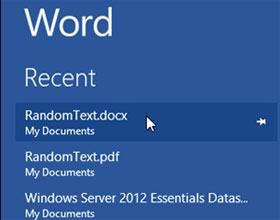
Every time you open the Word 2013 editing application, the list of recently opened files is displayed in the left pane of the interface.
Every time you use editing applications in Office 2013, when you save a new document, the editing interface will switch to the Backstage interface so you can.

If you frequently work on Microsoft Outlook, you may have encountered an error when trying to open a link (link) and the following error: This operation has.

Using shortcuts, drag-and-drop features, creating shortcuts for Google Docs, restoring old versions of documents and quick translation will help you work.

Google Docs is an online application for writing, editing, managing and sharing powerful Google documents.
In recent years, Microsoft has often provided trial versions for its products, to help users experience it before deciding whether to buy or not.