Table of Contents
Doug MacDowell’s Coffeematic PC combines a working desktop computer with a vintage General Electric drip coffee maker. Its unusual feature is a liquid-cooling loop that sends brewed coffee through radiators and a CPU block. MacDowell built it as an art project using a mix of salvaged and newer parts.
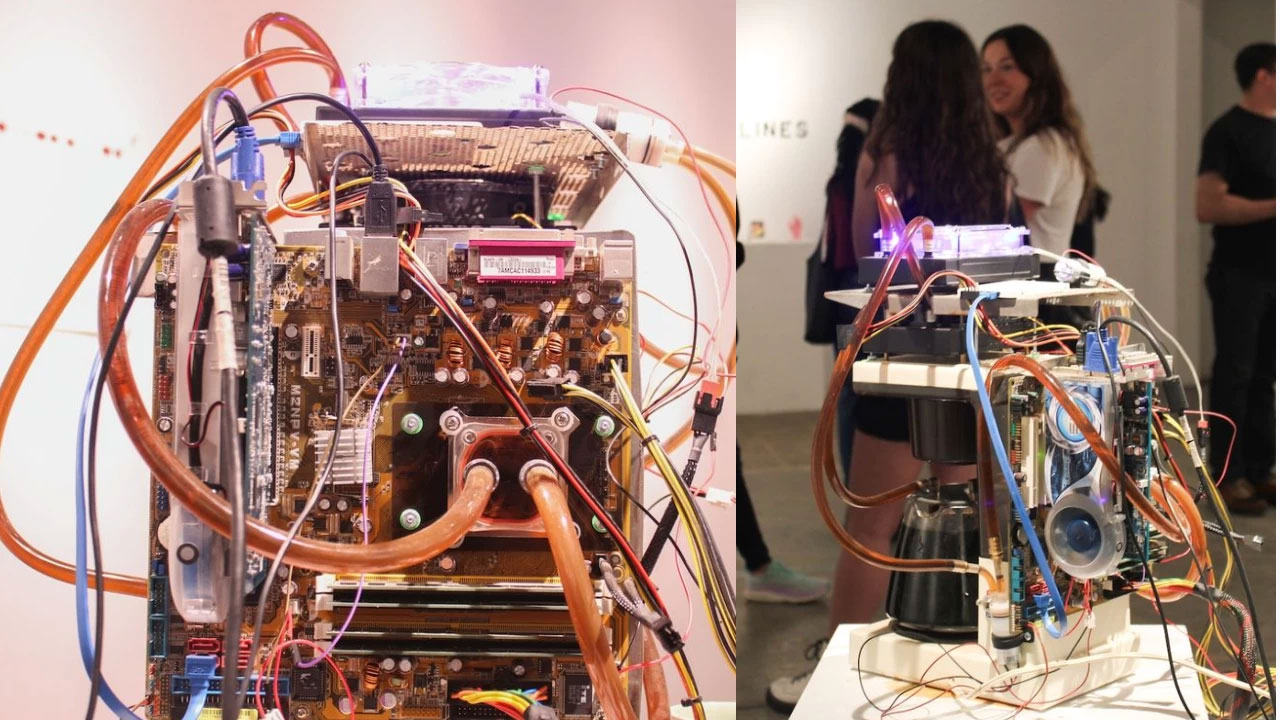
How hot coffee can pass through a cooling loop
The coffee starts hot. As it passes through the radiators, it can shed heat to the surrounding air before it reaches the CPU block. What matters at the block is the difference between the temperature of the incoming liquid and the processor. Liquid warmer than the block transfers heat into it. Liquid cooler than the block can carry heat away.
Hackaday’s coverage reported that the coffee and CPU settled near 33°C in the maker’s test after about 75 minutes. That is a result for this particular machine and test, rather than a performance figure for modern gaming hardware under load.
What was inside the Coffeematic PC?
MacDowell’s build notes list a GE Coffeematic 10-cup brewer, an ASUS AM2 motherboard, an AMD Athlon II X4 640, a Radeon HD 4670, 1 GB of DDR2 memory and a 240 GB SSD. The computer ran Linux Mint. A separate pump and a repurposed CPU cooling block handled the liquid flow.
Why PC coolers use purpose-made coolant
A cooling loop is difficult to clean internally, and brewed coffee can leave residue in tubing and the block. Calling some tubing food-grade also says little about whether the complete loop is suitable for a drink. For an ordinary computer, liquid CPU coolers use hardware and fluid designed for continuous operation. If your machine slows down or shuts off under load, start by checking temperature and power symptoms.
Related Articles
 What is a coffee maker? Classify coffee makers on the market
 Experience choosing the best coffee maker for the cafe
 How to choose a coffee maker for the family
 Suggesting 5 best coffee capsule models for home and office
 Mini coffee maker is good for the family?
 What is the best brand coffee machine between Saeco, Delonghi and Melitta?
Reader Comments 0
Sign in with email or Google to join the discussion.