Article on the subject of "usb flash drives"
-

9 best USB currently according to each criterion
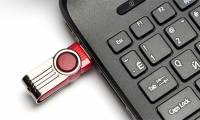
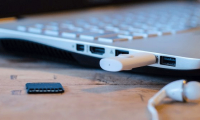
usb flash drive is one of the popular technology devices thanks to its high portability. high demand means that many usb flash models are released by manufacturers.
-
The fastest top 5 USB flash you should buy
usb flash drives come in all shapes and sizes. but sometimes, all you need is absolute speed - and if so, these are the best things you can buy at the present time.
-
5 best USB flash drives today
usb flash drives are one of the popular technological devices thanks to their high portability. high demand means that there are many usb flash models released by manufacturers on the market.
-
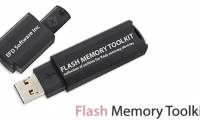
Learn about Flash Memory Toolkit
the flash memory toolkit program combines a variety of functions that allow you to fix usb flash drive errors: check for errors read by tests and benchmark, restore the original function.
-
Stop buying regular USB flash drives: USB SSDs are a better choice in 2026.
usb ssds are faster, more durable, and only slightly more expensive than traditional usb flash drives. why should you ditch your regular usb drives by 2026?
-
9 best USB currently according to each criterion
usb flash drive is one of the popular technology devices thanks to its high portability. high demand means that many usb flash models are released by manufacturers.
-
Acquiring all USB control with USB Flash Drives Control
usb flash drives control is a free utility that allows users to easily control actions for usb disks when plugged into a windows computer. after installation, usb flash drives control will give you 3 options to control the function of usb ports, including read mode (read), write mode (write) and
-
Manage and control USB with USB Flash Drives Control
using usb flash drives control software, you can control, manage operations and actions when usb is used on the computer, helping the computer to avoid viruses, malware on usb.
-
USB flash drive, HDD and SSD: Which is the best option for you?
if you've ever searched for ways to store large amounts of data via usb, you'll know three main candidates: flash drive (usb), external hard drive (hdd) and external ssd drive. all three drives can store data well, but they are more suited to each specific role.
-
The painful and prolonged death of Flash
if you have been using the internet for a long time, not only have you used flash in recent years. historically, this platform has become a popular platform on the web and without smartphones it can still last today.
-
5 best Windows speed test applications on Windows
speed of usb flash drives is not the same. at the same level, usb 2.0 is different from usb 3.x. but right away, the usb flash drive of the same type, there is also a clear difference in read and write speed and it is not clear if you have not actually used them.
-
5 best USB flash drives for iPhone
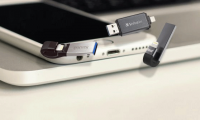
it's great that you can use the usb flash drive on iphone to access all your documents. if you're looking for the best usb flash drive for your phone, read the following article.
-
8 tips to help flash games run faster
if you experience crashes when playing, the following article will explain how to make flash games run faster, so you can enjoy your favorite games at a normal frame rate.
-
6 clever and unique ways to reuse old USB drives.
discover 6 creative and useful ways to transform a usb drive, from a portable operating system and rescue toolkit to a pocket-sized retro game library.
-
USB flash drives can store data for 200 years
machdyne, a german computer components manufacturer, has introduced a usb flash drive that promises to keep user data intact for 200 years thanks to fe-ram, a non-volatile random access memory (ram) technology. data loss when power supply is turned off.
-
Instructions on how to install Adobe Flash Player on your computer
adobe flash player is a program that supports web browsers to be able to watch high quality videos and images. in particular, flash player helps users to play online games on web browsers easily.
-
Threats and risks from malware on USB Flash
in addition to the undisputed benefits, usb flash drives sometimes contain risks that cannot be underestimated if not used properly.
-
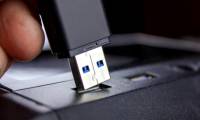
How to use flash drive on Windows 10
a flash drive is a small, portable data storage device and can be connected to any computer or device using a usb port. this article will show you how to use the flash drive on windows 10.
-
Instead of killing Flash, we should save it for posterity
adobe has decided to launch flash player in 2020, but not only has important implications in internet history, flash also contains a lot of content that we probably won't want to leave.
-
How to open Disk Management on Windows 11
disk management is basically a utility that allows users to manage all hardware based on the drive recognized by windows. in simple terms, disk management is used to manage the drives installed in the computer such as hard drives (internal and external), optical drives and flash drives.
-
USB Flash Drive is Not Recognized on Windows and Mac: How to Fix
usb drives have become a very important part of our lives today. from supporting data storage to data transfer, they are a very integral part of private life and business.
 Home
Home Tech info
 Technology
 Science
 Life
Life Application
 Electric
 Program
 Mobile
 System