There are many reasons for the 'BIOS checksum Error', such as: a faulty power supply circuit for the CMOS, an outdated BIOS, or a dead battery, etc.
CMOS is where computer settings for hardware parameters are stored. However, for various reasons, the BIOS may display an error during startup, causing significant difficulties because this error is related to computer hardware. In the previous article, you learned how to handle "BIOS checksum errors".

Instructions on how to fix the "BIOS checksum Error" on your computer.
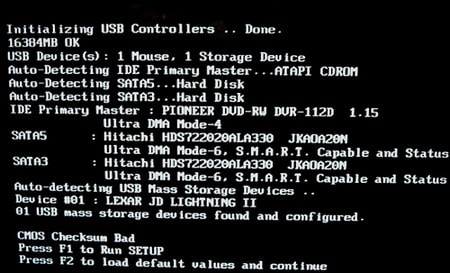
The "BIOS checksum Error" appears when you encounter an error during computer startup, as shown in the image below:
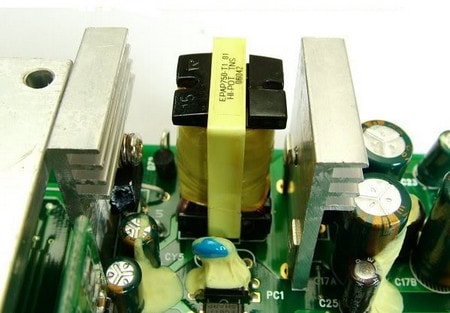
The power supply circuit for the CMOS is faulty.
When this happens, you need to replace the power supply circuit for the CMOS or use a soldering iron to repair it. This is only for professional technicians; otherwise, you'll have to go to a repair shop to have them fix it.
Due to outdated BIOS
This case is much simpler. When you encounter a checksum error, you can replace or upgrade the BIOS , and the error will be resolved immediately. Simply go to the motherboard manufacturer's website, download the latest BIOS version, and update your computer.
Due to the battery on the motherboard
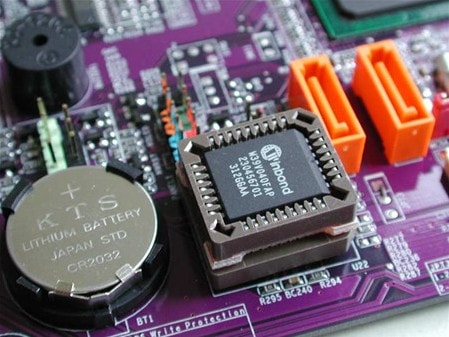
The battery is a small power source attached to the computer's motherboard. Its function is to supply power to the system and some diodes while the computer is still running. Therefore, when the battery is dead, it will display a checksum error immediately upon startup, which you can easily recognize. Your task is to buy a new battery and replace it. The replacement process is quite simple; you just need to disassemble the computer, remove the old battery from the motherboard, and insert the new one. Then, restart the computer.
Tip: You can refer to the article.
Above are all the causes and solutions for the BIOS checksum error that you can completely fix when you encounter this error while using your computer.
Image source: Internet
Related Articles
 How to Fix Cmos Checksum Errors6 minutes read
 BIOS - Basic Information for Beginners29 minutes read
 6 Ways to Fix Checksum Errors in Winrar6 minutes read
 20 Useful Troubleshooting Tools for Windows 1014 minutes read
 Fix 'CMOS Checksum Error' Preventing Windows from Booting3 minutes read
 How to Fix Checksum Error Winrar When Extracting Files4 minutes read
Reader Comments 0
Sign in with email or Google to join the discussion.