
Office information
How to Adjust Indents and Line Spacing in PowerPoint 2019
Set list levels, first-line and hanging indents, bullet-to-text gaps, and line or paragraph spacing without overcrowding your slides.
Browse more Find practical software and app guides, setup instructions, troubleshooting steps and productivity tips for popular desktop and online applications.
Set list levels, first-line and hanging indents, bullet-to-text gaps, and line or paragraph spacing without overcrowding your slides.

Choose bullets or numbers, continue a numbered sequence, and adjust marker size, color, symbols, and indentation in PowerPoint 2019.
Start and navigate a slide show, draw or erase annotations, use Presenter View, and configure manual or automatic slide advances.

Choose a print layout, select slide ranges, check color and page settings, and produce readable slides, speaker notes, or audience handouts.
Locate words and phrases, replace matches individually or in bulk, and check for unintended wording and layout changes.
Choose the right view for editing or reordering slides, add speaker notes, and organize a longer presentation into named sections.
Apply, preview, and remove slide transitions, adjust effect speed and sound, and set automatic advances without confusing Duration and After.

Change a presentation's coordinated colors, fonts, and effects, use theme variants, and check layouts and manual formatting after the change.
Edit words within text boxes, copy or move passages, and use font and paragraph controls to keep slide text readable and consistent.
Add and reorder slides, choose layouts, adjust placeholders and text boxes, and set slide size, backgrounds, and themes in PowerPoint 2019.

Use Save and Save As correctly, check AutoRecover options, choose an export format, and share the intended presentation with suitable access.
Start from a blank file or template, reopen and pin saved presentations, and convert older .ppt files out of Compatibility Mode.
Find Ribbon commands, customize the Quick Access Toolbar, use views and zoom, and access file commands in PowerPoint 2019.

Export a presentation as an MP4 with suitable timing, present slides through a remote meeting, or share an editable file with the intended audience.
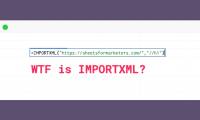
Import headings, links, and metadata from public web pages with IMPORTXML, choose XPath expressions, and troubleshoot missing or blocked results.
Format currency, percentages, dates, and decimals correctly, and understand which changes affect the display and which affect stored values.

Use offline editing, filter views, formula help, custom formats, conditional rules, and add-ons, with current setup guidance for Google Sheets.
Choose border placement, color, and line style, update existing cell borders, and distinguish border formatting from default gridlines.

Sort complete records safely, exclude headers, filter by one or more columns, and use filter views without changing a collaborator's view.

Write formulas with SUM, AVERAGE, COUNT, MAX, and MIN, choose the right arguments, and check ranges, blanks, and result cells.