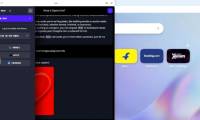
Web browser
Opera AI on Windows: Features, Shortcuts, and Privacy
Learn how Opera AI summarizes pages, works with tabs, creates content, and handles chat data, with practical setup and privacy guidance for Windows users.
Browse more Find practical software and app guides, setup instructions, troubleshooting steps and productivity tips for popular desktop and online applications.
Learn how Opera AI summarizes pages, works with tabs, creates content, and handles chat data, with practical setup and privacy guidance for Windows users.

Follow the current Netflix steps to cancel or pause a membership, handle partner billing, extend a pause, restart service, and understand when charges stop.

Clean up the Google Photos grid, stop autoplay, control sensitive Memories, mute print promotions, and disable Quick Edit before sharing.
Use the right recovery path for a deleted, unsaved, overwritten, or cloud-stored Word document, from Recycle Bin and AutoRecover to version history.
Recover an Excel workbook from Recycle Bin, AutoRecover, OneDrive version history, or a Windows backup, and know when Ctrl+Z can undo a deletion.

Create a torn-paper anime eye image for a wallpaper or avatar. Follow the upload, crop, preview, and download steps, with tips for choosing a source image that fits the template.
Stop the extra sharing screen, limit unwanted Memories, mute print promotions, and prevent videos from playing in the photo grid. Menu paths for Android and iPhone are included.

Use Word's formatting-aware Find and Replace to bold repeated labels such as '1:' through '99:' in one pass. The guide explains the codes, safe preview steps, and when to use Heading styles instead.
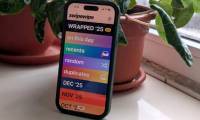
Swipewipe lets you review photos one at a time, keep or flag each item for deletion, and confirm the result at the end. Here is a safe workflow, plus subscription and recovery checks.

Restore missing OneDrive commands such as Share and View online by checking the sync app, restarting Explorer, resetting OneDrive, and repairing policy or Registry settings.

Compare UpScrolled and TikTok by feed design, post formats, discovery, editing tools, messaging, privacy claims, and the type of user each platform suits.

Improve irrelevant Google Play suggestions by deleting misleading Play activity, excluding specific apps from personalization, resetting interests, or turning personalization off.

Use Just the Browser to disable selected AI tools, sponsored content, telemetry, and integrations in desktop Chrome, Edge, Firefox, or Brave, with safe setup and removal steps.

Change Firefox from Bing to another search provider, restore the home page, remove an unwanted extension, and stop settings from changing back without reinstalling the browser.

Use Lens and Wear OS for clearer walking directions, organize destinations in saved lists, and highlight wheelchair-accessibility details before you travel.

Compare G'MIC-Qt, Resynthesizer, BIMP and darktable by task, with version checks and practical steps for testing each addition to your GIMP workflow.
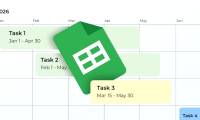
Build a Google Sheets timeline from task dates, configure its columns and keep the source range current when dates change or new tasks are added.

Use the Me Meme controls when available, choose a suitable photo and review the generated result. Find the current remix tools if your app's layout differs.
Isolate attachment problems, test classic Outlook without add-ins and choose the right repair steps for classic or new Outlook on Windows.

Check Task Manager's Efficiency mode, adjust Chrome's separate power-saving settings and remove the obsolete shortcut flag used by older guides.