Table of Contents
Explore formatting borders in Google sheets, including the key concepts, practical examples, important considerations, and useful guidance.
Border formatting
You can add, remove, and change the color and style of borders in Google Sheets.
Why format borders?
- Make the document easier to read and understand.
- Highlight the key points.
Using it is very simple. First, access the Borders menu in the Ribbon (  ).
).

This button remembers the outline you used last time.
Note: Remember to reapply the border after changing the color and style.
Add a border
Borders are added by clicking the Borders button.
The default border is a black underline.
You can change the type, style, or color of the border as you wish.
Clicking the options button will provide an overview of the different border options.
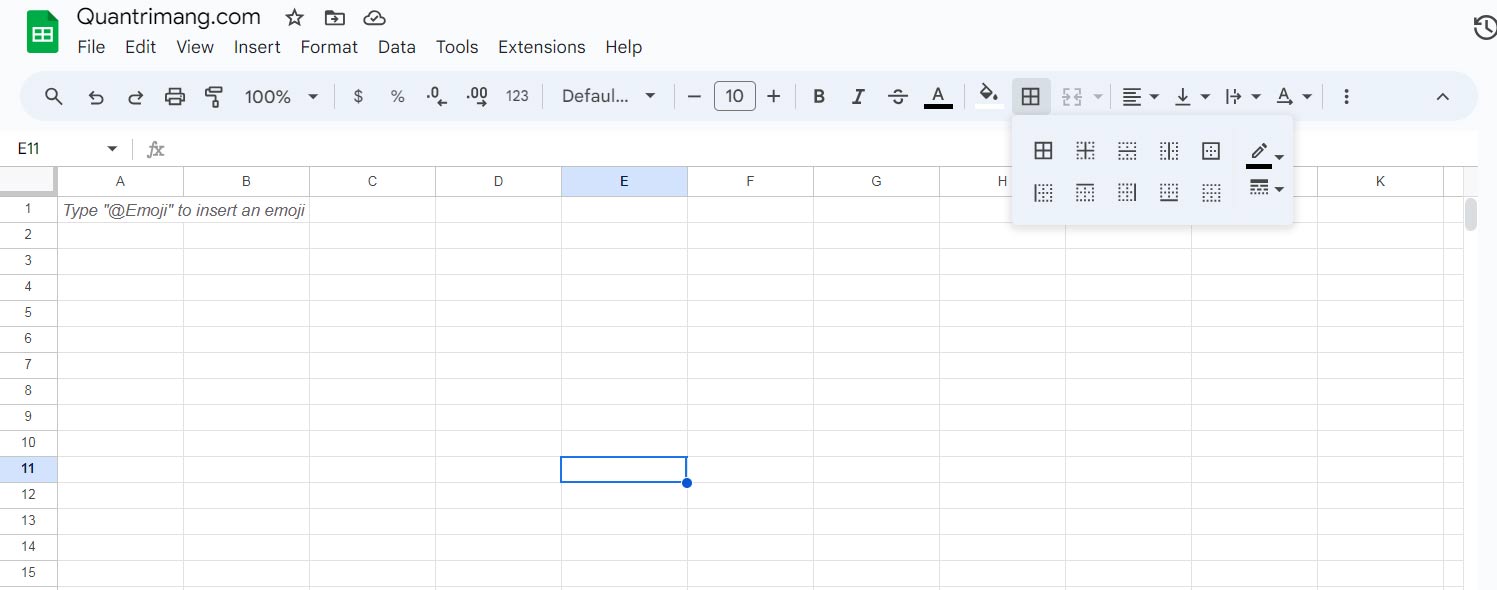
The buttons within the Border command provide options for a wider variety of border types.
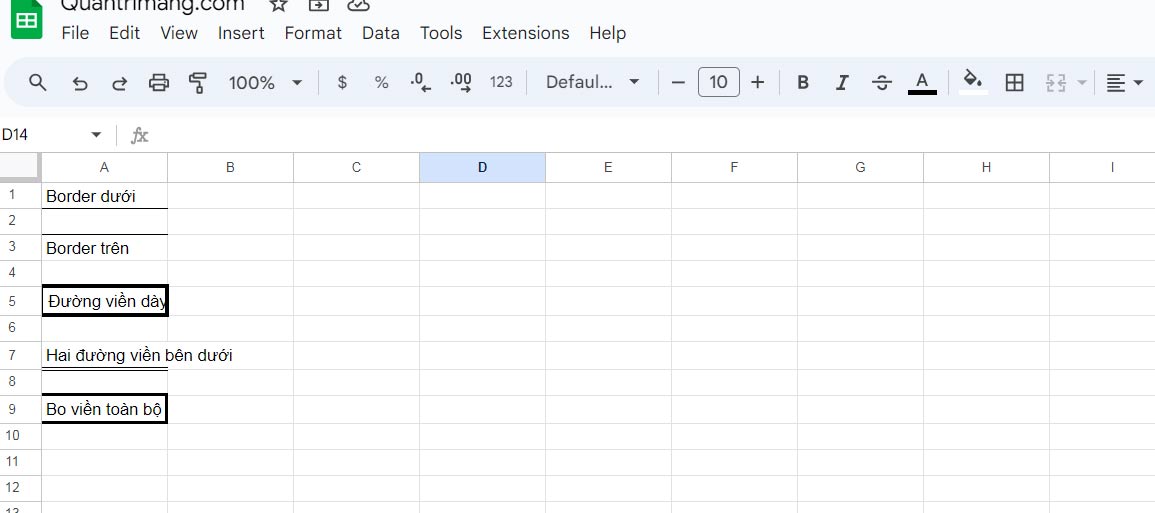
For example:
Border color
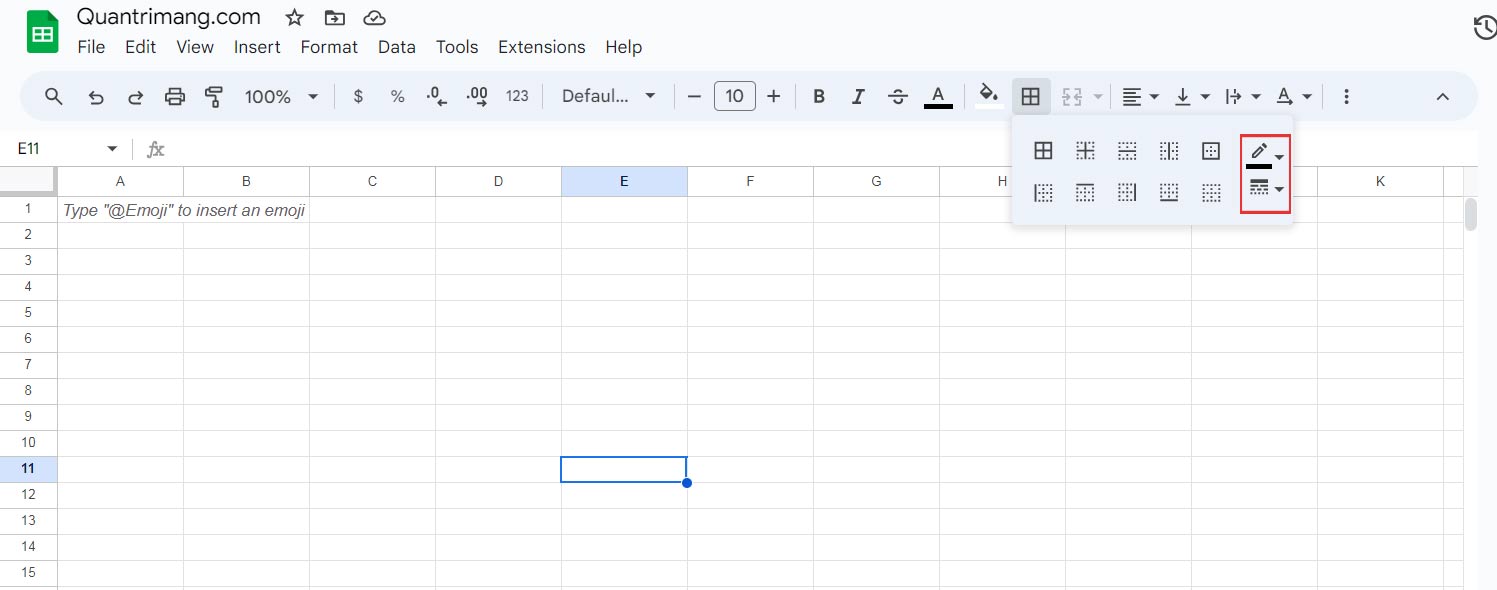
If you want to color the border, choose a color before adding it. The color can be changed in the Border Color menu  :
:
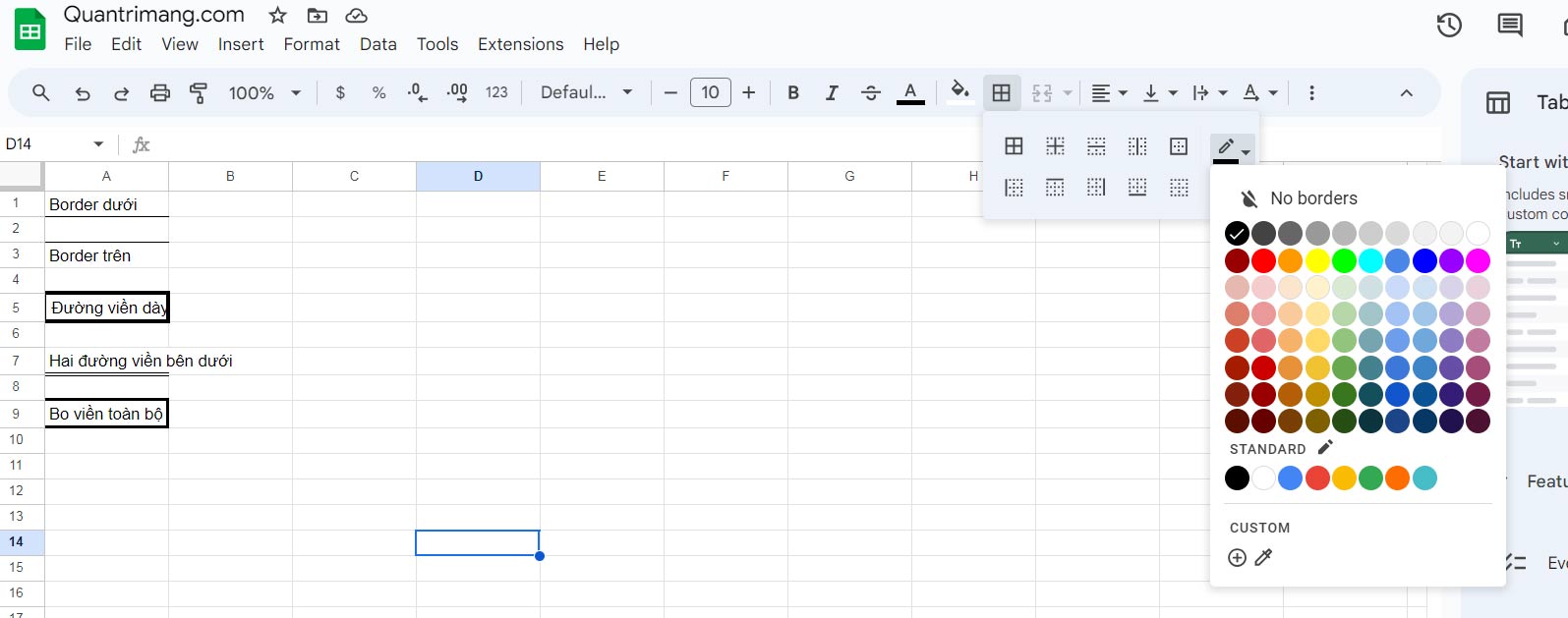
For example:
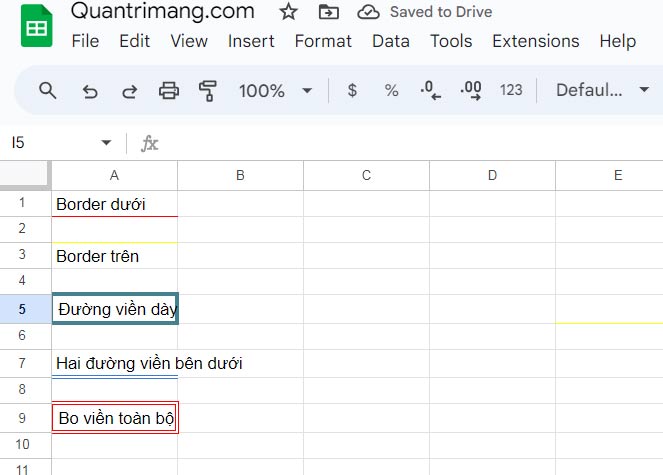
Border style
You can change the border style in the Border Style menu  .
.
Google Sheets offers six different border styles:
- Solid lines
- Dashed lines
- Dotted lines
- Medium line
- Thick lines
- Double lines
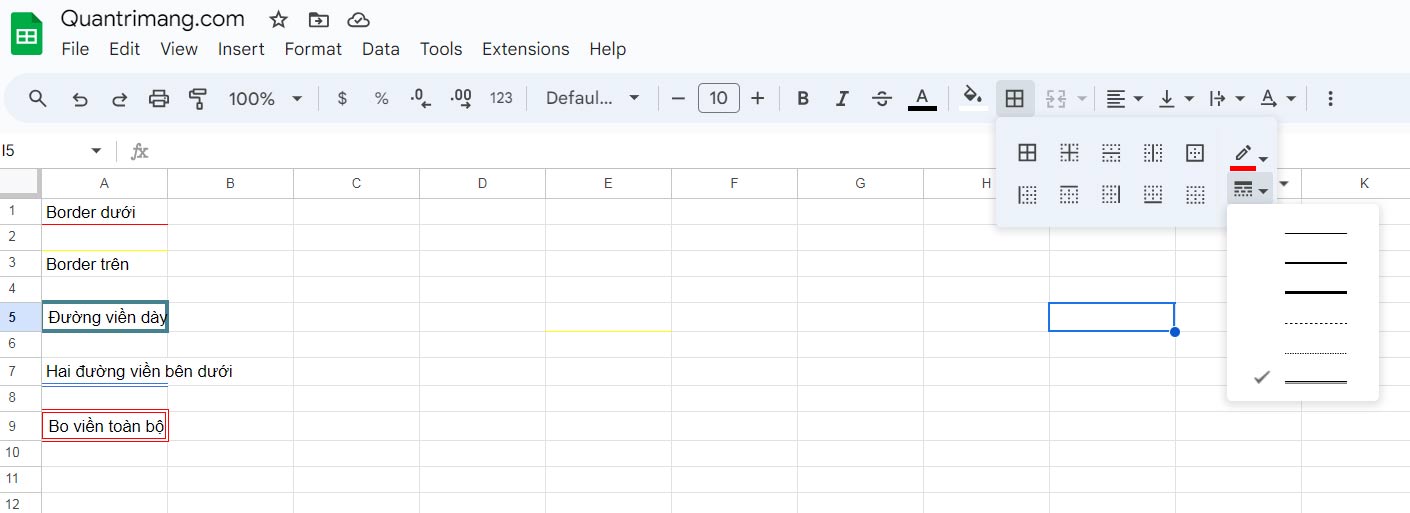
You can add borders with various colors and styles. The border button remembers the most recently used border settings.
Above is how to use borders or create grid lines in Google Sheets. Hopefully, this article is helpful to you.
Final Thoughts
Understanding formatting borders in google sheets makes it easier to evaluate the information and apply the most relevant recommendations. Focus on the key points above and verify details that may change over time.
FAQ
What is formatting borders in google sheets?
Explore formatting borders in Google sheets, including the key concepts, practical examples, important considerations, and useful guidance.
What key points does this article cover?
The article focuses on Border formatting, Add a border, Border color, with practical explanations and examples.
How can you use this information in practice?
Use the explanations to compare options, verify important details, and make a more informed decision. Apply the recommendations that best match your goals and situation.
Related Articles
 How to Format Conditional Cells in Google Sheets5 minutes read
 How to Learn About Number Formats12 minutes read
 How to Use Format Painter in Google Sheets4 minutes read
 minutes read
 How to Copy Formatting in Google Docs, Sheets and Slides4 minutes read
 Google Sheets Launches Automatic Table Formatting Feature3 minutes read
Reader Comments 0
Sign in with email or Google to join the discussion.