Table of Contents
Codex and Claude Code can both read a repository, edit files, run commands, and help review changes. The better choice depends on how you work: terminal or desktop, local changes or pull requests, permission controls, repository instructions, and the limits of the plan you actually use. A single “winner” based on one model or price point ages quickly.
Start with the workflow, not a speed claim
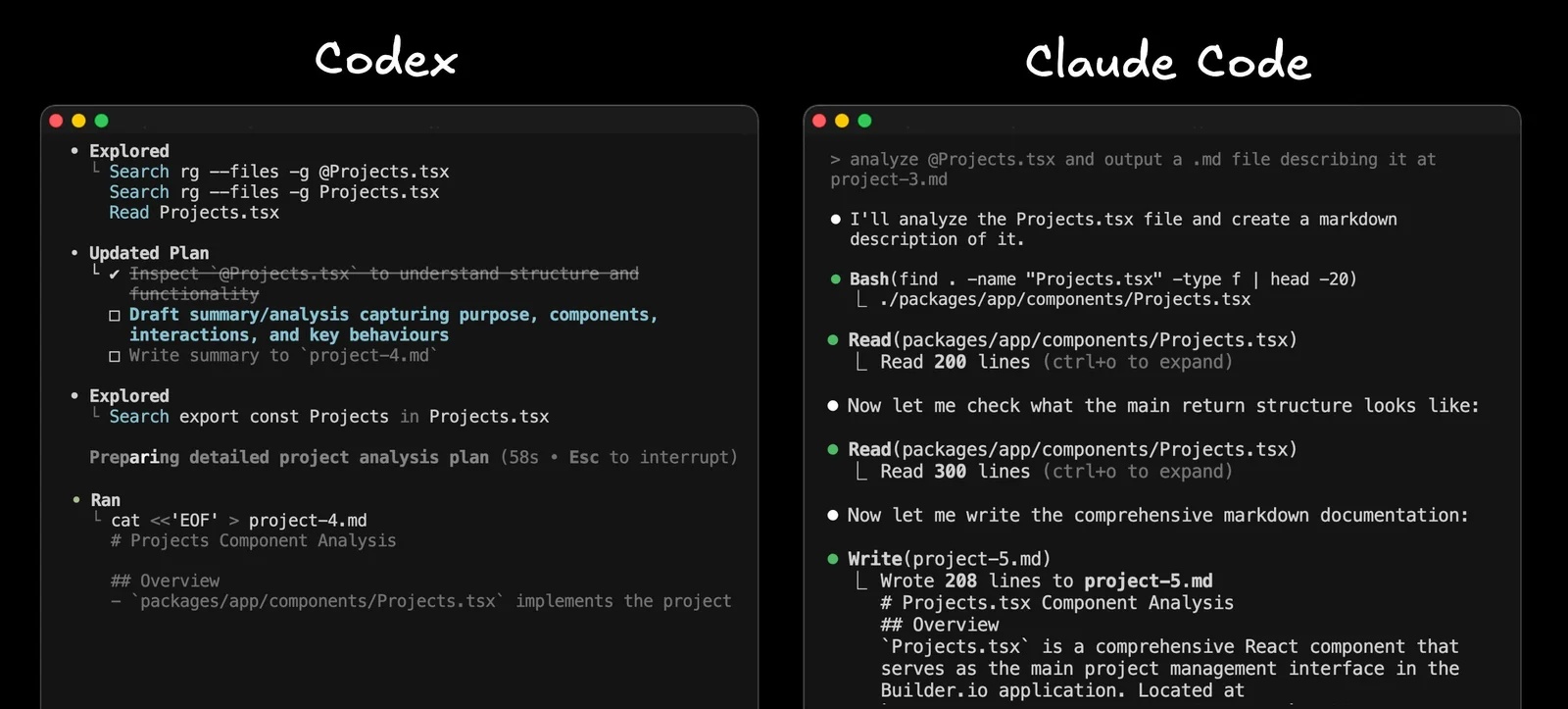
Give each tool the same small, well-scoped task in a disposable branch: reproduce a bug, write a fix, run the relevant tests, and explain the diff. Compare the correctness of the result, the number of interventions, and whether it respected project conventions. Apparent speed varies with the model, prompt, repository, network, and available tools; token output rate alone is a poor measure of coding value.
Models, controls, and context
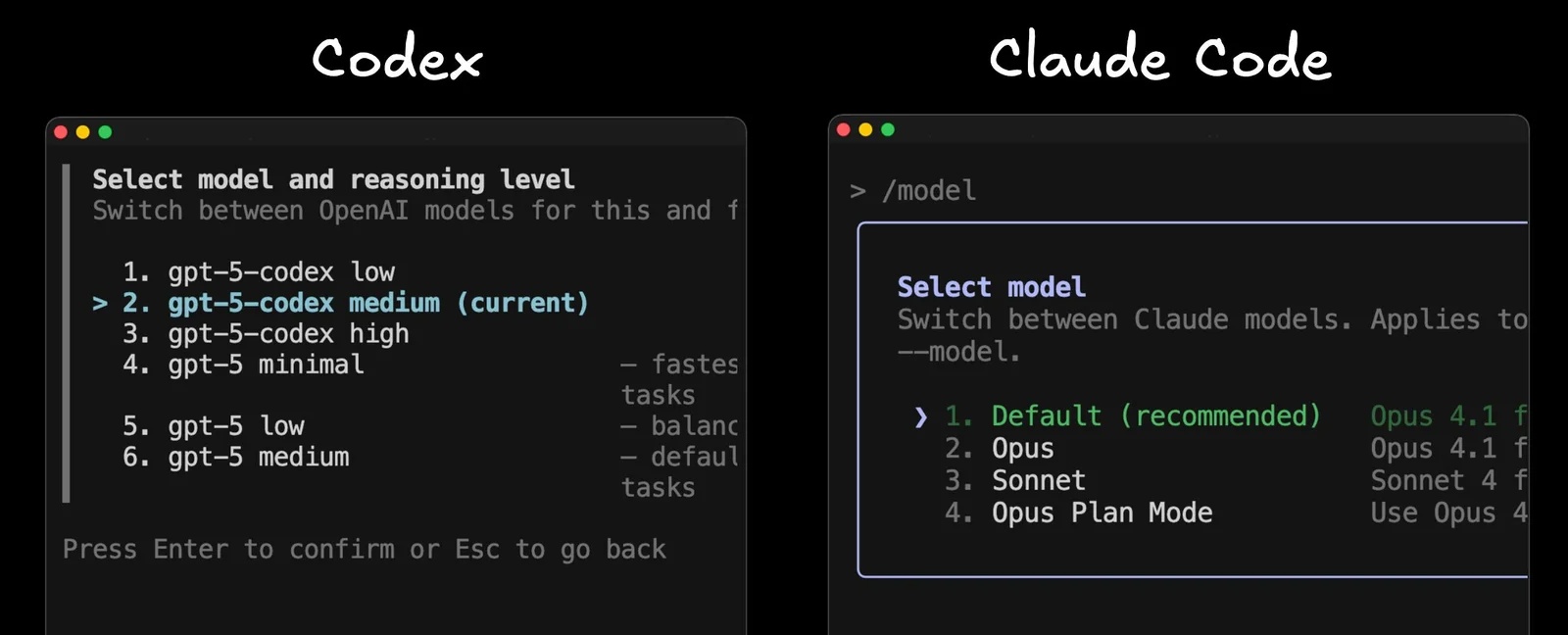
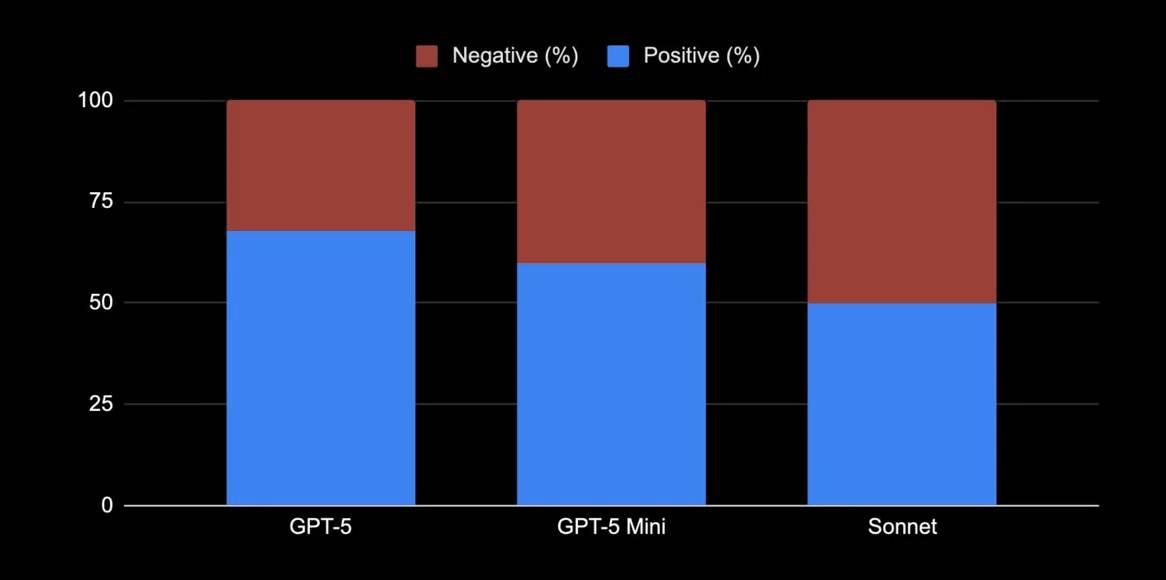
Both products offer model and workflow options that change over time. Check the options visible in your installation and see how they handle a short edit versus a multi-file task. Ask each to state assumptions and inspect the repository before writing code. For larger work, compare how readily you can steer or resume the task without losing context.
Compare the total cost of a real task
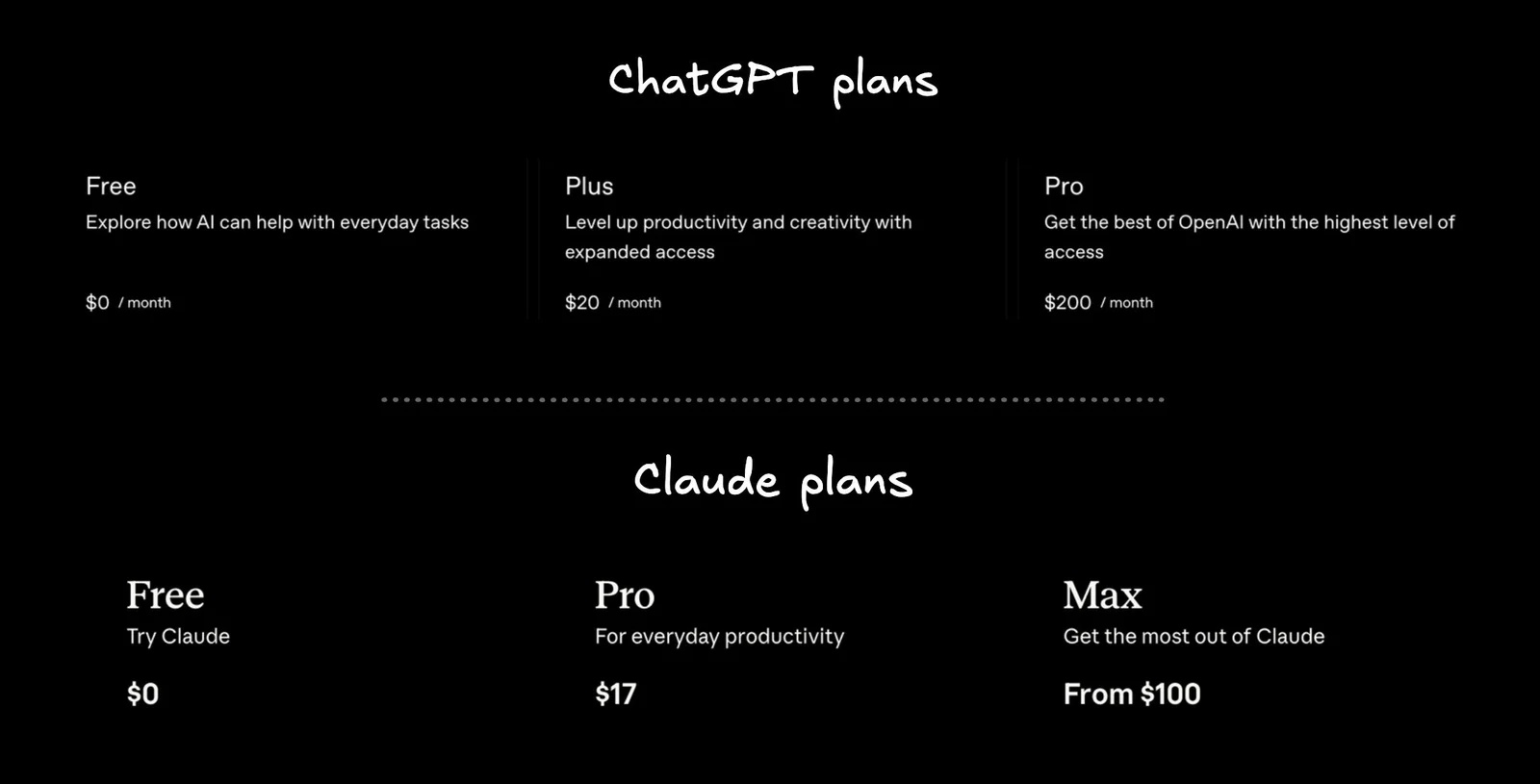
Subscription prices, usage caps, included models, and API billing can change. Consult Codex pricing and Anthropic pricing for the plans you can buy. Then measure a week of your own workload: completed fixes, retries, waiting time, and whether you hit a limit. Do not infer a subscription's effective capacity from the API price of a model or another user's anecdote.
This video shows an interface example:
Permissions and customization
Before allowing an agent to execute commands, inspect its permission settings and repository access. Claude Code documents fine-grained permission controls; Codex also offers sandbox and approval settings. Use the least access the task needs, review proposed commands, and keep a clean Git branch. Bypassing approvals for convenience can expose files or run unintended commands.
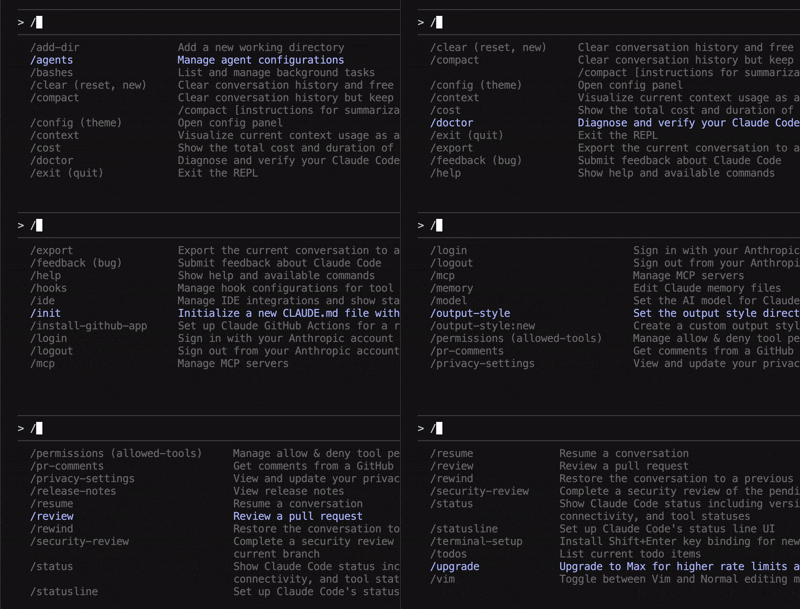
Claude Code offers project instructions, hooks, and specialized agent workflows. Codex supports repository guidance through AGENTS.md and has CLI, editor, desktop, and cloud workflows. Neither feature list stays fixed: check the current documentation for a capability essential to your team. TipsMake's subagent comparison provides background on one such workflow.
Repository instructions and GitHub review
Write down your build commands, test expectations, and style rules in the instruction file your chosen agent reads. Codex uses AGENTS.md; Claude Code commonly uses CLAUDE.md. Test whether each agent actually follows the instructions. If your repository contains both, keep shared guidance consistent.
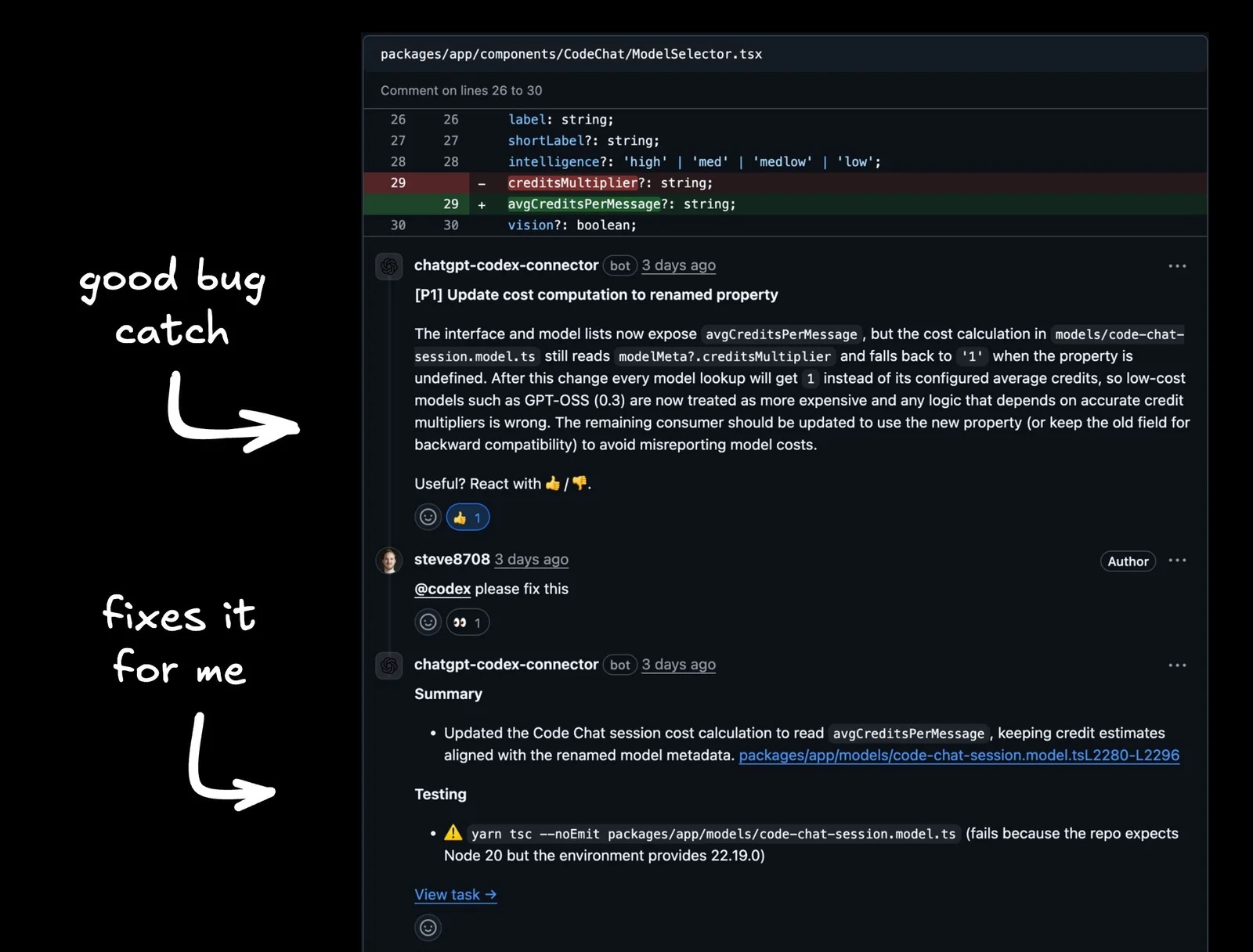
Codex's GitHub integration can review pull requests and post findings. Claude Code also has GitHub workflows, including web tasks and review options; compare the setup and feedback in your own repository instead of assuming one automatically catches every bug. Human review and the project's tests remain necessary.
Practical choice: Try the same representative issue in both tools. Choose the one whose verified fix, permission model, review flow, and actual usage allowance fit your team. If you're considering a switch, TipsMake's related Codex and Claude Code discussion gives another perspective, though product claims there should also be checked against current documentation.
Related Articles
 Codex vs Claude Code: Which Coding Agent Should You Use?12 minutes read
 Reasons Why the Claude Code Should Be Replaced by the Codex8 minutes read
 OpenAI Launches GPT-5-Codex: Upgrading Codex with Dynamic4 minutes read
 Claude Code vs Codex vs Antigravity: ESP32 Test12 minutes read
 Why Do Developers Always Choose Claude Over Other AIs?11 minutes read
 Best AI Tools to Support Programming9 minutes read
Reader Comments 0
Sign in with email or Google to join the discussion.