Table of Contents
A linear model represents a relationship with a straight line: y = ax + b. Here x is the input, y is the predicted output, a is the slope, and b is the y-intercept. Plotting this line helps you see how the prediction changes as the input changes.
Read the slope and intercept
The horizontal axis shows x and the vertical axis shows y. The slope is the change in predicted y for a one-unit increase in x; it is not simply the angle you see on a screen, since axis scales can differ. A positive slope rises from left to right, a negative slope falls, and a zero slope is horizontal. The intercept is the predicted value when x = 0.
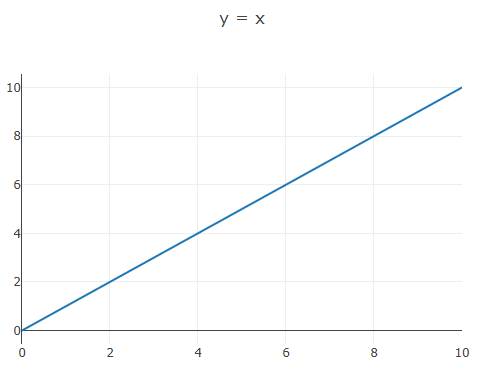
For y = x, the slope is 1 and the intercept is 0. For y = 1.2x, the slope is 1.2 and the intercept remains 0. For y = 1.2x + 7, the line starts at 7 when x = 0; at x = 5, it predicts 13. Changing the slope tilts the line around its intercept, while changing the intercept shifts it up or down without changing its slope.
Plot the three lines with Plotly
Load Plotly in your page and add a container with id="myPlot". This JavaScript creates the same three examples over inputs from 0 to 10:
const x = Array.from({ length: 11 }, (_, i) => i);
const lines = [
  { name: 'y = x', a: 1, b: 0 },
  { name: 'y = 1.2x', a: 1.2, b: 0 },
  { name: 'y = 1.2x + 7', a: 1.2, b: 7 }
];
const traces = lines.map(({ name, a, b }) => ({
  x,
  y: x.map(value => a * value + b),
  mode: 'lines',
  name
}));
Plotly.newPlot('myPlot', traces, {
  title: 'How slope and intercept change a line',
  xaxis: { title: 'x' },
  yaxis: { title: 'predicted y' }
});
In a regression problem, you usually have observed data points first, then estimate a and b from training data. Plot those observations as points and the fitted predictions as a line; the vertical gaps are residuals. A straight line can be a useful starting model, but inspect the residuals and evaluate predictions on separate data before assuming it describes the relationship well.
Continue with linear regression in machine learning or the machine learning fundamentals exercises.
Related Articles
 Linear Regression in Machine Learning3 minutes read
 Machine Learning Terminology: Explained6 minutes read
 AI and Machine Learning in the Enterprise5 minutes read
 What Is Machine Learning? Complete Guide9 minutes read
 How to Learn Machine Learning8 minutes read
 Machine Learning in JavaScript5 minutes read
Reader Comments 0
Sign in with email or Google to join the discussion.