Table of Contents
To use a Google Gemini model in Perplexity, select it from Perplexity’s model menu before starting a Search. This is a model choice inside Perplexity, not a connection to your Gemini account. Manual selection of advanced Search models depends on a paid Perplexity plan and the models available to your account.
Choose a Gemini model in Perplexity Search
- Sign in to Perplexity on the web and open a new Search. In the prompt box, locate the model dropdown at the bottom right. It may display Best, Perplexity’s automatic choice.
- Open that dropdown, select Custom, and choose a Gemini model if one appears. Review any reasoning or speed options shown for the selected model.
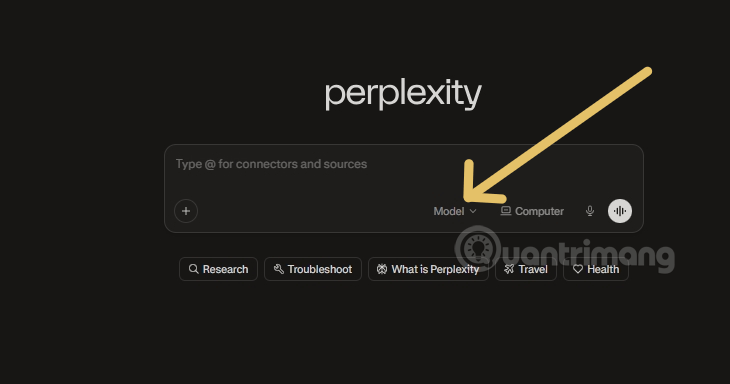
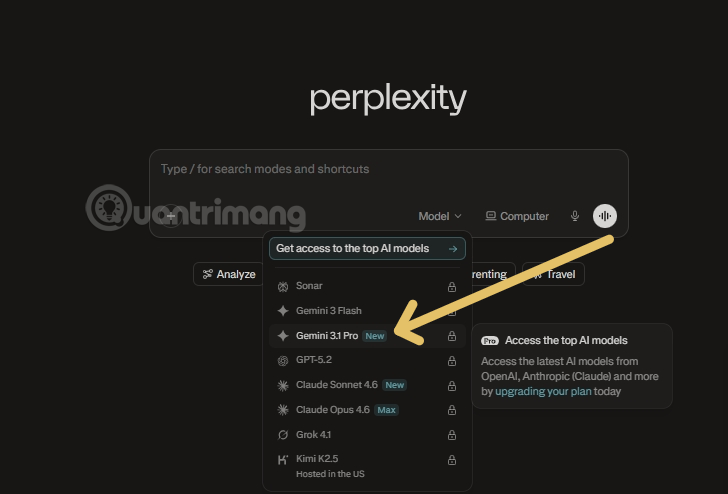
- Enter your question and submit it. Check the selected model on the query screen, then follow the cited sources to confirm important claims. For example: “Compare the official documentation for these two tools and cite the page for each feature.”
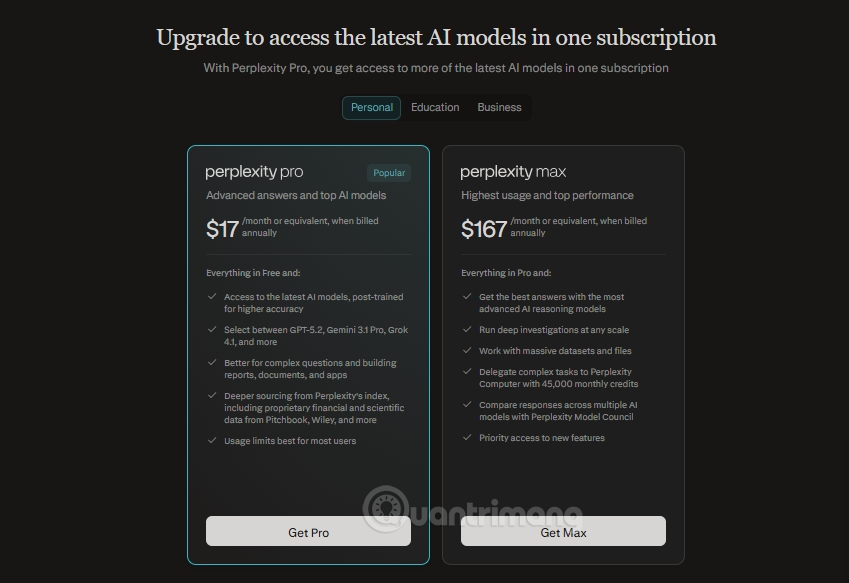
Perplexity’s model list changes as providers release and retire versions. A screenshot that shows Gemini 3 Pro or Flash may differ from the current dropdown; use the name actually displayed in your account. If Gemini is absent, check your plan, Search mode, and any work organization restrictions. The Perplexity model selection help gives the current web steps.
What changes when you choose Gemini?
| Part of the workflow | Perplexity | Selected Gemini model |
|---|---|---|
| Search and interface | Handles the query flow, retrieval, displayed sources, and follow-up conversation. | Does not replace the Perplexity interface with the standalone Gemini app. |
| Answer generation | Supplies its search context and product features. | Helps produce the answer within Perplexity’s workflow. |
| Access and limits | Determines available models and usage under your Perplexity plan or organization. | Its availability and behavior can differ from using the model in Google’s own app. |
Sources are useful starting points, but a citation is not a guarantee that the answer matches the linked passage. Open the relevant pages and verify dates, numbers, and exact wording. Perplexity’s model availability page explains how the list varies by plan and mode.
For research workflows, see how to inspect sources in Perplexity and how to verify AI-generated claims.
Related Articles
 How to Create API Key Perplexity8 minutes read
 Perplexity Launches Computer: a Multi-model AI System That Can Perform Tasks in Place of Human Users6 minutes read
 Integrating Gemini with Google Calendar6 minutes read
 10 Ways to Maximize Your Experience with Google AI Studio and Gemini5 minutes read
 4 Gemini Features You Should Use on Your Android Phone7 minutes read
 How to Turn Off Gemini in Google Docs10 minutes read
Reader Comments 0
Sign in with email or Google to join the discussion.