Table of Contents
Gemini can provide helpful starting points, but its answer may contain a wrong date, unsupported claim, or misleading source. To check a response, identify the claims that matter, inspect any cited pages, and use Gemini’s Double-check response option as an additional lead. A source link or green highlight is not proof of accuracy.
Check a Gemini answer step by step
- Open the response you want to check. Let the answer finish, then mark concrete claims such as figures, names, dates, quotations, and advice that would affect a decision.
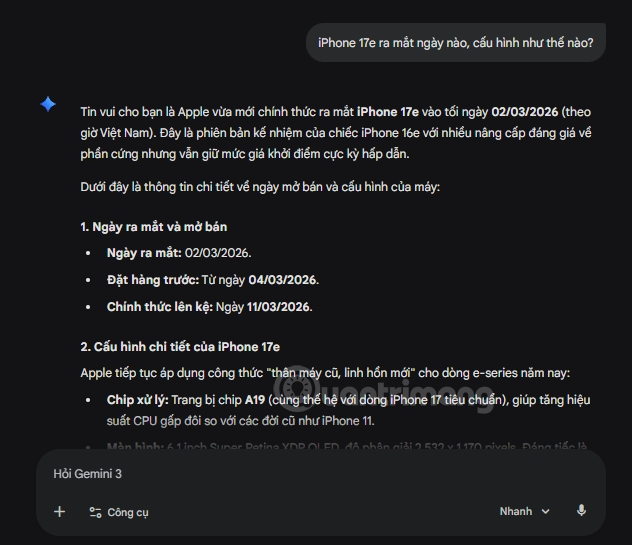
- Look for links and the Sources button. Sources may appear inline or beneath some responses. Select a relevant link and read the actual page; the Sources button is not present on every response. If a claim has no usable source, search for independent evidence yourself.
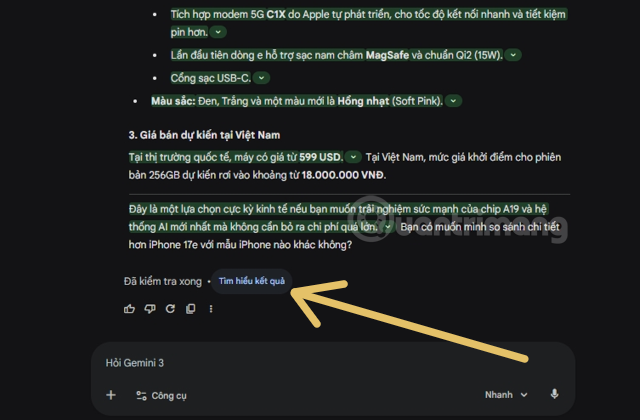
- Compare each important claim with its source. Check whether the page says what Gemini says, whether a date or qualification has been omitted, and whether the source is appropriate for the subject. A related page can still fail to support a specific statement.
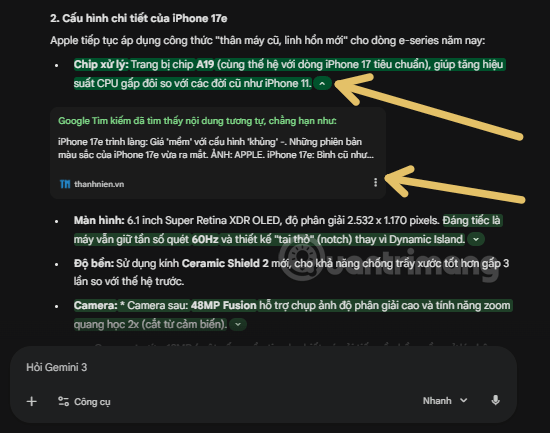
- Cross-check where it matters. For a consequential claim, consult a primary document or another credible independent source. Record the exact wording or data you can substantiate. If sources disagree, describe the disagreement instead of treating one answer as settled.
Use Double-check response for more leads
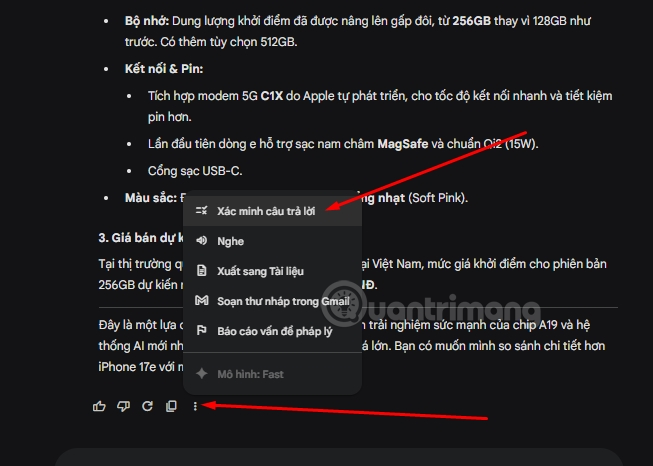
When available, open the More menu beneath a Gemini response and choose Double-check response. This uses Google Search to find material likely similar to or different from parts of the answer. In some interface versions, a Google icon may appear near this control.
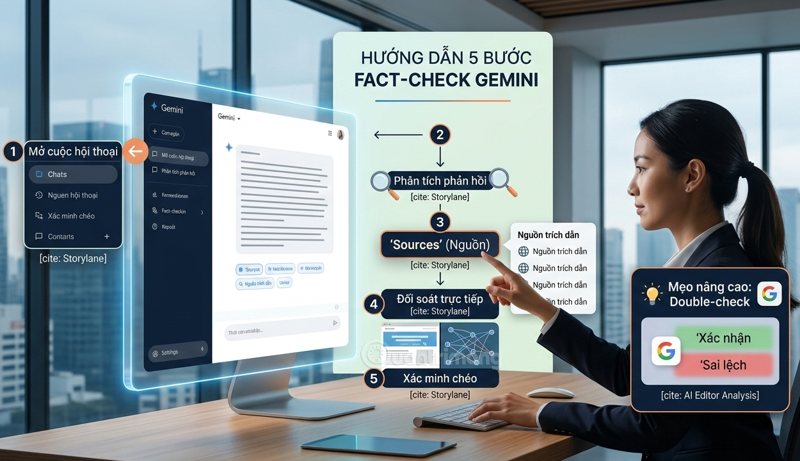
- Green: Search found content likely similar to the highlighted statement. The linked page might not be a source Gemini used, and similarity does not establish that the statement is correct.
- Orange: Search found likely different content or no relevant content. Investigate the claim further.
- No highlight: The feature did not evaluate that passage or it is not a factual claim. It should not be taken as confirmation.
Google notes that the check can be unavailable for responses generated with connected apps and may skip code or Markdown tables. Read Google’s Gemini sources and Double-check guidance for the current behavior. For background on why fluent AI output can still be wrong, see AI hallucinations; if the failure starts with an ambiguous request, use a clearer prompt structure. Neither improves the need to verify facts at their original source.
Related Articles
 Checking Domain Names: Instructions on How to Check Website Life2 minutes read
 Tips for Writing Simple AI Prompts That Still Receive Satisfactory Feedback9 minutes read
 How to Check. Vn Domain Name on VNNIC5 minutes read
 The Latest Wordle Answer as of Today, April 22, 202610 minutes read
 How to Turn Off Spell-Checking Spelling Corrections in Vietnamese on3 minutes read
 The 'Critical' Answers of Siri, the Funny Assistant on iOS9 minutes read
Reader Comments 0
Sign in with email or Google to join the discussion.