Table of Contents
Codex and Claude Code are both agentic coding tools: they can inspect a codebase, edit multiple files, run commands, and help complete development tasks. Neither is automatically the better choice for every developer. The right fit depends on where you work, how much supervision you want, which model performs well on your repositories, and how you prefer to review changes.
Claims based on one prompt or one token-usage screenshot are not a reliable comparison. Models, plans, interfaces, and limits change, while results vary by language, repository quality, test coverage, and task design. Compare the tools with the same real tasks in your own environment.
Codex and Claude Code at a glance
| Area | Codex | Claude Code |
|---|---|---|
| Core work | Reads and edits code, runs commands, and handles multi-step engineering tasks | Reads and edits code, runs commands, and handles multi-step engineering tasks |
| Interfaces | CLI, IDE integration, web/ChatGPT, and desktop app | Terminal, IDE, browser, and desktop interfaces |
| Repository guidance | Uses AGENTS.md for persistent project instructions | Uses CLAUDE.md and settings for persistent guidance |
| Extensibility | Skills, integrations, automations, and configurable environments | Skills, subagents, hooks, MCP, plugins, and settings |
| Permissions | Sandbox and approval behavior depend on the selected surface and configuration | Allow, ask, and deny rules can be configured; hooks can participate in permission workflows |
Where Codex stands out
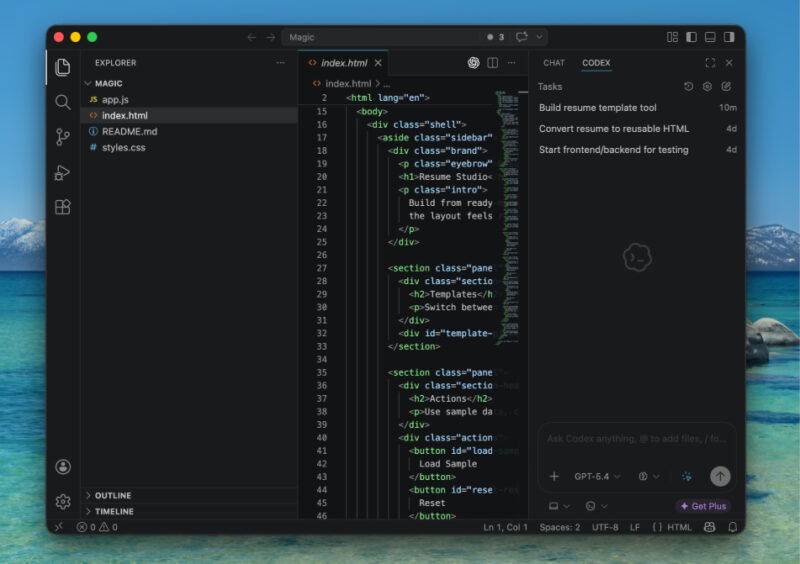
Codex is available across several workflows. The CLI keeps the agent in the terminal, the IDE extension brings open files and selections into the prompt, and cloud or app experiences can handle longer-running work. The Codex app is designed to coordinate multiple agents and isolate concurrent changes with worktrees.
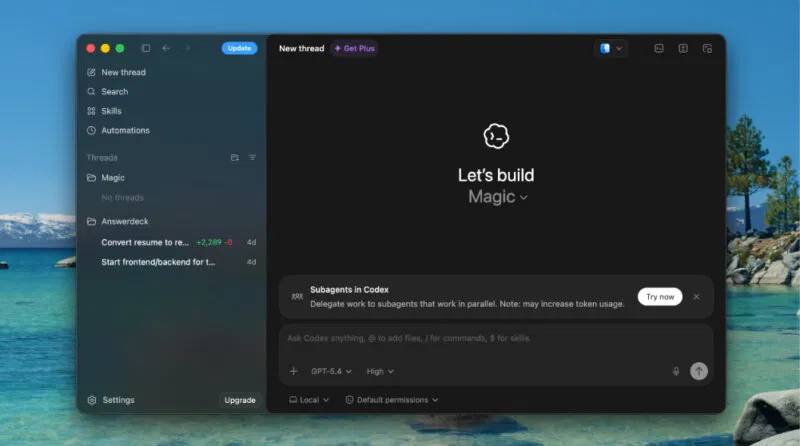
AGENTS.md is useful for repository-specific instructions such as architecture notes, formatting conventions, testing commands, and directories that should not be changed. Codex reads these files before beginning work, and nested files can provide more specific guidance within a project.
Developers who regularly delegate independent tasks may value Codex's multi-agent and cloud workflows. Those benefits are strongest when the repository has deterministic setup, fast tests, and clear acceptance criteria.
Where Claude Code stands out
Claude Code combines file operations, search, command execution, and web access with a broad extension layer. CLAUDE.md can hold project guidance, while skills package reusable procedures and resources. Hooks can run code at defined lifecycle events—for example, formatting after an edit, checking a command before execution, or notifying a user when input is needed.
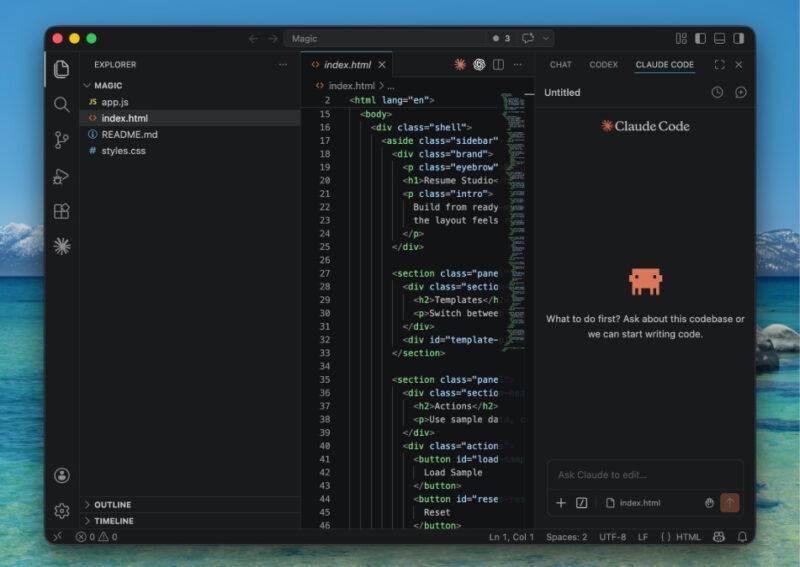
Permission rules can be configured to allow, ask about, or deny categories of actions. That gives teams a way to align routine agent behavior with local risk tolerance. As with any coding agent, permissive settings require careful use because a command can modify files, access credentials, or affect external systems.
Output quality and context
Both tools can work across many files, but a larger advertised context window does not guarantee a better patch. A good agent must locate the relevant code, ignore noise, understand project conventions, and verify the result. Repository documentation and tests often matter more than the nominal context size.
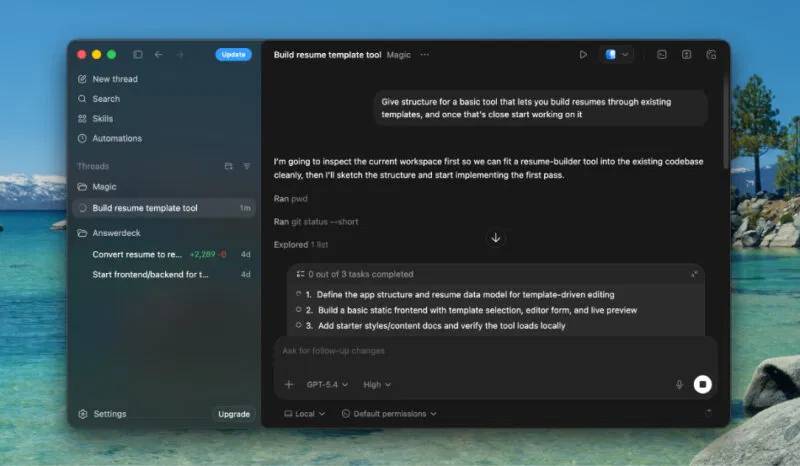
Do not judge code quality by brevity. A short patch can omit an edge case; a long explanation can conceal weak implementation. Review the diff, run the tests, inspect error handling, and confirm that the change solves the requested problem without unrelated edits.
Token use, subscriptions, and cost
The original comparison cited one task in which Claude Code reportedly used far more tokens than Codex. That result cannot be generalized without the prompts, models, settings, cache behavior, tool calls, and measurement method. Subscription limits and API prices also change frequently.
Measure the cost of accepted work instead. For a representative group of tasks, record total spend or plan usage, elapsed time, human review time, failed attempts, regressions, and the percentage of patches accepted without major rework. A cheaper run that creates a subtle bug is not cheaper overall.
Using Codex from the terminal or IDE
The official Codex CLI can be installed with npm:
npm install -g @openai/codexAfter installation, start Codex in the repository and describe the task. Keep project instructions in AGENTS.md, and ask the agent to run the repository's normal checks before presenting the result. Installation and authentication steps can change, so use the current Codex CLI documentation.
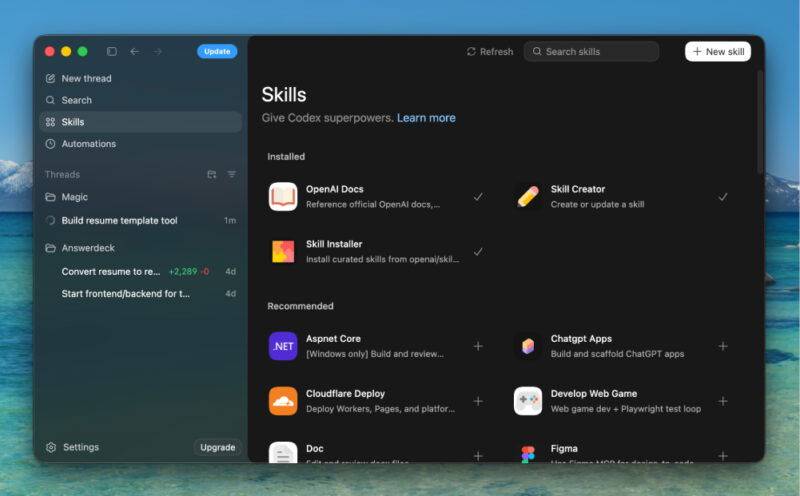
The IDE extension can use open files and selected code as context and display edits beside the source. This is convenient for focused work, while the CLI is often better for developers who prefer terminal tools. Cloud or desktop workflows are useful when a task should continue independently or when several agents need isolated workspaces.
How to run a fair comparison
- Select five to ten real tasks: a bug fix, test addition, small feature, refactor, and repository question.
- Start each tool from the same commit with the same environment, prompt, and acceptance criteria.
- Give both tools the same access to documentation and test commands.
- Record whether each patch builds, passes tests, follows project conventions, and changes only the intended scope.
- Have a developer review security, maintainability, and edge cases without knowing which tool produced the patch when practical.
- Compare total cost and review effort, not just response length or generation time.
Which one should you choose?
Choose Codex if its CLI, IDE, cloud, desktop, multi-agent, and AGENTS.md-based workflows align with how your team delegates work. Choose Claude Code if its terminal experience, hooks, permissions, and extension system fit your development controls and automation needs. It is also reasonable to use both for different repositories or task types.
Before switching, read the current Codex quickstart and Claude Code overview. Run a controlled evaluation and keep human review, version control, tests, and least-privilege access in place whichever agent you select.
Related Articles
 Codex vs Claude Code: Which Coding Agent Should You Use?12 minutes read
 Is the Codex or Claude Code Better for AI in Programming: Explained10 minutes read
 Why Do Developers Always Choose Claude Over Other AIs?11 minutes read
 Claude Code vs Codex vs Antigravity: ESP32 Test12 minutes read
 How to Use Claude Code Safely: a Guide to Risk Management12 minutes read
 What Is the Claude Code: Clear Explanation7 minutes read
Reader Comments 0
Sign in with email or Google to join the discussion.