5 Habits That Can Push Adult Children Away—and What to Do Instead
Replace unsolicited advice, guilt, boundary violations, and old labels with listening, direct requests, respectful limits, and practical ways to repair the relationship.
Fix Windows problems, troubleshoot devices, understand AI, secure your accounts and get more from your technology with tested step-by-step guides.

Replace unsolicited advice, guilt, boundary violations, and old labels with listening, direct requests, respectful limits, and practical ways to repair the relationship.

Understand what tiger parenting means, why strict achievement pressure can backfire, and how to keep high expectations while adding warmth, autonomy, and support.

Read a child-friendly collection of short poems about sunshine, wind, rain, the moon, rainbows, and the seasons, plus simple discussion and writing activities.

Set up a scheduled Claude Code routine that reviews stale Linear issues, uses only necessary connectors, produces a fixed summary, and is tested safely.
Create an event-driven Claude Code routine that reviews selected pull requests, applies precise filters, posts bounded findings, and avoids unnecessary write access.

Verify a Stripe webhook, remove sensitive fields, deduplicate the event, call a Claude Code Routine API securely, and create a welcome-email draft for review.

Install OpenClaw with the official installer or npm, complete secure local onboarding, verify the Gateway and dashboard, and fix common setup problems.

Build a resilient OpenClaw setup with cloud and local providers, explicit model selection, tested fallbacks, protected credentials, and measurable cost controls.
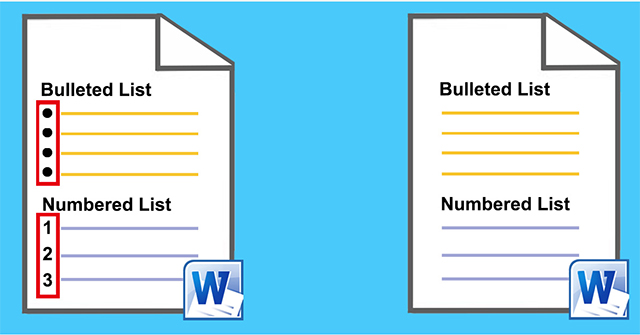
Create, customize, and continue bulleted or numbered lists in Word 2007, including custom symbols, picture bullets, number formats, and table numbering.

Set page size, orientation, margins, borders, cover pages, headers, footers, and page or section breaks in Word 2007 without disrupting the document.

Create a Word 2007 table with the grid, Insert Table, Draw Table, or Quick Tables, then add rows, merge cells, set sizes, and improve readability.

Apply, modify, create, and inspect Word 2007 styles so headings and body text stay consistent and work correctly with navigation and tables of contents.

Learn the pre-test and post-test forms of VBA Do loops, then run a safe Excel example that writes even numbers to a specified worksheet.
Use Excel Goal Seek to calculate one input for a target result, verify practical limits, and choose between Goal Seek, scenarios, data tables, and Solver.
Prepare clean source data, build a PivotTable in Excel 2019, place fields correctly, choose Sum or Count, rearrange the report, and refresh new data.

Share an Excel workbook through OneDrive, choose edit permissions, use legacy notes or modern comments correctly, co-author safely, and restore a prior version.

Create, combine, edit, and remove Excel conditional-formatting rules, including thresholds, data bars, color scales, icon sets, and formula-based rules.

Choose an appropriate Excel chart, insert it from a clean data range, edit titles and series, switch rows and columns, move it, and keep new data included.

Collapse detail rows or columns with Excel outlines, insert accurate subtotals into sorted data, use outline levels, and remove groups without losing source records.

Filter Excel rows by selected values, multiple columns, text, numbers, or dates; clear filters correctly; and troubleshoot missing or misclassified results.