Table of Contents
Genspark AI Workspace combines agent-style research, document and presentation generation, spreadsheet assistance, software-development tools, and supported media models. Its aim is to produce usable artifacts rather than only return a chat response.
Available models, free credits, plan limits, mobile requirements, and connected services change frequently. Confirm the current feature list and terms inside Genspark before choosing it for a project.
Main Genspark tools

Research agents
A research workflow can search multiple sources, organize findings, and draft a report. The number of sources does not guarantee quality. Open the cited pages, confirm that they support the claims, and check publication dates, conflicts, and missing perspectives.
Slides, sheets, and documents
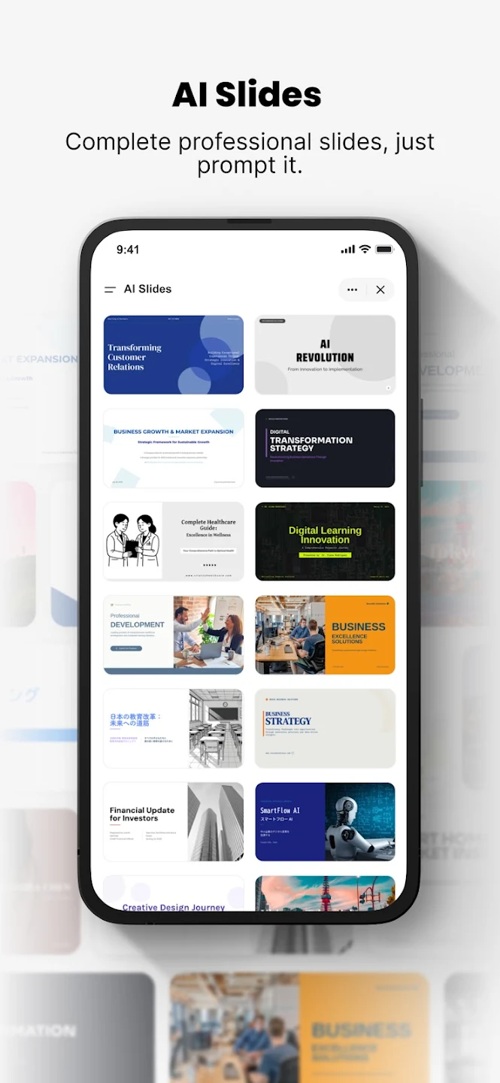
- AI Slides can draft an outline and presentation layout from a brief.
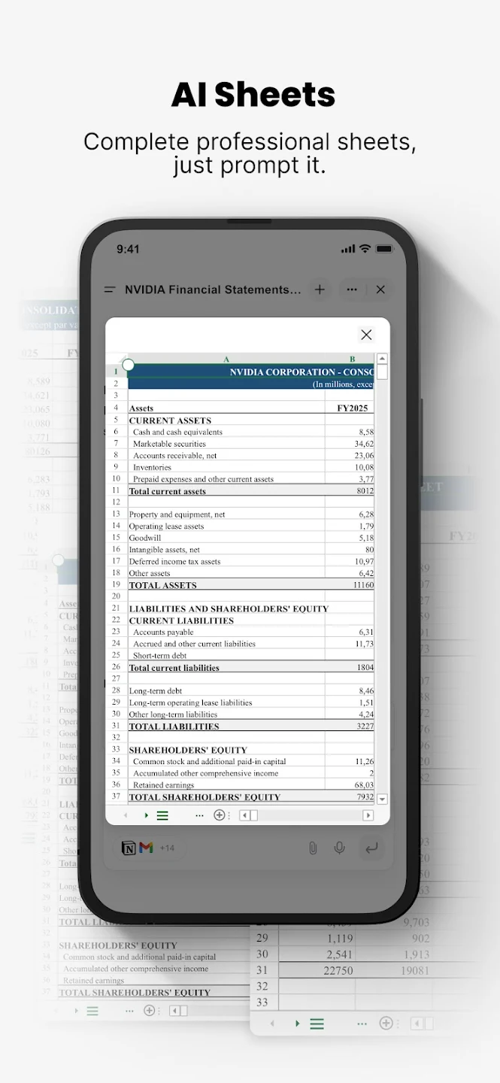
- AI Sheets can help structure data, suggest formulas, and summarize patterns.
- AI Docs can create a first draft from a template or instructions.
These outputs require different checks. A slide deck needs source and visual review; a spreadsheet needs formula and data validation; a contract or other legal document needs a qualified professional rather than only AI editing.
AI Developer
Genspark advertises natural-language tools for building websites, simple applications, and code. Some workflows may connect to GitHub or prepare a pull request.
Generated code should be treated as an untrusted draft. Review dependencies and permissions, scan for exposed secrets, run tests, and use a staging environment before deployment. A non-programmer can prototype with the tool, but production software still requires technical review.
Image, video, and audio models
The media area may provide access to models from several providers. The exact selection and cost can vary. Check usage rights, output resolution, watermarks, and whether an uploaded reference is shared with another model provider.
Other workflow features

Depending on the account, Genspark may offer meeting transcription, summaries, configurable workspaces, and a choice of language models. Recording a meeting requires appropriate notice and consent, and the transcript should be reviewed because names, numbers, and decisions may be transcribed incorrectly.
What to compare before subscribing
| Task | Evaluation question | Required review |
|---|---|---|
| Presentation | Does the outline fit the audience and purpose? | Verify facts, sources, image rights, and slide readability. |
| Research | Are the sources authoritative, current, and diverse? | Open citations and distinguish evidence from synthesis. |
| Landing page or app | Does the output work beyond the demo path? | Review code, security, accessibility, tests, and deployment. |
| Spreadsheet analysis | Are formulas and assumptions visible? | Recalculate totals and compare with the source data. |
| Media generation | Does the selected model meet format and rights needs? | Inspect artifacts, text, likenesses, and licensing terms. |
Do not rely on generic claims that a task takes “two minutes” or replaces days of work. Time saved depends on the quality standard, source material, revisions, and required verification.
Install and use Genspark safely
Use the official Genspark website or a verified app-store listing, and confirm the developer before installing. Avoid third-party packages that ask you to disable device protections.
Before uploading business data, read the current privacy and retention terms for the plan. Encryption in transit does not answer every privacy question; also check training use, model-provider sharing, deletion, administrator controls, and data location.
Who may benefit
Genspark may suit users who want several artifact types and AI providers in one workspace. A dedicated spreadsheet, design, coding, or research tool may still offer more control for specialized work.
Test one real, non-sensitive task from start to finish. Measure editing time and error rate, not only the speed of the first generated draft.
Related Articles
 How to Create and Export a Spreadsheet with Genspark AI Sheets
 How to create a restaurant or cafe menu with Genspark
 5 AI Browsers Compared: Features, Privacy, and Current Status
 Can Pokemon Go be played on a computer? The answer is yes!
 Summary - How to play Pokemon GO, virtual reality game catch Pokemon on smartphone
 Poké Ball Types Explained: Generations III–V (Part 2)
Reader Comments 0
Sign in with email or Google to join the discussion.