Table of Contents
One app isn't always enough. The combination of Google Keep, Notepad, and Obsidian makes for the perfect note-taking system: quick, convenient, and in-depth.
Most people think that one note-taking app is enough. However, real-life experience shows that sometimes combining multiple tools is the most effective. Instead of using just one, the combination of Google Keep, Notepad , and Obsidian Will fully meet all your needs.
Google Keep: Fast and versatile
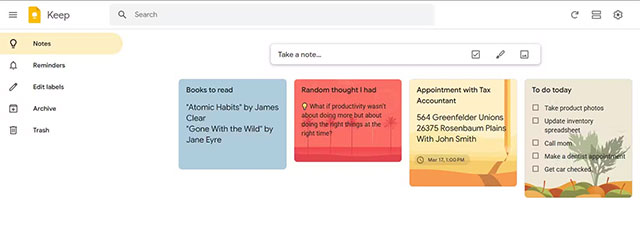
Google Keep is a familiar starting point. With instant syncing across devices and tight integration with the Google ecosystem, Keep makes it easy to jot down quick notes, checklists, or notes for the day.
Keep's strength lies in its versatility: from text notes, to-do lists, photos, drawings, to audio recordings that are automatically transcribed into text. Features like labeling, color-coding, and reminders by time or location make it especially useful for managing everyday chores, like shopping lists.
Notepad: Simple and convenient
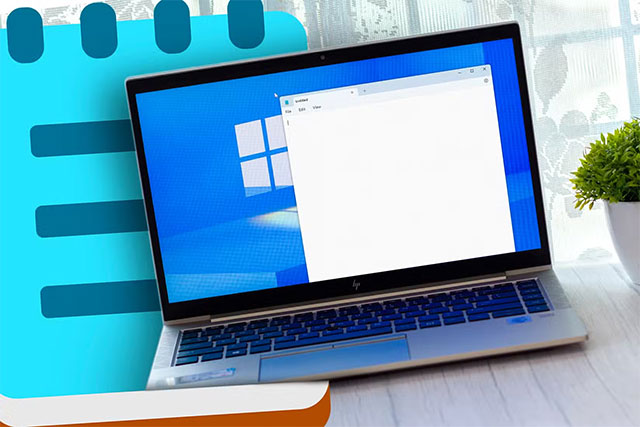
As your workload increases, taking notes directly in Google Keep can become a hassle. This is where Notepad , the default note-taking app on Windows, comes in handy.
Notepad is known for its simplicity. Just open the app and you have a space to jot down quick notes without being distracted by too many features. Recent updates have added rich-text support, Markdown, and even Copilot integration, while still maintaining its simplicity.
The big plus is speed: Notepad is almost always available on every Windows machine, suitable for quickly jotting down ideas that come to you without any additional complicated operations.
Obsidian: Intensive and creative
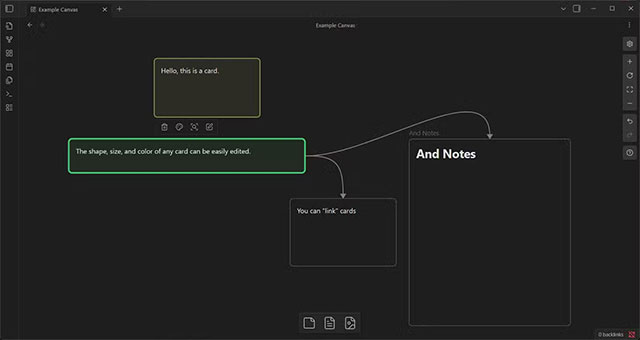
For those who need a powerful tool for long note-taking, reasoning, or writing, Obsidian Is a great choice. The app is based on a 'vault' – a local data store that holds all of your notes, giving you the freedom to organize your content in your own way.
Obsidian is especially popular for Its graph view And Canvas . These help visualize the relationships between notes, connect ideas like a mind map, and aid in research and content creation. You can drag and drop, link, color, and even turn the canvas into a virtual 'sticky notes board' to develop ideas.
Combine for maximum efficiency
Three apps with three different strengths make up a flexible note-taking system:
- Google Keep For short notes, to-do lists.
- Notepad For quick ideas, simple and hassle-free.
- Obsidian For long notes, in-depth research and idea development.
This combination not only completely solves the problem of 'one app doing it all', but also helps users optimize work and study performance.
FAQ
What should you know about three note-taking apps that make a perfect combination?
In practical terms, one app isn't always enough. The combination of Google Keep, Notepad, and Obsidian makes for the perfect note-taking system: quick, convenient, and in-depth.
Why does three note-taking apps that make a perfect combination matter?
The article highlights that Google Keep: Fast and versatile Google Keep is a familiar starting point.
What is the main takeaway?
The main takeaway is that combine for maximum efficiency Three apps with three different strengths make up a flexible note-taking system: Google Keep for short notes, to-do lists.
Related Articles
 Why Is Notepad Still a Great Note Taking Application?7 minutes read
 How to Write Notes Online in Notepad: Notes Software5 minutes read
 Best AI Note-Taking Apps for Studying and Working7 minutes read
 7 Top Distraction-free Note-taking Apps for Windows: Best Options Compared7 minutes read
 Top 10 Note-Taking Apps for Linux8 minutes read
 How to Update Apps on iOS 116 minutes read
Reader Comments 0
Sign in with email or Google to join the discussion.