Table of Contents
MakeAGIF can combine a set of photos into one looping GIF. Upload the pictures, arrange them in frame order, choose the output size and delay, add any optional captions or filters, then generate and download the animation.

Before uploading the images
- Put the photos in the intended sequence and crop them to a consistent aspect ratio.
- Use copies rather than editing the originals.
- Do not upload private, confidential or copyrighted images you do not have permission to use.
- Check the site's current free-account, watermark and publishing options before creating the GIF.
Create a GIF from pictures
1. Select Pictures to GIF
Open MakeAGIF's Pictures to GIF tool. Its other current sources include video, webcam and supported social-video links, but this tutorial uses still images.
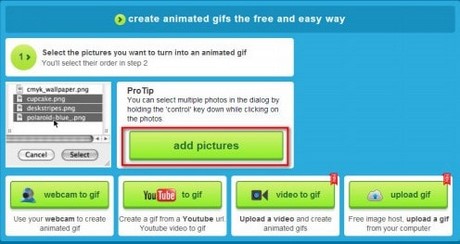
Choose Upload Images or drag the source pictures into the upload area. File limits and available sources can change, so follow the limits displayed on the current page rather than the old 25 MB figure in the original guide.
2. Arrange the frames
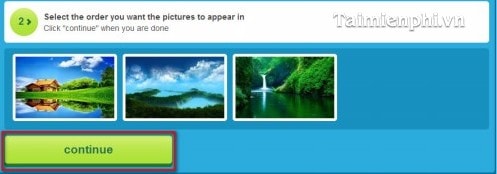
Drag the uploaded images into the order in which they should play. Use the name or date sorting controls only if the filenames or capture times already match the intended sequence. Click Continue to editing when the order is correct.
3. Edit the GIF settings
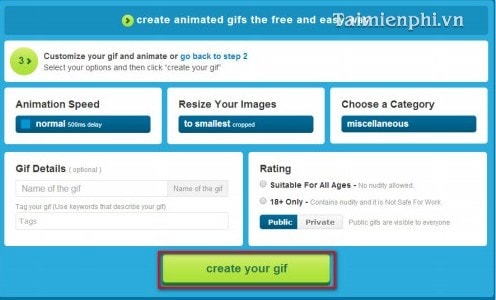
Review the controls offered by the current editor:
- Resize Your Images: choose dimensions that fit the destination. Smaller output usually loads faster.
- GIF Speed: set the delay between frames. A larger delay makes each image remain visible longer.
- Captions, stickers and filters: add them only when they improve the message.
- Title, category and tags: these matter if you publish the GIF on MakeAGIF rather than only downloading it.
- 18+ setting: classify public content accurately.
- Watermark: check whether the current account or plan allows it to be disabled.
Preview the sequence and confirm that text remains on screen long enough to read. Then choose Create your GIF or the equivalent current button.
4. Download the completed GIF
Use the site's download control if available. If the completed image is displayed directly, right-click it and choose Save image as. Confirm that the filename ends in .gif and that the downloaded copy animates in a browser.
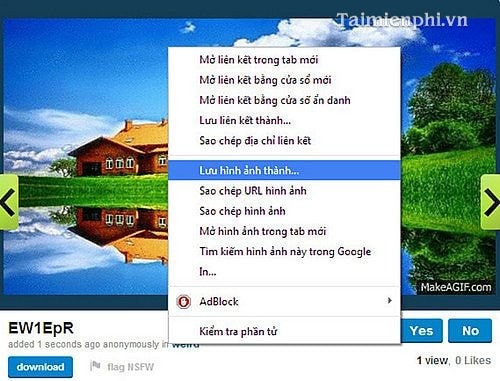
The finished file should loop through the uploaded pictures in the selected order.
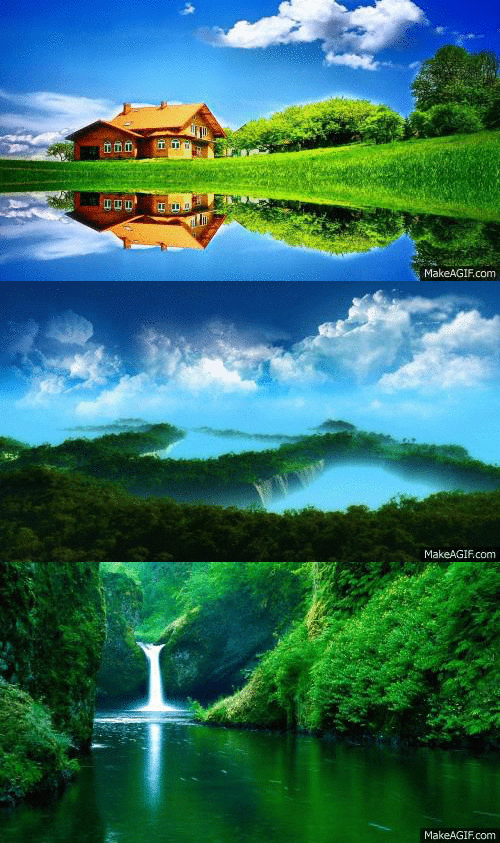
Improve the result
- Use images with matching dimensions to prevent abrupt jumps or unwanted cropping.
- Remove near-duplicate frames that add file size without adding useful motion.
- Slow the animation when viewers need to read text or compare details.
- Avoid rapid flashing and provide descriptive alternative text when embedding the GIF on a website.
- If the file is too large, reduce dimensions, simplify the sequence or optimize the downloaded copy.
Other GIF-making options
For a general workflow, see TipsMake's guide to creating a GIF online. You can also compare other online GIF makers or use the GIF creation utilities in TipsMake's online tools.
Related Articles
 How to Create Online Animations by Makeagif6 minutes read
 Create Animated Images Online with PictureStudio3 minutes read
 Instructions for Creating GIF Images on YouTube Do Not Need Software7 minutes read
 Create Animated Images Online Using Gickr4 minutes read
 Add Text to GIF Images, Add Text to Animated Images5 minutes read
 How to Create GIF Images Quickly with Giphy3 minutes read
Reader Comments 0
Sign in with email or Google to join the discussion.