Table of Contents
Easy GIF Animator is a Windows editor for creating and editing animated pictures, banners, buttons and GIFs from video. Download the installer from the publisher, verify it, follow the setup wizard and review the product's current license or trial limits before beginning a project.
Before installation
- Use the official Easy GIF Animator download page. It lists the currently offered version and supported Windows releases.
- Scan the downloaded file and check that Windows shows the expected publisher.
- Review the current license terms and feature limitations; do not assume the software is fully free.
- Close other applications and save open work before starting setup.
Install Easy GIF Animator
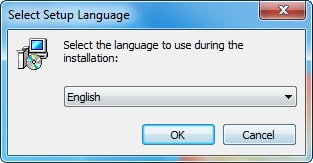
1. Choose the installer language
Open the verified setup file, select a language you understand and click OK. The available languages can vary by release.
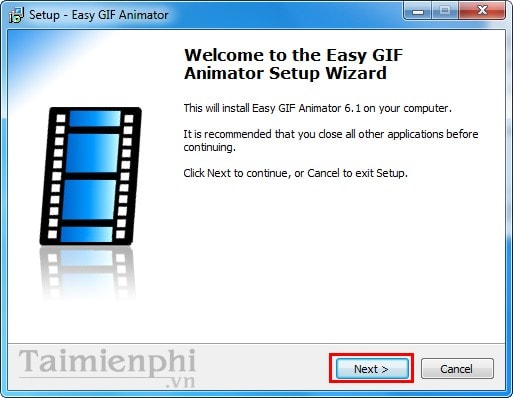
2. Continue from the welcome screen
Confirm that the wizard names Easy GIF Animator and the expected publisher, then click Next.
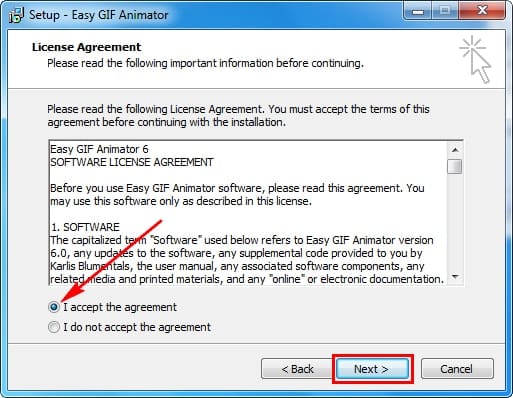
3. Review the license terms
Read the agreement displayed by the installer. Continue only if you accept the terms.
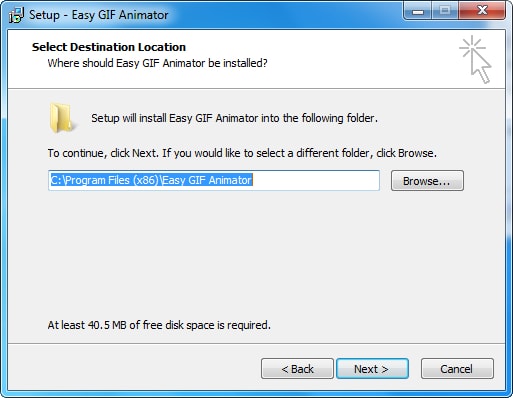
4. Choose the destination folder
The default Program Files location is suitable for most users. Select Browse only if you need another approved destination, then click Next.
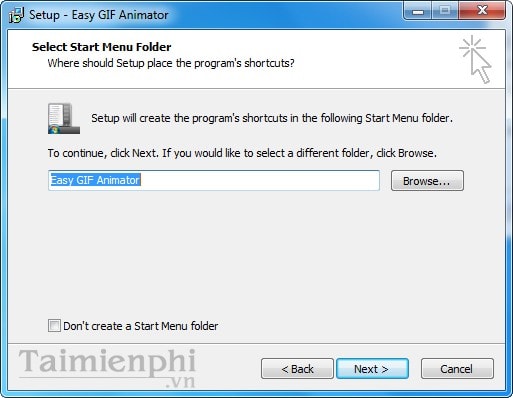
5. Choose the Start menu folder
Keep the proposed folder or choose another location for the Start menu shortcut, then continue.
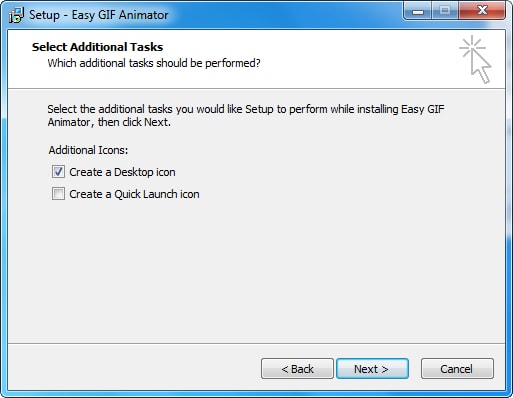
6. Select optional tasks
Review options such as creating desktop or other shortcuts. Select only the items you want and click Next.
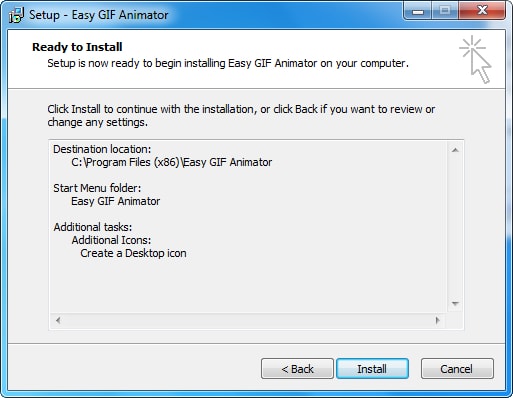
7. Install the program
Check the setup summary, then click Install. Approve the Windows administrator prompt only if the publisher and file source are correct.
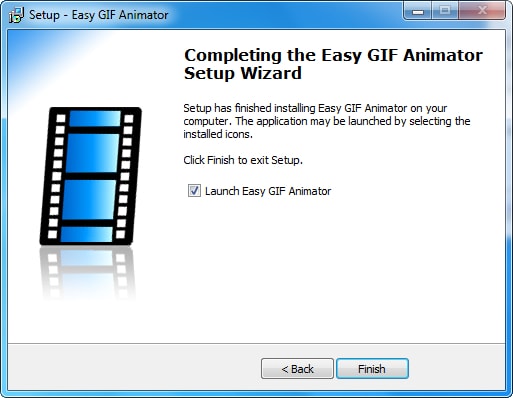
8. Finish setup
Wait for installation to complete, then click Finish. Leave the launch option enabled only if you want to open the editor immediately.
Check the installation
- Open the program from the Start menu and confirm that its version matches the installer you downloaded.
- Review registration or trial notices before investing time in a project.
- Create a short test GIF from copies of two or three images.
- Adjust frame timing and preview a complete loop.
- Export the test, open it in a browser and check file size, animation and image quality.
If you do not need desktop software
An online tool may be faster for an occasional animation. Compare TipsMake's online GIF makers or use the GIF maker in the site's online tools. For other desktop choices, see the list of GIF creation software.
Related Articles
 Instructions for Creating Simple Infinite Animations with Cliplets5 minutes read
 Instructions for Creating Animated GIF Images in Adobe Photoshop12 minutes read
 Advanced User Interface for Applications with Animations6 minutes read
 How to Create an Animation on Android Using DU GIF Maker9 minutes read
 How to Create GIF Christmas Images with Jibjab Fun Application6 minutes read
 How to Create GIF Animations in Photoshop5 minutes read
Reader Comments 0
Sign in with email or Google to join the discussion.