Table of Contents
Screen GIF records activity inside a resizable frame and saves it as an animated GIF. The interface shown here belongs to an older Windows utility, so its availability and compatibility with current Windows releases may vary. If you already have it installed, the following steps explain the complete capture workflow.
Record the screen with Screen GIF
- Open the program. Launch Screen GIF after installation. Only download legacy software from a source you trust, scan the installer, and avoid bundled offers.
- Position the capture frame. Move the window over the action you want to record.
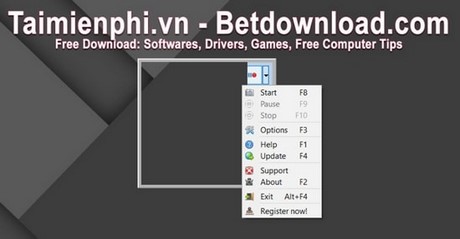
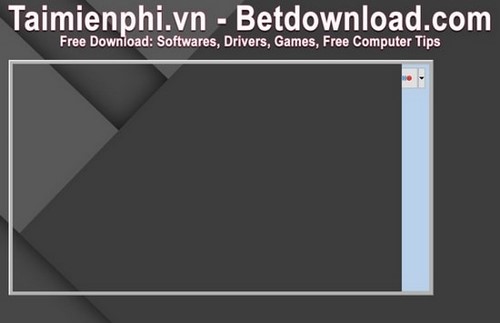
- Set the recording size. Drag the window edges or resize controls until the capture area includes only the necessary part of the screen. A smaller frame generally produces a smaller file.
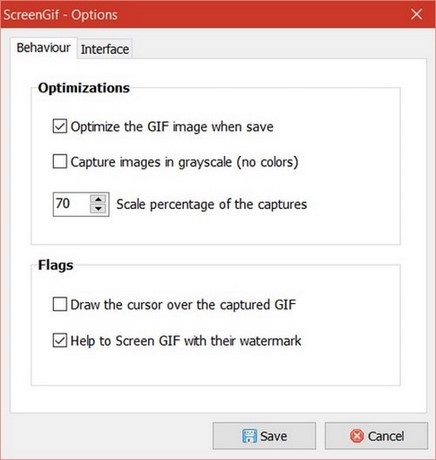
- Choose output options. Open Options. Enable Capture images in grayscale only when color is unnecessary, and set the image-quality control to balance clarity against file size.
- Start and stop recording. Click the capture control shown below, perform the action, and click the control again when finished. Keep the sequence short because GIF is inefficient for lengthy motion.

- Preview and save. Review the captured animation. If the frame, timing, and image quality are acceptable, click Save and choose a destination.
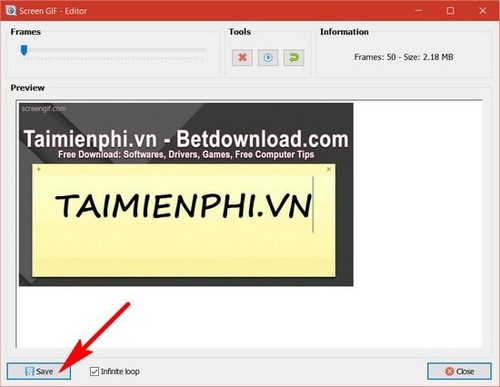
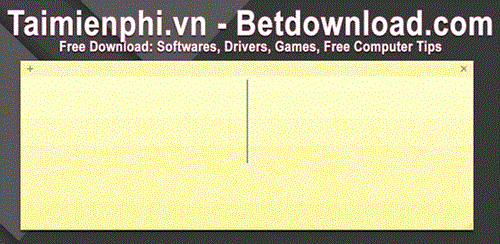
The saved result should play as a loop when opened in a modern browser.
When the legacy app does not work
If Screen GIF will not install or run, use a maintained recorder instead of weakening Windows security settings. The open-source ScreenToGif project can record a selected area and includes a frame editor. A browser-based tool may also be sufficient; see TipsMake's instructions for creating a GIF online.
Improve the finished GIF
- Record only the essential action and remove idle time.
- Keep text large enough to read at the exported dimensions.
- Use grayscale only when color carries no meaning.
- Use MP4 or WebM for a long recording, detailed video, or anything that needs audio.
For more desktop options, compare TipsMake's selection of GIF creation software.
Related Articles
 Create Animated Images Online with PictureStudio3 minutes read
 Instructions for Creating GIF Images on YouTube Do Not Need Software7 minutes read
 How to Install IrfanView to Display Animated Images3 minutes read
 Instructions for Creating Animated GIF Images in Adobe Photoshop12 minutes read
 GifCam - Create Animated Gifs from Videos Quickly and for Free4 minutes read
 Create GIF Animations from Videos Using Camtasia Studio3 minutes read
Reader Comments 0
Sign in with email or Google to join the discussion.