Table of Contents
GIF Movie Gear is a Windows animation editor for assembling still images into a GIF, adjusting frame timing, and reducing the output size. It remains available from its developer as a time-limited trial, but the interface is distinctly older. Download it only from the official Gamani Productions site.
Install GIF Movie Gear safely
Use the developer's official GIF Movie Gear download page. It currently offers version 4.3.0 as a fully functional 30-day trial. Scan the downloaded installer and decline any unexpected third-party offers; do not use a key generator or modified executable after the trial expires.
Import and arrange the frames
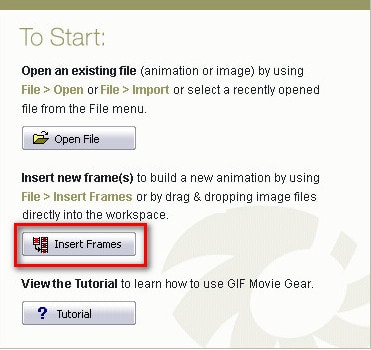
- Launch GIF Movie Gear and select Insert Frames.
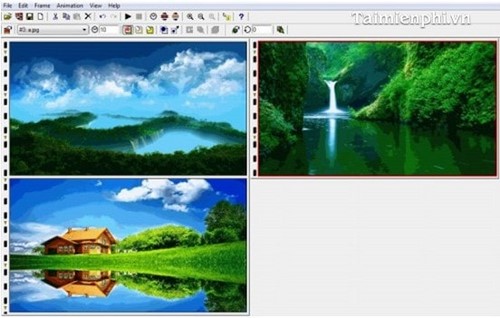
- Choose the images that will make up the animation. Prepare them at a consistent width and height to avoid a jumping canvas.
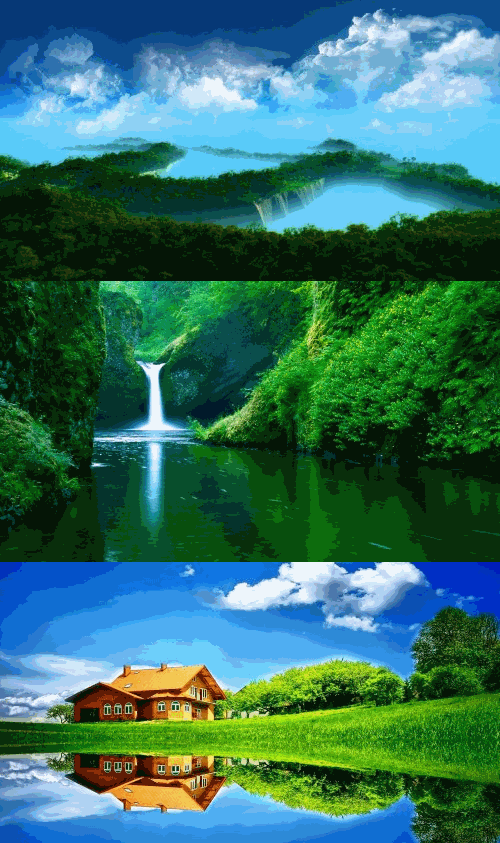
- Drag frames along the filmstrip to put them in playback order.
- Use crop, resize, or rotate only when needed, and preview the sequence before changing timing.
Reduce the output size
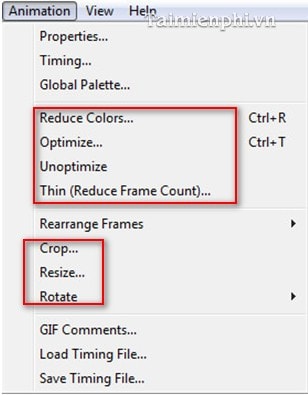
Open the Animation menu to find optimization commands. Work on a saved project copy so you can compare the result or restore removed frames.
- Reduce Colors: uses a smaller palette. This can save space, but may create banding in gradients or photographs.
- Optimize: removes redundant image data between frames where possible.
- Thin (Reduce Frame Count): removes frames. Motion becomes less smooth, so preview the result carefully.
- Crop or Resize: reduces the number of pixels in every frame and often produces the largest practical saving.
Apply one change at a time and compare both visual quality and file size. A smaller file is not an improvement if captions become unreadable or the motion no longer makes sense.
Set the animation speed
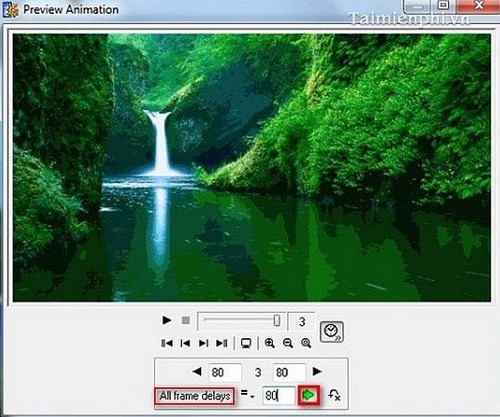
- Select the frames whose timing you want to change.
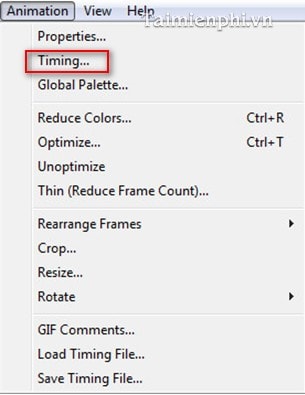
- Open Animation > Timing.
- Set All frame delays when every selected frame should remain visible for the same amount of time, or edit individual delays where pauses are useful.
- Preview the complete loop. Fast action may need short delays, while instructions and text need enough time to read.
Save and check the GIF
- Select File > Save As and choose GIF as the output format.
- Save the file under a new name so the source project remains available.
- Open the GIF in a modern browser and watch several loops.
- Check the first-to-last transition, transparency, color quality, timing, and final file size.
When to choose another format or editor
GIF is useful for short, silent loops with simple colors. For long motion, detailed video, or audio, MP4 or WebM is usually more efficient. If you need a maintained free editor rather than a trial, see how to create an animated GIF in GIMP. If you prefer not to install software, compare TipsMake's online GIF makers.
Related Articles
 Create Animated Images Online Using Gickr4 minutes read
 How to Create GIF Images on GIF Movie Gear3 minutes read
 Add Text to GIF Images, Add Text to Animated Images5 minutes read
 GifCam - Create Animated Gifs from Videos Quickly and for Free4 minutes read
 Top 10 Best Websites for Creating Animated Images and Gifs Online8 minutes read
 How to Install Beneton Movie GIF to Create Animations Quickly4 minutes read
Reader Comments 0
Sign in with email or Google to join the discussion.