Hardware
How to Check RAM Speed and CPU Base Clock with CPU-Z
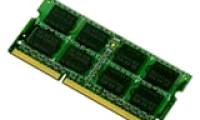
Read active DDR speed from CPU-Z's Memory tab, distinguish SPD profiles from current settings, and avoid treating a modern motherboard as one bus.
Browse more Explore computer hardware guides, buying advice, troubleshooting tips and practical information about components, laptops and peripherals.
Read active DDR speed from CPU-Z's Memory tab, distinguish SPD profiles from current settings, and avoid treating a modern motherboard as one bus.

Back up the disk, identify whether it is a data or system disk, convert it with AOMEI Partition Assistant, and complete the checks needed for a bootable UEFI system.

Fix the EFI/MBR installation error by choosing the correct boot mode or converting the target disk to GPT, with clear warnings before the destructive DiskPart method.

Combine two adjacent NTFS partitions with MiniTool Partition Wizard while keeping the second partition's files in a named folder on the destination volume.

Understand what MHDD's surface scan can reveal, why bad sectors cannot be physically repaired, and what to do before testing a drive that may be failing.
See what the legacy Advanced Task Manager utility displays, how to interpret its tabs, and when to use Windows Task Manager or Microsoft Process Explorer instead.
Find the SSD model, serial number, proof of purchase, and remaining endurance, then use the manufacturer's official warranty or support page to verify coverage.
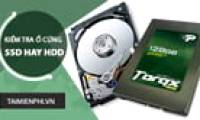
Check each physical drive's media type with Task Manager, PowerShell, Optimize Drives, or its model number—without opening the computer.
Separate firmware delay from Windows startup, disable high-impact startup apps, check SSD health and free space, and isolate services without unsafe registry tweaks.
Shrink an existing NTFS volume and turn the unallocated space into a new partition with Windows Disk Management, with backup and recovery-partition precautions.

Format a non-system volume with Disk Management or File Explorer, choose the right file system, and understand what Quick Format erases—and what it does not.
Download Hard Disk Sentinel from its official site, verify the installer, complete setup, and interpret the first HDD or SSD health report without treating it as a backup.
Shrink an existing volume, create a new partition from unallocated space, review the pending layout, and apply the changes safely in EaseUS Partition Master.

Recognize unreadable-sector symptoms, preserve data before testing, distinguish file-system errors from hardware failure, and decide when a drive must be replaced.

Remove a data volume's drive letter with Disk Management or DiskPart, then assign a letter again when you want it visible in File Explorer.

Use Disk Management to shrink an existing NTFS volume and create a labeled partition, with practical sizing, backup, BitLocker, and unallocated-space guidance.

Review SMART attributes with CrystalDiskInfo, query Windows storage reliability counters, and run file-system plus manufacturer diagnostics without confusing SFC with disk health.
Check a new, used, or unstable laptop's display, battery, storage, memory, CPU, GPU, ports, and firmware with a safe test order and clear failure signs.

Use the laptop's lights, fan, screen, and startup behavior to separate a power failure from a black display or Windows boot problem before seeking repair.
Download Firefox from Mozilla, distinguish a SmartScreen reputation warning from a malware detection, verify the Windows signature, and avoid disabling Defender.