Hardware
How to Fix an Upside-Down or Sideways Screen in Windows
Restore a rotated Windows display by selecting Landscape in Display settings. Learn when Ctrl-Alt-arrow shortcuts work and how to fix rotation that keeps returning.
Browse more Explore computer hardware guides, buying advice, troubleshooting tips and practical information about components, laptops and peripherals.
Restore a rotated Windows display by selecting Landscape in Display settings. Learn when Ctrl-Alt-arrow shortcuts work and how to fix rotation that keeps returning.
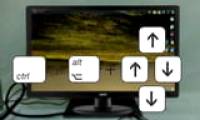
Explore keyboard Shortcuts to Rotate your PC Screen, including key concepts, practical steps, useful tips, and common questions.
Remove unwanted black borders by restoring the display's native resolution, checking aspect-ratio and GPU scaling, correcting HDMI underscan, and repairing display drivers.
Change an HP laptop's screen brightness with its action keys, Windows Quick Settings, Display settings, or Mobility Center, and troubleshoot controls that do not work.
Use BlueScreenView to read Windows minidump files, identify stop codes and recurring modules, search reliable references, and know when deeper WinDbg analysis is needed.

Diagnose a dim or blurry laptop display by separating brightness, sharpness, flicker, and line defects, then test settings, drivers, an external monitor, and the backlight.
Change an Acer laptop's brightness with Fn keys, Windows Quick Settings, Display settings, or Mobility Center, and fix missing or unresponsive brightness controls.
Stop a Windows laptop screen from becoming unexpectedly dim on battery by checking brightness, adaptive controls, power-saving settings, and graphics drivers.

Keep a Windows laptop running with its lid closed by changing the lid action for battery and plugged-in power, with important heat and security precautions.
Diagnose blurry text, fuzzy apps, and fixed bright spots on a laptop display, then apply the right Windows setting, driver fix, or hardware check.
Learn how to fix the Problem of Not Being Able to Adjust laptop Screen Brightness with clear steps, practical tips. Read the full guide below.
Trace a blank monitor or 'No Signal' message from power and input selection through cables, video ports, RAM, graphics hardware, and startup diagnostics.
Increase text size in Windows without lowering screen resolution, and choose between accessibility text size, display scaling, app zoom, and Magnifier.
Change an external monitor's actual backlight with its on-screen controls or DDC/CI software, and understand why Windows and GPU sliders may behave differently.
Change a Windows laptop's screen brightness with keyboard shortcuts, Quick Settings, Display settings, or Mobility Center, and understand older controls.
You can read and follow the instructions below from TipsMake on adjusting your computer screen color to reduce eye strain and protect your eyes most.
Restore letter keys such as U, I, O, J, K, and L when they type numbers by turning off the laptop's embedded numeric keypad and checking related settings.
Restore a built-in, USB, or Bluetooth keyboard after installing or updating Windows by checking access, settings, drivers, firmware, and update rollback options.

Adjust Windows mouse pointer speed in Settings or Mouse Properties, understand Enhance pointer precision and mouse DPI, and troubleshoot inconsistent movement.
Mouse speed, also known as DPI, significantly impacts user productivity. Therefore, adjusting mouse and cursor speed to suit user preferences is crucial.