Table of Contents
A bad sector is a storage location that can no longer be read or written reliably. Modern drives may remap a failing sector to spare capacity, but software cannot repair physical damage to a hard-drive platter or a worn flash cell. When unreadable sectors appear, protect the data first, confirm the diagnosis with current tools, and replace the drive if errors persist or increase.
Do not begin with a full scan on a drive that contains the only copy of important data. Repeated reads can worsen a mechanically failing HDD, and write-based “repair” tools can overwrite recoverable information. Copy or image the data first; power the drive down and seek professional recovery if it clicks, repeatedly disconnects, or is not detected consistently.
Possible signs of unreadable sectors
- A file or folder produces cyclic-redundancy-check, I/O, or read errors.
- Windows freezes or becomes extremely slow while accessing one disk.
- File copies repeatedly stop at the same point.
- SMART reports pending, uncorrectable, or reallocated sectors on an HDD, or critical media/data-integrity errors on an NVMe SSD.
- A manufacturer diagnostic fails its short or extended test.
- The file system becomes RAW, a volume disappears, or Windows repeatedly checks the drive at startup.
- Event Viewer records disk, storahci, stornvme, Ntfs, or controller errors around the time of the problem.
These symptoms do not prove that the storage medium is damaged. A bad cable, unstable USB enclosure, insufficient power, faulty controller, corrupt file system, or driver problem can look similar. Diagnose the whole path.
Logical errors versus physical failure
A file-system error is inconsistent metadata—for example, a damaged directory entry or allocation map. Windows tools may repair that structure. A physical media error means the device cannot reliably store or retrieve the underlying data. The drive's firmware may remap the address, but the failure is still evidence that the device should be watched closely or replaced.
SSDs manage flash internally, so a surface map designed for an HDD does not show the physical flash layout. For an SSD or NVMe drive, rely on its SMART/health log, media error count, spare capacity, manufacturer diagnostic, and firmware status.
Safe troubleshooting order
- Stop unnecessary writes. Do not install repair utilities on the affected drive or save recovered files back to it.
- Back up or image readable data. Prioritize the most valuable files. Use recovery-oriented imaging or a professional service when normal copying repeatedly fails.
- Check cables and power. Replace a suspect SATA or USB cable, use a known-good port, and connect an external drive to adequate power.
- Record SMART information. Save the drive model, serial, firmware, temperatures, total error counts, and health report.
- Run a short manufacturer diagnostic. Use the support tool for the exact drive brand. Escalate to an extended read test only after data is safe.
- Check Windows logs and file-system status. Correlate errors with disconnects, power events, and controller messages.
- Replace the drive when hardware errors are confirmed. Restore the backup to a healthy device and test the restored data.
TipsMake's drive-health checks for Windows explain the basic SMART and system tools. For continuous monitoring, see how to install and interpret Hard Disk Sentinel.
Use CHKDSK only for the file system
After the data is backed up, open Terminal or Command Prompt as administrator and use an online scan for an NTFS volume:
chkdsk D: /scanReplace D: with the verified volume letter. This checks file-system consistency; it does not restore physically damaged media.
chkdsk /f changes file-system metadata, and chkdsk /r performs an intensive readable-sector search while also implying repairs. Those modes can take a long time, require the volume to be locked or checked at restart, and are inappropriate as the first action on a failing drive. Back up first and use them only when the hardware is stable enough and the intended outcome is understood.
Why “bad sector repair” software is risky
The old article recommended Flobo Hard Disk Repair. The screenshots below show that legacy utility, not a current recommendation.
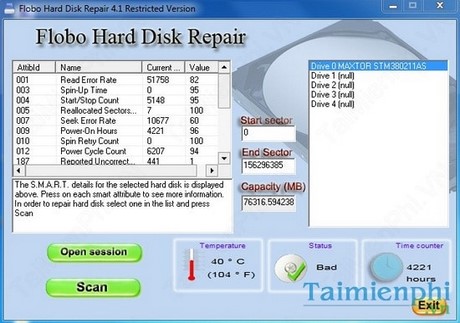
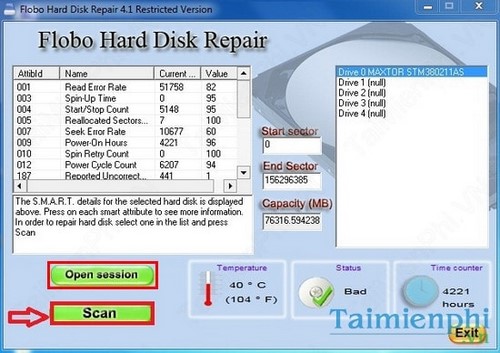
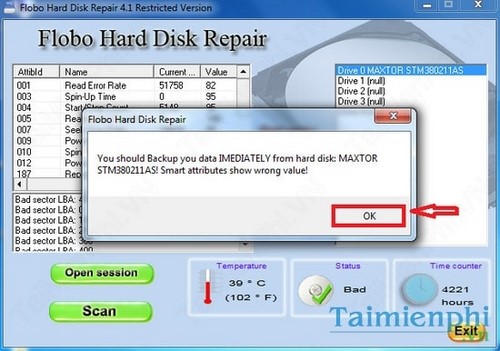
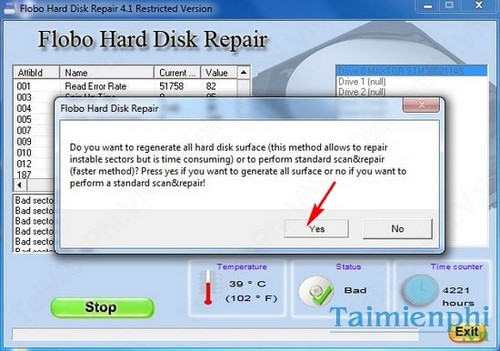
A tool may report that it “fixed” a sector after the drive remapped it, after data was overwritten, or after the file system stopped allocating that cluster. None of those outcomes restores the damaged physical location or proves the rest of the device is reliable. Avoid unmaintained utilities, write-based regeneration, low-level format claims, and partition tricks that merely hide a damaged range.
The guide to using MHDD as a read-only legacy diagnostic explains why remap and erase modes should not be the starting point.
When to replace the drive
- The manufacturer's diagnostic returns a failure code.
- Unreadable, pending, reallocated, or media-error counts rise over time.
- The drive repeatedly disappears, resets, or produces I/O errors with known-good connections.
- An HDD makes clicking, scraping, or repeated spin-up sounds.
- An SSD enters read-only mode, reports a critical warning, or has exhausted spare capacity.
- The drive holds important data and has already produced an uncorrectable read error.
Defragmentation does not repair bad sectors. Do not defragment an SSD, and do not put an HDD through a full defragmentation pass when hardware failure is suspected. Recover the data, replace the device, and use the failed drive only as evidence for warranty service—not as a future backup target.
Related Articles
 Signs That Indicate a Hard Drive Has Bad Sectors3 minutes read
 Know About Bad Sectors on Your Hard Drive8 minutes read
 Check and Detect Bad Sectors on Your Hard Drive Using Hddscan3 minutes read
 How to Clean Up Bad Sectors on a Hard Drive Using MHDD in Hiren's Boot CD5 minutes read
 3 Best Software to Check the Hard Drive for the Best Bad3 minutes read
 Dti Surface Scanner: Quickly Detect Bad Sectors for Hard Drives3 minutes read
Reader Comments 0
Sign in with email or Google to join the discussion.