
Application
How to Fix iTools Not Connecting to an iPhone or iPad
Troubleshoot iTools connection and compatibility errors by checking the cable, trust prompt, Apple device drivers, software versions, and safer alternatives.
Browse more Find practical software and app guides, setup instructions, troubleshooting steps and productivity tips for popular desktop and online applications.
Troubleshoot iTools connection and compatibility errors by checking the cable, trust prompt, Apple device drivers, software versions, and safer alternatives.

Diagnose an iTools detection error, verify Apple's Windows components, use the app's repair option cautiously, and avoid removing required device drivers too early.

Create a custom iPhone ringtone from an audio file using GarageBand on the phone or the legacy iTunes M4R workflow on a Windows PC.

Delete a credit or debit card from your Apple Account on iPhone, Mac, or Windows, and resolve subscriptions, balances, or Family Sharing issues that block removal.

Install iTunes safely on Windows 11, understand Apple's newer Music, TV, and Devices apps, sign in, import media, sync an iPhone, and create an encrypted backup.

Install 3uTools from its official source, connect and trust an iPhone or iPad, review its management tools, and avoid risky flashing, jailbreak, and account actions.

Install iTunes safely on Windows 10, understand the limits of Windows 7 and 8.1, use the classic Apple installer, and fix common setup or device-detection problems.

Transfer local songs from a Windows PC to an iPhone without iTunes syncing, then create playlists, edit track details, and avoid accidental deletions.
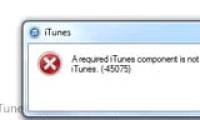
Resolve iTunes error 45075 with current Windows updates, a clean Apple or Microsoft Store installer, safe component cleanup, and security-software checks.

Send photos, videos, audio, and documents between a computer and iPhone with a one-time key, then save each file in the correct iOS app.

Choose an audio recorder for quick voice notes, podcast editing, multitrack music, or lightweight waveform work, with practical setup and quality tips.

Install Cubase through Steinberg Download Assistant, activate the license, configure an audio interface, create a project, record a track, and export a mix.

Install MuseScore Studio safely on Windows, macOS, or Linux, complete the first-run setup, create a score, and export it to common notation, audio, and image formats.

Use mp3DirectCut to select, preview, trim, and save part of an MP3 without re-encoding it, whether you need a ringtone, clip, or shorter audio file.

Connect a USB, 3.5 mm, or Bluetooth microphone, select it in Windows 11 or Windows 10, test the input level, grant app access, and fix common problems.

Trim an audio file to exact start and end times in Format Factory, choose a suitable output format, save the clip, and avoid common ringtone compatibility problems.

Understand what FxSound changes, what it cannot restore, how its equalizer, effects, presets, and output selection work, and how to tune it without clipping.

Compare reliable ways to make a ringtone on Android or iPhone, including simple cutters, a fuller audio editor, ready-made tones, and Apple's GarageBand workflow.

Microphone delay occurs when there is a certain delay between the recorded audio file and the computer's input processing.

Learn how to set up VirtualDJ, load tracks, understand the two-deck interface, use loops and effects, and make a basic transition between songs.