Table of Contents
The best ringtone tool depends on what you want to do. For a quick Android trim, Ringtone Maker by Big Bang Inc. is a focused choice. For cutting, merging, and converting, MP3 Cutter & Ringtone Maker by BDroid offers a broader toolkit. Zedge is better for finding ready-made tones than editing your own file. On iPhone, GarageBand provides Apple's documented way to trim and export a custom ringtone.
Quick comparison
| Option | Platform | Best for | Main consideration |
|---|---|---|---|
| Ringtone Maker by Big Bang Inc. | Android | Simple waveform trimming and assigning a tone | Contains ads; confirm the developer name before installing |
| MP3 Cutter & Ringtone Maker by BDroid | Android | Cutting, joining, mixing, and converting audio | More controls than a basic cutter |
| Zedge | Android | Browsing ready-made ringtones and notification sounds | Primarily a content catalog, not the best local-file editor |
| GarageBand | iPhone/iPad | Creating and exporting an iPhone ringtone | More steps, but follows Apple's supported workflow |
1. Ringtone Maker by Big Bang Inc.: best simple Android editor
This app opens audio stored on the phone, displays a timeline, and lets you mark a start and end point before saving the clip as a ringtone, notification, alarm, or music file. It is a good fit when you need a focused cutter rather than a full audio-production app.
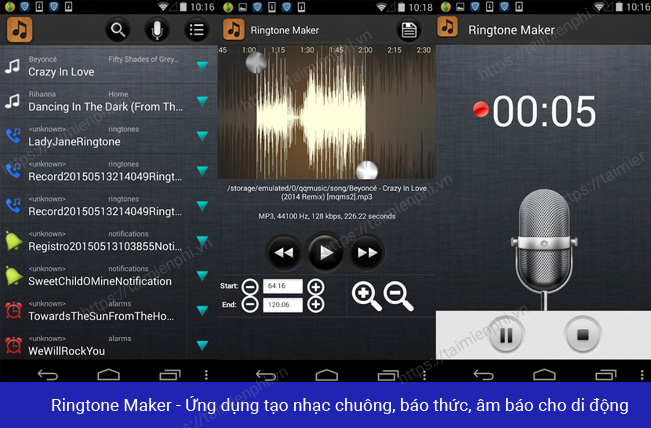
Get it from Google Play and verify that the listing identifies Big Bang Inc. Many apps use nearly identical names.
2. MP3 Cutter & Ringtone Maker by BDroid: best broader toolkit
BDroid's app combines trimming with joining, mixing, and audio conversion. Choose it when a ringtone requires more than one cut or when the phone cannot use the source format. A larger feature set also means more settings to check before exporting.
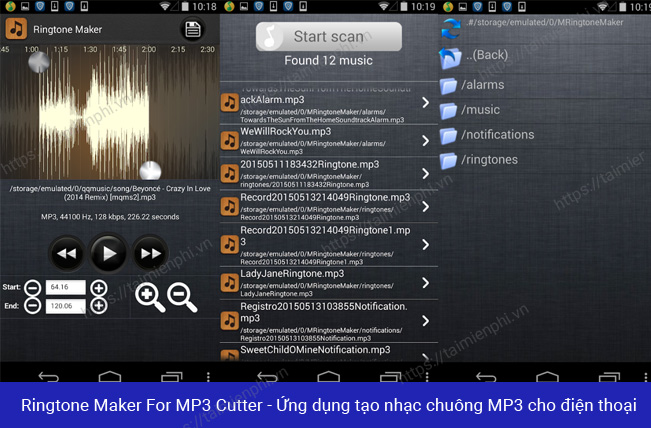
The current Google Play listing describes support for common audio formats and ringtone, alarm, and notification output.
3. Zedge: best for ready-made tones
Zedge offers a searchable catalog of ringtones, alarm sounds, notification sounds, and wallpapers. It is convenient when you do not want to edit a personal recording. Check licensing or usage information for any sound before using it in a public or commercial project; a downloadable ringtone is not automatically cleared for every reuse.
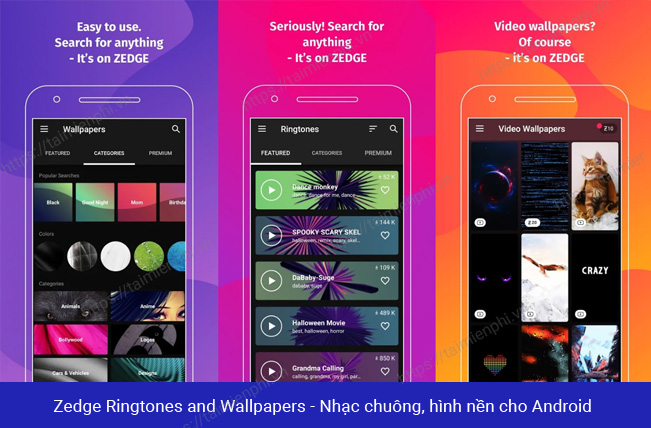
Use the official Zedge listing on Google Play.
4. GarageBand: best supported option for iPhone
GarageBand can import compatible audio, trim it in a project, and export the result as a ringtone or text tone. Apple limits exported ringtones to 30 seconds; GarageBand can shorten a longer project automatically, but manual trimming gives you control over the exact section.
- Import or record the audio in GarageBand and trim it to the desired section.
- Return to My Songs, touch and hold the project, then choose Share > Ringtone.
- Name the tone and select Export, then choose how to use it.
Follow Apple's current custom iPhone ringtone instructions for the detailed sequence.
Older apps from the original list
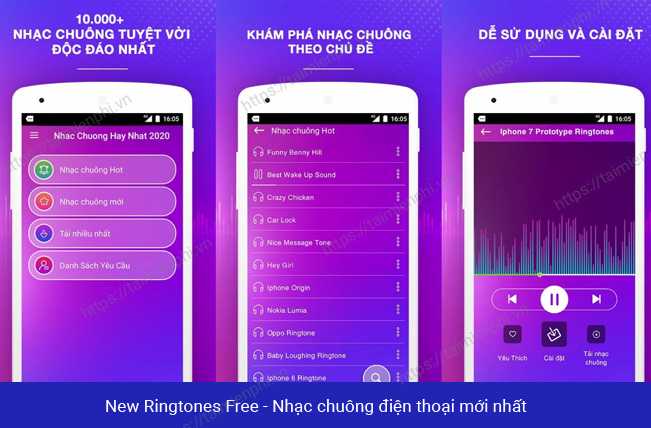
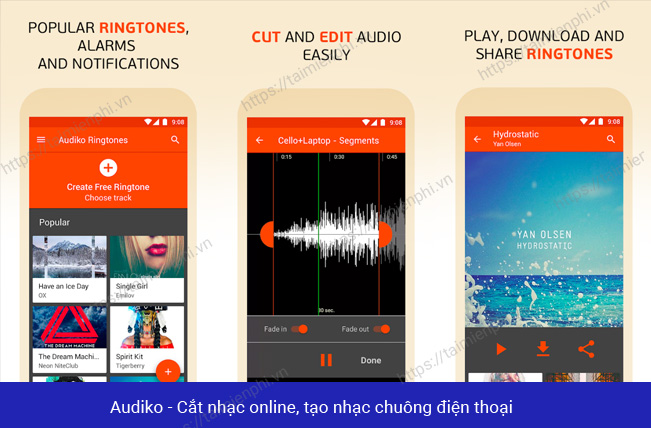
The original recommendations also named New Ringtones Free 2019 and Audiko. Their availability, ownership, features, and store listings have changed, so they are not primary recommendations here. The screenshots below are retained to identify the legacy versions, not as confirmation that the current apps have the same functionality.
How to choose a ringtone app safely
- Open the store listing from a trusted app store and verify the developer, update date, data-safety information, and recent reviews.
- A ringtone editor needs access to audio files and may request permission to change system settings so it can assign the tone. Avoid unrelated permissions.
- Prefer an app that lets you preview the cut, enter or fine-tune boundaries, and save under a new filename.
- Keep the source recording. Repeated conversion of lossy audio can reduce quality.
- Use audio you own or are allowed to edit and distribute.
Desktop alternatives
Editing on a larger waveform can be easier. TipsMake explains how to trim an MP3 with mp3DirectCut without re-encoding, and how to make a ringtone with Format Factory when format conversion is also required.
Related Articles
 How to Create Ringtones on Android as You Like with Ringtone Maker6 minutes read
 How to Set a Ringtone on Android8 minutes read
 How to Set a Song as an iPhone Ringtone Without Any Supporting3 minutes read
 How to Set a Ringtone for iPhone with ITunes3 minutes read
 How to Set a Song as an iPhone Ringtone: Practical Guide10 minutes read
 Set a Message Ringtone, Call for Each Person on iPhone5 minutes read
Reader Comments 0
Sign in with email or Google to join the discussion.