Table of Contents
This guide provides a clear, practical overview of Windows 10 has encountered the 'blue' screen of death, with useful context, important details, and straightforward takeaways for everyday readers.
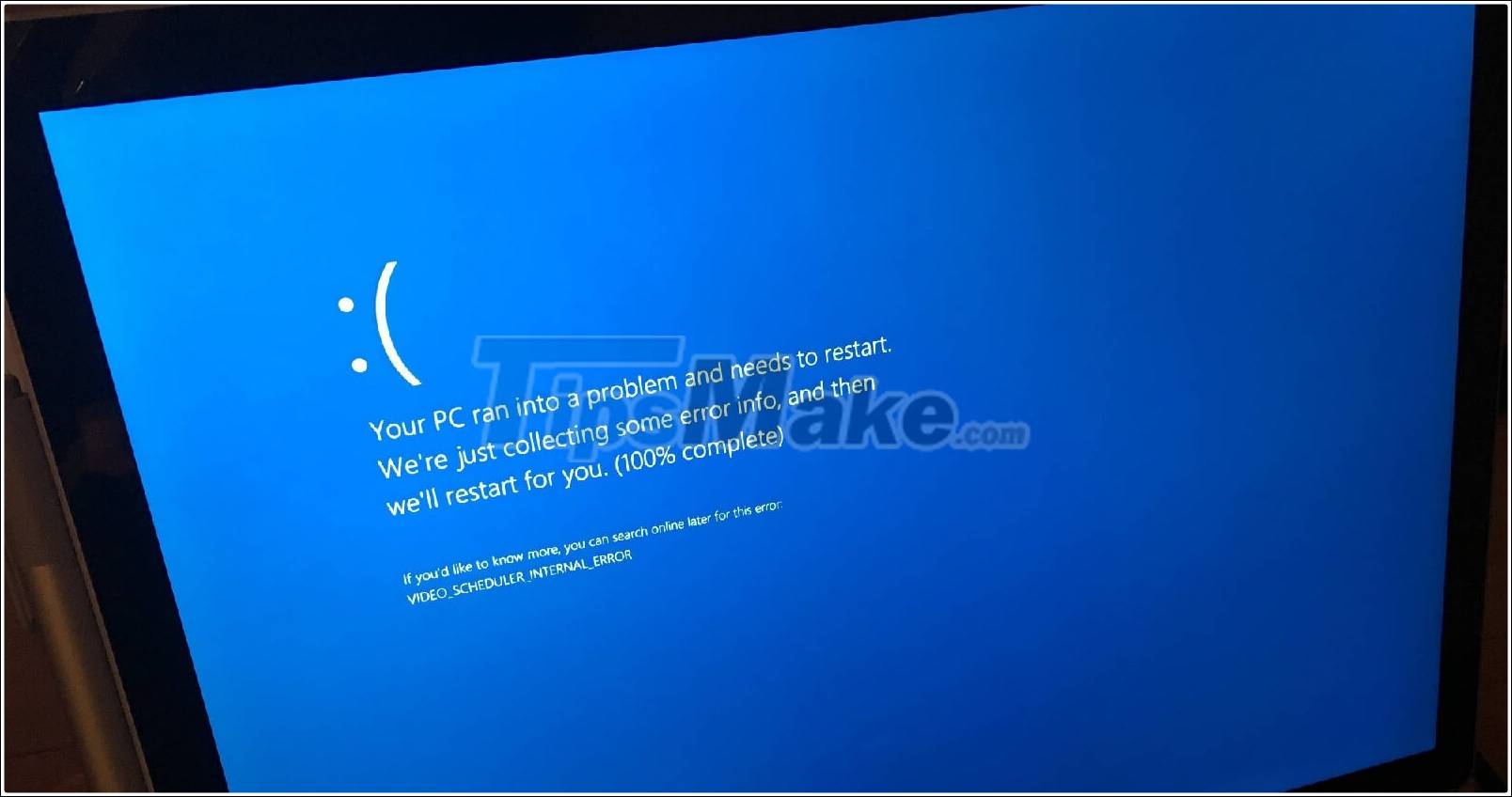
Most importantly, almost all versions of Windows 10 are affected by this error, including version 20H2, version 2004, version 1909, even version 1803/1809 confirmed to have a blue screen error. These are all affected by the March 2021 updates.
Microsoft also noted that the ' APC_INDEX_MISMATCH ' error occurred on certain printers, the user reported the error was from Kyocera Ricoh and some other printers.
To fix the above problem, users can update to the latest Windows, by going to Settings> Update & Security> Windows Update> View Update History> Uninstall Updates> Uninstall KB5000802 / KB5000808 or manually removing the patch. when opening Command Prompt.
Key Takeaways
Use the information above as a practical reference for Windows 10 has encountered the 'blue' screen of death. Review each step carefully, confirm any requirements, and choose the option that best fits your situation.
FAQ
What does this guide explain about Windows 10 Has Encountered the 'Blue' Screen of Death?
It explains the main concepts, practical considerations, and useful steps related to Windows 10 has encountered the 'blue' screen of death without requiring advanced knowledge.
Who can benefit from learning about Windows 10 Has Encountered the 'Blue' Screen of Death?
This information is useful for readers who want a clear overview, practical guidance, and reliable steps related to Windows 10 has encountered the 'blue' screen of death.
What should I check before applying this information?
Review the requirements, confirm that your device, software, or situation matches the instructions, and back up important data before making major changes.
Related Articles
 How to Fix Blue Screen of Death on Windows11 minutes read
 How to Fix Thousands of Windows Computers Encountered the 'blue3 minutes read
 Who Wrote the 'Dead Blue Screen' Message for Windows?4 minutes read
 In Addition to the Blue Screen of Death, There Are 8 Other6 minutes read
 Prevent 'Blue Screen Errors' on Windows 82 minutes read
 Do You Know That Microsoft Also Has Blue Screensaver Screensavers?5 minutes read
Reader Comments 0
Sign in with email or Google to join the discussion.