Table of Contents
Every lithium-ion phone battery gradually loses capacity. You cannot stop that chemical aging, but you can reduce avoidable stress. The most useful habits are simple: keep the phone cool, enable its built-in charging protection, use compatible equipment, and avoid leaving it at a very high or very low charge more often than necessary.
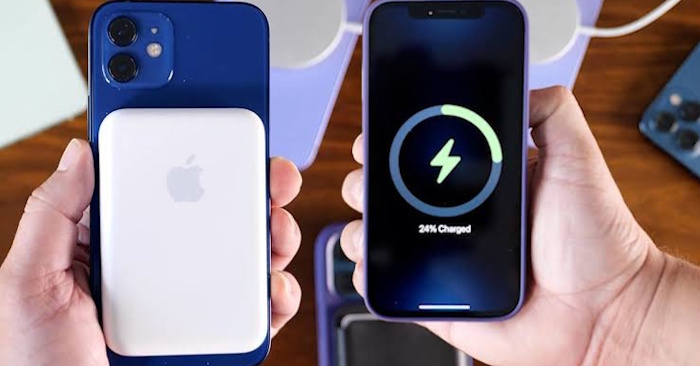
Heat matters more than perfect percentages
High temperature accelerates battery wear. Charging naturally creates some heat, and fast or wireless charging may create more under certain conditions, but a warm phone is not automatically unsafe. The concern is sustained or excessive heat.
- Do not charge a phone under a pillow, blanket, or other material that traps heat.
- Move it out of direct sunlight or a hot parked car.
- Pause demanding games, navigation, video export, or other heavy tasks if the device becomes noticeably hot while charging.
- Remove a thick case temporarily if the manufacturer recommends it or the phone repeatedly pauses charging because of temperature.
Apple says iPhone is designed for use in ambient temperatures from 0°C to 35°C (32°F to 95°F) and warns that using or charging above 35°C can permanently reduce battery lifespan. Other manufacturers provide similar temperature protections, so follow any on-screen charging warning.
Use the phone's charging optimization
Modern phones stop actively charging when full and manage power electronically, so ordinary overnight charging is not the same as uncontrolled “overcharging.” The long-term issue is the combination of heat and spending many hours near full charge. Built-in optimization reduces that time without requiring constant monitoring.
iPhone
- On iPhone 15 and later, open Settings > Battery > Charging. You can choose a charge limit from 80% to 100% in 5% increments. At a 100% limit, Optimized Battery Charging is available.
- On iPhone 14 and earlier, open Settings > Battery > Battery Health & Charging and enable Optimized Battery Charging.
Optimized charging learns regular routines and delays part of the charge so the phone reaches full closer to the expected unplug time.
Samsung Galaxy
Open Settings > Battery > Battery protection. Available modes depend on the Galaxy model and One UI version. Current versions may offer Basic or sleep-based protection and a Maximum mode with a selectable charge limit; older versions may use a fixed 80% or 85% limit.
Google Pixel
On supported Pixels, open Settings > Battery > Battery health > Charging optimization. Choose Adaptive Charging to finish near the expected unplug time or Limit to 80% when daily runtime allows. Google notes that supported Pixels may occasionally charge fully to keep capacity estimates accurate.
Do not treat 20% to 80% as a strict rule
Avoiding long periods at 0% or 100% can help, but there is no need to interrupt your day every time the battery crosses an arbitrary line. Shallow, convenient top-ups are fine. Charge to 100% when you need the runtime for travel, navigation, or a long day away from power.
A charge limit is most useful when the phone normally ends the day with plenty of power or remains plugged in for long periods. If an 80% limit forces a deep discharge later, choose a higher limit or adaptive mode instead.
Use compatible, good-quality charging equipment
Use the phone maker's charger or a reputable charger and cable that support the required USB and charging standards. A higher wattage rating does not force a phone to accept more power than its charging system negotiates, but damaged, counterfeit, or poorly made accessories can overheat, charge unreliably, or lack expected safety protections.
- Replace frayed cables, loose connectors, or adapters that become abnormally hot.
- Keep charging ports dry and free of compacted debris.
- Use certified accessories where the device maker provides a certification program.
- Stop using a charger if the phone repeatedly reports that the accessory is unsupported.
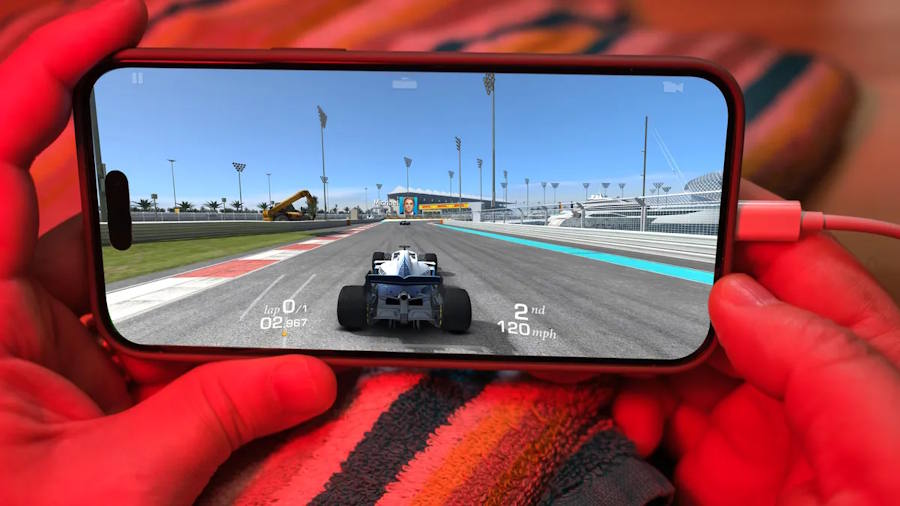
Fast and wireless charging: use them when useful
Fast charging and wireless charging are supported features, not habits that must always be avoided. The phone controls charging speed and may slow or pause when it becomes warm. For the gentlest routine, use a slower wired charger when time does not matter; use fast charging when convenience is more important.
With a wireless charger, align the phone correctly and keep the charging surface ventilated. Remove metal objects, cards, or incompatible magnetic accessories that could interfere or heat up.
A practical daily routine
- Enable the manufacturer's optimized charging or charge-limit feature.
- Charge in a cool, open location.
- Use a reliable charger and undamaged cable.
- Avoid running demanding apps if the device becomes hot while plugged in.
- Use a lower charge limit when it fits your day, but charge fully when you need the capacity.
Battery health is a long-term trend, not a score that needs constant attention. If the battery swells, the screen lifts, the phone emits an unusual odor, or it becomes dangerously hot, stop using and charging it and arrange professional service.
Manufacturer references: Apple charge limits and optimized charging, Samsung maximum charge levels, and Google Pixel charging optimization.
Related Articles
 How to Charge a Newly Purchased Phone Battery to Avoid the Bottle6 minutes read
 Top 5 Tips for Fast and Safe Phone Battery Charging5 minutes read
 Don't, and Exactly, Never Leave Your Phone Down to 0% Battery!4 minutes read
 6 Tips to Extend Battery Life for Android Phones You Should Apply Today7 minutes read
 Extend Battery Life Android Does Not Need Root with This Application8 minutes read
 Phone Battery: Do Not Extend Unnecessary Charging Time4 minutes read
Reader Comments 0
Sign in with email or Google to join the discussion.