Table of Contents
Just one charging dock is enough to handle all 3 devices, the desk looks neat, and 2 extra sockets are reclaimed.
Many people's desks are a mess. Three charging cables for the iPhone 15 Pro Max, Apple Watch, and AirPods Pro compete for two outlets, making everything look terrible. Many people bought the Anker MagSafe charging pad, thinking it would clean things up a bit, and it solved the entire mess.
Now, just one charging dock is enough to handle all 3 devices, the desk looks neat, and 2 extra sockets are reclaimed. This device is quickly becoming a favorite desk accessory of many people.
Why do people need a better charging solution?
The desk is a cable nightmare

Many people's previous charging systems were incredibly inefficient. Cables and chargers were constantly competing for space. They tangled, disappeared behind desks, and fell to the floor. Since switching to USB-C with the iPhone 15 Pro Max, many thought they would finally have fewer cables to deal with, but they're still pretty messy.
Visual clutter is also annoying. Even if you invest in a neat desk with cable management, those charging cables will still ruin everything. Need something that can charge multiple devices at once without tangling.
What's different about the MagSafe wireless charging dock?
Three devices, one solution
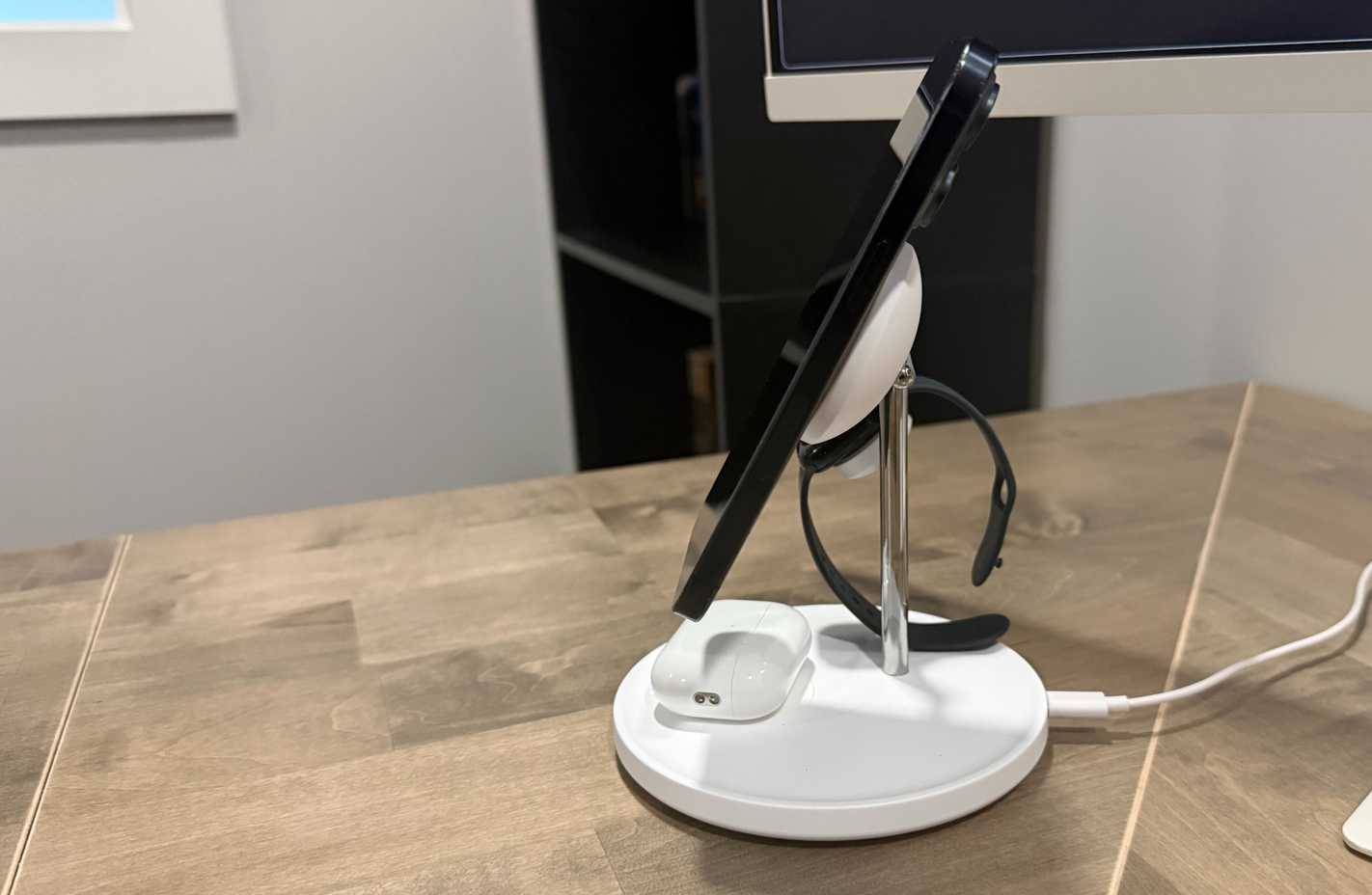
Anker calls it a 'tree-like' design. The iPhone attaches to an adjustable magnetic arm. The Apple Watch sits on its own charging pad. The AirPods have their own place at the base.
The MagSafe magnets are much stronger than cheap kickstands. They stay in place even when you tap the screen. Charging speeds reach 15W, so the iPhone 15 Pro Max charges as quickly as if you plugged in a cable.
What's really impressive is how quickly the Apple Watch charges. It reaches 48% in half an hour, which is about the same speed as Apple's official fast charger. The AirPods Pro have a small groove on the base to keep the charging case from sliding around.
Installation is extremely simple
Plug and play
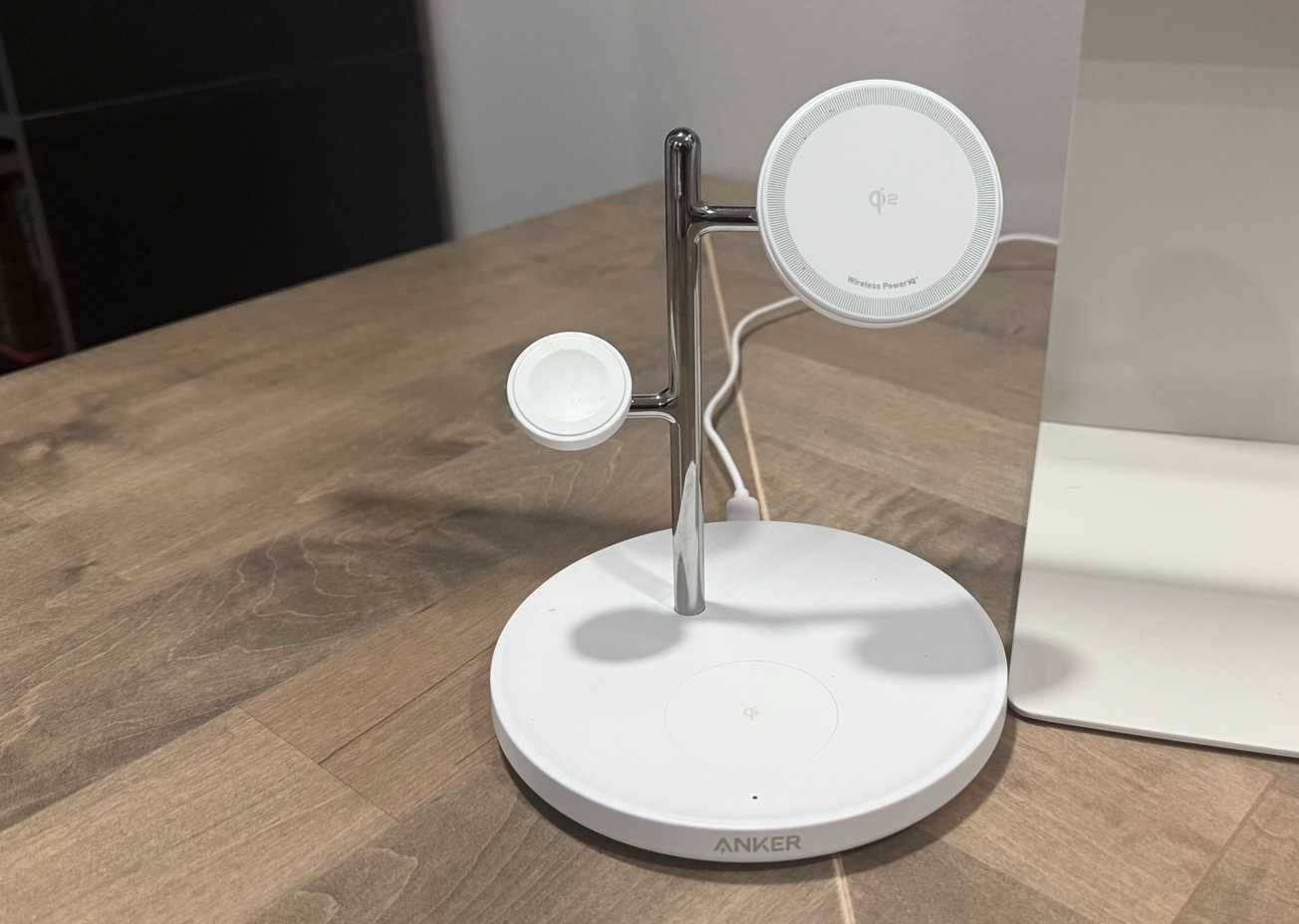
Most all-in-one chargers are a pain to set up, but not this one. It took just 5 minutes. The box includes a stand, a 40W USB-C wall charger, and a cable. Just plug the charger into a power outlet, run the cable to the stand, and you're done. No apps to download, no pairing, and no settings to tweak.
The included 40W charger is essential for maximum performance. Using a weaker charger will slow down charging speeds on all three devices. The cable management improvements here are notable – this charging pad only needs one power cord instead of three. This single cable is easier to loop behind a desk, and it can free up some power outlets. Reducing the number of outlets from three to one changes things more than you might think.
By the way, if you want to go even more minimalist, a USB wall outlet would be perfect for this type of setup.
How will the MagSafe wireless charging pad change your daily routine?
Small but effective improvements

The benefits extend beyond just a tidier desk. Your morning routine becomes more efficient because all your devices are charged and in one place. No more fumbling for your Apple Watch charger or checking to see if your AirPods have enough charge.
The iPhone's StandBy mode works great with this stand. Since the phone charges horizontally at an angle, it acts as a bedside clock or at-a-glance information display. You can check the weather, calendar events, and smart home controls without having to pick up your phone.
The visual improvements are better than expected. The desk looks cleaner without cables strewn all over the place - these little details are important when working from home. The space savings are also great - removing three separate charging areas makes room for a small potted plant and a real workspace.
FAQ
How do you set up a magsafe wireless charging dock for a cleaner desk: how-to guide?
In practical terms, just one charging dock is enough to handle all 3 devices, the desk looks neat, and 2 extra sockets are reclaimed.
What should you check before getting started?
Review the requirements, compatible device or software version, and any warnings described in the guide before making changes.
What should you do if the steps do not work?
Repeat the steps in order, confirm that your app or system is up to date, and review the troubleshooting details provided above.
Related Articles
 What Is Wireless Charging? Is It Faster or Slower Than Charging?6 minutes read
 Wireless Charging: Speed and Supported Android Phones11 minutes read
 Android 11 Will Make a Small but Very Useful Change to Wireless3 minutes read
 How to Fix Wireless Charging Errors on iPhone 8, 8 Plus, iPhone X5 minutes read
 Samsung Is Working on Creating a Wireless Charging Wall, the Devices Fully Charge Themselves When4 minutes read
 What Is Qi2 Wireless Charging? How Is It Better Than Qi?8 minutes read
Reader Comments 0
Sign in with email or Google to join the discussion.