Table of Contents
Optimized battery charging on iPhone serves as a built-in feature in iOS, with the purpose of extending iPhone battery life.
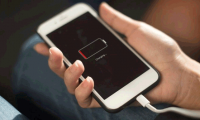
Optimized battery charging on iPhone is a built-in feature in iOS, with the purpose of extending the life of the iPhone battery. This feature works by saving daily battery charging habits and delaying the battery from exceeding 80% in some cases. The system will adjust the charging speed and stop charging when it reaches a certain threshold. This helps the iPhone battery last longer. Here are instructions for enabling optimized battery charging on iPhone.
How to optimize battery charging on iPhone
Step 1:
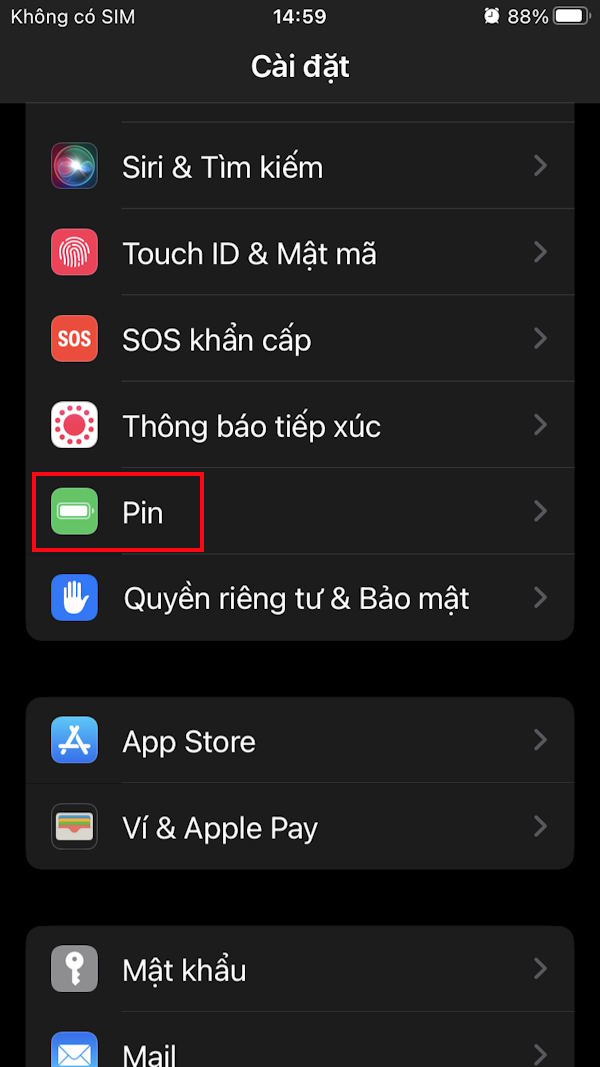
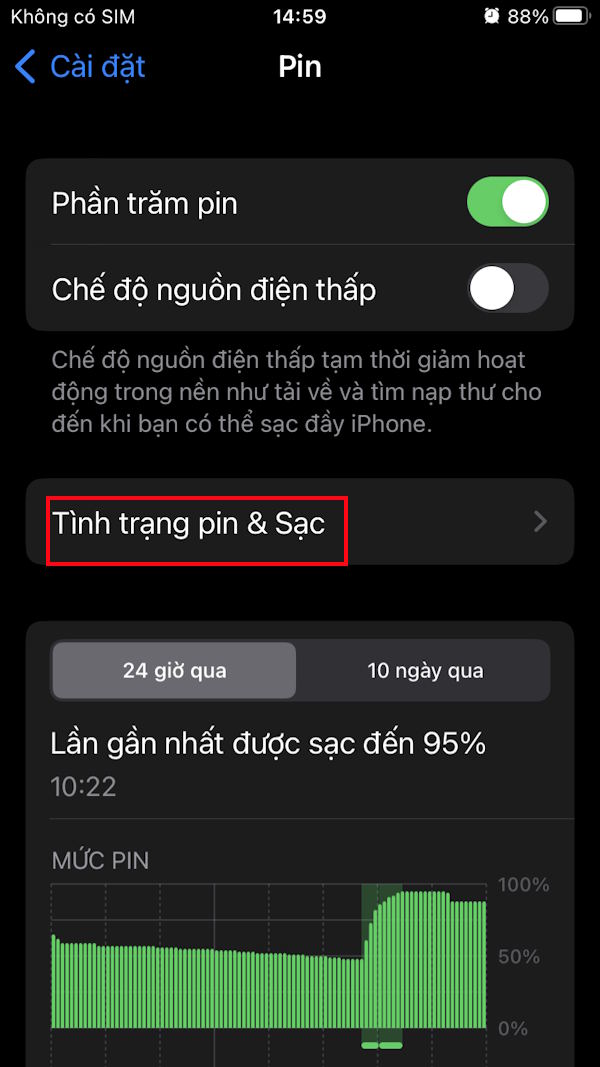
On the iPhone interface, go to Settings And then select Battery . Go to the next interface, click on Battery & Charging Status .
Step 2:
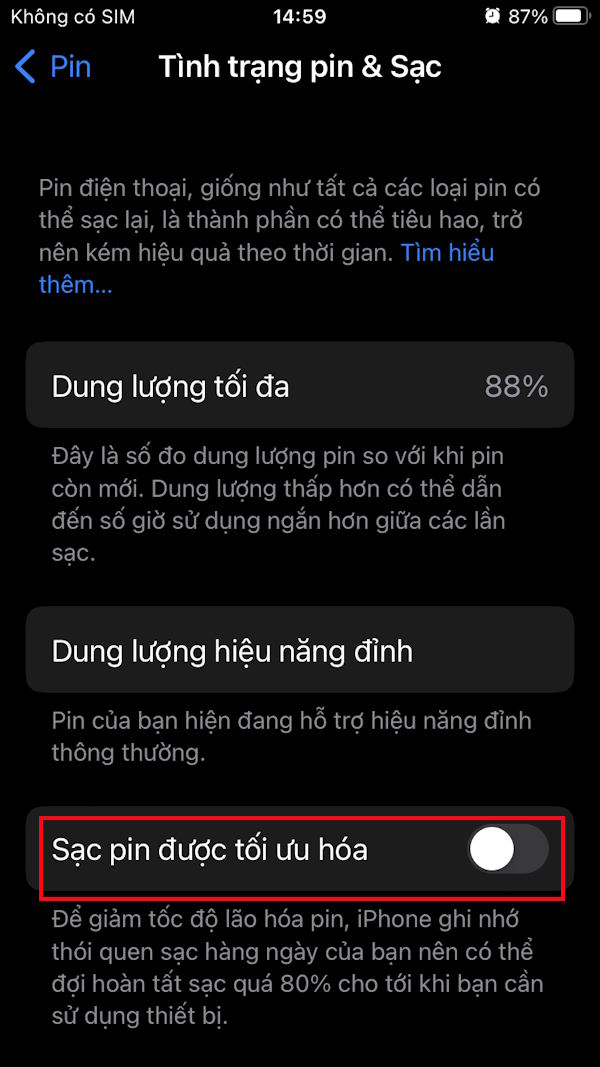
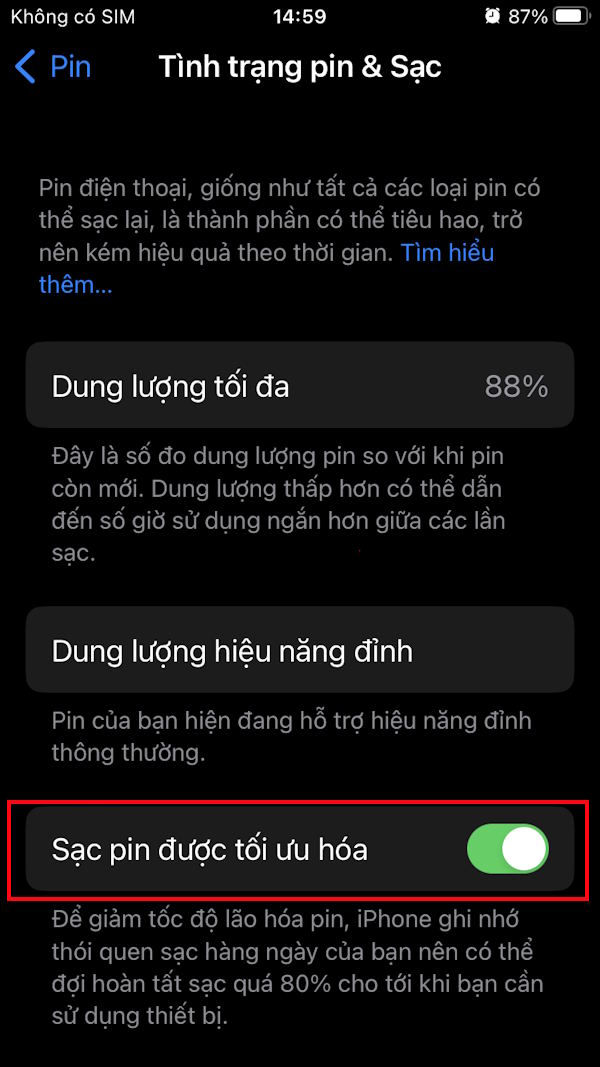
Go to the next interface, you scroll down below you Activate Optimized Battery Charging mode .
What is the difference between optimal charging and normal charging?
Optimised charging is an advanced charging method that focuses on battery health and longevity. It analyzes the user's usage habits and controls the charging speed or time to avoid overcharging and reduce battery wear. In contrast, conventional charging only charges the device at a constant rate, regardless of battery health or usage habits.
Should I turn on optimal battery charging mode?
You should enable Optimum Battery Charging on your iPhone to improve battery health and longevity, thereby improving overall performance. Optimum Charging adjusts the charging process according to the user's habits, ensuring that the battery is not subjected to unnecessary wear or stress, thereby prolonging battery life.
FAQ
How do you enable optimized battery charging on iPhone?
In practical terms, optimized battery charging on iPhone is a built-in feature in iOS, with the purpose of extending iPhone battery life.
What should you check before getting started?
Review the requirements, compatible device or software version, and any warnings described in the guide before making changes.
What should you do if the steps do not work?
Repeat the steps in order, confirm that your app or system is up to date, and review the troubleshooting details provided above.
Related Articles
 How to Optimize Battery Charge on Iphone4 minutes read
 Mistakes When Charging Your Battery Will Accidentally 'Ruin' Your7 minutes read
 How to Make a Full Charge Sound on iPhone: Step-by-Step Guide7 minutes read
 Speed up Battery Charging for iPhone6 minutes read
 How to View Battery Charging Time on iOS 263 minutes read
 Some Ways to Use iPhone Battery Effectively5 minutes read
Reader Comments 0
Sign in with email or Google to join the discussion.