Table of Contents
Phone Battery: Do Not Extend Unnecessary Charging Time is easier to understand when the core ideas are paired with practical examples. The sections below explain the topic clearly, highlight useful steps, and point out details that can prevent common errors.
Keeping the battery at 50 - 80%, avoiding heat sources and using direct charging wires are the notes that help protect batteries on smartphones and tablets.
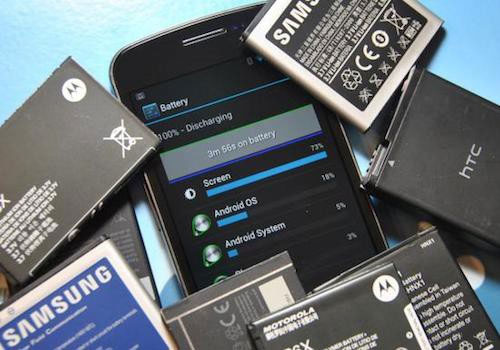
Smart phones, tablets are becoming an indispensable part of life. With the development of powerful technology, phones are increasingly smart but batteries are always a problem of users ' headaches '.
While waiting for battery life improvements from manufacturers, users can optimize the battery themselves with the following notes:
Previously, batteries on mobile devices had the main component of nickel . Users are often recommended to use the battery before continuing to fully charge. Now is the time to change this habit when smartphones primarily use Lithium-ion batteries. The battery should be kept on the phone at over 50% . If you are more careful and extend your life, users can discharge the battery about once a month.
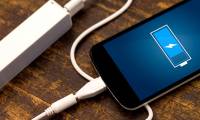
Overnight charging is also an issue. Technically, most chargers have an interrupt circuit when the smartphone is fully charged. However, it is also not advisable to extend unnecessary plug-in time and also do not need to charge the battery to reach 100%. Phone batteries should be kept at 40% to 80%.
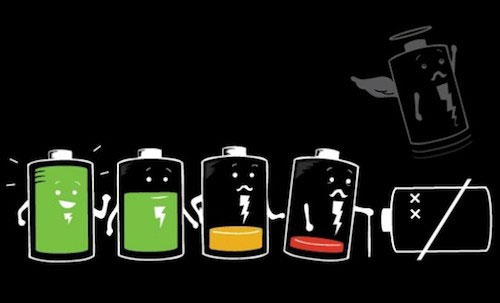
Lithium-ion batteries are sometimes depleted or suddenly drop the battery to 0% and turn off. This situation does not happen often but can cause users to worry, annoyed. However, this is how manufacturers protect customers. On smartphones often equipped with circuit breaker when there is a voltage change to ensure the battery is not exploded.
Although designed to ensure safety, smartphones also have the risk of fire and cause often due to improper use. Avoid placing the device in high temperature, too high humidity. When the machine is too hot, the battery on the phone may run out faster or even explode.
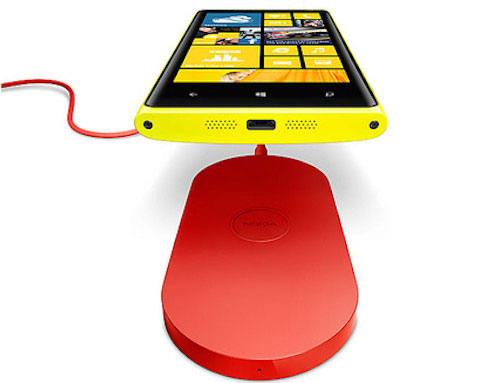
Wireless charging is a trend on today's electronic devices. Wireless charging becomes simple, easy, but also comes with disadvantages. Using magnetic induction, wireless charging causes waste of electricity and heat generation. Therefore charging in the traditional way is still the safest and most optimal option. In addition, using the direct plug also helps to charge the device faster.
FAQ
What is Phone Battery: Do Not Extend Unnecessary Charging Time?
Keeping the battery at 50 - 80%, avoiding heat sources and using direct charging wires are the notes that help protect batteries on smartphones and tablets.
Why is Phone Battery: Do Not Extend Unnecessary Charging Time important?
A clear understanding of Phone Battery: Do Not Extend Unnecessary Charging Time helps you make informed decisions, avoid common mistakes, and use the relevant tools or techniques more effectively.
How should beginners approach Phone Battery: Do Not Extend Unnecessary Charging Time?
Start with the fundamental concepts, follow the examples step by step, and test each change in a safe environment before applying it to important systems or data.
Related Articles
 6 Tips to Extend Battery Life for Android Phones You Should Apply Today7 minutes read
 Smartphone Charging Time Will Be Halved4 minutes read
 How to Charge a Newly Purchased Phone Battery to Avoid the Bottle6 minutes read
 How to Measure the Speed of Charging on the Phone5 minutes read
 How to View Battery Charging Time on iOS 263 minutes read
 4 Simple Ways to Extend Any Trial Period to a Software7 minutes read
Reader Comments 0
Sign in with email or Google to join the discussion.