How Claude Computer Use Works—and How to Use It Safely
Claude can navigate websites and, in supported products, interact with desktop apps. Here is what computer use can do, where it is available, and how to limit the security risks.
Fix Windows problems, troubleshoot devices, understand AI, secure your accounts and get more from your technology with tested step-by-step guides.
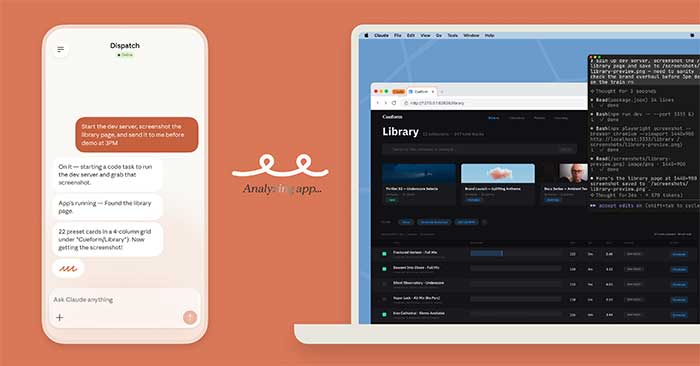
Claude can navigate websites and, in supported products, interact with desktop apps. Here is what computer use can do, where it is available, and how to limit the security risks.

Turn a focused set of sources into a two-sided debate with NotebookLM's Audio Overview tool. This guide covers source preparation, the Debate format, custom instructions, downloading, and fact-checking.

Use these adaptable AI video prompt templates for product shots, cinematic scenes, explainers, avatars, food clips, and social content—plus a practical formula for improving each result.

Build a source-grounded study guide in NotebookLM, customize it for a learner or teacher, export it to Google Docs, and verify the questions and answers before use.
AI coding now ranges from inline suggestions to agents that edit repositories and run tests. Learn where these tools help, what still requires human judgment, and how to use them safely.

Research suggests that AI-favored words are appearing more often in human speech, but the evidence is correlational. Here is what may be changing and how to keep your own voice.
Perplexity is built around cited web research, while ChatGPT is a broader workspace for writing, files, analysis, coding, and agentic tasks. Compare them by workflow, not brand claims.
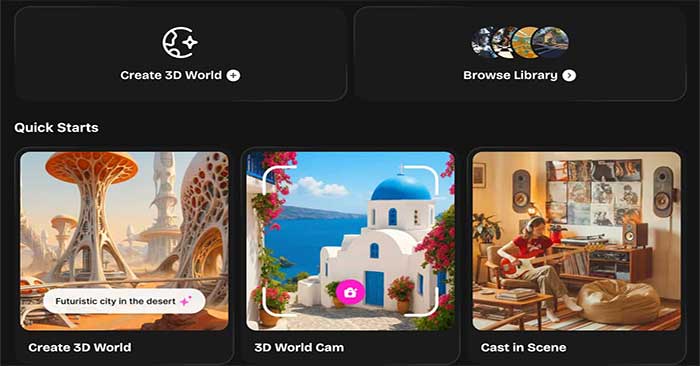
Use OpenArt's world-generation workflow to turn a text prompt or reference image into an explorable scene, then test navigation, depth, continuity, and export options.

Data teams are moving beyond static dashboards toward governed decision systems, agent-assisted workflows, conversational analysis, stronger semantics, and continuous trust controls.

Create high-contrast film noir images in Gemini with five adaptable prompts for window light, rainy alleys, dim bars, lampposts, and Venetian-blind portraits.

Copy and adapt these practical ChatGPT prompts for explaining text, planning a day, cooking, troubleshooting devices, preparing questions, and spotting possible scams.
Generate a short video from text or an image with Dreamina Seedance 2.0 in CapCut, then refine the clip on the timeline and check motion, rights, audio, and export settings.

Use AI as a tutor, quiz partner, and feedback tool while you do the thinking. This active-learning workflow combines retrieval, self-explanation, correction, and spaced review.
Use these prompts to tailor a CV, strengthen achievement bullets, explain career gaps, and proofread the final draft—while keeping every claim accurate and verifiable.

Use one adaptable starter prompt to find practical AI tasks, then improve the result with context, constraints, examples, and a clear accuracy check.

Use the current Reawakened Roblox codes for resets and rerolls, then follow the in-game steps to redeem them and troubleshoot invalid-code errors.

Open your Instagram profile card to display, customize, save, or share its QR code, and learn how to scan another account safely.

Learn the difference between GPS, IP, and shared location; use built-in privacy controls; and understand desktop GPS simulators for legitimate app testing.

Production AI agents need governed data, bounded workflows, and measurable oversight. Use this practical framework to move from a demo to a controlled rollout.
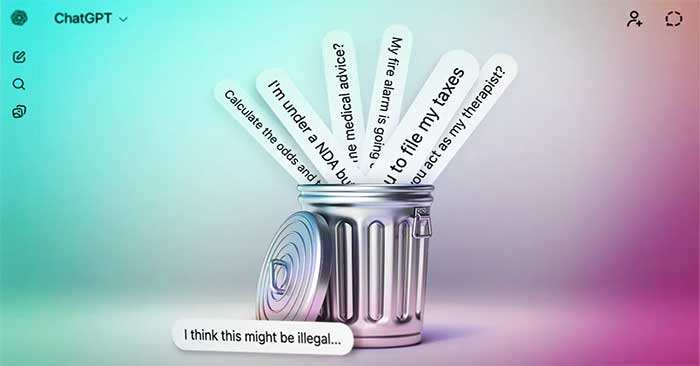
ChatGPT can assist with research and drafting, but it should not make emergency, medical, legal, financial, privacy, or other high-stakes decisions for you.