Table of Contents
NotebookLM can turn the sources in a notebook into an AI-generated spoken debate. The result is useful for comparing competing positions, preparing a class discussion, or hearing where evidence and assumptions diverge. The quality of the audio, however, depends much more on the sources you provide than on a clever prompt.
This guide shows how to create a Debate-format Audio Overview on the NotebookLM website. Google changes the interface periodically, so a button may appear in a slightly different place, but the workflow remains: add sources, open Studio, choose Audio Overview, select Debate, and generate.
1. Prepare balanced source material
Begin with a specific question that has at least two defensible positions. “Should schools use generative AI in teaching?” is better than the broad topic “AI in education.” Collect material that represents both sides, including evidence, limitations, and any important definitions.
You can upload supported documents or paste a source brief into NotebookLM. If you use an AI assistant to draft the brief, check every claim and replace unsupported assertions before treating it as a source. A useful structure is:
Debate question: Should schools use generative AI in teaching?
Position A: Give three arguments in favor, with evidence and limitations.
Position B: Give three arguments against, with evidence and limitations.
Shared facts: Define the technology and the school context.
Unresolved questions: List points the available sources do not settle.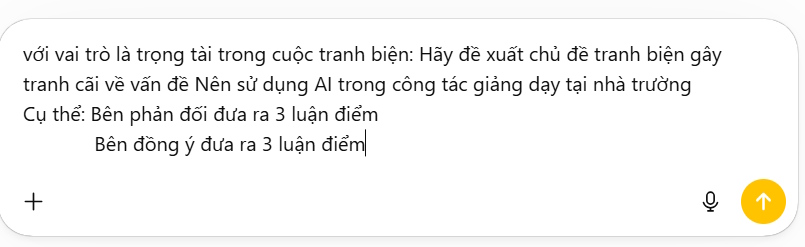
Do not ask NotebookLM to invent evidence that is missing from the notebook. Audio Overviews are designed to reflect the selected sources, so weak or one-sided material will usually produce a weak or one-sided debate.
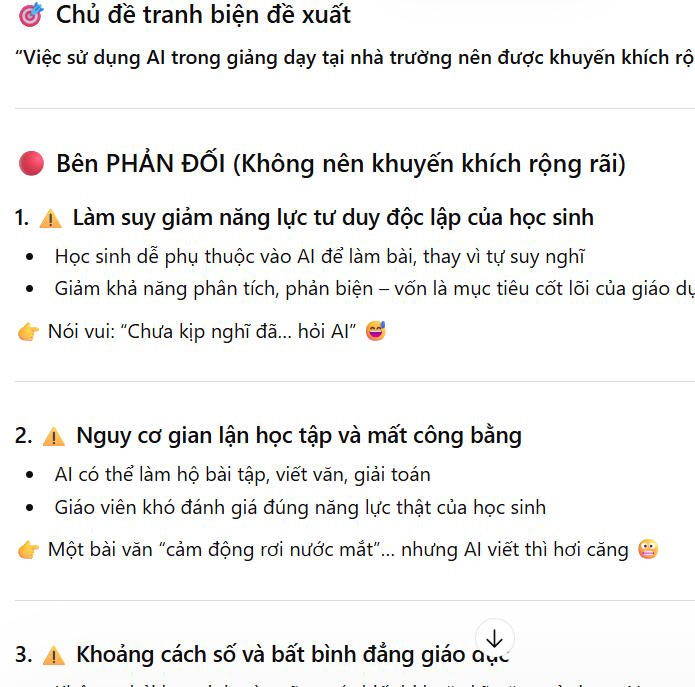
2. Create a notebook and add the sources
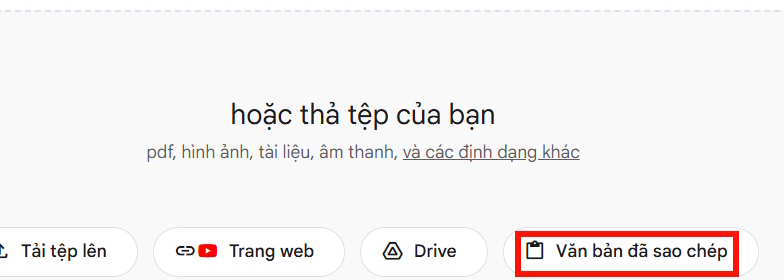
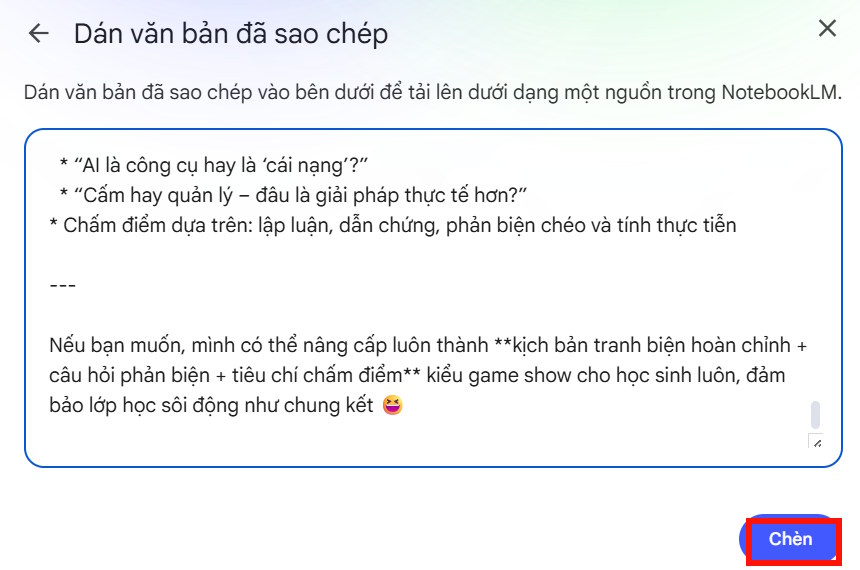
Open NotebookLM, create a new notebook, and add the documents, webpages, or pasted text you want the hosts to use. When adding a prepared brief, choose the pasted-text source option, insert the complete text, and save it to the notebook.
Before generating audio, review the source list. Remove duplicates and material that is not relevant to the debate question. For a large notebook, select only the sources needed for this particular Audio Overview.
If you are building a wider study notebook, see Turning YouTube into a Learning Tool with NotebookLM for another source-grounded workflow.
3. Choose Audio Overview and the Debate format
Open the Studio panel and choose Audio Overview. If customization controls are shown first, open them and select Debate as the format.
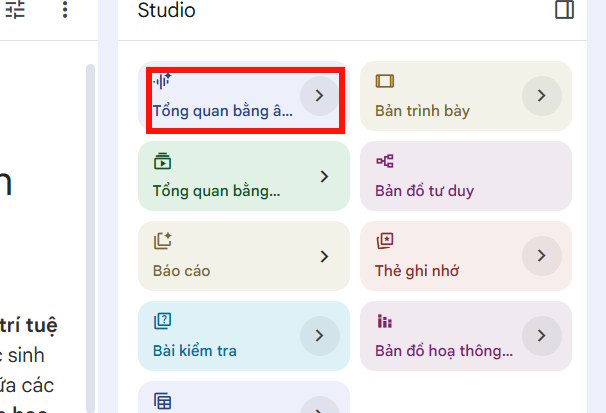
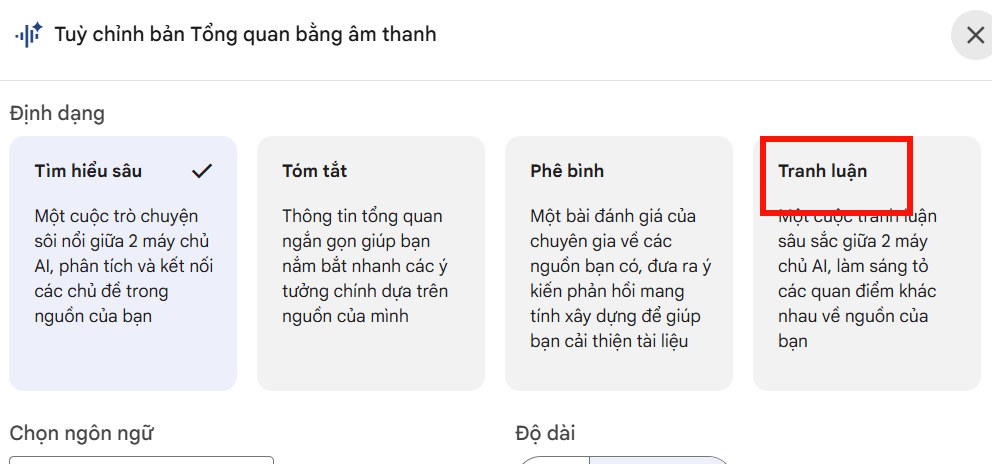
Debate is intended to explore competing viewpoints in the source material. It is different from the Deep Dive format, which primarily explains and connects ideas. Google's current Audio Overview help page lists the available formats and controls.
4. Add useful custom instructions
Custom instructions should identify the audience, central question, and evidence to emphasize. They should not try to dictate a word-for-word script. For example:
Create a debate for secondary-school teachers.
Focus on the question: Should generative AI be used in classroom teaching?
Present the strongest source-supported case on each side.
Distinguish established facts from predictions.
End with the points that still require school policy decisions.
If a language or length control is available, choose the setting that suits the listeners. Treat length as a preference rather than a guarantee; generated audio may not match an exact runtime.
5. Generate, listen, and download
Select Generate or Create. Processing may continue in the background. When the Audio Overview appears in Studio, open it and listen to the complete discussion.
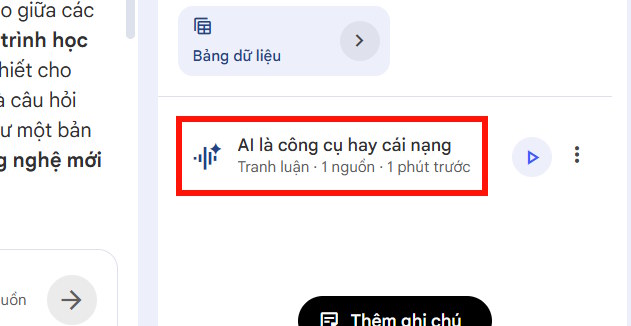
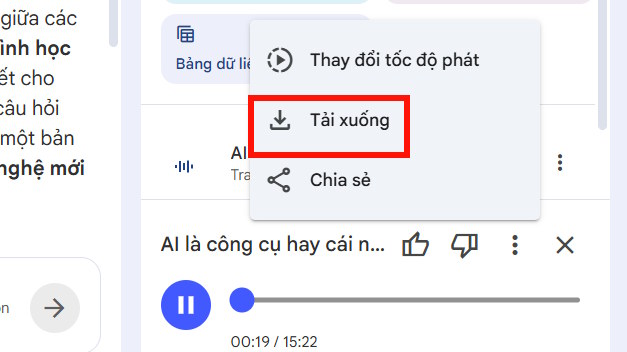
Use the item's three-dot menu to download the audio if the download option is available for your account and device.
Here is an example debate on whether AI should be used in school teaching:
Check the debate before sharing it
Audio Overviews are generated summaries, not verified recordings of experts. Listen for claims that overstate the source, omit an important qualification, or present unequal evidence as if both sides were equally supported. Check names, numbers, dates, and quotations against the original documents.
For classroom use, provide students with the source list and ask them to identify which evidence supports each argument. That turns the audio into a discussion aid instead of an authority. If you want to extract or reorganize other NotebookLM outputs, these NotebookLM Chrome extensions may also help, but review extension permissions before installing them.
A strong NotebookLM debate begins with a precise question and a balanced, trustworthy source set. Generate the audio only after the sources are clean, and fact-check the result before using it in teaching or publishing.
Related Articles
 Instructions on Creating Flashcards and Quizzes on NotebookLM5 minutes read
 Guide to Creating Lesson Plans Using NotebookLM4 minutes read
 How to Create Mind Maps in NotebookLM3 minutes read
 Instructions for Creating Reading-style Readings Using NotebookLM4 minutes read
 How to Create Discussion Questions for English Lessons on Twitter4 minutes read
 Create Data Tables at Lightning Speed in NotebookLM5 minutes read
Reader Comments 0
Sign in with email or Google to join the discussion.