Table of Contents
Choose Perplexity when your work begins with finding current sources and following citations. Choose ChatGPT when you want one workspace for a wider mix of writing, file analysis, data work, coding, images, voice, and multi-step tasks. Both products overlap substantially, so the better choice depends on the job and the plan available to you.
This comparison focuses on durable workflow differences. Models, usage limits, prices, and experimental features change frequently; confirm those details on each product's official plan page before subscribing.
Perplexity vs. ChatGPT at a glance
| Area | Perplexity | ChatGPT |
|---|---|---|
| Core experience | AI search and research organized around web results and citations | General AI workspace with search plus writing, analysis, creation, and agent tools |
| Best starting point | Current facts, source discovery, literature or market scans, follow-up research | Drafting, reasoning, file and data analysis, coding, multimodal work, ongoing projects |
| Web sources | Search-and-citation behavior is central to the default experience | Can search and cite sources; users should verify that web search was used when freshness matters |
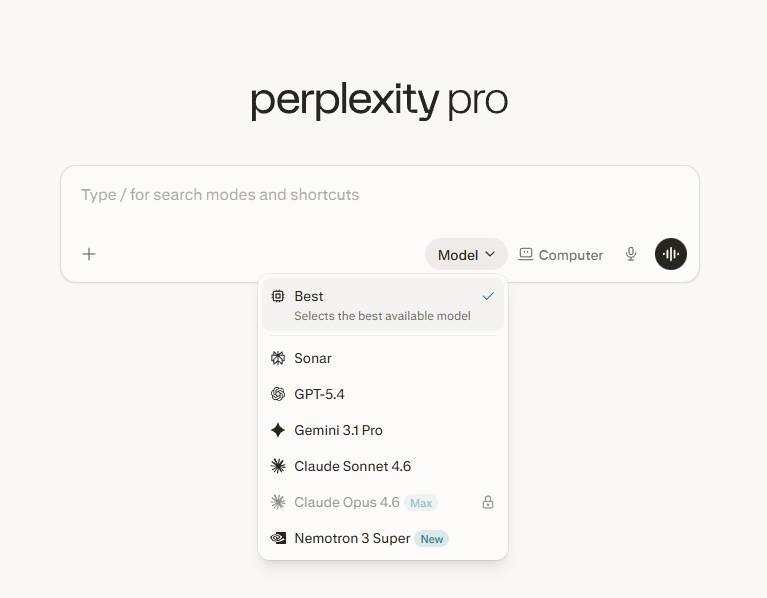
| Model choice | Eligible plans may offer models from several providers as well as Perplexity's own systems | Uses OpenAI models; model and reasoning controls depend on plan and rollout |
| Research workspace | Sessions and Projects organize searches, sources, files, and collaboration | Chats and Projects combine conversation, files, instructions, tools, and connected apps |
| Creation and analysis | Can analyze files and, on eligible plans, create media, reports, files, or apps | Strong integrated tools for documents, data, charts, images, code, and other supported artifacts |
| Agents | Offers agentic research and Computer capabilities on eligible plans | Offers agentic and browser-based task execution through supported ChatGPT tools |
| Free and paid access | Free use plus individual, education, business, and higher-limit options | Free use plus individual and managed-workspace plans with different limits |
Where Perplexity is strongest
Perplexity presents itself as an AI-powered search engine. A typical answer includes numbered citations and links to original webpages, making it convenient to open the evidence and continue researching. Follow-up questions remain connected to the same research session.
That design is helpful when you need to:
- get oriented to a current topic;
- collect primary sources for later reading;
- compare how several publications report the same event;
- research products, organizations, academic work, or regulations;
- maintain a source-centered project with files and collaborators.
Paid options can extend search, file analysis, model selection, and creation limits. Availability varies, so use Perplexity's current plan comparison rather than an old feature list.
Where ChatGPT is strongest
ChatGPT combines conversation with tools for web research, file handling, data analysis, coding, image work, voice, projects, and supported app connections. Its main advantage is not that it always searches better; it is that a task can move from research to analysis and then to a finished draft or artifact without changing products.
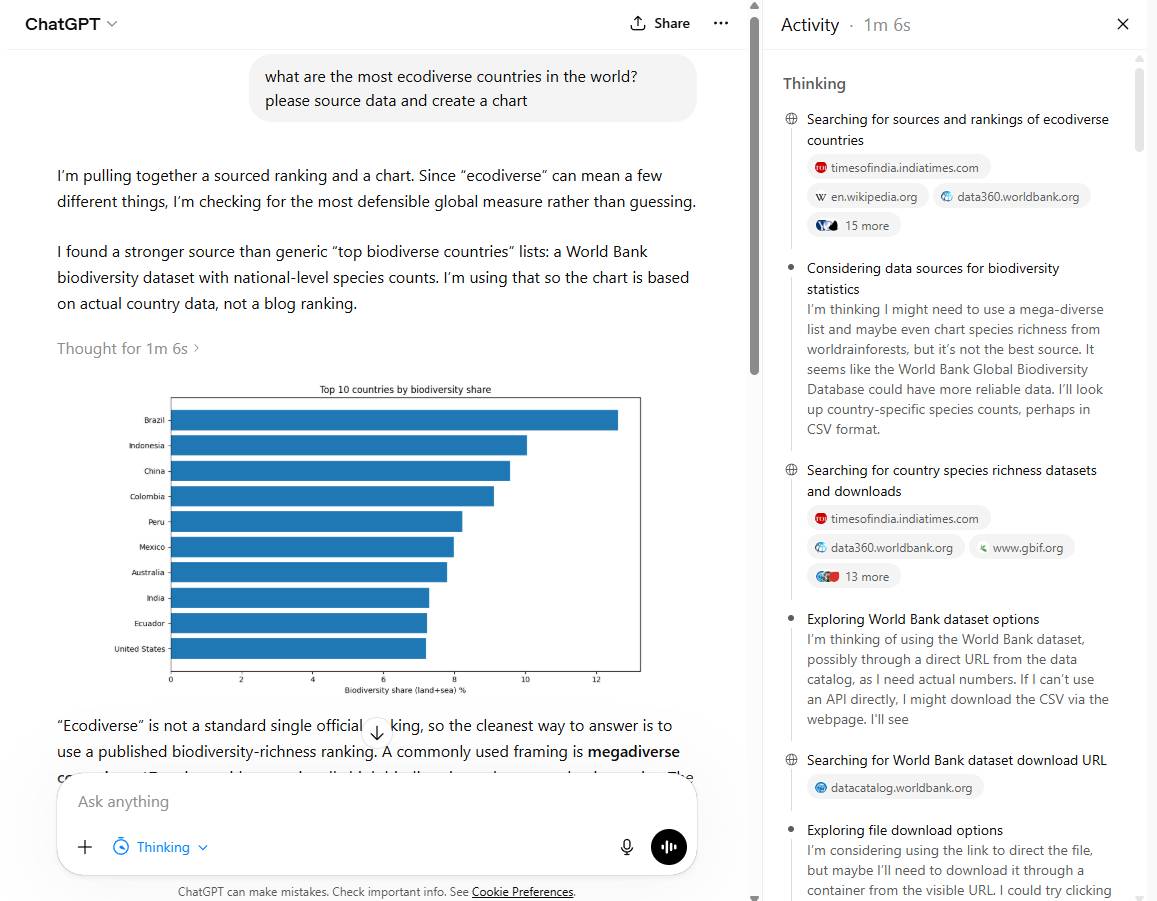
For example, you can upload a spreadsheet, inspect the data, create a chart, explain an anomaly, and draft a report in the same conversation. Developers can also use Codex for repository work, while general ChatGPT tools can help explain code or analyze attached files.
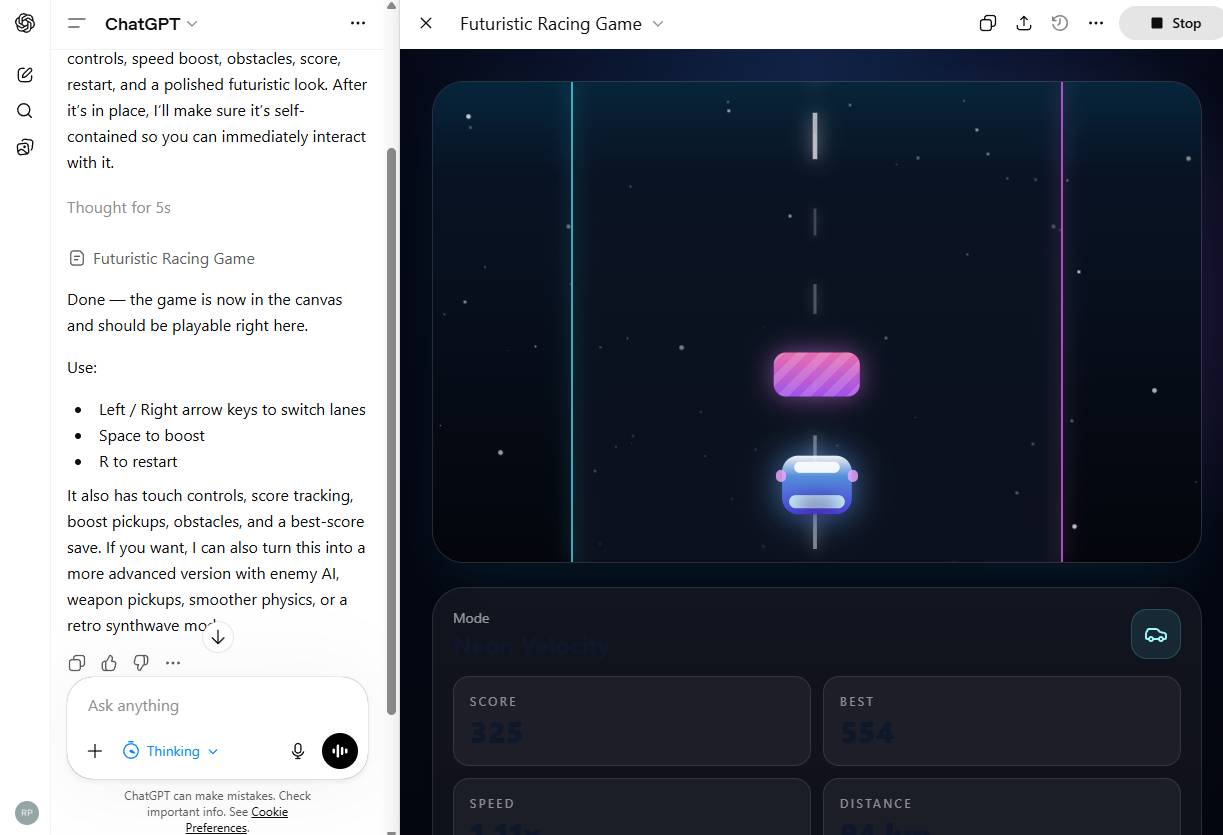
Plan features and model access change during rollouts. OpenAI's ChatGPT Plus help page, for example, explicitly advises users to check the model picker for the options currently available to their account.
How their web-search experiences differ
Perplexity makes web search the center of the interaction. ChatGPT can also search the web, but it supports many conversations where browsing is unnecessary. For any time-sensitive question, check for visible citations and dates rather than assuming either tool used live information.
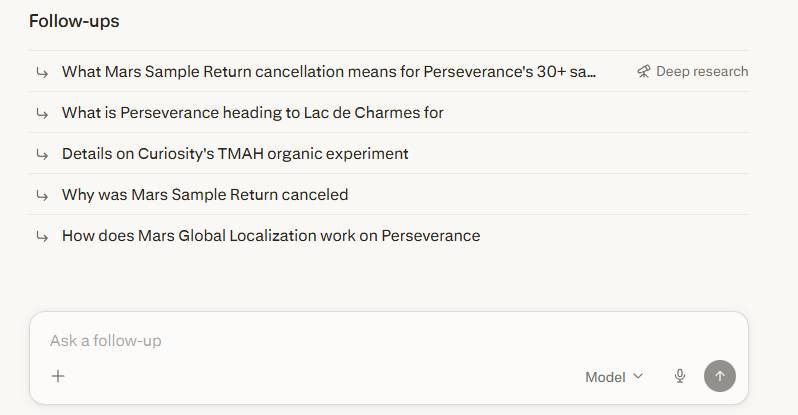
The screenshots below show one comparison query about a NASA Mars rover. They illustrate presentation differences at a particular moment; they do not prove that one service will always find better sources.
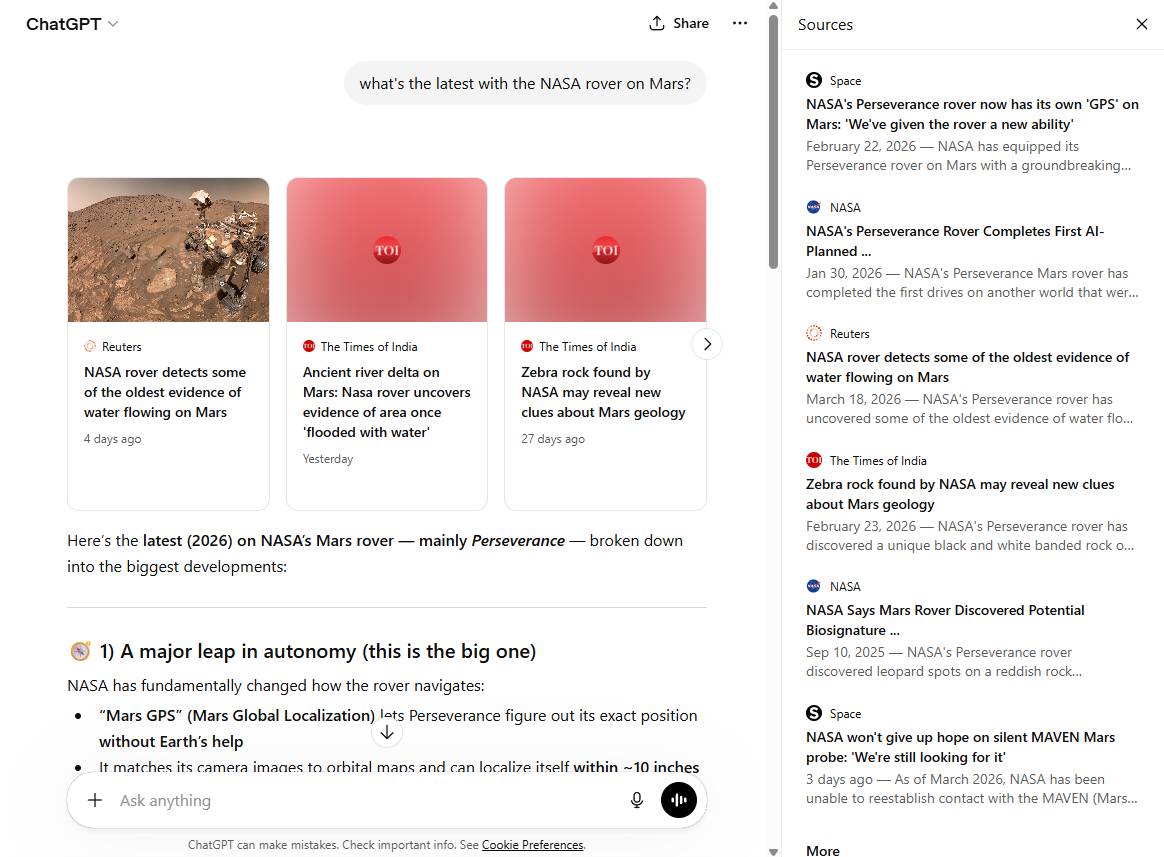
In the ChatGPT result, the useful test is whether the answer cites NASA or another authoritative source for each current claim—not how many links appear.
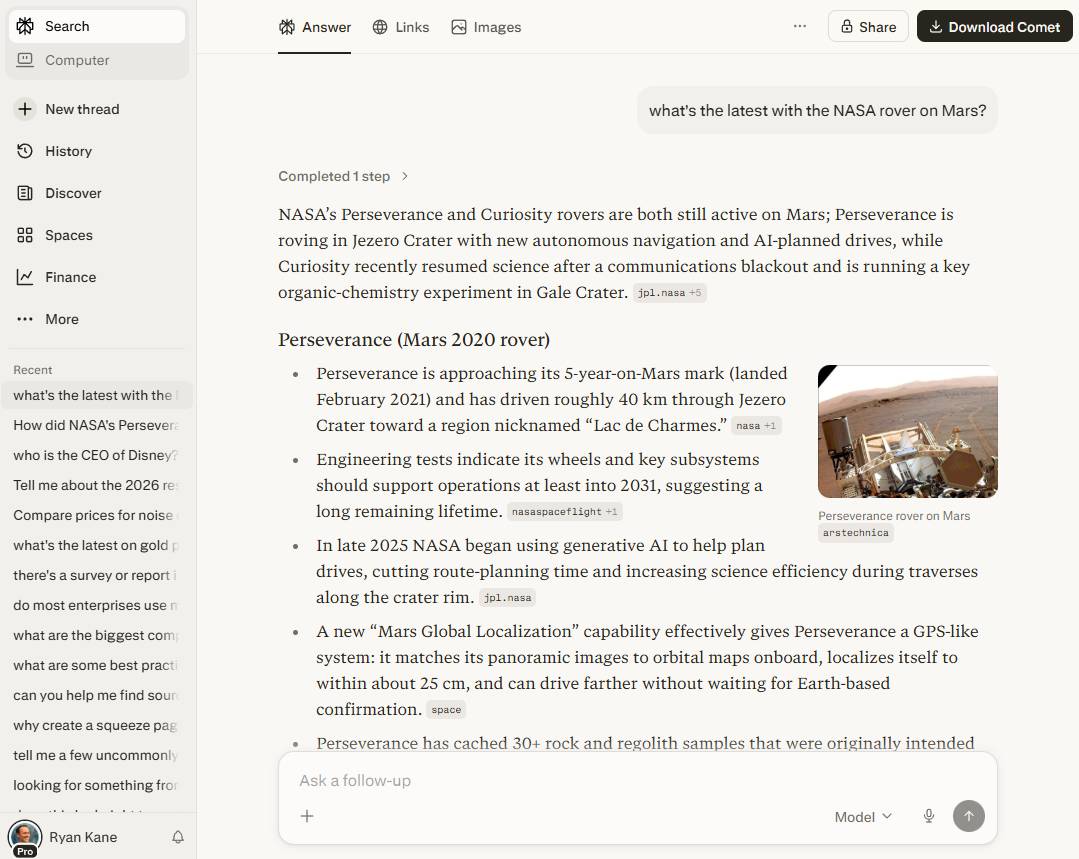
Perplexity's citation-first layout makes sources easy to scan, but a citation can still be irrelevant, outdated, or weaker than the claim it follows. Open the cited page and check that it actually supports the sentence.
Eligible Perplexity plans may let users select among multiple model providers. That can be useful for comparing answers, but changing the model does not replace source verification.
Which tool is better for common tasks?
Quick factual research: Perplexity
Perplexity is usually the more direct interface for a source-backed overview and a chain of follow-up searches. Ask it to prioritize primary sources, limit the date range, and separate confirmed facts from interpretation.
Long-form evidence review: try both
Both offer deeper research modes. Evaluate them on source quality, citation coverage, ability to handle conflicting evidence, and whether the final answer distinguishes publication date from event date. Export or save the original sources; do not rely only on the generated synthesis.
Writing and brainstorming: ChatGPT
ChatGPT is generally the more natural choice for iterative drafting, outlining, rewriting, and maintaining project context. Perplexity can write, but its interface is most distinctive when the draft depends on current web research.
Spreadsheets and data: ChatGPT
For repeated analysis, charting, and producing an artifact from uploaded data, ChatGPT's integrated workspace is a strong fit. In either tool, validate formulas, row counts, filters, and units against the original file.
Coding: ChatGPT for integrated development; Perplexity for source discovery
ChatGPT and Codex cover explanation, code generation, debugging, and agentic repository work. Perplexity can also assist with code and agentic creation, but its clearest advantage is finding current documentation and comparing sources. Serious development still requires tests, review, and a controlled environment.
Keeping a research library: Perplexity Projects
Perplexity's Projects are dedicated spaces for organizing research, tasks, files, and collaborators. ChatGPT Projects are better suited when source material is one part of a broader ongoing workflow. The right structure depends on whether citations or mixed tool use is the center of the project.
A five-minute test before paying
- Run the same current, specific question in both tools.
- Require primary sources and a publication cutoff date.
- Open three citations from each answer and check whether they support the adjacent claims.
- Upload one representative file and attempt the analysis you perform most often.
- Compare the result, correction effort, usage limits, privacy controls, and export options.
Do not choose on a single polished demonstration. Test each service with your real workload and the files you are permitted to upload. TipsMake's AI and Productivity course provides a broader workflow for choosing tasks, checking outputs, and protecting sensitive information.
Bottom line
Use Perplexity when the task is primarily search: finding recent information, tracing sources, and building a research trail. Use ChatGPT when the task moves across research, writing, files, analysis, coding, media, or multi-step execution. If your work regularly does both, the free versions are enough to test which interface removes more friction before committing to a paid plan.
Related Articles
 Perplexity vs ChatGPT: Which AI Assistant Is Better?11 minutes read
 Is Chatgpt Plus or Perplexity the Better AI Chatbot?9 minutes read
 What Makes Chatgpt's Search Feature Superior to Perplexity?6 minutes read
 What Is Perplexity Assistant? Complete Guide6 minutes read
 Perplexity Launches Computer: a Multi-model AI System That Can Perform Tasks in Place of Human Users6 minutes read
 All About Perplexity AI: 'the Universal Answering Machine'6 minutes read
Reader Comments 0
Sign in with email or Google to join the discussion.