10 LLMOps tools for building production AI systems
Compare 10 tools for orchestration, model routing, observability, evaluation, guardrails, memory, feedback, packaging, and app integrations in an LLMOps stack.
Fix Windows problems, troubleshoot devices, understand AI, secure your accounts and get more from your technology with tested step-by-step guides.
Compare 10 tools for orchestration, model routing, observability, evaluation, guardrails, memory, feedback, packaging, and app integrations in an LLMOps stack.

Compare Gemma and GPT-4 by deployment model, hardware needs, privacy, customization, performance, cost, and maintenance to choose the right option.
ChatGPT can assist with code, but people still need to own requirements, architecture, validation, stakeholder decisions, security, and accountability.

Use ChatGPT to draft SQL, clean datasets, write Python, create charts, document data, explain results, and design pipelines—with checks for accuracy and privacy.

Use ChatGPT as a cautious second opinion on phishing signs, URLs, and message wording—without clicking links, sharing sensitive data, or treating AI as proof.
Learn how to prompt ChatGPT for Excel formulas, verify cell references and versions, clean data, debug errors, and test VBA safely.
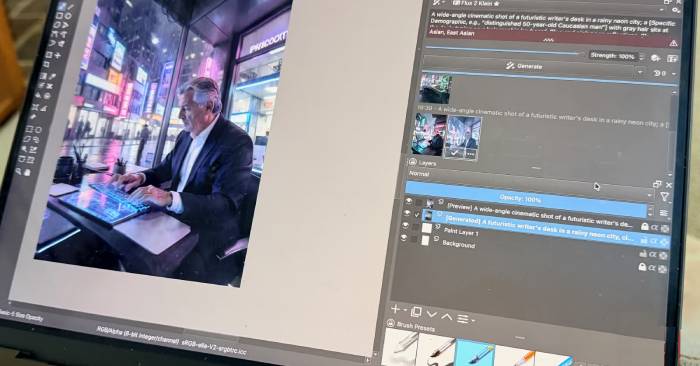
Compare Krita AI Diffusion and Adobe Firefly by setup, local or cloud processing, editing control, cost, ease of use, and commercial workflow considerations.

Follow the Talking Photo workflow to upload a suitable portrait and audio track, choose a model, generate the clip, and improve naturalness safely.

Understand how Perplexity's Comet browser combines web browsing with an AI assistant, what it can do, and what to check before granting access or approving actions.
See how Nerd AI can assist with photographed math problems, summaries, writing, coding, and language study—and how to verify its answers.
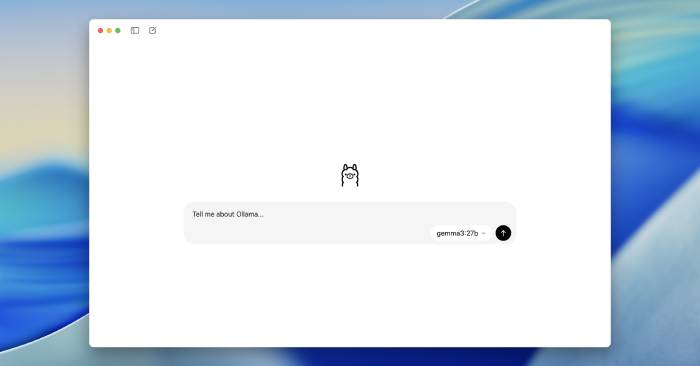
Learn what Ollama does, how to install it on Windows, macOS, or Linux, run a local model, call its API, change model storage, and secure the service.

Review the Chat AI mobile app's agent presets, image tools, summaries, writing, and study features, plus privacy, accuracy, and subscription checks.

Install AUTOMATIC1111's Stable Diffusion Web UI on Windows or Linux, add a compatible model, and learn txt2img, img2img, inpainting, upscaling, and PNG Info.
Learn how GitHub Copilot assists with completions, chat, multi-file edits, and agent tasks, plus how to install it and review AI-generated code safely.

Build a practical AI-assisted video workflow for research, scripting, storyboards, filming, editing, thumbnails, publishing, and audience analysis.

Behavioral biometrics analyzes typing, touch, mouse, device, and navigation patterns to flag unusual sessions—but it must complement MFA and privacy controls.

Use AI to develop honest hooks, a clear promise, spoken-language narration, visual cues, and realistic timing—then revise the script in your own voice.

Install AUTOMATIC1111 Stable Diffusion Web UI safely, add a compatible model, and learn the txt2img, img2img, inpainting, upscaling, and PNG Info workflows.
Compare Firecrawl, Tavily, Olostep, Exa, Bright Data, and You.com for AI search, crawling, extraction, research, and browser-backed web data workflows.

AI agents can work across files, code, and connected services. Understand what changes when a chatbot can act, the main risks, and how to deploy agents safely.