Table of Contents
An AI chatbot returns an answer. An AI agent can also use tools, read permitted files, navigate software, and take a sequence of steps toward a goal. That added ability makes agents useful for repetitive work—and makes permissions, review, and recovery far more important.
Products and open-source projects such as Claude's agent-oriented work features, OpenClaw, and coding agents illustrate this shift. Their names and capabilities may change, but the underlying decision is the same: how much context and authority should a probabilistic system receive?
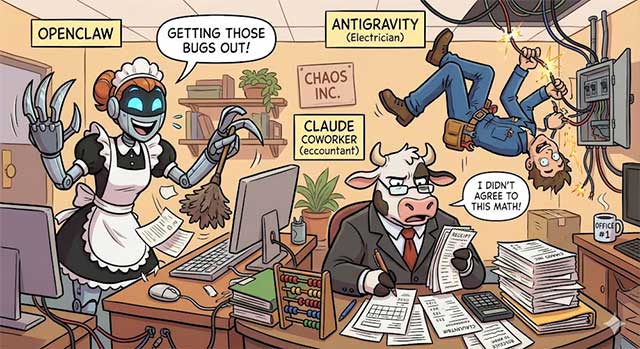
What makes software an AI agent?
An agent normally combines a model with tools and an execution loop. It observes the current state, proposes or performs an action, examines the result, and continues until it finishes, reaches a limit, or asks for help.
Typical tools include file access, a browser, email, calendar, databases, command execution, and application APIs. The agent is not inherently qualified simply because it can operate a tool; its reliability depends on the model, instructions, permissions, environment, and checks around each action.
OpenClaw and locally operated agents
OpenClaw represents the category of agents users can run with access to a local environment and selected services. This can support tasks such as organizing files, gathering information, drafting responses, or coordinating a workflow.
Local operation does not make an agent automatically private or safe. The model may be hosted elsewhere, connected tools can transmit data, extensions may execute code, and local file access can expose valuable information. Review the exact project, release, dependencies, model endpoint, and configuration before granting access.
A safer trial uses a separate workspace containing copied, non-sensitive files. Give the agent read-only access where possible and no credentials until a specific use case justifies them.
Coding agents and development environments
Coding agents can inspect a repository, edit files, run tests, and explain a proposed change. They can accelerate small, verifiable tasks, but they can also introduce insecure dependencies, alter unrelated code, delete data, or pass tests that do not cover the real requirement.
Use source control, a restricted development container or sandbox, and a clean working tree. Review diffs before accepting them. A person should approve commands that install software, access secrets, modify infrastructure, publish code, or perform destructive operations.
The “junior developer” analogy is incomplete: a human colleague can understand organizational responsibility and ask context-rich questions, while an agent may confidently continue from a faulty assumption. Clear boundaries and automated tests matter more than the fluency of its explanation.
Claude Cowork and document-oriented tasks
Agent-oriented Claude features can help work across documents and files that a user deliberately provides. Potential uses include classifying documents, extracting specified fields, drafting summaries, comparing versions, or preparing a checklist for human review.
A model should not be described as a lawyer, accountant, or other licensed professional because it can process documents in that field. Contract, tax, financial, employment, and regulatory work can turn on missing context, jurisdiction, and professional judgment. Use the agent to organize or draft, then route consequential decisions to a qualified reviewer.
Why broader access creates broader risk
Prompt injection
A webpage, document, email, or retrieved file can contain text that tells an agent to ignore its task, reveal data, or perform an unrelated action. Retrieved content must be treated as untrusted data rather than as authority to expand the agent's permissions.
Excessive permissions
An agent connected to an entire inbox or drive may read far more than one task requires. If it can also send, delete, or share, a mistaken instruction has a larger impact. Separate read and write capabilities and use the narrowest scope available.
Irreversible actions
Sending messages, making purchases, changing access, deleting files, deploying code, and publishing content should require a clear preview and human confirmation immediately before execution. A general instruction at the beginning of a task is not enough when the final details may have changed.
Errors that compound
A multi-step plan can build later actions on an early incorrect assumption. Set limits on steps, time, cost, and tool calls. Require the agent to stop when evidence conflicts or a required field is missing.
Weak accountability
Logs should show what the agent read, which tools it called, what changed, and who approved consequential actions. Do not log secrets or more personal data than the audit actually needs.
A practical deployment model
- Choose one bounded task. Start with work that is reversible and easy to evaluate.
- Create a test set. Include routine cases, ambiguous requests, malicious content, missing data, and tool failures.
- Restrict the environment. Use copied data, limited directories, test accounts, allowlisted domains, and least-privilege credentials.
- Separate planning from execution. Let the agent propose steps before it receives permission to act.
- Add confirmation gates. Define exactly which actions always require a person.
- Validate outputs. Use schemas, business rules, tests, and independent checks rather than natural-language confidence.
- Log and monitor. Detect unusual volume, repeated failures, data access outside the task, and cost spikes.
- Provide a stop and rollback path. Revoke credentials, halt runs, restore files, and undo changes where possible.
Tasks that make good early candidates
- Summarizing a user-selected set of non-sensitive documents
- Creating a draft from a structured template
- Classifying copied records for later human review
- Preparing a code change in a disposable branch and running existing tests
- Collecting public information from an allowlisted source with citations
- Generating a plan or checklist without executing it
Tasks that need stronger controls
- Email or chat that represents a person or organization
- Production deployments and infrastructure changes
- Payroll, tax, contracts, credit, hiring, or medical workflows
- Access to entire drives, inboxes, customer databases, or credential stores
- Purchases, bookings, account changes, and deletion
- Actions triggered solely by instructions found in external content
AI agents can reduce the manual coordination around well-defined work, but autonomy is not the same as reliability. The strongest deployments give agents enough access to complete a narrow task, preserve human control over consequences, and make every important action inspectable and recoverable.
Related Articles
 5 Things You Need to Know Before Using OpenClaw7 minutes read
 What Is Claw? a New AI Trend That Could Change the Way You Use Computers9 minutes read
 Learn with OpenClaw: What You Need to Know15 minutes read
 7 Practical Applications of OpenClaw You Should Know6 minutes read
 How to Run OpenClaw with an Open-Source Model6 minutes read
 OpenClaw (Clawdbot) User Guide: Control Your PC from WhatsApp8 minutes read
Reader Comments 0
Sign in with email or Google to join the discussion.