Table of Contents
GitHub Copilot is an AI coding assistant that works in supported editors and GitHub workflows. It can suggest code, answer questions about selected context, draft tests or documentation, and—in supported modes—propose changes across multiple files and run development tools.
Copilot can reduce repetitive work, but its output is not automatically correct, secure, licensed for every use, or compatible with the project. Developers remain responsible for understanding, testing, and approving every change.
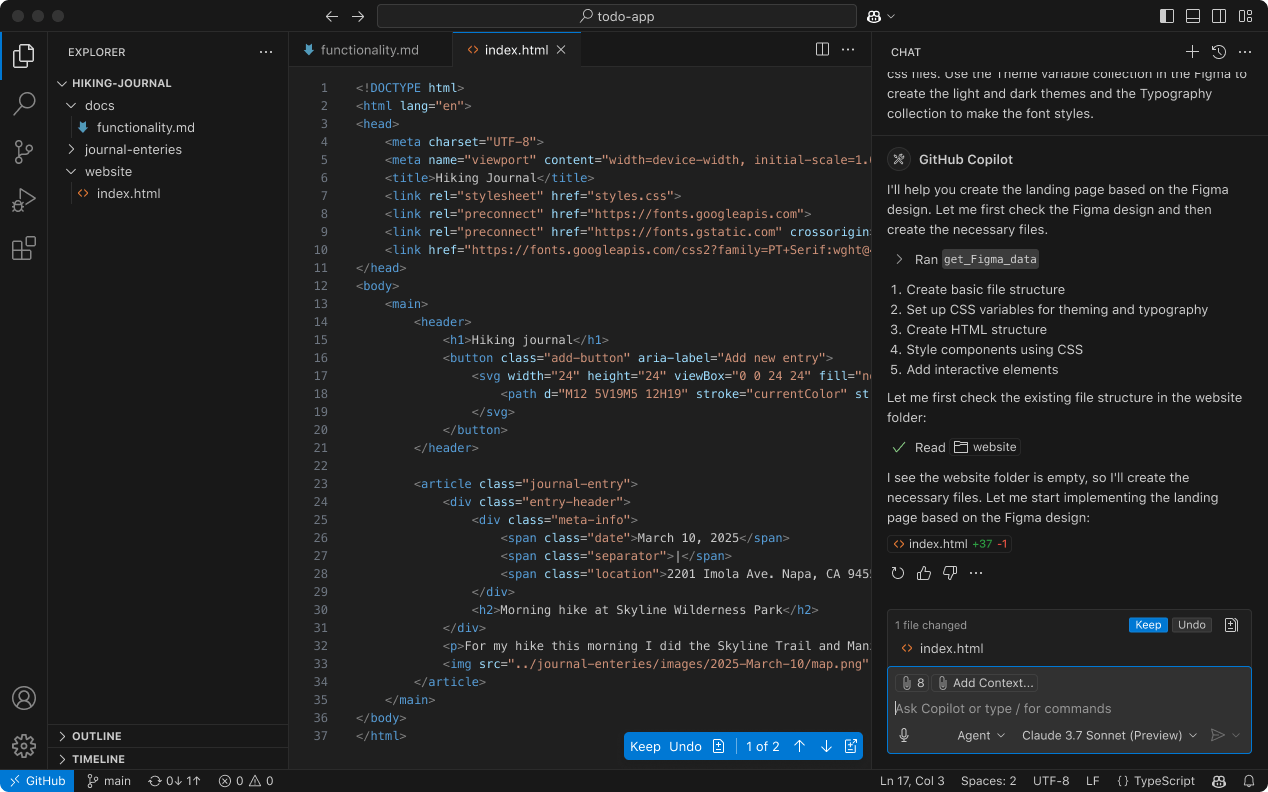
How to access GitHub Copilot
A GitHub account and an eligible Copilot plan or organization assignment are required. Available free usage, paid plans, models, features, and limits can change, so check the current official GitHub Copilot page rather than relying on an old price or feature list.
In Visual Studio Code:
- Update VS Code to a version supported by the current Copilot extension.
- Open the Extensions view and install the verified GitHub Copilot extension published by GitHub.
- Sign in to the intended GitHub account and approve the requested access.
- Confirm that Copilot is enabled for the current workspace and allowed by your organization.
Do not install similarly named extensions from an unverified publisher. Enterprise administrators may control feature availability, models, data policies, and whether particular repositories can use Copilot.
Inline code suggestions
As you type, Copilot can propose a completion at the cursor or suggest a likely next edit elsewhere in the file. Suggestions are influenced by the prompt, nearby code, open context made available by the editor, and the selected model or service configuration.

Read the complete suggestion before accepting it. Check function signatures, error handling, types, boundary conditions, dependencies, and whether the code follows the project's conventions. A short completion can still introduce a subtle security or correctness problem.
Chat and inline explanations
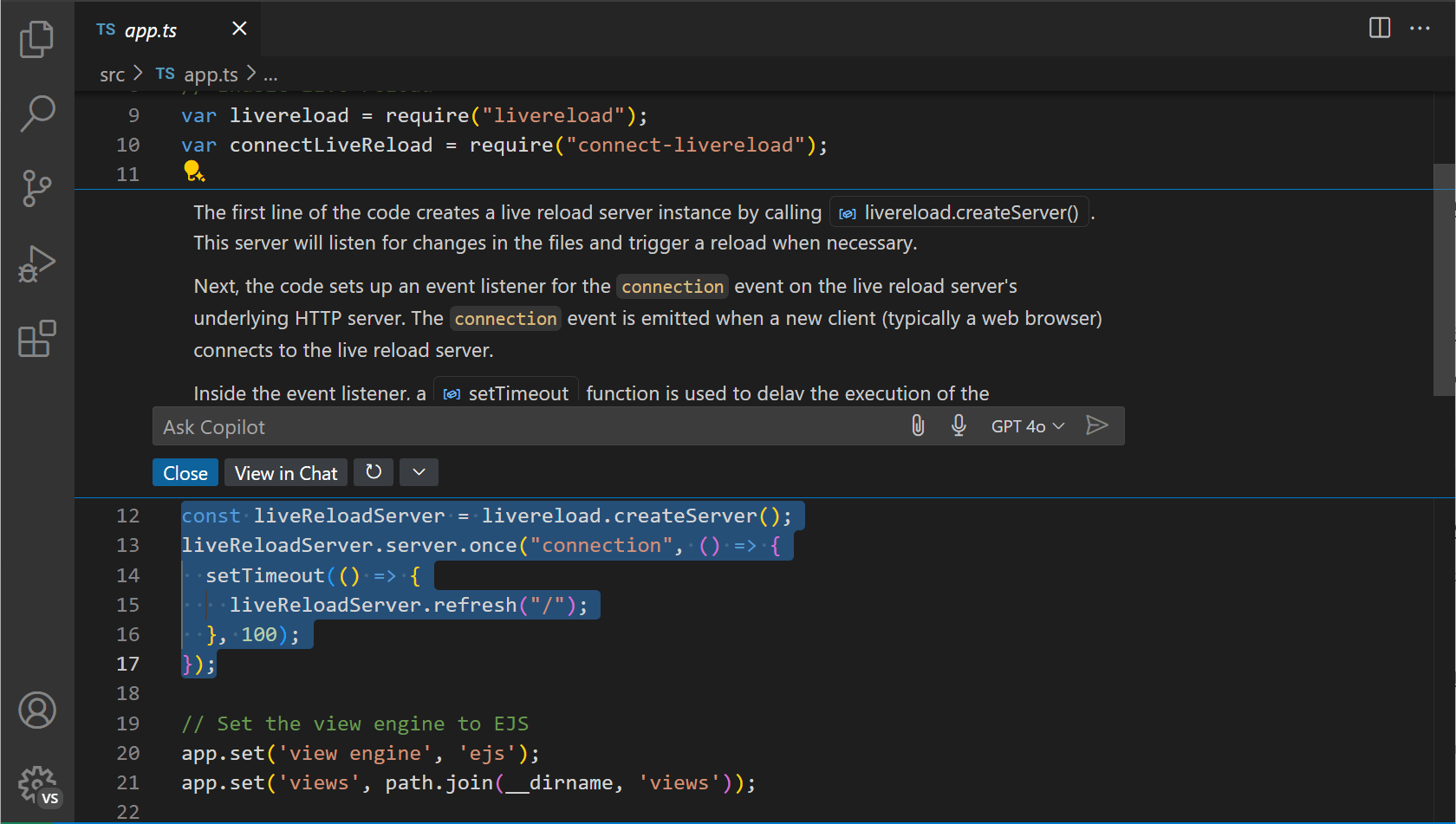
Copilot Chat can explain selected code, suggest a refactor, draft tests, or help investigate an error. The quality of the answer depends on the context it receives. Identify the language and version, provide the exact error, state the desired behavior, and describe constraints that must remain unchanged.
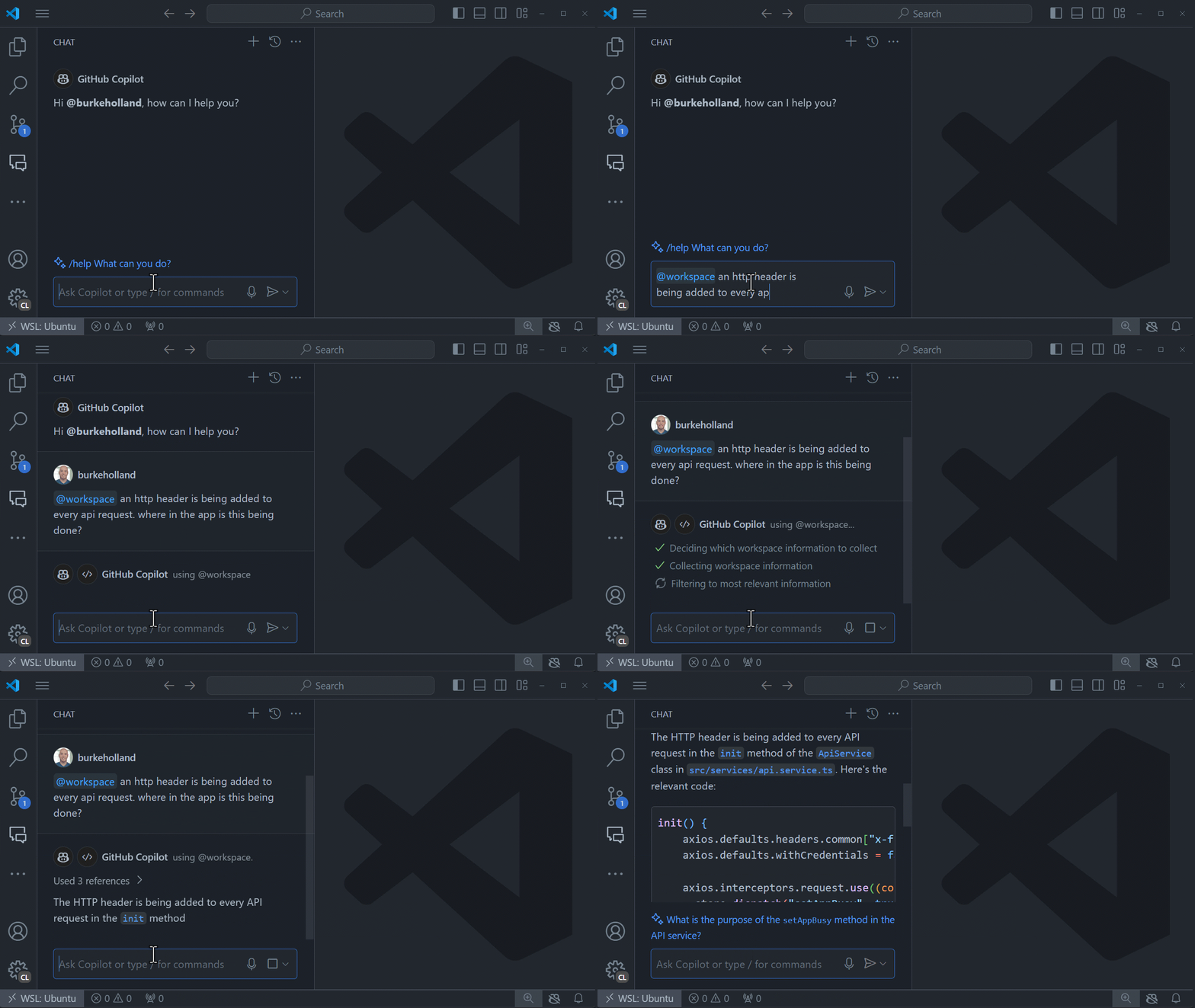
A useful debugging request asks Copilot to list hypotheses and tests instead of immediately rewriting the code. This preserves evidence and reduces the chance that a large speculative change hides the original defect.
Multi-file edits and agent-style tasks
Supported edit or agent modes can plan a task, change several files, invoke configured tools, inspect command output, and iterate. Feature names and behavior vary by editor and release. These modes can be useful for a well-scoped refactor, test addition, or mechanical migration.
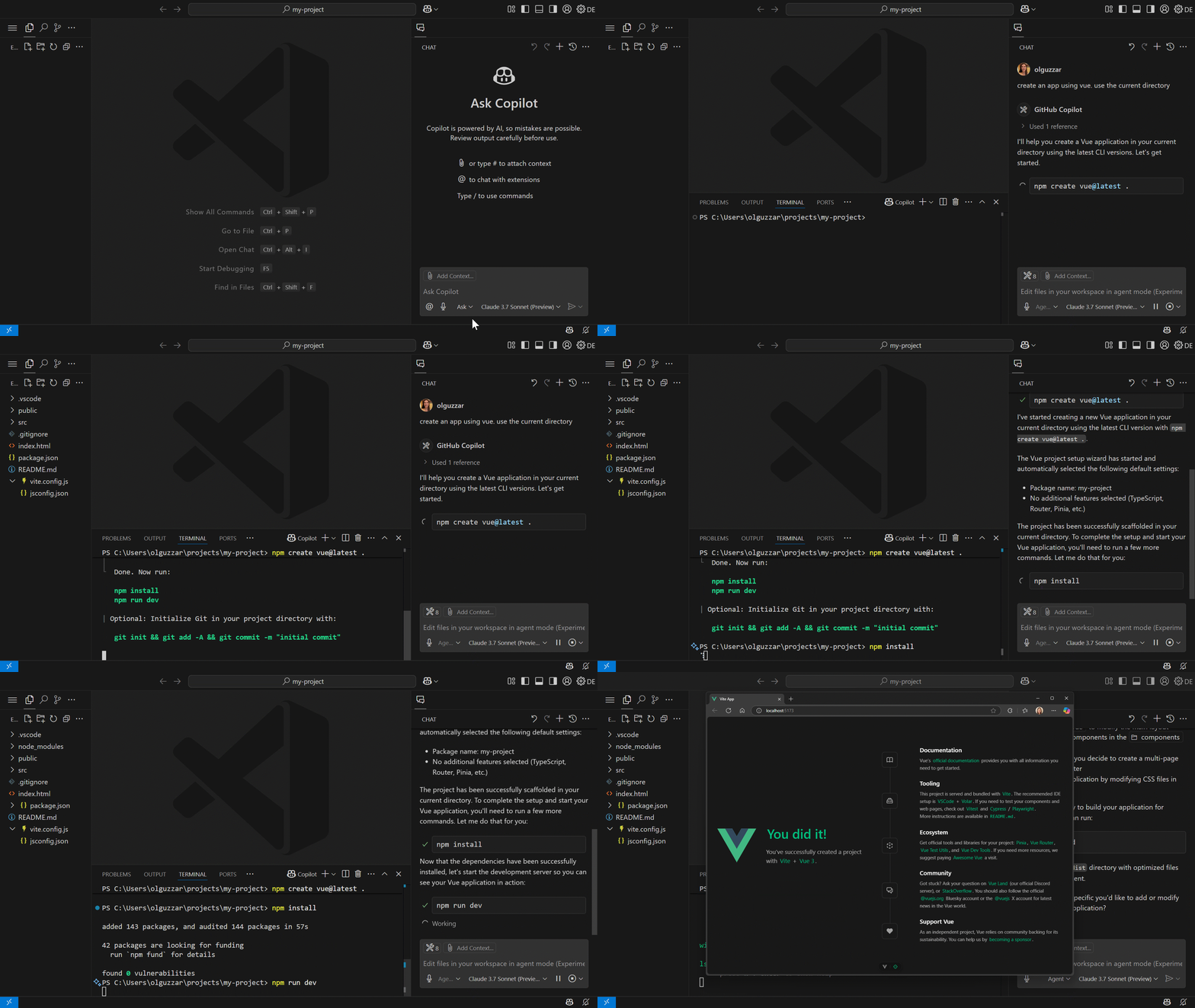
Broader autonomy increases the importance of review. Before starting, create a clean version-control checkpoint, specify files and commands that are in or out of scope, and define the tests that must pass. Inspect every diff and command rather than accepting a successful-looking summary.
Languages and frameworks
Copilot can produce suggestions for many languages, but support quality is uneven. Popular languages and well-represented libraries may receive more useful completions than a niche language, private framework, or recently changed API.
The model may remember an older library interface or invent a plausible method. Check consequential API usage against the primary documentation for the exact version installed in the project.
A safer Copilot workflow
- Start from a defined issue. Record expected behavior and acceptance criteria before asking for code.
- Limit the context and scope. Exclude unrelated files and never include secrets, production tokens, or private customer data.
- Ask for a plan for larger changes. Confirm architecture and migration assumptions before edits begin.
- Review the diff. Understand each change and reject unrelated cleanup that makes the review harder.
- Run relevant checks. Use unit, integration, type, lint, security, and performance tests appropriate to the risk.
- Verify dependencies. Confirm package names, versions, licenses, maintenance status, and whether a new dependency is necessary.
- Use normal peer review. AI-assisted code should meet the same approval standards as other code.
Security and privacy checks
- Follow the organization's current policy for which repositories and data may be processed.
- Review the applicable GitHub terms and settings for the exact account type; do not generalize consumer settings to a business plan.
- Use secret scanning and prevent credentials from entering prompts, source files, terminal output, or generated tests.
- Inspect generated shell commands, file deletion, migrations, network calls, and permission changes before execution.
- Keep the editor and Copilot extension updated through trusted channels.
- Treat generated code that handles authentication, cryptography, payments, or user input as high-risk and obtain specialist review when needed.
When Copilot is most useful
Copilot tends to help most with small, testable tasks: repetitive code, a first test draft, explanation of an unfamiliar function, documentation based on verified behavior, and mechanical changes with a clear pattern. It is less reliable when the requirement is ambiguous, the API is changing, or no one on the team can recognize an incorrect implementation.
GitHub Copilot is a productivity tool, not an accountable teammate. Its value comes from pairing fast suggestions with disciplined engineering: clear requirements, limited permissions, version control, careful review, and evidence from tests.
Related Articles
 Cursor vs GitHub Copilot: Which AI Coding Tool Wins?14 minutes read
 GitHub Launches 'Copilot', an AI That Can Code with You3 minutes read
 Is GitHub Copilot or ChatGPT Better for Programming: Complete Overview8 minutes read
 3 GitHub Copilot Alternatives Worth Trying9 minutes read
 Should We Combine Claude Code and GitHub Copilot?8 minutes read
 Github Copilot Is Now Available for Free in VS Code4 minutes read
Reader Comments 0
Sign in with email or Google to join the discussion.