Table of Contents
ChatGPT can help identify warning signs in a suspicious email, text message, or direct message, but it cannot prove that a message is safe. Use it as a second opinion while you independently verify the sender through an official website, app, or phone number.
Do not click a suspicious link, open its attachment, call a number in the message, or install an app it provides. Do not paste passwords, one-time codes, full payment details, government identifiers, private account information, or confidential workplace data into a chatbot.
What ChatGPT can and cannot check
ChatGPT can examine wording and structure for common phishing patterns: unexpected urgency, threats, unusual payment requests, requests for credentials, mismatched sender details, and links whose visible text does not match their destination. It can also help you plan safe verification steps.
It may miss a well-written attack, incorrectly flag a legitimate message, or rely on incomplete information. A language model's confident answer is not a security verdict. New domains and targeted scams may have little public reputation data, while a compromised legitimate account can appear trustworthy.
Option 1: analyze the message without opening anything
- Capture only the information needed for analysis. Redact names, account numbers, addresses, codes, and other personal or company data.
- Copy the message as plain text. If you need to inspect a link, copy its displayed destination without visiting it and avoid including any URL parameters that contain personal identifiers.
- Ask ChatGPT to list observable warning signs, explain uncertainty, and give independent verification steps. Do not ask only, “Is this safe?”
- Verify the claim outside the message. Open the organization's official app or type its known web address yourself, then check your account or contact support using details from that official source.
- Report and delete the message through your email, messaging, employer, bank, or relevant service's official process when appropriate.
A useful prompt is:
Analyze this redacted message for phishing indicators. Do not open or follow any link. Separate facts visible in the message from assumptions, explain what cannot be verified, and give safe steps to confirm the claim through an official channel.
Option 2: use a connected security service if available
A third-party security layer inside the chat
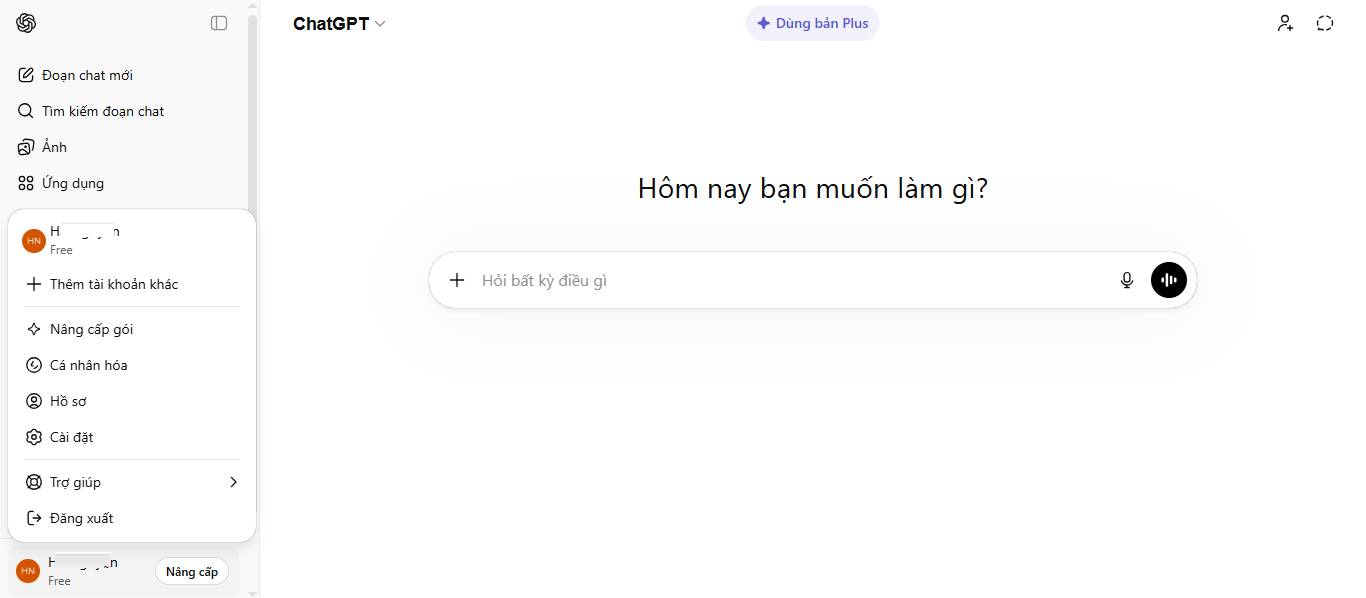
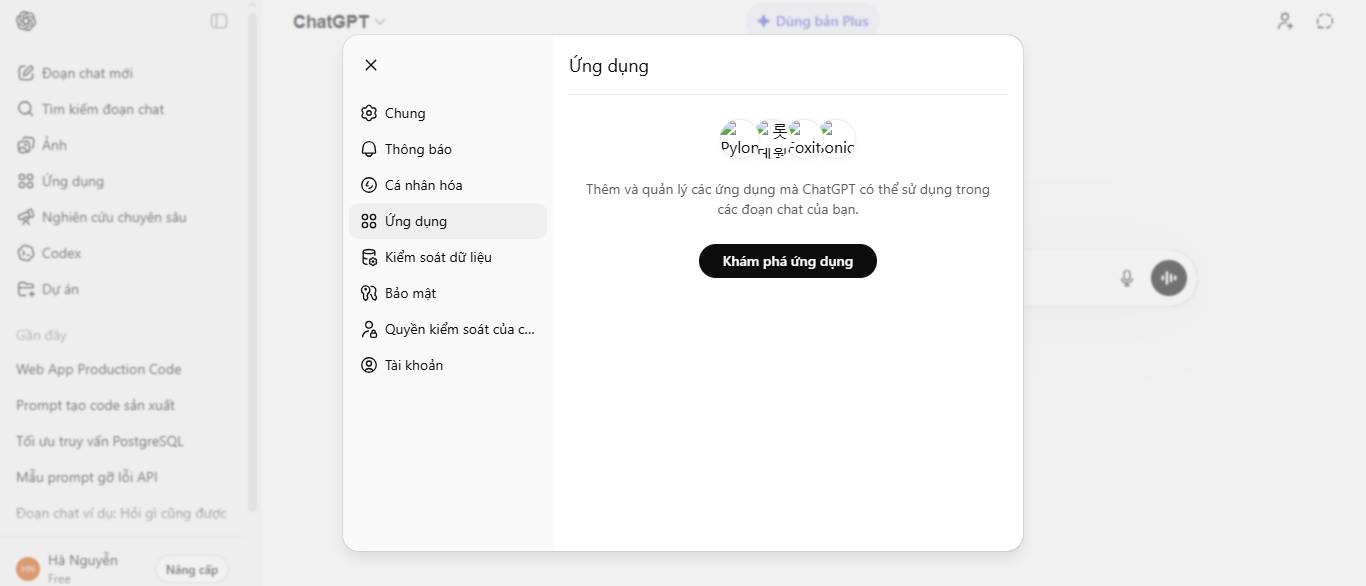
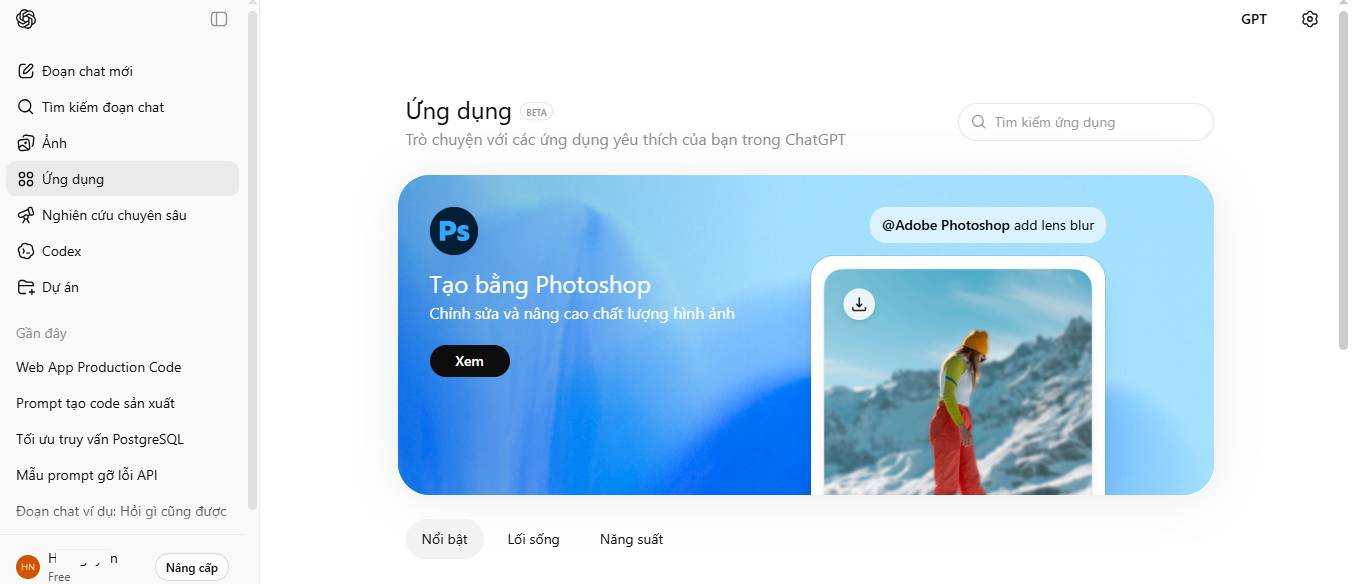
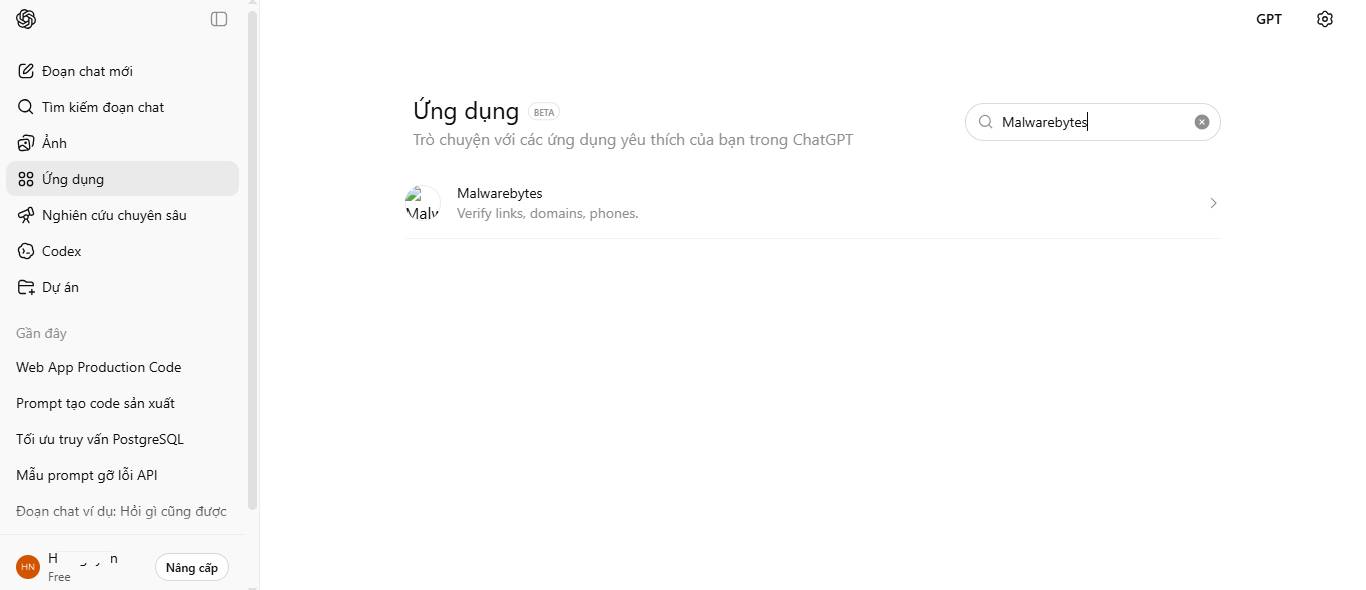
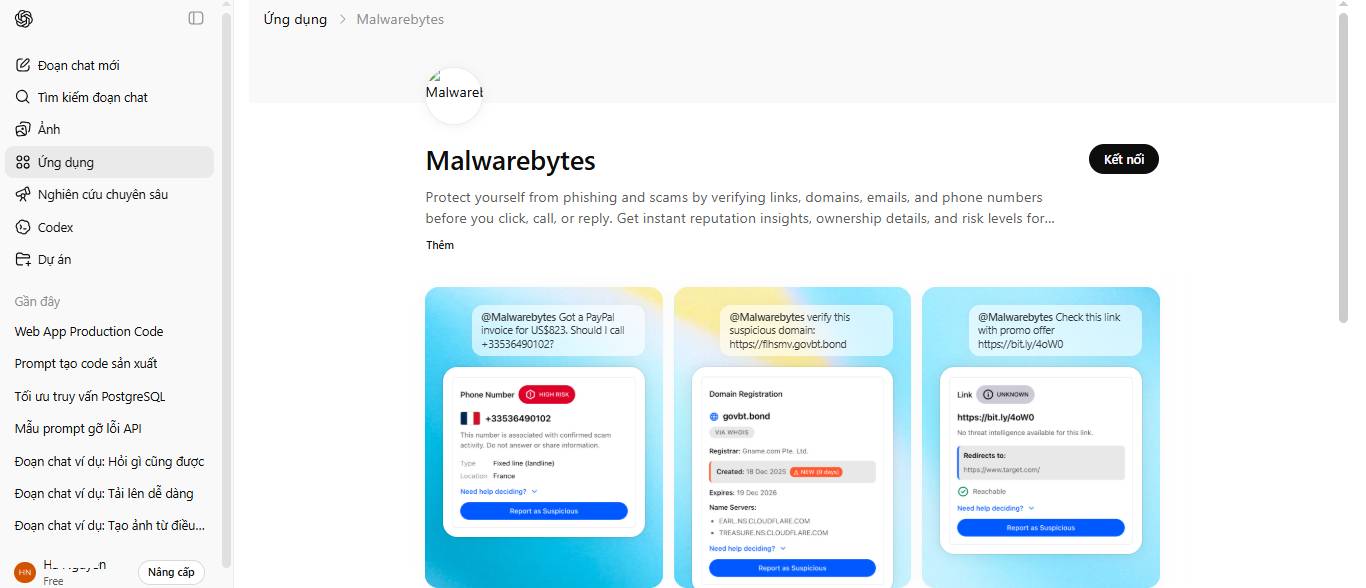
If your ChatGPT account offers a Malwarebytes or other security integration, it may be able to compare indicators with the provider's threat information rather than relying only on language analysis. App availability, supported accounts, and capabilities can change, so rely on the description and permissions shown in your current ChatGPT settings.
Before connecting any third-party app, review what information it can access, where submitted content is sent, and how the providers use or retain it. A connected service means the material may be processed by more than one company. Avoid submitting personal conversations, workplace reports, or customer information unless that use is approved.
How to interpret a security-app result
A “known malicious” result is a strong reason not to proceed and to report the message. A “not found” or “no known threat” result does not mean a link is safe; it may simply be new, uncommon, or absent from the service's data.
Ask the tool to show which indicators support its conclusion. Useful signals may include a domain that differs from the claimed organization, a suspicious redirect, a known malicious reputation, or a request that conflicts with the organization's normal process. Treat speculative observations as clues to verify, not established facts.
Example: a message demanding payment
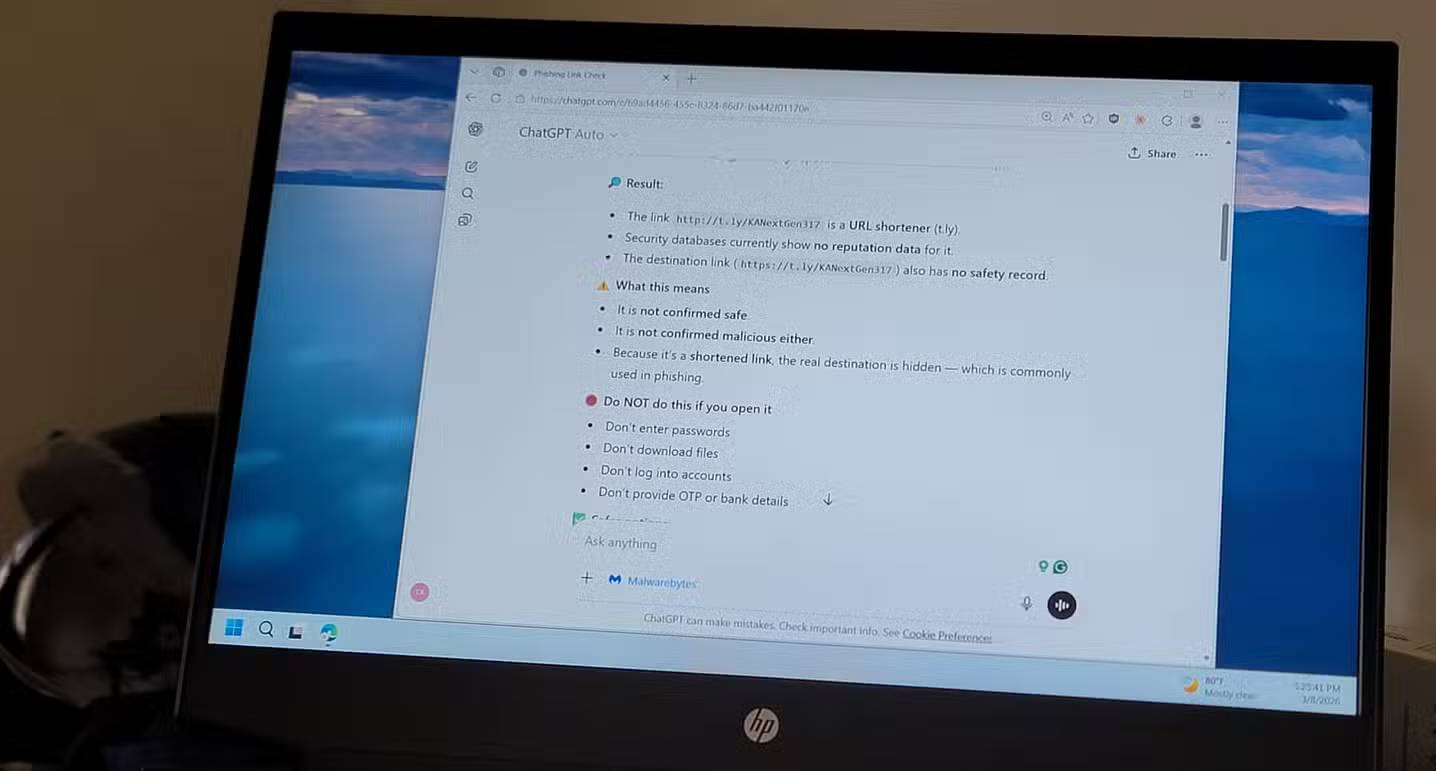
Suppose a text claims that you have an unpaid fine and must use a shortened link immediately. The safe response is not to investigate the link in a browser. Redact personal details and ask the assistant to identify risks such as urgency, an unexpected payment request, an unknown sender, or a hidden destination.
Then verify the alleged fine by navigating independently to the relevant authority's official service or by calling a published number. Do not trust a site merely because it uses a logo, HTTPS, a familiar design, or information about you; attackers can copy branding and may already know personal details from another source.
Never open a suspected link in a “test” environment unless you are a security professional using an authorized, isolated analysis process. A malicious page can attempt downloads, exploit software, fingerprint the system, or expose information even if you do not complete a form.
Limitations and privacy concerns

- False negatives: a new or targeted attack may not match known patterns or reputation data.
- False positives: unusual wording or a recently created legitimate domain can appear suspicious without being malicious.
- Limited context: the tool may not know your relationship with the sender or the organization's real process.
- Data exposure: submitted messages, screenshots, addresses, phone numbers, and URLs can contain personal or confidential information.
- Changing services: an integration's availability, permissions, and detection sources may change after this article is published.
Reliable habits that matter more than any single tool
- Use a password manager; an unexpected domain will not receive the saved credential.
- Enable multifactor authentication, preferably a phishing-resistant method where supported.
- Keep the operating system, browser, email app, and security software updated.
- Open important accounts from a trusted bookmark or official app rather than a message link.
- Confirm payment or sensitive requests through a known, separate communication channel.
- Report suspicious messages so the provider or organization can investigate and protect others.
ChatGPT can make phishing clues easier to understand, and a connected security service may add useful reputation data. Neither replaces independent verification, safe browsing habits, account protection, or dedicated security controls.
Related Articles
 Identify Popular Online Scams So as Not to Lose Money Unfairly7 minutes read
 Tips for Using ChatGPT to Detect Phishing Links6 minutes read
 Phishing Emails Are Getting More Sophisticated, Can You Spot Them?6 minutes read
 4 Tools to Detect Phishing Emails: Detect Phishing Email5 minutes read
 Online Scams: 7 Forms of Fraud, Popular Online Fraud8 minutes read
 Be Wary of Disguised Microsoft Onenote Audio Phishing Emails5 minutes read
Reader Comments 0
Sign in with email or Google to join the discussion.