Table of Contents
The Claude API lets a backend application send messages to Anthropic's models and receive generated text. A useful first milestone is a working server-side request with a protected API key; production features such as retrieval, tool calls, logging, and rate control come after you can test that request reliably.
Get a key and make a first request
- Create a Claude Console account and generate an API key in its account settings.
- Keep the key on your server or in a secret manager. Do not put it in browser JavaScript, a mobile app bundle, a screenshot, or a public repository.
- Install Anthropic's Python SDK with
pip install anthropicand set theANTHROPIC_API_KEYenvironment variable in the server's configuration.
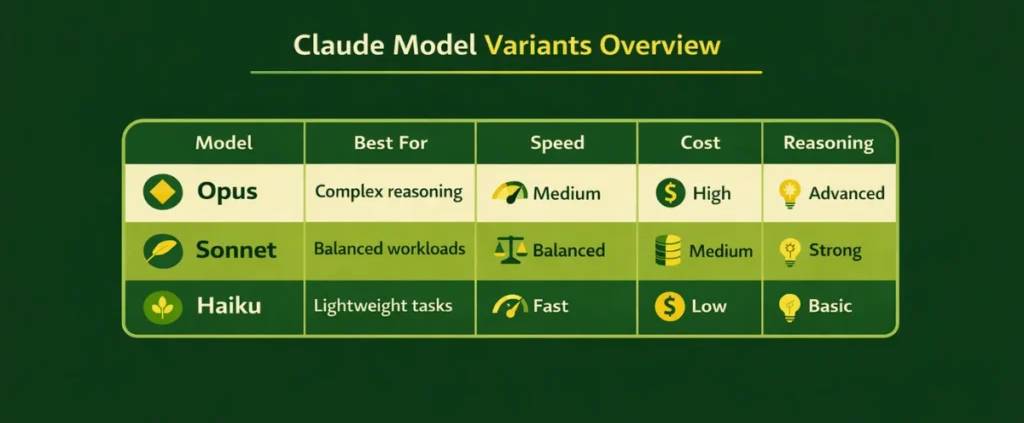
This minimal Python example uses a model ID listed in Anthropic's current model overview. Check that page when you implement it, because model availability and identifiers change.
import anthropic

client = anthropic.Anthropic()  # reads ANTHROPIC_API_KEY
message = client.messages.create(
    model="claude-sonnet-5",
    max_tokens=300,
    messages=[
        {"role": "user", "content": "Summarize in two sentences: A 500 mL stainless steel bottle with a screw cap."}
    ],
)
for block in message.content:
    if block.type == "text":
        print(block.text)
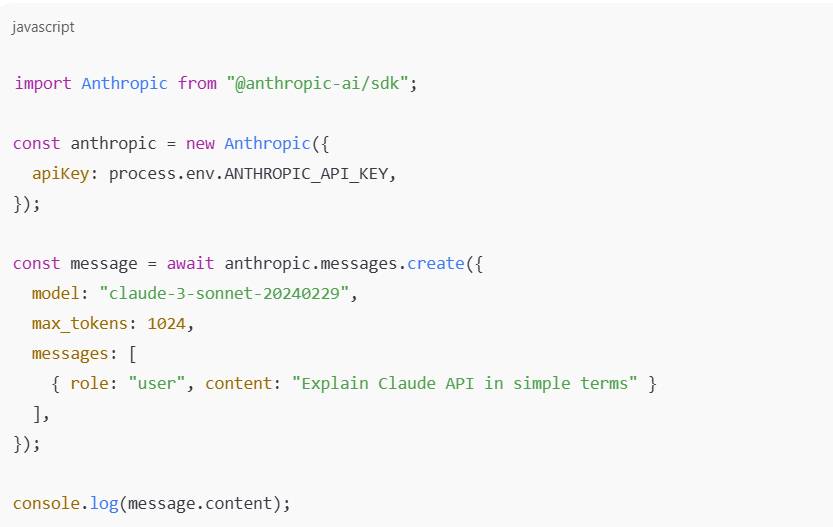
The official Claude quickstart covers setup and the Messages API. The screenshot below illustrates an earlier code workflow; use the documented SDK pattern and current model list above for your implementation.
Turn the prototype into an application
A typical web app sends a user request to your own backend, applies input limits and authorization there, calls the Claude API, and returns only the response your interface needs. Keep API calls server-side. Store conversation state in your own application if you need multi-turn history; the Messages API request supplies the conversation context you want the model to see.
- Support assistant: Define which questions it may answer and test against real support cases. Provide escalation when it is uncertain.
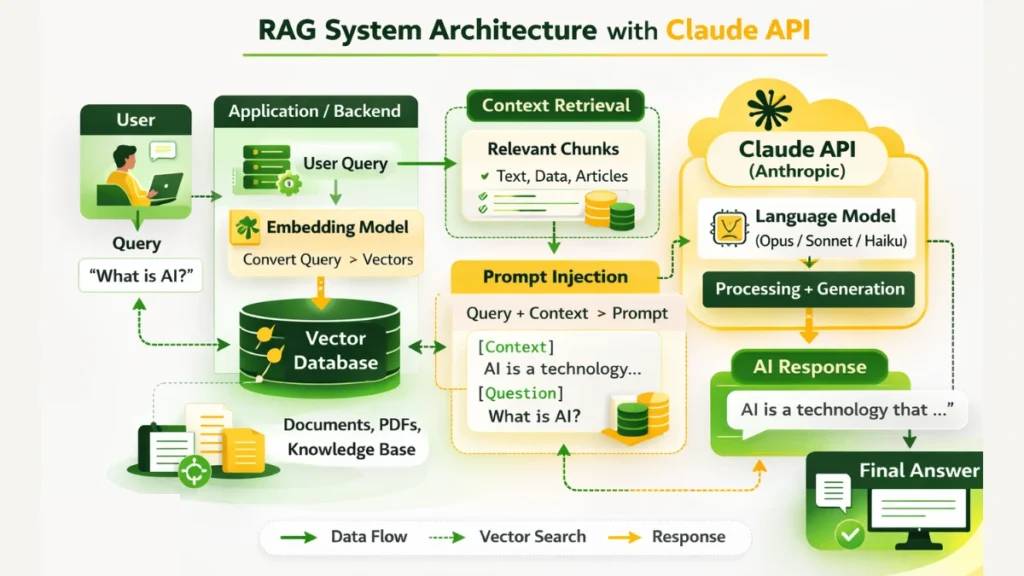
- Retrieval-augmented generation: Retrieve relevant passages from approved documents and pass them with the question. Return source references and test whether retrieval actually improves answers. Read more about RAG and related AI terms.
- Tool use: Give the model a narrow set of server-controlled actions. Validate tool arguments and authorize each action in your application rather than treating a model suggestion as permission.
Cost, errors, and production checks
Input and output tokens contribute to usage. Model choice, caching, tool use, and other features can change the bill, so estimate with real requests and monitor usage. Check current API pricing and set an appropriate spend limit in Console rather than relying on an old per-token figure.
- Authentication or model error: Verify that the server loaded the key and that the selected model ID is available to your account. Do not log the key.
- Rate limit or temporary server error: Respect retry guidance and use bounded backoff; avoid retrying every failed request indefinitely.
- Long request or timeout: Review prompt size, output limit, and the SDK's timeout or streaming options. Distinguish a timeout from an invalid JSON request.
- Quality and privacy: Test representative and edge-case prompts, inspect failures, redact sensitive log fields, and retain only the data your product needs.
Add a database, retrieval index, or agent framework only when your product requires one. The AI engineering learning path covers evaluation, retrieval, reliability, and operating a larger system.
Related Articles
 Claude AI User Guide: a Comprehensive Guide for 20268 minutes read
 Claude API: How to Get the Key and Use the API: Explained19 minutes read
 How to Use the Connectors Feature in Claude AI12 minutes read
 How to Add Skills to the Claude Console to Expand AI Capabilities7 minutes read
 What Is the Claude Code: Clear Explanation7 minutes read
 Tips for Using Project in Claude Effectively to Create a Personal AI Space8 minutes read
Reader Comments 0
Sign in with email or Google to join the discussion.