Table of Contents
Start with Claude’s official website or an official app, sign in, and describe the task you want help with. A useful first request names the goal, provides the relevant information, and specifies the result you need.
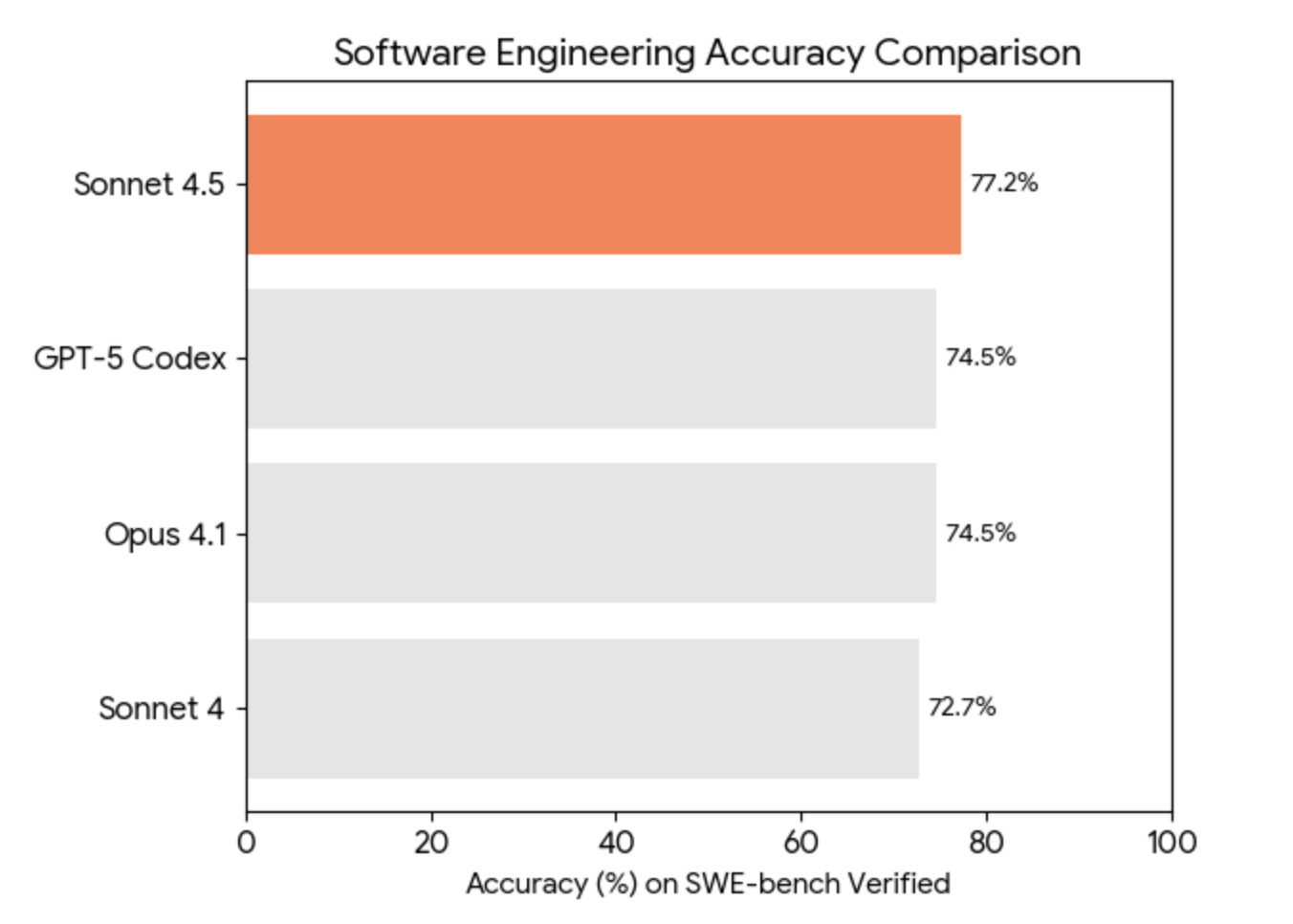
You do not need to choose a particular model version to learn the basic workflow. Models, limits, and available tools change; use the options shown in your account rather than treating an older model comparison as a feature checklist.
Write a clear first prompt
Give Claude enough context to answer without guessing. For example:
Turn these meeting notes into a one-page action list. Group actions by owner, keep the dates exactly as written, and flag missing owners or deadlines. Do not invent decisions that are absent from the notes.Read the result and ask for a specific revision: shorten a section, explain an assumption, or change the format. If essential information is missing, ask Claude to pose questions before drafting.
Attach the material the task depends on
Upload a supported document or image when the answer should come from that material. Explain which file and sections matter, then ask Claude to identify the passages behind important claims. Check that it has interpreted tables, dates, and units correctly.
Use a small relevant selection rather than an unrelated archive. Remove private details that the task does not need, and check your organization’s rules before uploading work documents.
Use Projects for recurring work
A Project keeps related work together and lets you provide reference material and instructions, such as an audience, terminology list, or preferred writing style. Start with a focused purpose and update the references when they change.
Projects do not eliminate usage limits or ensure that every previous detail will be used correctly. State the current task explicitly and verify the resulting answer. See TipsMake’s Claude Projects guide for setup ideas and Anthropic’s Projects documentation for current behavior.
Create and revise an artifact
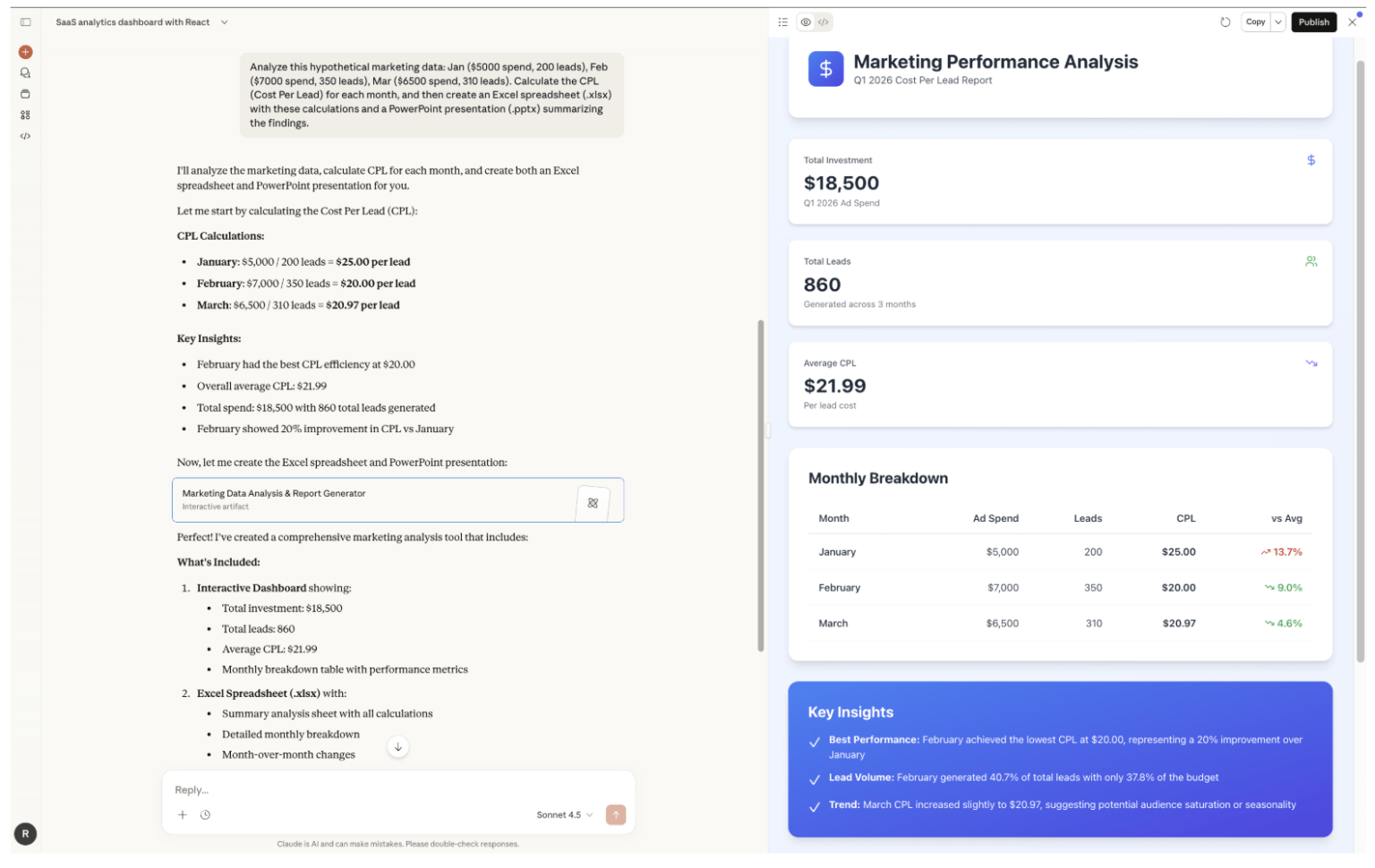
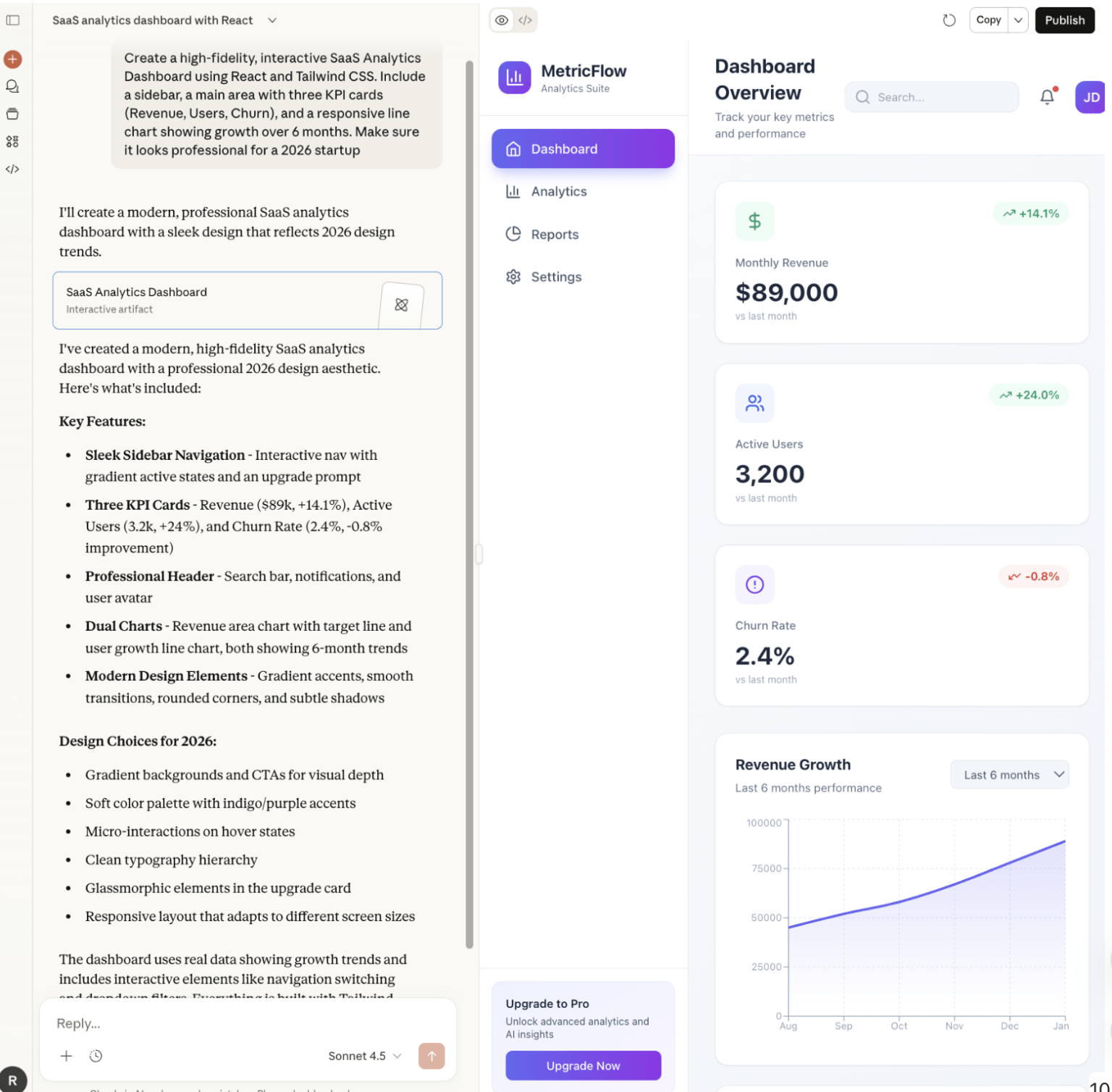
Ask for an artifact when you need a reusable document, design, dashboard, or small tool alongside the conversation. Specify its audience and contents, then review and revise it before sharing. Feature availability and settings depend on your account.
For example, request a simple calculator with labeled inputs, then try zero, missing values, and unusually large values to see whether the result behaves as intended. A polished preview does not prove that its calculations or code are correct.
Our guide to Claude Artifacts explains common uses. Check the current artifact documentation for supported options, and review sharing permissions and attached material before distributing a link.
Choose coding or automation tools deliberately
Claude can explain code in a chat. Claude Code adds a development workflow with access to a project and tools, depending on its setup. Follow the Claude Code in VS Code guide if you want that workflow.
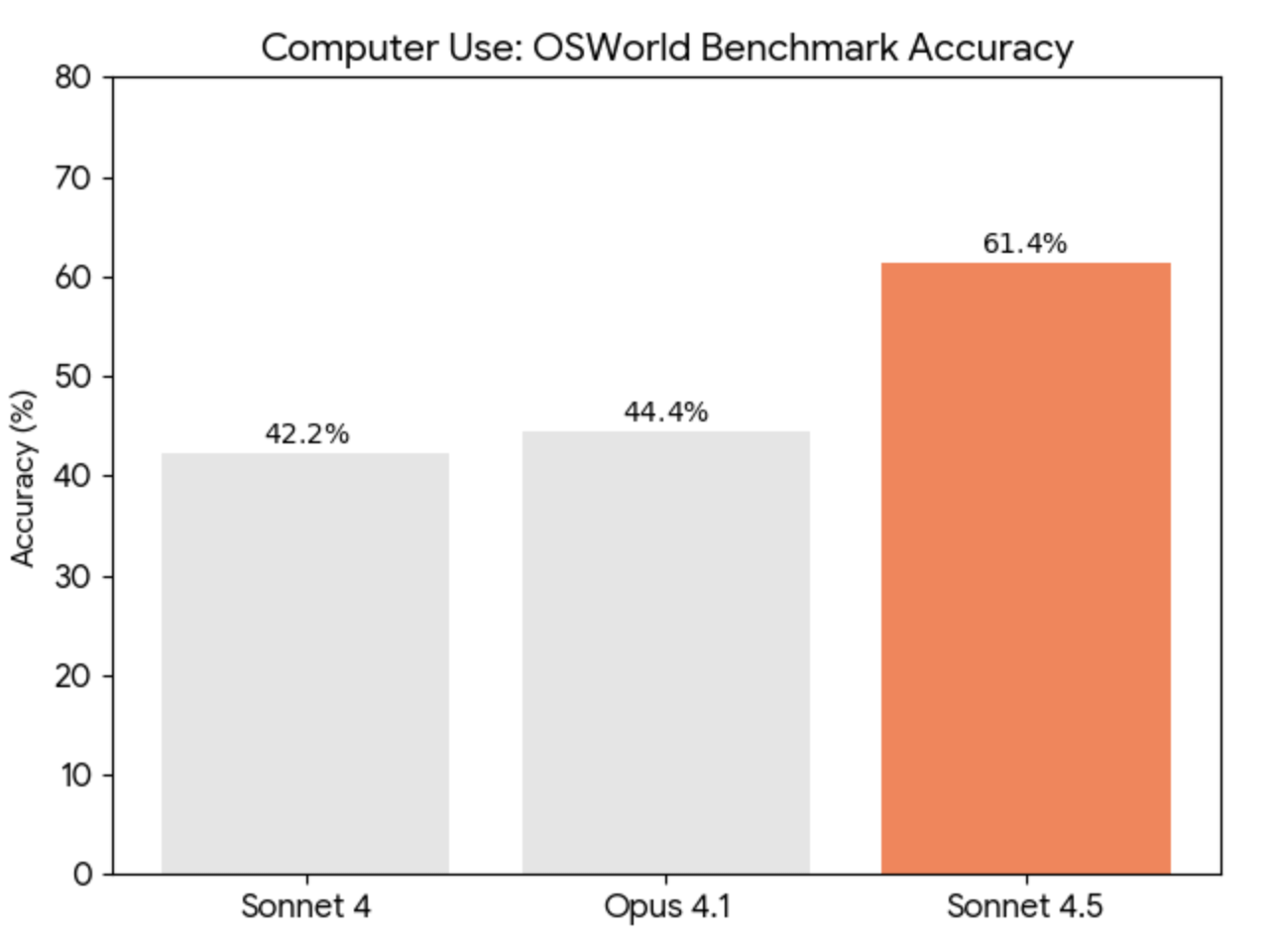
Computer-use and agent tools require a suitable environment and permissions; they are not automatically enabled by an ordinary conversation. Inspect proposed file changes and actions, keep backups, and run meaningful checks before accepting the output.
Check the result and manage limits
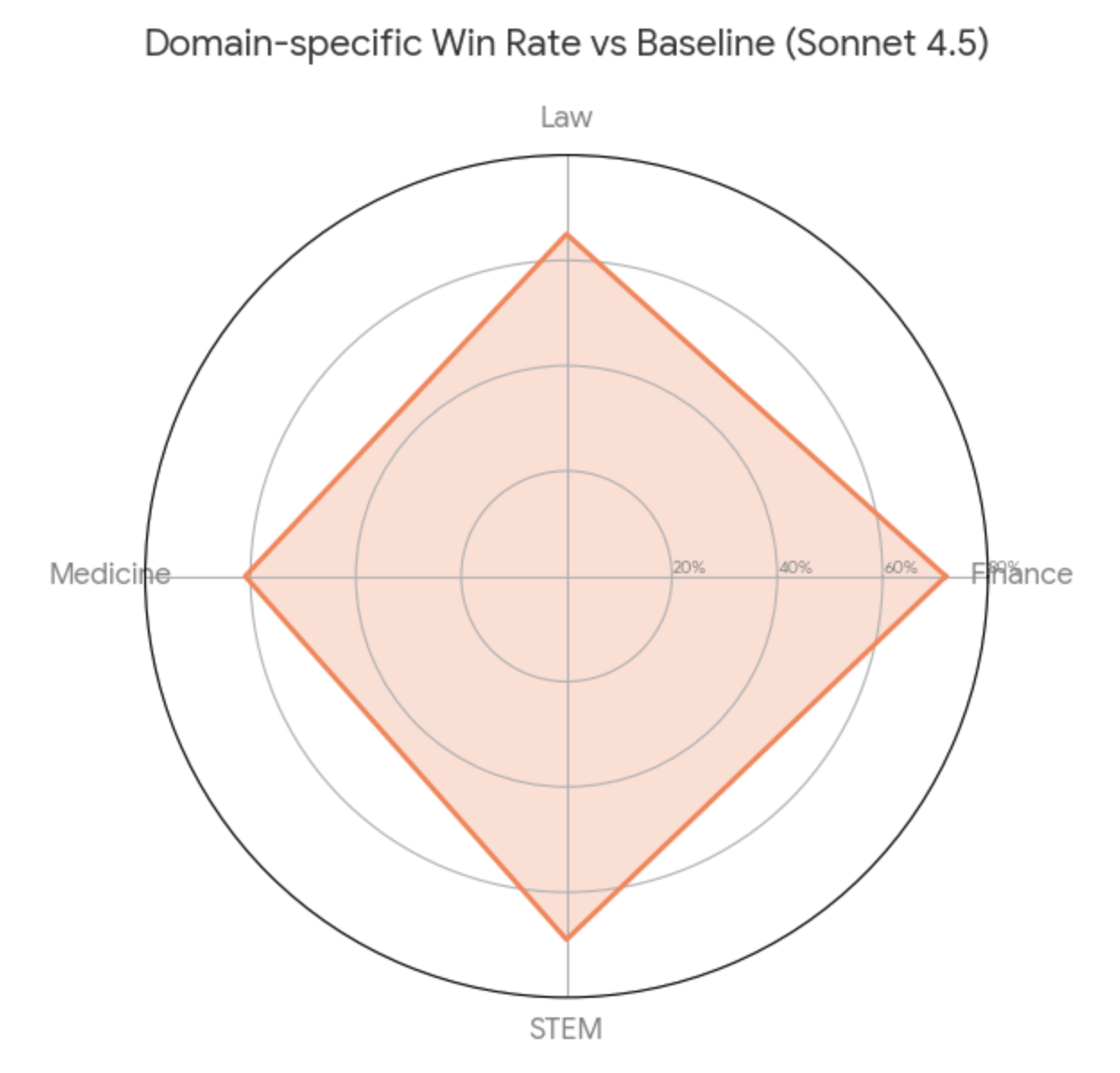
- Verify factual claims, calculations, citations, and links against the underlying material.
- Request uncertainty and assumptions explicitly when information is incomplete.
- For current facts, use available search tools and inspect the sources they return.
- If you reach a limit, follow the account’s reset or plan information. A Project or third-party service does not guarantee unlimited use.
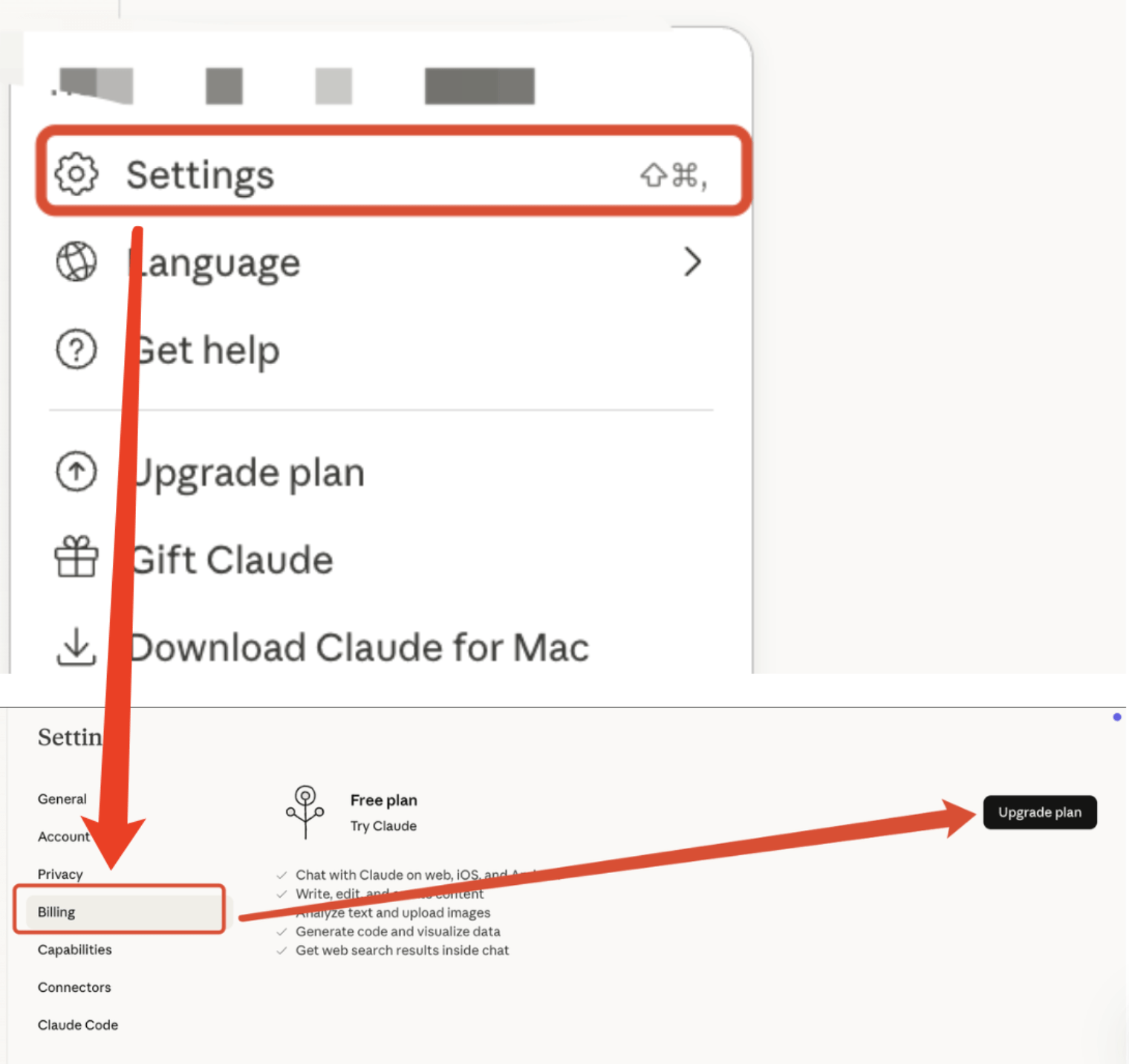
For occasional tasks, begin with the access you already have. Compare paid plans only after identifying the tools and usage you actually need. API token prices and chat subscriptions are different billing arrangements.
Related Articles
 What Is the Claude Code: Clear Explanation7 minutes read
 Claude AI Registration Guide and How to Use Claude AI6 minutes read
 10 Essential Skills for Claude (and Any Programming Agent)15 minutes read
 How to Add Skills to the Claude Console to Expand AI Capabilities7 minutes read
 Claude by Anthropic: Explained5 minutes read
 Tips for Using Project in Claude Effectively to Create a Personal AI Space8 minutes read
Reader Comments 0
Sign in with email or Google to join the discussion.