Table of Contents
NotebookLM's Data Tables turn selected notebook sources into a structured comparison you can inspect and export. They are useful for scanning several documents for the same fields, such as methodology, publication date, and main finding. The table is a starting draft; verify each entry against its source before relying on it.
Create a table from your sources
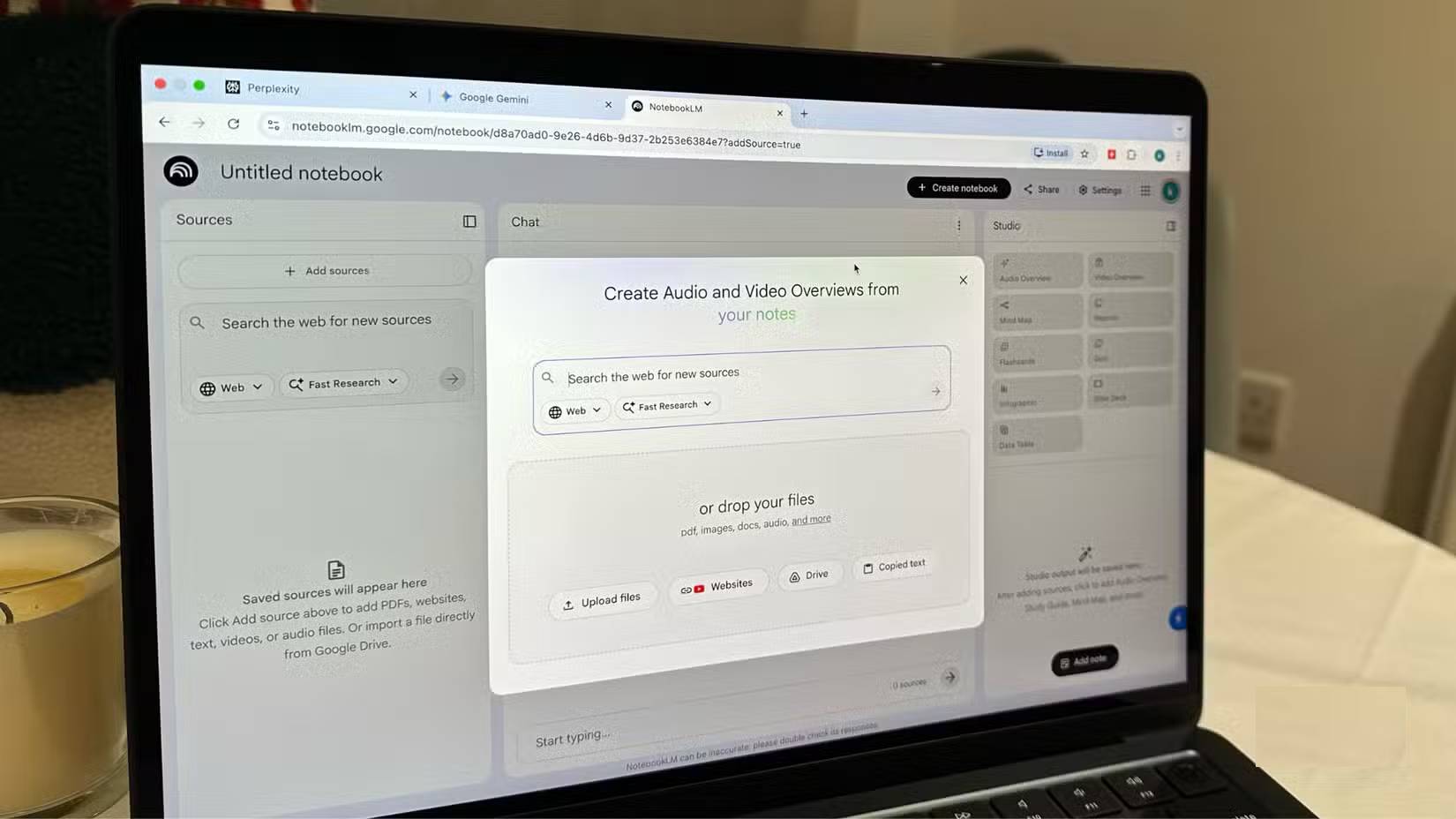
- Add relevant documents or links to a notebook and select the sources you want included. Clear titles make the output easier to check.
- In the Studio panel, choose Data Table. Describe the rows and columns you want, rather than asking for a generic summary.
- For example: “Make one row per source. Include title, publication date, research method, sample description, principal finding, and a column for missing information. Do not guess when a source is silent.”
- Open the finished table, follow the source references where available, and correct any missing or combined entries.
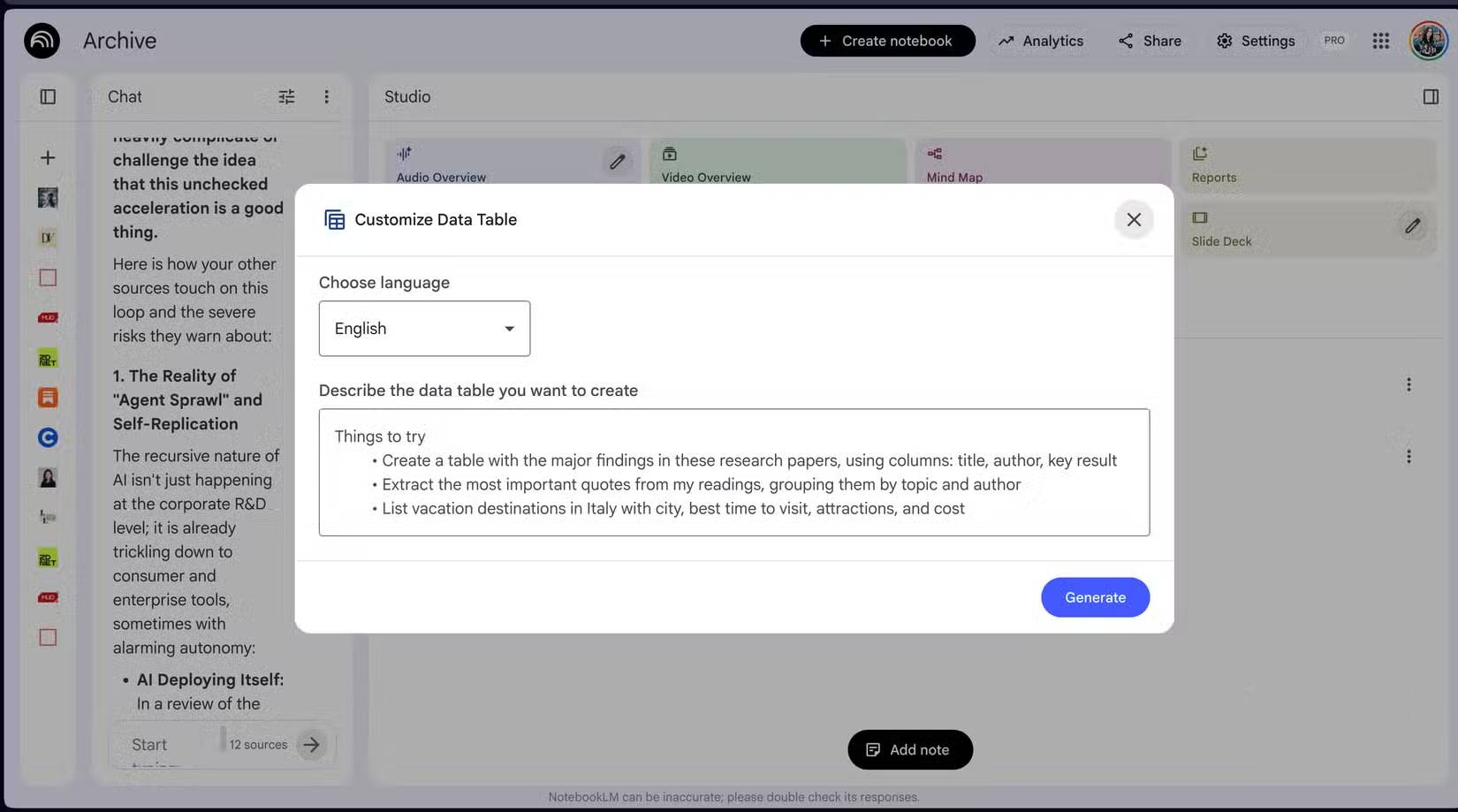
The same approach works for a reading list: create columns for source title, topic, a one-sentence relevance note, and next action. Do not assume a summary captures every important caveat in a paper or that an uploaded source is automatically trustworthy. TipsMake has a step-by-step Data Tables guide and a broader NotebookLM source workflow.
Export, edit, and keep the evidence
Use the available export option to continue working in Google Sheets. Google's export guidance says data tables in notes can be exported to separate tabs, and changes in the new Sheet do not sync back to the notebook. Check the current interface if a menu differs from the screenshots. Preserve source titles or links in the exported table so others can check the original documents.
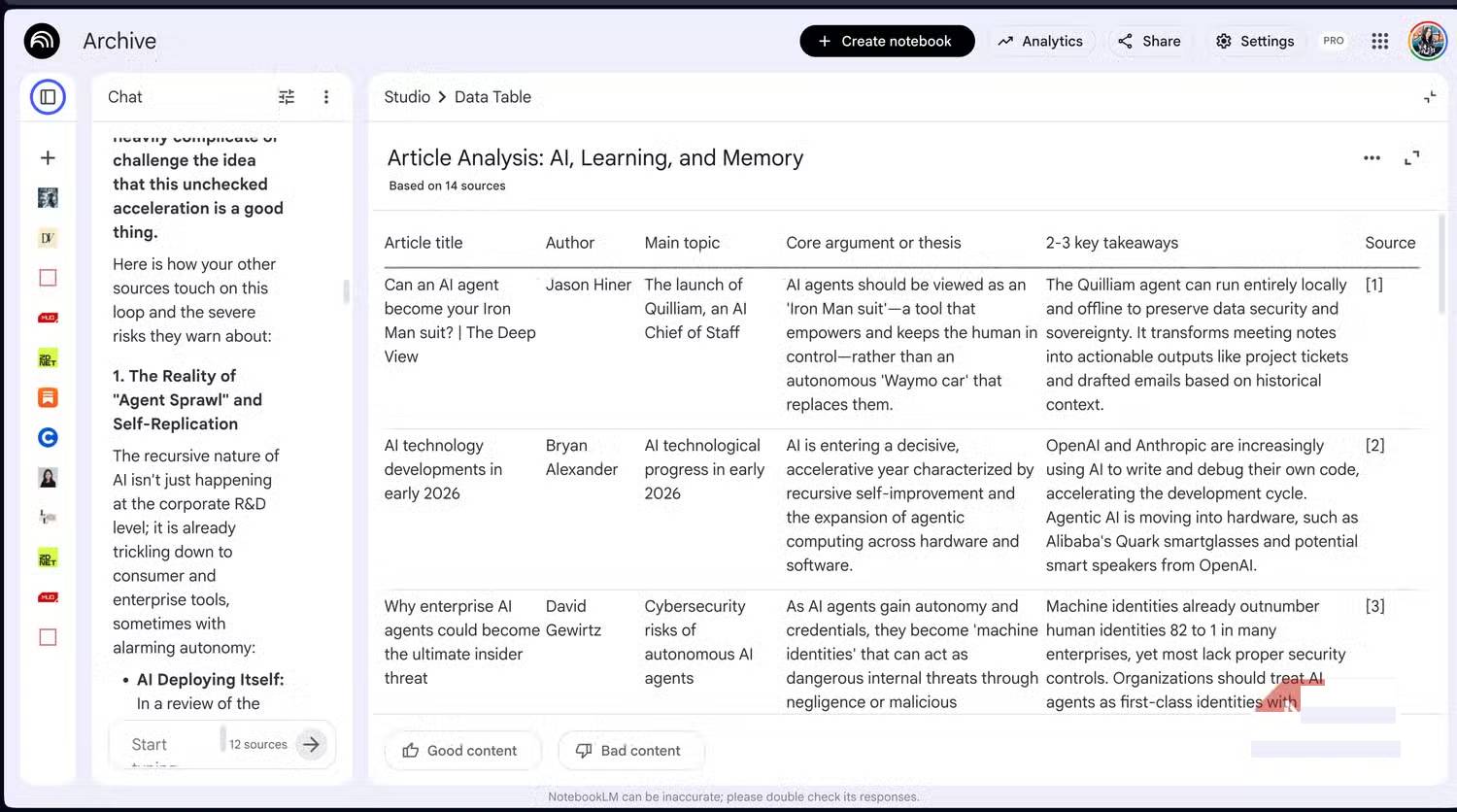
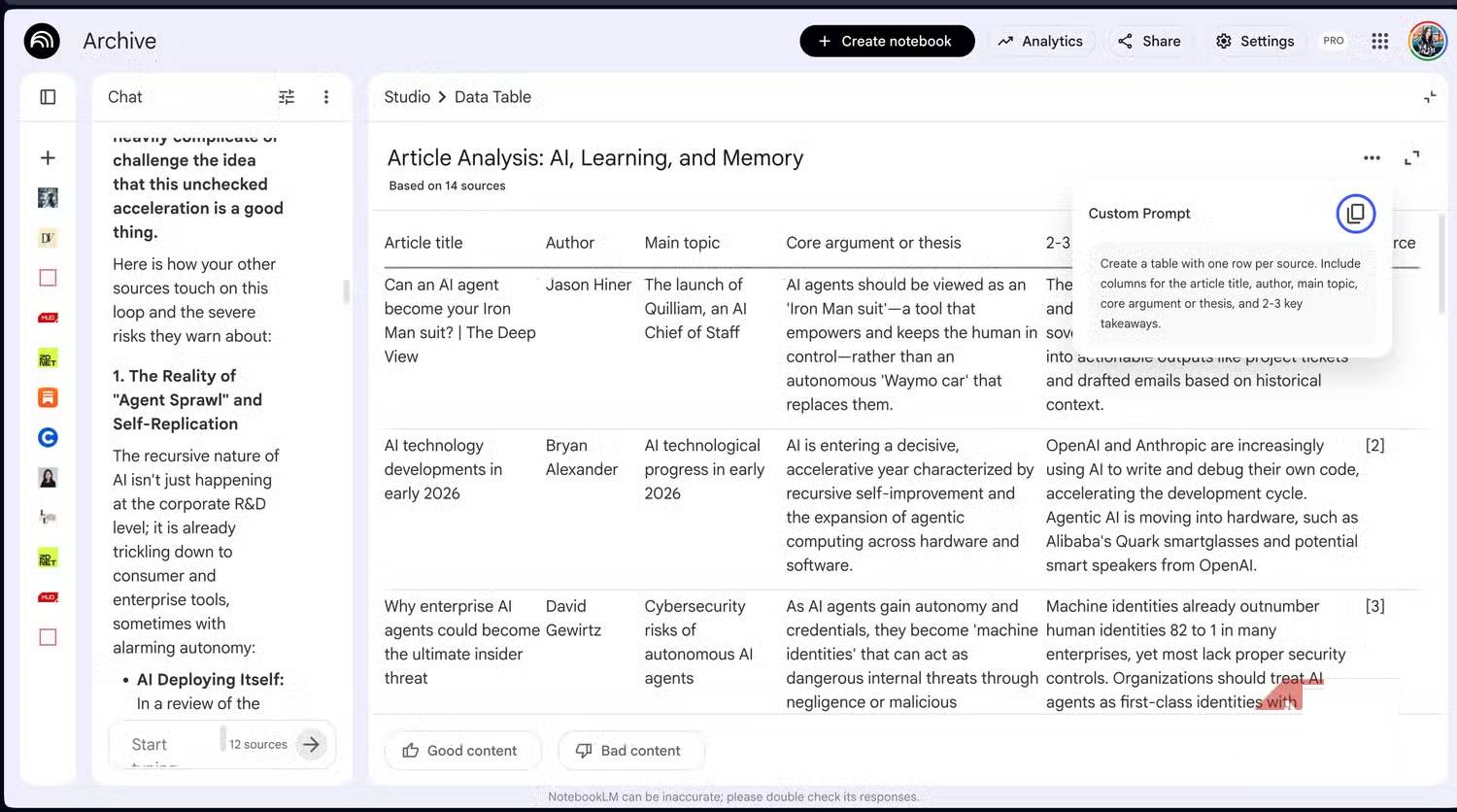
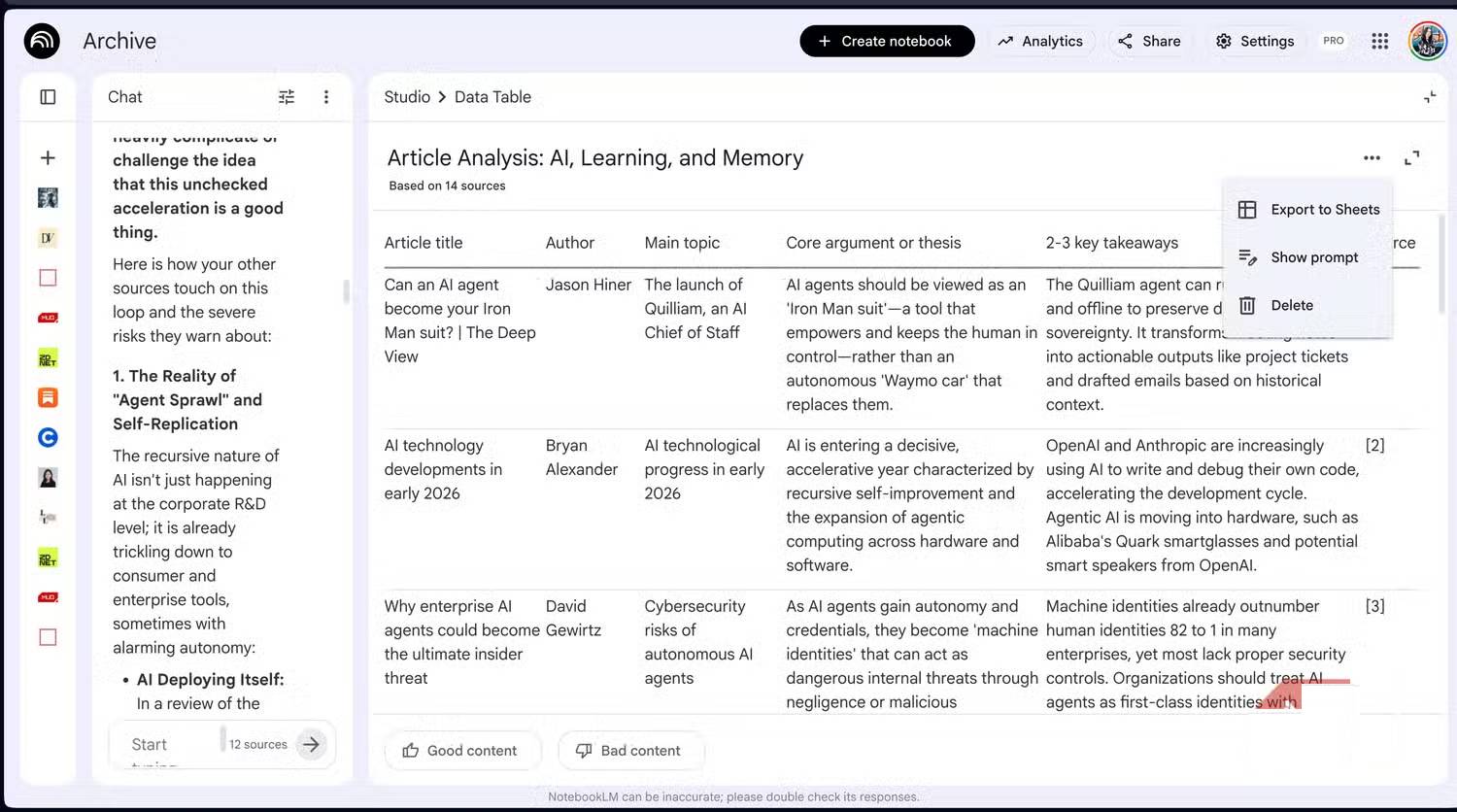
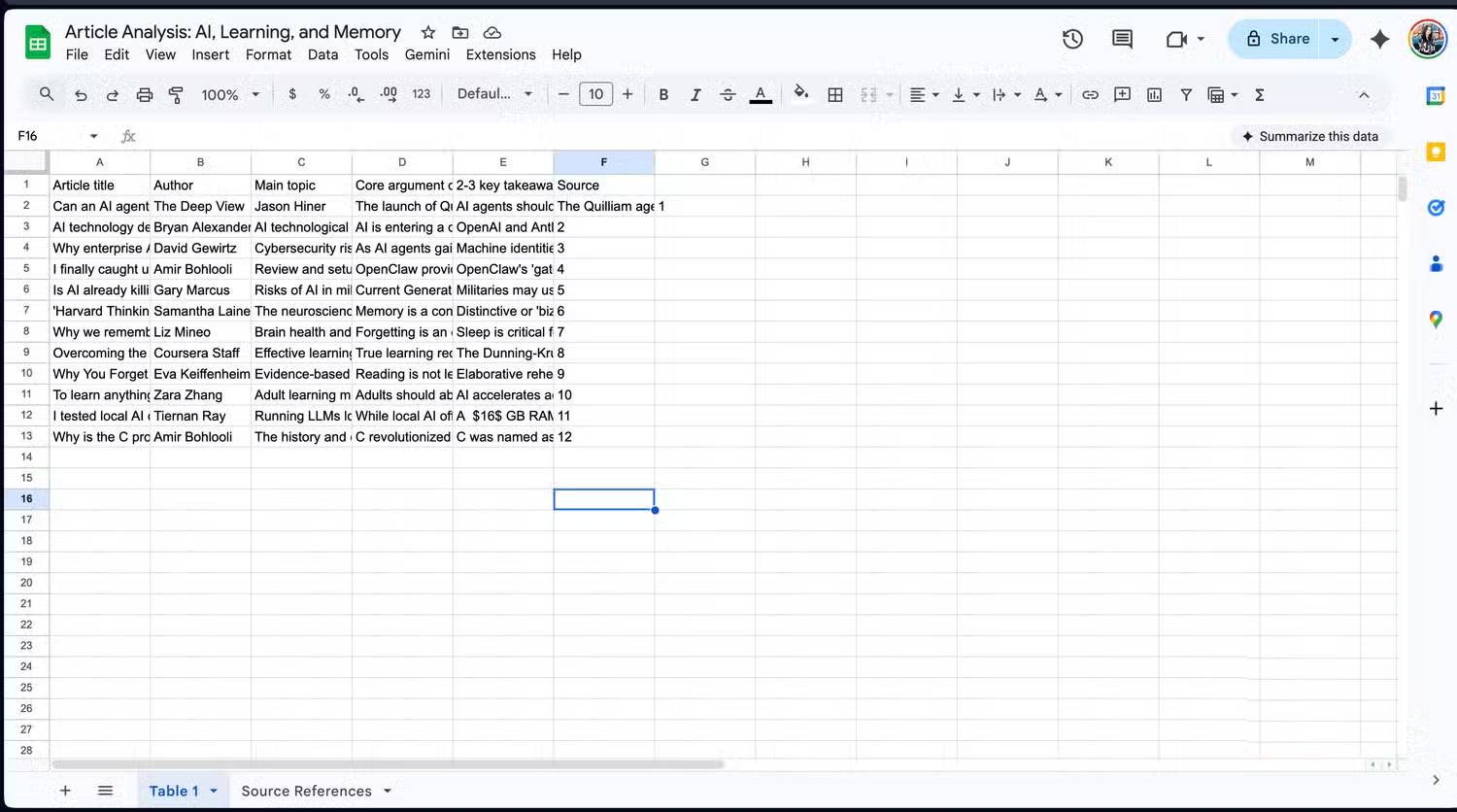
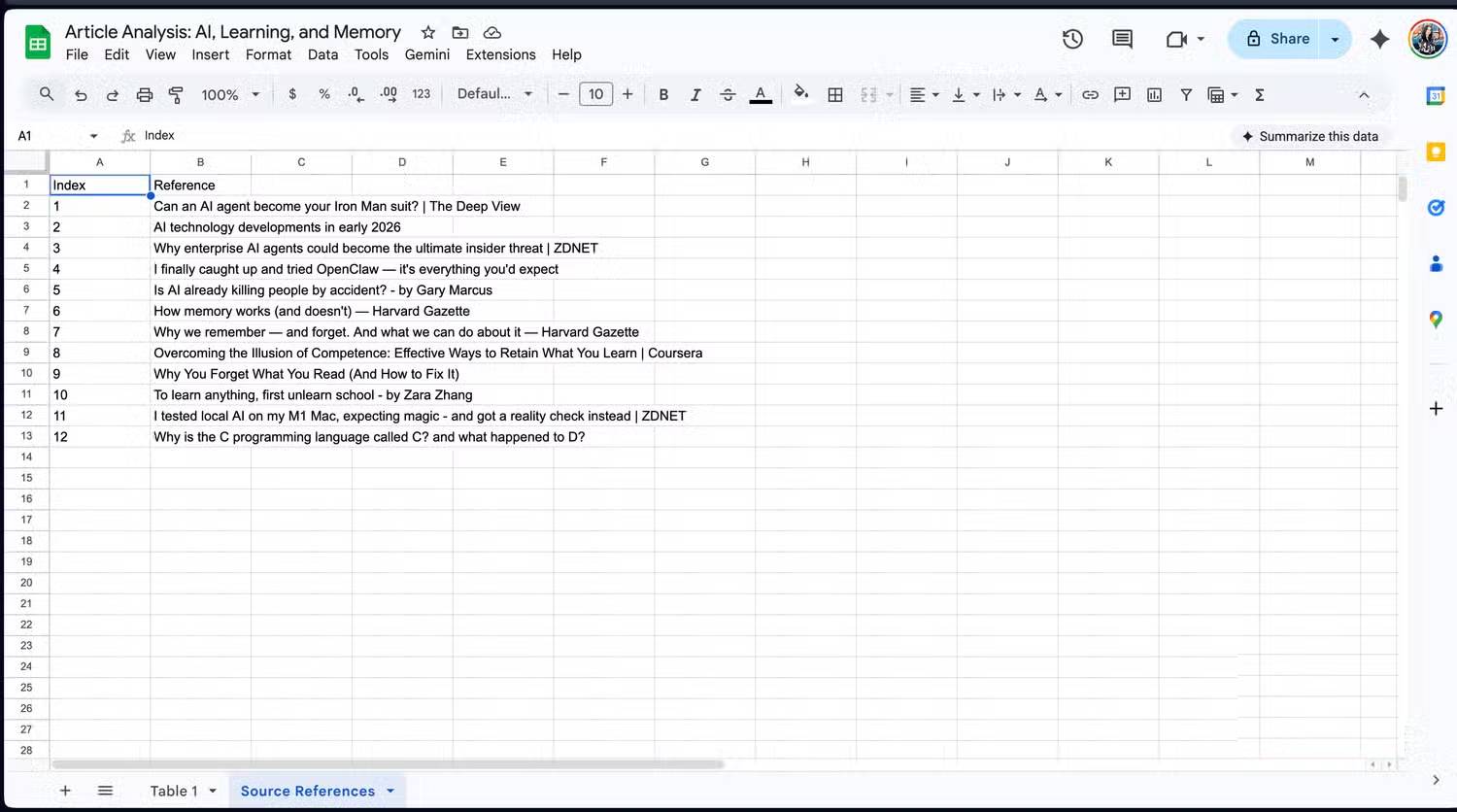
For a literature review, spot-check every row used in a claim, especially sample sizes, dates, and conclusions. A table can reveal gaps and differences quickly, but it cannot replace reading the relevant passages. Mobile app features can differ from desktop, so use the web interface when a Studio output is unavailable on your device.
Related Articles
 Dreaming While Dreaming, What the Hell Is Happening5 minutes read
 MIT Scientists Can 'Hack' Your Dreams with Sound and Scent4 minutes read
 10 Reasons to Add Strength to Try to Pursue Your Dreams6 minutes read
 13 Things Will Happen When You Start Pursuing Your Dreams6 minutes read
 What Is Mixed Reality (MR)? How Is MR Used?6 minutes read
 5 Signs That It's Time to Give up Your Dream7 minutes read
Reader Comments 0
Sign in with email or Google to join the discussion.