Table of Contents
This updated guide explores claude AI registration guide and how to use claude AI with practical details, clear explanations, and useful takeaways. Claude AI is currently one of the popular AI chatbots with a similar user interface to other chatbots. Users can ask any questions or problems and Claude AI will answer and provide information. Below is how to register Claude AI as well as how to use Claude AI.
How to Register a Claude AI Account
Step 1:
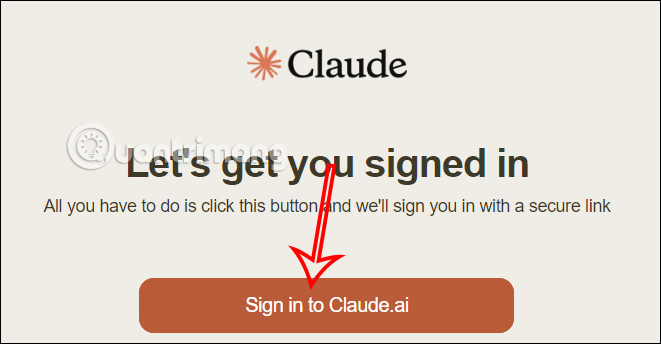
First, you access the Claude AI website at the link below to register an account. At this interface, choose Sign in to Claude.ai to do so.
- Visit Claude AI website
Step 2:
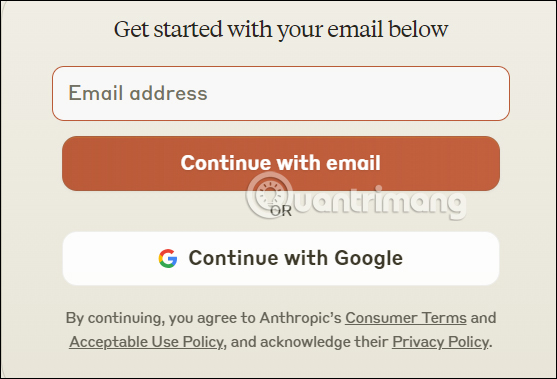
In this new interface, you enter your email address to register for Claude AI. Then we will receive a confirmation email link from Claude AI to receive the verification code.
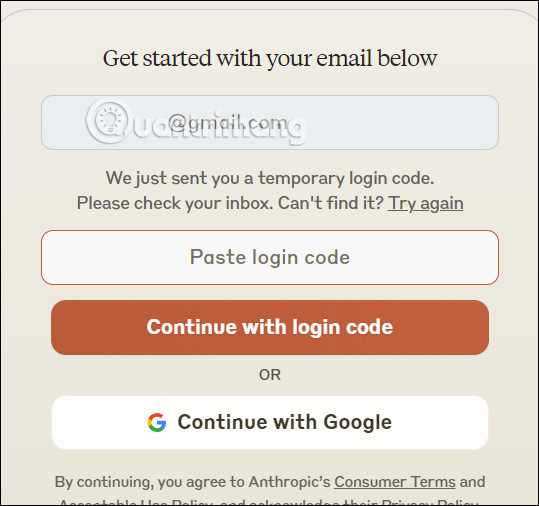
We enter the verification code into the interface to confirm the email address.
Step 3:
Next, the user enters the phone number, you select Vietnam then enter the phone number with the prefix +84 .
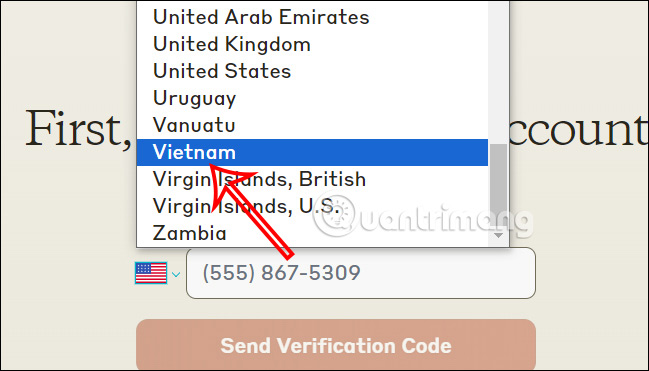
After entering the phone number into the interface, you will also receive a verification code sent to you . We enter this phone number into the Claude AI interface.
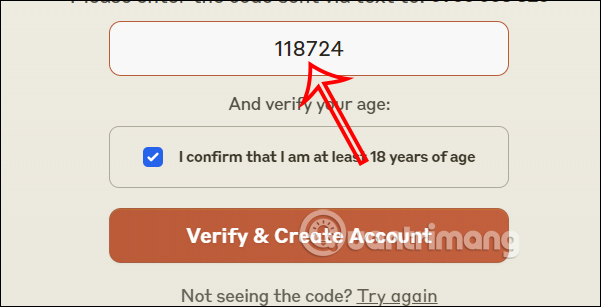
Step 4:
So you have successfully registered a Claude AI account. We enter the account name into the interface to perform.

Claude AI User Guide
Step 1:
Below is the Claude AI interface for you to enter the content you need to answer.
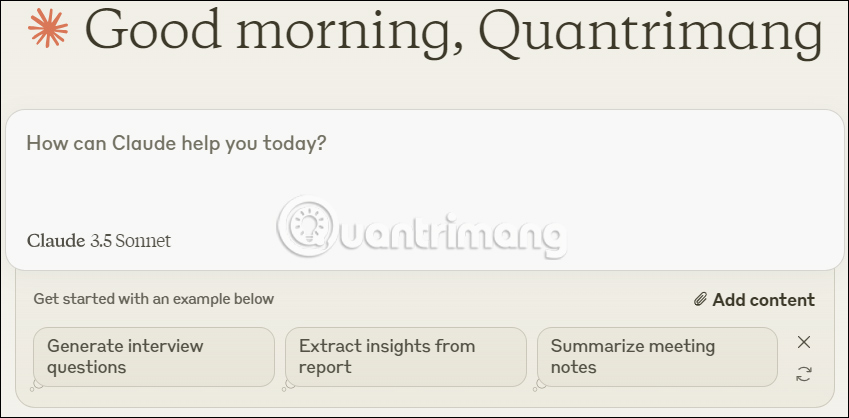
You enter the content into the interface and press Enter to wait for Claude AI to respond.

Step 2:
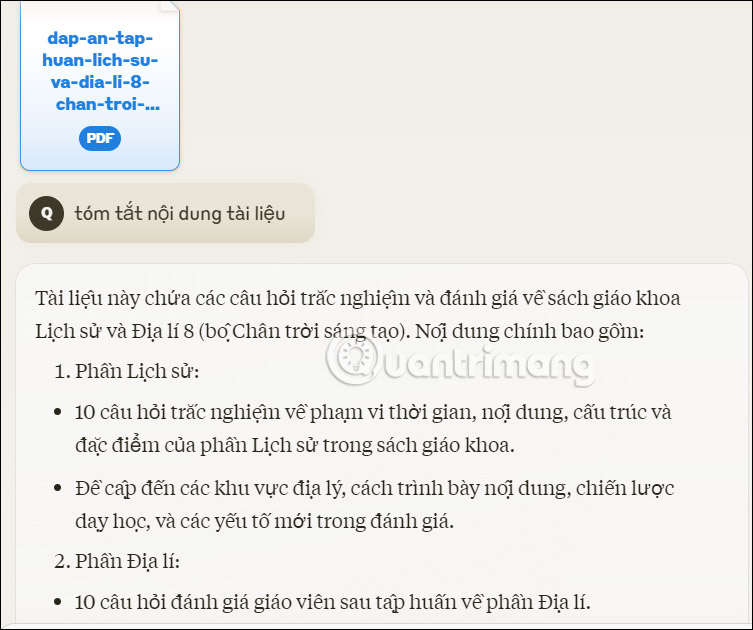
We can upload files for Claude AI to analyze the content. You can upload an image or text to Claude AI, select the clip icon to upload the file, then type the request content and press Enter to send.
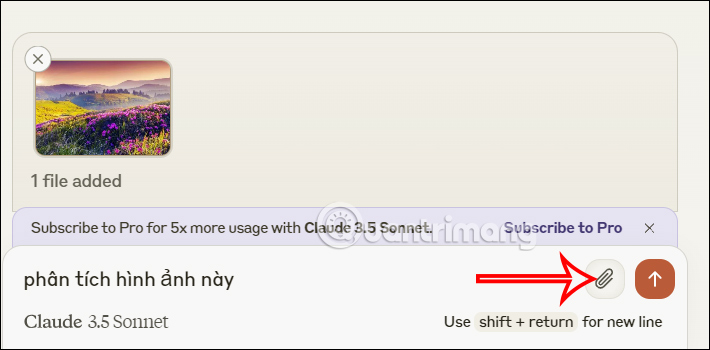
As a result we also see the analysis content from the uploaded file Claude AI as below.
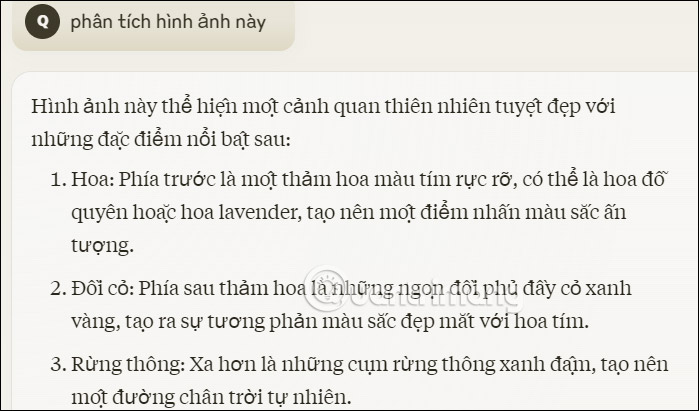
With documents, you do the same as usual. Each content has a Copy option to use content from Claude AI.
You Can Finally Talk to Claude on the Phone.
Claude, one of the best ChatGPT alternatives, is getting even better. Anthropic, the developer behind Claude, has announced the launch of Voice Mode on its mobile apps. This will give you even more ways to interact with Claude from your phone.
Voice Mode is still rolling out in beta on mobile devices. To check if you have access to Voice Mode, simply open the Claude app on your phone — install it from the Google Play Store or Apple App Store if you haven't already — and then load up a conversation.
If you have access to Voice Mode, you'll see an icon that looks like a wave in the bottom right corner of your chat. This icon will be next to the microphone icon that you use to transcribe your voice to text.

Claude's new Voice Mode is available to both free and paid language model users. Paid users can use Claude's Voice Mode to access Google Docs, Calendar, Gmail, and other web searches using voice conversations.
Like ChatGPT's Voice Mode, which OpenAI released late last year, you can easily switch between both voice and text chat modes seamlessly. Anthropic says previous contexts are also carried over to the modes, and you can choose from one of five different voices.
Anthropic says Claude's Voice Mode is available in English across all mobile apps. it is unclear when or if it will be available in other languages.
According to the updated support documentation, the company also says that people using the free version of Claude can expect to see around 20-30 messages before their session limit resets. While that may not seem like much, it at least gives you a chance to try out the feature and see how useful it is. Those with a paid Claude plan will be able to take advantage of the feature for longer.
Unfortunately, it does not seem like Anthropic has provided any real details on when this feature will be rolled out to apps, but you can check your device's app store for any available updates and download them to have a better chance of accessing the functionality.
FAQ
What is the main takeaway about Claude AI Registration Guide and How to Use Claude AI?
The key is to understand the core idea, compare the available options, and apply the practical guidance that matches your situation.
What should beginners know about Claude AI Registration Guide and How to Use Claude AI?
Start with the essential steps and terminology. Avoid changing advanced settings until you understand how they affect performance, privacy, cost, or compatibility.
How can I use this information in practice?
Follow the relevant section in order, test one change at a time, and confirm the result before moving to the next step or recommendation.
Related Articles
 Claude AI User Guide: a Comprehensive Guide for 20268 minutes read
 How to Add Skills to the Claude Console to Expand AI Capabilities7 minutes read
 What Is the Claude Code: Clear Explanation7 minutes read
 Tips for Using Project in Claude Effectively to Create a Personal AI Space8 minutes read
 How to use Claude Skills to improve work efficiency4 minutes read
 Prompt Classic AI: the Best AI for Work6 minutes read
Reader Comments 0
Sign in with email or Google to join the discussion.