
Mobile
How to Fix 'Invalid SIM' or 'No SIM' on an iPhone
Check your plan and carrier lock, restart the phone, inspect a physical SIM, and know when to contact your carrier before trying a network reset.
Browse more Discover mobile guides, app tutorials, troubleshooting steps and useful tips for iPhone, Android phones and other connected devices.
Check your plan and carrier lock, restart the phone, inspect a physical SIM, and know when to contact your carrier before trying a network reset.

Create a Shortcuts battery automation for 100% or a lower target, add a spoken alert, and test the trigger and audio output.

Use Phone Link or Samsung Flow, check clipboard and screen-sharing support, and understand the limits of Samsung Notes and OneDrive integration.

Share an iPhone screen during a one-to-one FaceTime call, approve remote help from a trusted contact, and stop control or screen sharing when finished.
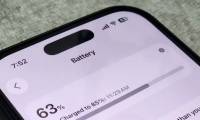
Find what is using your iPhone battery, use Adaptive Power on supported models, and decide whether post-update drain needs more investigation.

Compare the iPhone 17's newer features with the iPhone 16 Pro's telephoto camera and pro formats, while accounting for storage, condition and the actual selling price.

Open Samsung's Try Galaxy web simulation, follow its photo and audio demos, and understand what the preview does—and does not—run on your iPhone.

Learn how to reset network settings on Android with clear steps, important checks, and troubleshooting advice for a smoother, more reliable result.

Turn on photo previews in Messages, understand the image-quality trade-off, and check what to do if photos still will not send.

Check the note's account, iCloud settings, web copy, storage, and service status to troubleshoot missing notes without deleting the only remaining copy.

Record front and rear views together on supported iPhone 17 models, find the Dual Capture control, check video settings, and test your picture-in-picture layout.

Apply the translucent Clear icon style, choose Light, Dark, or Auto, adjust wallpaper contrast, and switch back without installing an icon pack.
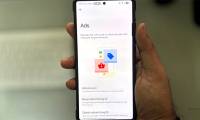
Delete or reset Android's advertising ID, review separate Ad privacy controls, and understand why ads and some personalization can still remain.

Disable Preferred Routes & Predicted Destinations on iPhone and understand which Maps suggestions and location settings the switch affects.

Find receipts and order records for Apple devices, check coverage by serial number, and correct an estimated purchase date that is wrong.
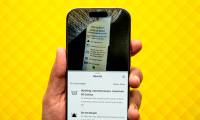
Photograph a clothing label, open laundry-care explanations in Photos, and check the result against written instructions before washing.

Enable Mail order tracking on supported iPhones, add an order from its confirmation email, and troubleshoot missing or incorrect Wallet entries.

Use iPhone and Android battery data to distinguish expected app activity from unusual background drain, then make targeted changes without breaking notifications or backups.

Enable Smart Rotate in a StandBy widget stack, understand Widget Suggestions, and check why the option or StandBy screen may be missing.

Review the iPhone Air's verified specifications and practical trade-offs, including its single rear camera, eSIM-only design, charging, and storage options.