Table of Contents
The all-new iOS 26 lock screen mode will automatically rotate widgets based on your preferences. If you haven't enabled this feature yet, you can enable smart rotation widget mode StandBy iPhone.
The all-new iOS 26 lock screen mode will automatically rotate widgets according to your preferences, location, and usage, making it easy to keep track of the information you are viewing. If you have not enabled this feature, you can enable smart rotation mode for StandBy iPhone widgets, following the instructions below.
Instructions to enable smart rotation of iPhone StandBy mode
Step 1:
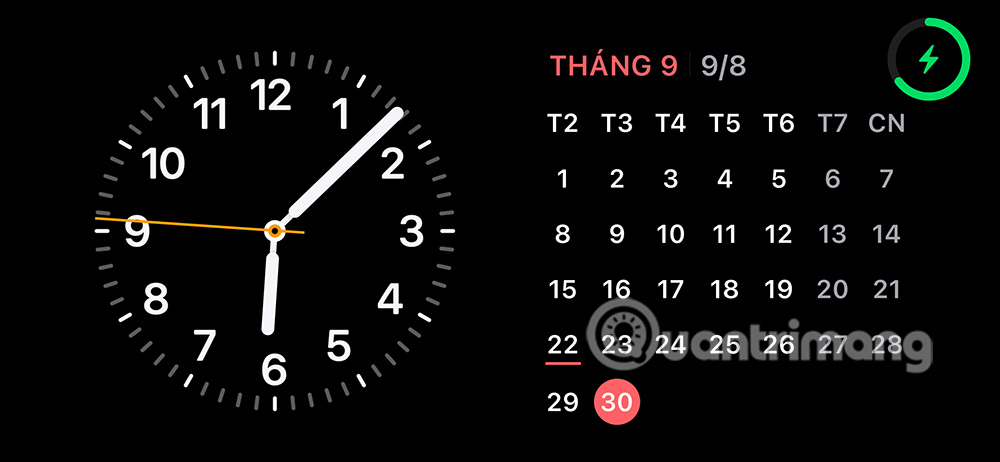
You plug the charger into the iPhone to Open StandBy mode on the phone . Then we Press and hold the screen To switch to adjustment mode.
Step 2:
The customization interface appears, now you need To tap on Smart Rotation mode To activate this mode.
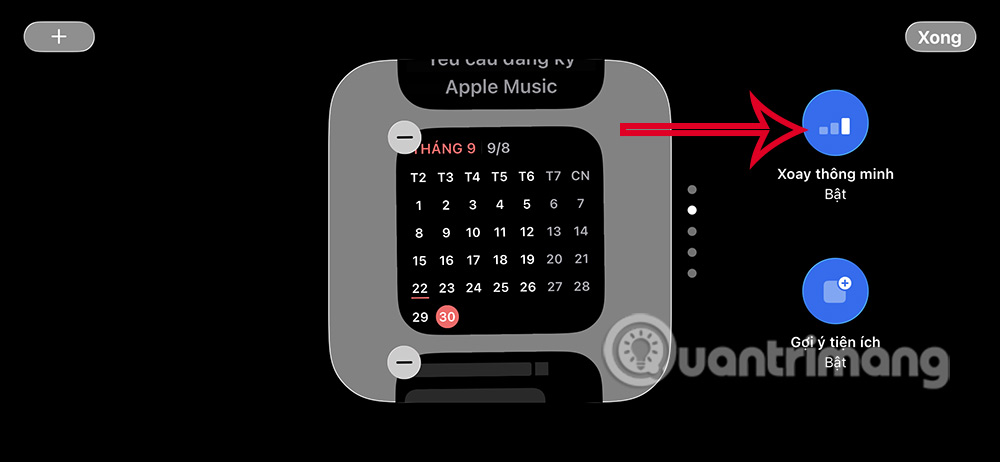
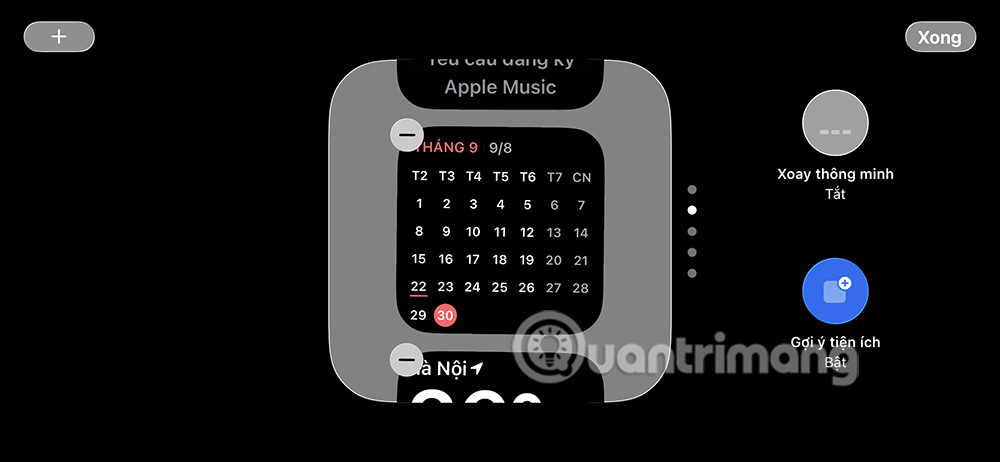
Now you will see the smart rotation mode in iPhone StandBy mode has been activated. Finally, you press Done to save the settings.
FAQ
How do you enable smart rotation of iPhone standby mode utility: how-to guide?
In practical terms, the all-new iOS 26 lock screen mode will automatically rotate widgets based on your preferences. If you haven't enabled this feature yet, you can enable smart rotation widget mode StandBy iPhone.
What should you check before getting started?
Review the requirements, compatible device or software version, and any warnings described in the guide before making changes.
What should you do if the steps do not work?
Repeat the steps in order, confirm that your app or system is up to date, and review the troubleshooting details provided above.
Related Articles
 How to Use Standby on iOS 17 to Turn iPhone into a Smart Watch4 minutes read
 How to Turn Off Notifications in Standby iPhone Mode3 minutes read
 How to Enable Standby iPhone to Always Be on: Step-by-Step Guide4 minutes read
 How to Enable and Disable the Standby Screen Mode in Windows 103 minutes read
 Windows 10's New Standby Can 'Kill' Laptop Batteries3 minutes read
 StandBy on Android: How to Bring iPhone StandBy to Android3 minutes read
Reader Comments 0
Sign in with email or Google to join the discussion.