Table of Contents
Hidden in the privacy menu serves as a toggle for ad tracking. Some people have tried turning it off to see if it makes a difference.
Mobile advertising is becoming too personal. You might search for headphones once and then see them everywhere, from YouTube to random free games. Even after you stop shopping, the same product continues to track you.
Hidden in the privacy menu is a toggle for ad tracking. Some people have tried turning it off to see if it makes a difference. It's a small change, but it makes the phone much more user-friendly.
When mobile ads become digital stalkers
How a search turns into a never-ending ad
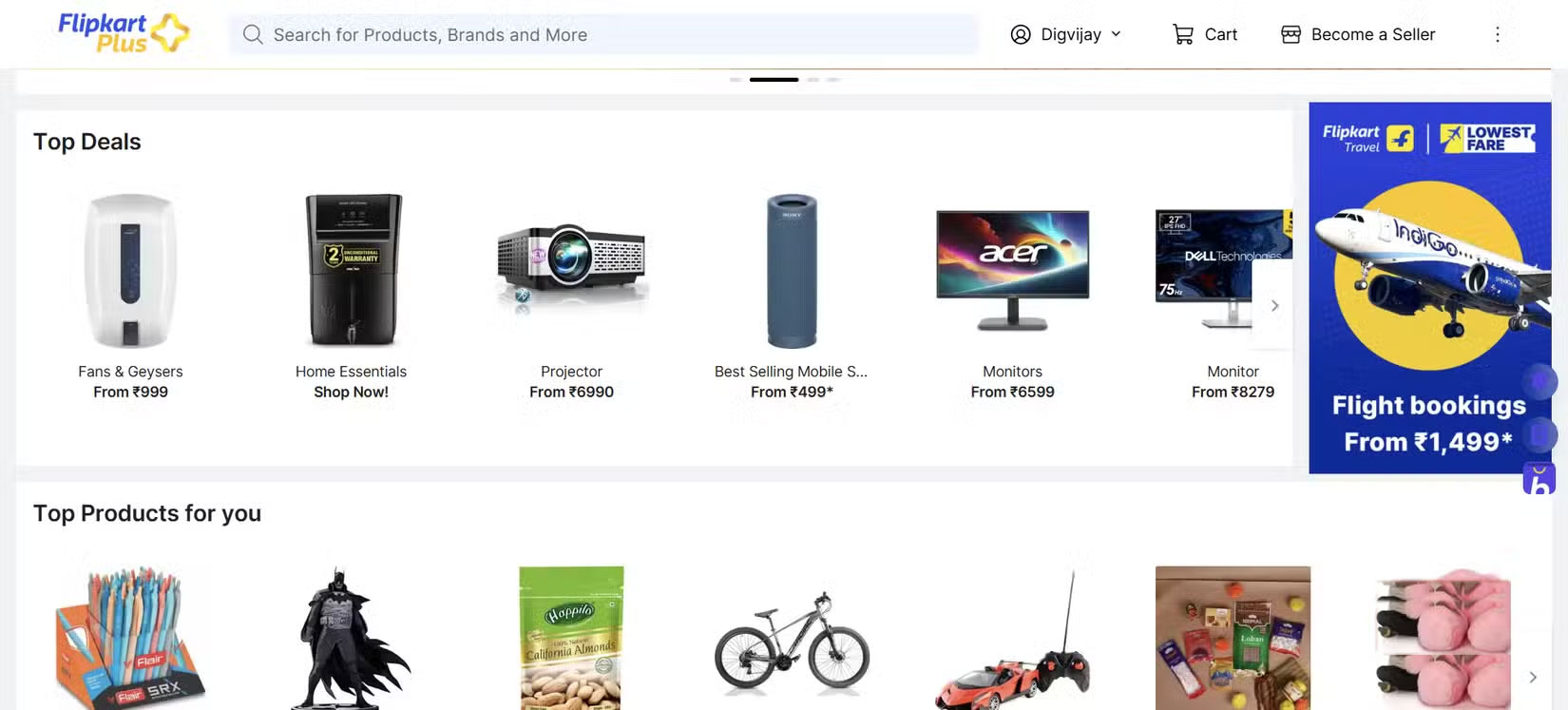
Targeted ads are meant to show you products you might like. But the way they appear across different apps on your phone feels more like tracking. The same pattern repeats throughout a typical week.
The timing is most notable. Ads appear within hours and return for days with new discounts and urgent promotions. Such regularity is unlikely to be coincidental. An ad network may have linked your recent actions to your device identifier and serve relevant ads when connected apps request them.
So how can a search track you to other apps? When an app requests an ad, it may include a persistent device identifier if available. Ad networks can check recent actions associated with that identifier and show relevant ads. Since many apps use the same ad network, a single action can quickly spread to many apps.
The hidden switch that advertising companies don't want you to touch
Hidden Android setting that helps circumvent tracking
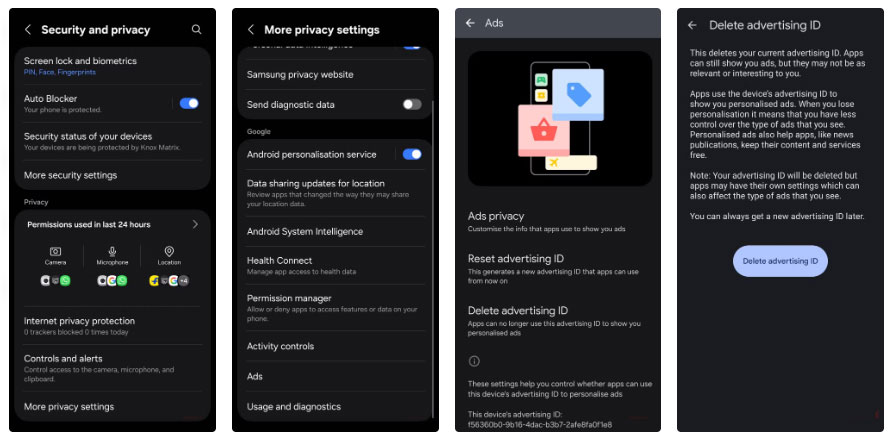
The setting that disables ad tracking on your Android phone isn't advertised. It's several layers deep, uses plain language, and isn't highlighted during setup, so it's easy to miss. Since personalized ads typically make more money than generic ads, ad platforms like to keep this setting enabled.
- First, open Settings .
- Scroll to Security and privacy And open it.
- At the bottom, tap More privacy settings .
- Select Ads , then click Delete advertising ID And confirm.
Note : The path is similar on many Android devices, although the label may be different.
Deleting it cuts off one of the main ways ad networks can identify your device across apps, which often makes it a better choice if your goal is to reduce cross-app tracking. In the same menu, you can also reset your Advertising ID. This replaces the old ID with a new one, like changing your license plate number instead of deleting it. Old data associated with the previous ID will be less likely to be linked to you, but new activity can still be associated with the new ID.
What happens after deleting the advertising ID?
Ads remain, but privacy advantages are lost
After you remove cross-app linking, nothing on your phone is disrupted. Apps still run, games still load, and ads continue to appear. The difference is evident in the content of those ads. Ads often stop reflecting your most recent searches because without an Advertising ID, ad networks can't easily link your app activity into a persistent profile.
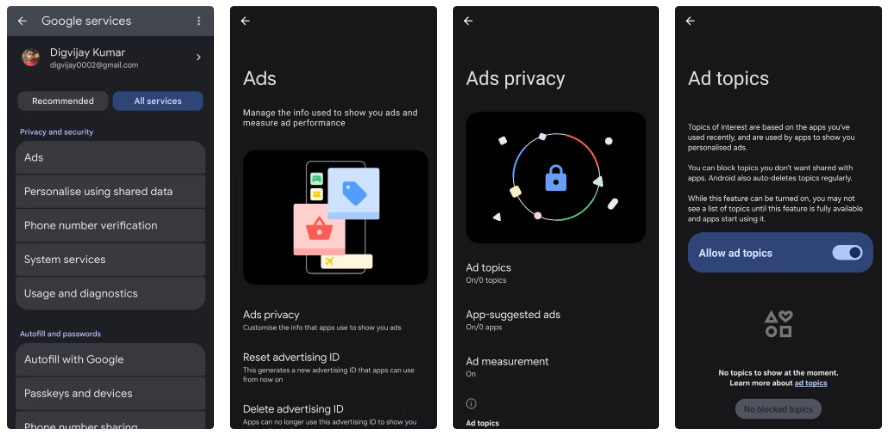
On many Android phones today, the ad privacy dashboard is built into the settings, although the labels may vary by device. Open Settings -> Google -> Ads -> Ads privacy . If All services Appears, open that first. Here, you can turn off Ad topics , App-suggested ads , and Ad measurement to limit ad signals on your device. Combining these controls with changes to your Google account will reduce the data available for ad personalization across Google apps and services.
FAQ
What should you know about creepy targeted ads on your phone will disappear after you change?
In practical terms, hidden in the privacy menu is a toggle for ad tracking. Some people have tried turning it off to see if it makes a difference.
Why does creepy targeted ads on your phone will disappear after you change matter?
The article highlights that when mobile ads become digital stalkers How a search turns into a never-ending ad Targeted ads are meant to show you products you might like.
What is the main takeaway?
The main takeaway is that ads remain, but privacy advantages are lost After you remove cross-app linking, nothing on your phone is disrupted.
Related Articles
 How to Change Messenger Notes Disappearance Time3 minutes read
 How to Avoid Post-tracking Targeted Ads After Shopping Online6 minutes read
 The Creepy Mysteries of GTA 53 minutes read
 How to Change Your Wi-Fi Name on a Computer or Phone6 minutes read
 The First 6 One UI 8 Settings You Should Change on Every Samsung: Key Facts6 minutes read
 Change IP Address: How to Change the IP Address for the Phone9 minutes read
Reader Comments 0
Sign in with email or Google to join the discussion.