Table of Contents
To experience the Galaxy AI feature set on Samsung, the company has deployed its own website so that everyone can view and follow.
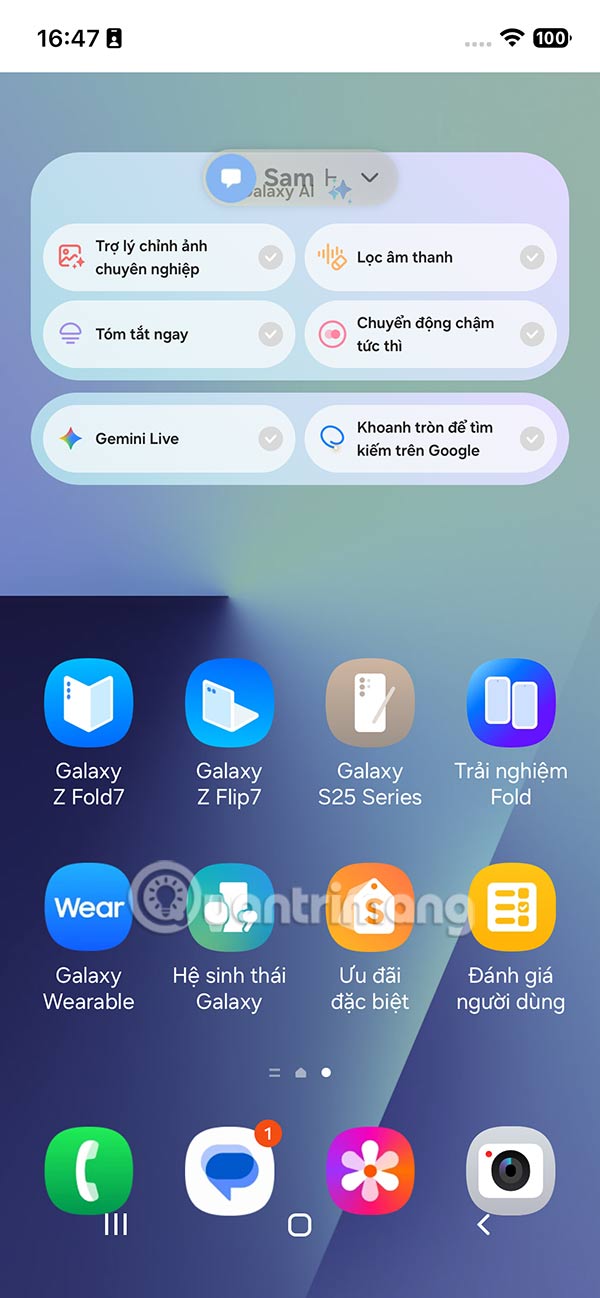
To let users experience the Galaxy AI feature set on Samsung, the company has launched a dedicated website so that everyone can see and follow, no matter which iPhone or Android phone you use. You just need to access the website on your phone and then you will get the One UI 8 interface along with the AI Photo Assist feature set, Audio Eraser, Now Brief, Instant Slow-mo, Gemini Live and Circle to search. Below is a guide to experience Samsung Galaxy AI on iPhone.
How to experience Samsung Galaxy AI on iPhone
Step 1:
You access the link below to enter the website and follow the instructions displayed on the screen.
Https://vn.trygalaxy.com/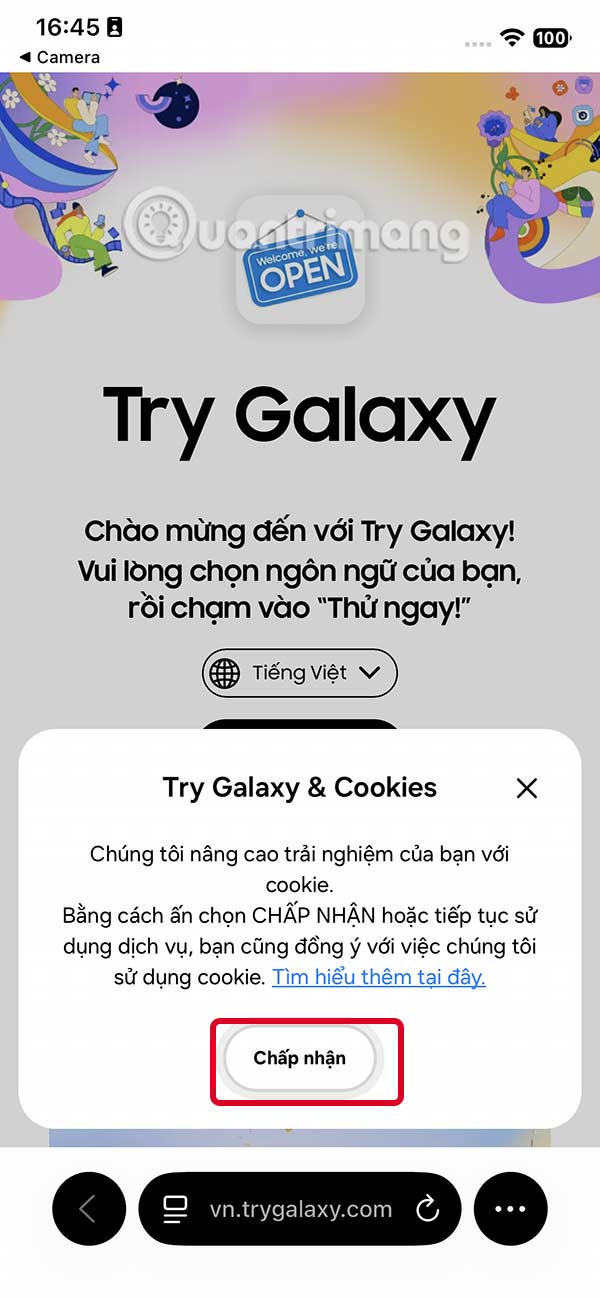
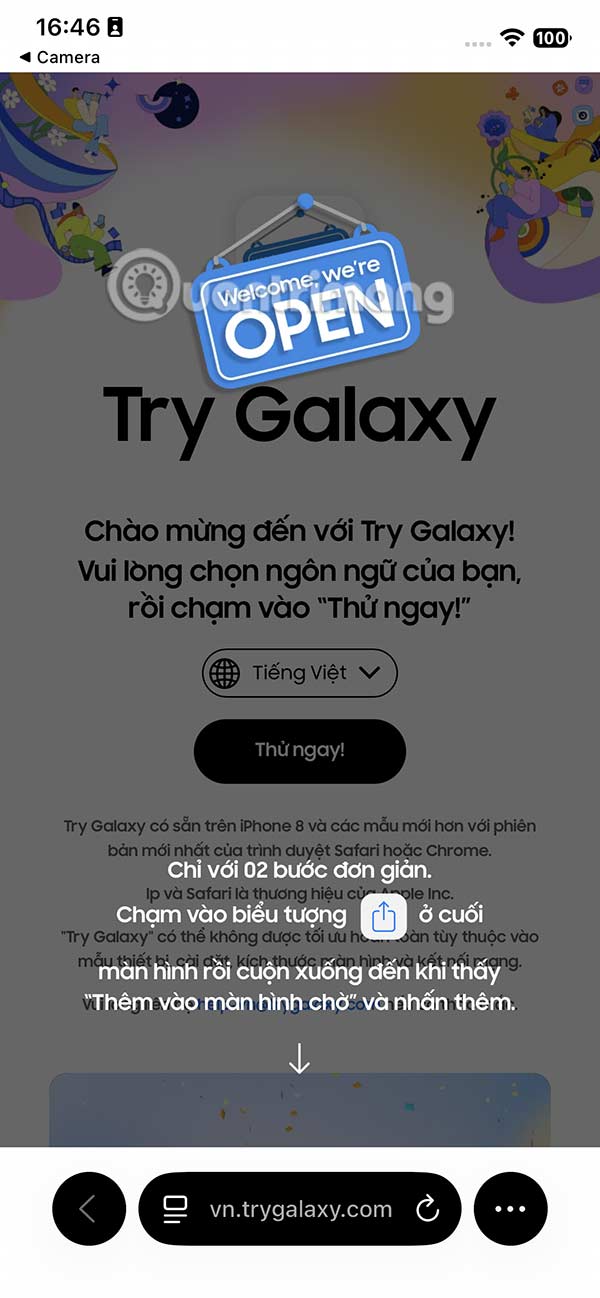
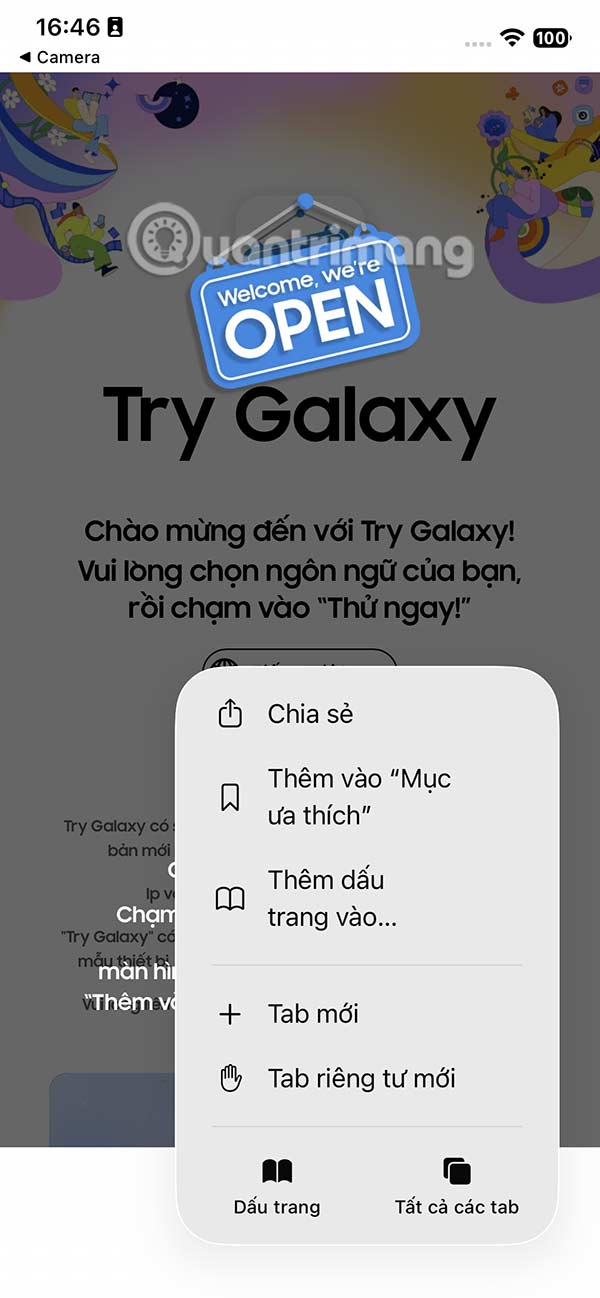
Step 2:
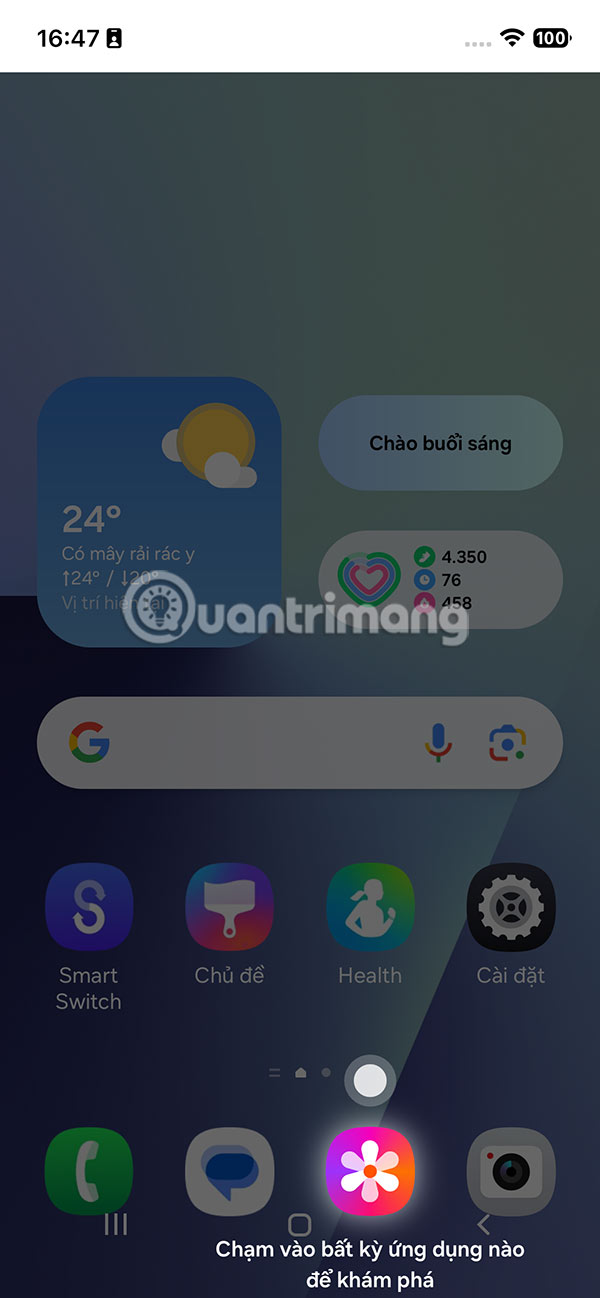
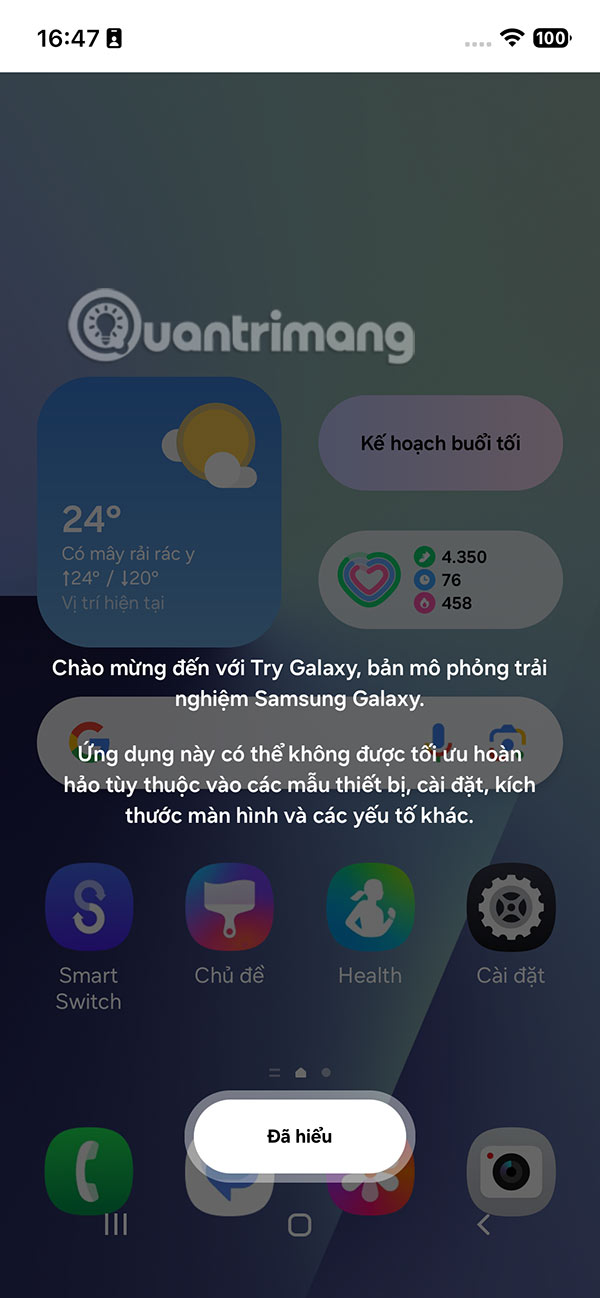
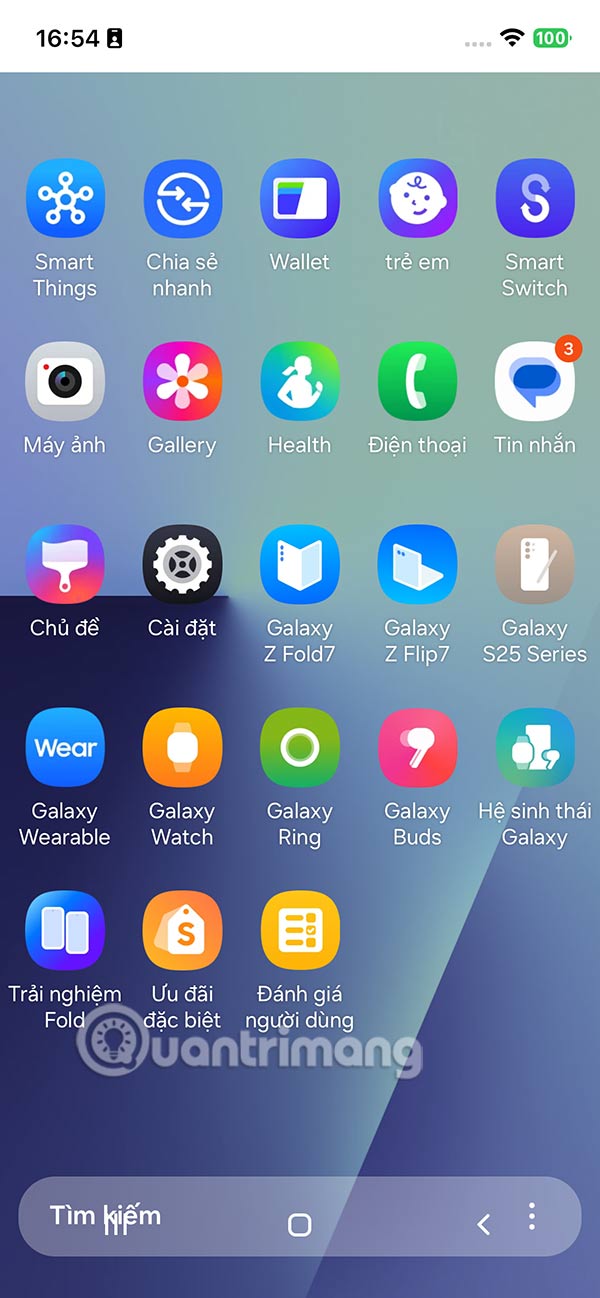
After adding the Samsung Galaxy AI experience page on iPhone or any phone line, you just need to tap on the icon to use it.
When you access it, you will be guided through the basic applications and features.
Step 3:
You click on the AI features displayed on the screen to use.
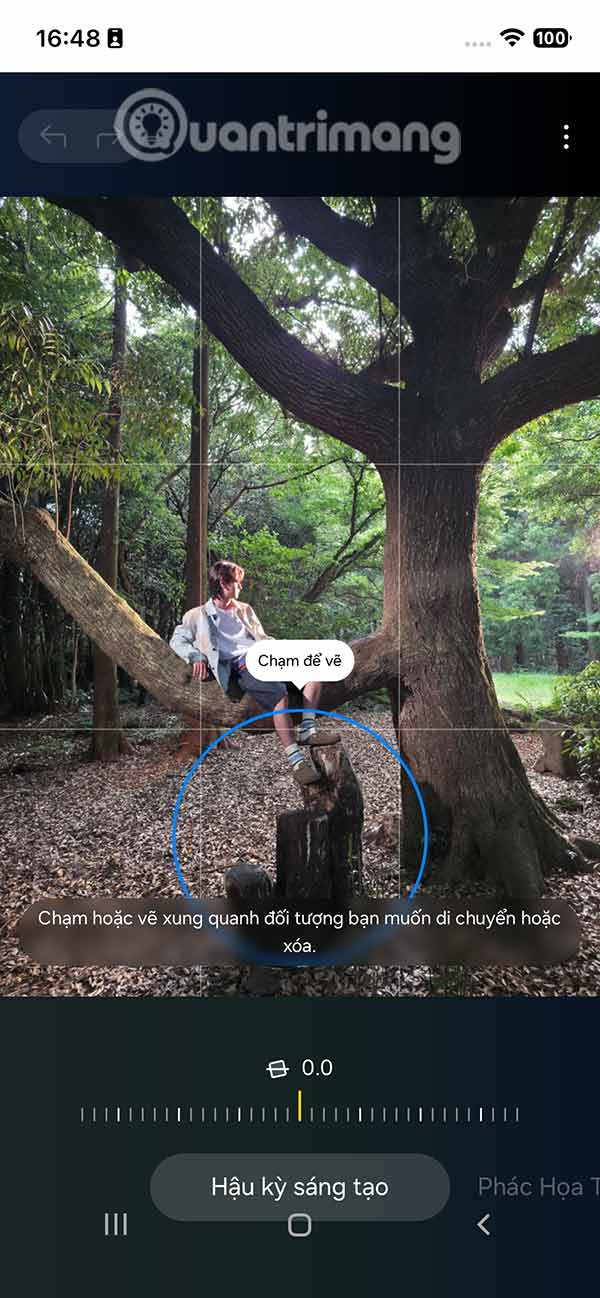
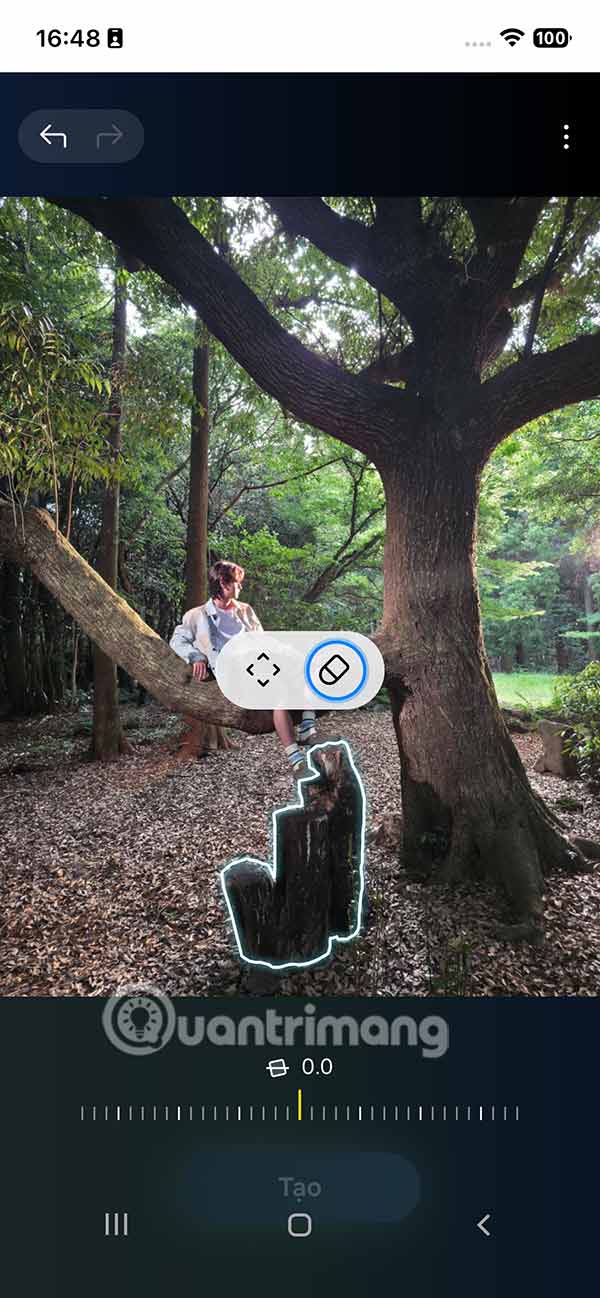
For example, with The AI photo editing tool , you are guided in detail on how to Remove objects in photos . We follow the instructions displayed on the screen to remove the object and the photo is still smooth.

Or with The Audio Filter feature That helps you adjust the sound in your video.


You continue to experience other Galaxy AI tools on your phone. There are also other tools for Samsung Galaxy phones that you can use.
FAQ
What should you know about the options in this guide?
In practical terms, to experience the Galaxy AI feature set on Samsung, the company has deployed its own website so that everyone can view and follow.
Which option is the best choice?
The best choice depends on your priorities, compatibility, budget, and the specific features discussed in the comparison.
What should you compare before deciding?
Compare core features, limitations, ease of use, compatibility, and long-term value before making a decision.
Related Articles
 13 Good Tips and Tricks When Using Galaxy Smartwatch10 minutes read
 11 Cool Samsung Galaxy S21 Tips and Tricks8 minutes read
 10 Features of Samsung Galaxy S8 That the iPhone Cannot Do5 minutes read
 10 Interesting Tips on Samsung Galaxy S8 Not Everyone Knows7 minutes read
 Top 10 Tips You Can Do on Samsung Galaxy S219 minutes read
 Samsung's New Ad Scoffs at Apple's Slowing iPhone3 minutes read
Reader Comments 0
Sign in with email or Google to join the discussion.