
Online Social Network
How to Live Stream on YouTube From Your Phone
Check mobile live-stream eligibility, configure visibility and chat, start or schedule a broadcast, and improve video, audio, and connection quality.
Browse more Discover mobile guides, app tutorials, troubleshooting steps and useful tips for iPhone, Android phones and other connected devices.
Check mobile live-stream eligibility, configure visibility and chat, start or schedule a broadcast, and improve video, audio, and connection quality.
Create a shareable YouTube Clip, link to an exact timestamp, or trim a video file you own with an online editor while preserving quality and permissions.

Post a YouTube link from your Facebook Page or Meta Business Suite, check the link preview, schedule the post, and troubleshoot missing thumbnails.
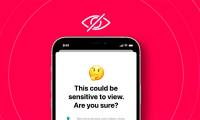
Enable or disable iPhone Sensitive Content Warning, manage supported apps including FaceTime, and understand how it differs from Communication Safety for children.
Compare reputable Android VPN apps, including genuinely useful free plans, paid privacy-focused services, and Cloudflare WARP. Learn what a VPN hides, what it cannot do, and how to set it up safely.
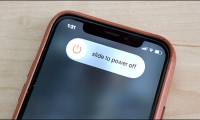
Turn off an iPhone with its buttons, Control Center, Settings, or Siri, and use the correct force-restart sequence when the screen is frozen.
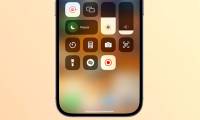
Use the iPhone's built-in screen recorder to capture app audio or microphone narration, find the saved video, and fix common sound problems.

Set up an iPhone or iPad VPN with a provider app or manual configuration, then troubleshoot connection, privacy, and profile issues.
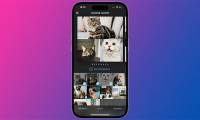
Combine iPhone photos with the Photo Grid shortcut, build a custom grid workflow, or use Google Photos for editable collage templates.

Set up Locket Widget, add friends, place the widget on your iPhone, send photos, and troubleshoot camera or refresh problems.

Update iOS safely from Settings, a Mac, or a Windows PC, enable automatic updates, and fix storage, download, or verification errors.
Finding suitable eBook reading apps (also known as eReaders) can be challenging for many users. There are so many different types of eBooks with various file formats and genres (novels, comics,.
Learn how to send emails with attachments on iPhone with practical instructions, useful tips, and troubleshooting guidance for common issues.
Configure DNS over TLS on Android with a provider hostname, understand what it protects, and troubleshoot connection problems without installing another app.
Share an iPhone Reminders list, invite collaborators, adjust their access, and stop sharing when the list is no longer needed.
The Galaxy S26 Ultra adds a switchable privacy screen and Horizon Lock video stabilization. Here is what each feature does, when it helps and where its limits remain.
Move a PDF or EPUB attachment from Messages into Apple Books on iPhone, iPad, or Mac, enable the missing Books share action, and fix iCloud syncing problems.
Display your daily steps on the iPhone Home Screen or Lock Screen with Pedometer++. Set the required permissions, choose a widget, and fix missing or stale step data.
Close a fake virus or Apple Support pop-up safely, clear its Safari data if it returns, remove spam calendars or unknown profiles, and secure your account if you entered information.
Stop future iOS beta downloads without disabling normal security updates, understand why an installed beta remains, and choose between waiting for a public release or erasing and restoring the iPhone.