Table of Contents
A strong LinkedIn profile quickly answers four questions: who you are, what work you do, what evidence supports it, and what opportunity you want next. Use an accurate name and photo, write a specific headline and concise About section, describe results in Experience, add relevant skills and work samples, and review what is public before sharing the profile.
There is no single “perfect” profile. A student, career changer, consultant, manager, and researcher should emphasize different evidence. Optimize for the real audience—recruiters, clients, collaborators, or peers—rather than filling every field with keywords.
1. Decide what the profile should achieve
Choose one primary goal:
- Find a specific type of job
- Attract clients for a defined service
- Build credibility in an industry
- Recruit candidates or partners
- Showcase research, projects, or creative work
Write down two or three role titles, skills, and industries relevant to that goal. These terms should appear naturally where they are true—in the headline, About section, Experience, and Skills—not as a list repeated across the page.
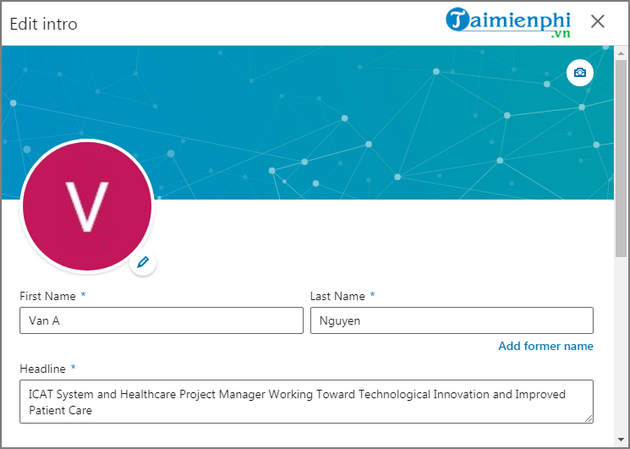
2. Use your professional name
Use the name by which colleagues and employers know you. Include diacritics and correct capitalization when they are part of your name; there is no general reason to remove them. Avoid credentials, job titles, phone numbers, email addresses, emojis, and promotional phrases in the name fields.
If your professional name differs from your legal name, consider how it appears on applications and employment checks. LinkedIn may ask for identity verification in some situations, but your profile should not expose an ID number, birth date, or document image.
3. Add a clear profile photo and background image
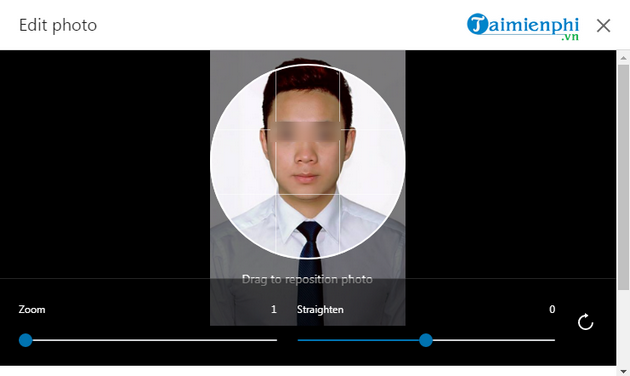
Choose a recent photo that looks like you and fits the norms of your field. A phone camera is enough when the image is sharp and well lit.
- Frame the head and shoulders with the face easy to recognize at thumbnail size.
- Use a simple, uncluttered background.
- Wear what you would reasonably wear when meeting the intended audience.
- Avoid group photos, heavy filters, logos instead of a person, and aggressive cropping.
- Preview the result on mobile and desktop.
The background image can reinforce the field with a project, workplace, product, skyline, diagram, or restrained branded design. Do not place critical text where the profile photo or interface controls cover it.
4. Write a headline that explains your value
The headline appears near your name in search results, comments, messages, and connection requests. Do more than repeat a current job title when a clearer description would help.
Useful headline patterns
- Role + specialty + outcome: Product Designer | Accessible B2B workflows | Research to prototype
- Student + target field + evidence: Computer Science Student | Python and data visualization projects
- Consultant + audience + service: Cybersecurity Consultant for small healthcare teams
- Career changer: Operations Manager moving into Business Analytics | SQL, dashboards, process improvement
Use only claims you can support. “Award-winning,” “top 1%,” and revenue figures need credible evidence. Avoid “seeking opportunities” as the entire headline; it tells readers what you need but not what you offer.
5. Write a concise About section
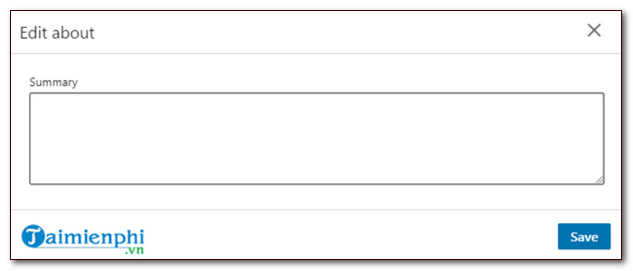
LinkedIn describes the About section as a place for mission, motivation, and skills and recommends one or two paragraphs, with bullets if helpful. Start with the information most relevant to the reader because the section may be collapsed.
Simple About structure
- Present: What you do and who you help.
- Evidence: Two or three specialties, projects, or outcomes.
- Direction: The work, collaboration, or conversation you welcome.
Example: “I am a customer-support operations specialist focused on reducing repetitive work and improving handoffs between support and product teams. I have built knowledge-base workflows, QA scorecards, and dashboards for subscription software teams. I am interested in support operations and enablement roles where documentation and data can improve the customer experience.”
Skip inspirational quotes unless they genuinely add context. Write in the first person, use plain language, and remove adjectives that are not backed by examples.
6. Turn Experience into evidence
List roles relevant to the current goal. For each one, explain the scope, actions, and outcomes rather than copying the job description.
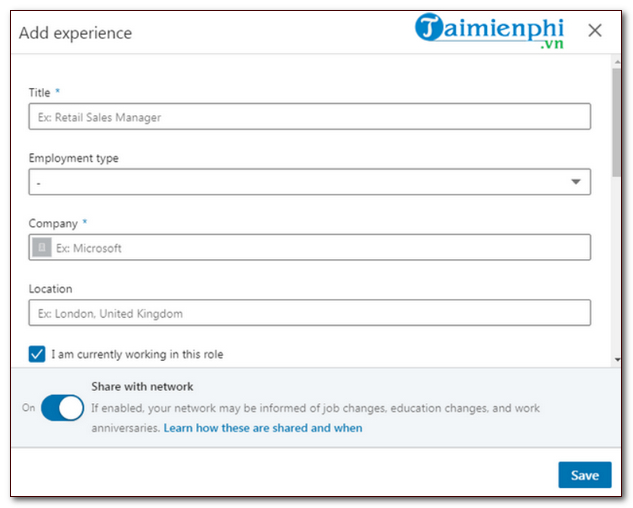
Weak versus stronger description
| Weak | Stronger |
|---|---|
| Responsible for social media | Planned a weekly content calendar and coordinated review across marketing and support |
| Managed projects | Coordinated a six-person team across design, engineering, and operations to launch the onboarding update |
| Improved efficiency | Mapped the intake process, removed duplicate approvals, and shortened the typical handoff |
Use numbers only when accurate and meaningful. If exact figures are confidential, describe scale conservatively: team size, region, product type, or process complexity. Add links, documents, images, presentations, or videos when you have permission to share them and they demonstrate the work.
7. Add education, licenses, and certifications accurately
Include degrees, relevant coursework, activities, and projects when they support the goal. Students can place more detail here; experienced professionals can keep older education brief.
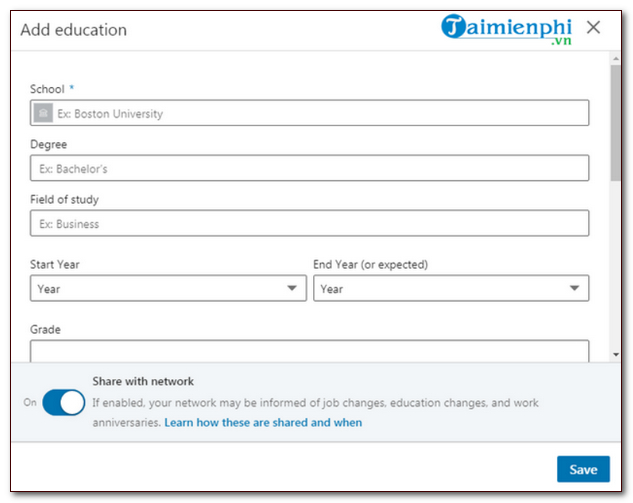
Use Licenses & certifications for credentials issued by a verifiable organization. Enter the correct issuer, issue and expiration dates, and credential URL or ID when appropriate. Do not present a course-completion badge as a regulated professional license.
8. Choose relevant Skills
Add skills that match the work you can actually perform and the roles you want. Prioritize specific, demonstrable skills over generic labels.
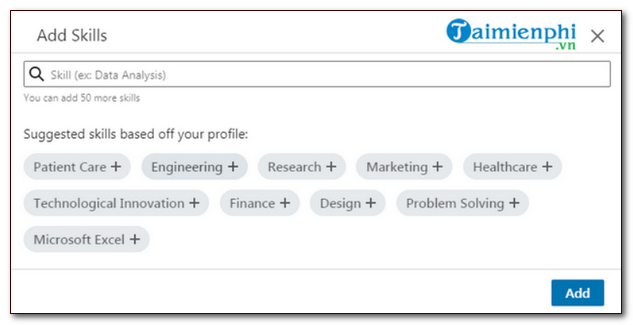
- Stronger: SQL, financial modeling, Figma, technical writing, contract negotiation
- Weaker without evidence: hardworking, visionary, team player, results driven
Order the most relevant skills first when LinkedIn allows it. Endorsements can add context, but work examples, recommendations, and specific Experience descriptions are stronger evidence.
9. Use Featured, Projects, and recommendations
Use Add profile section to add Featured content, Projects, Licenses & certifications, Publications, Volunteer experience, Languages, or Recommendations. LinkedIn's profile sections guide lists the current choices.
- Featured: Link to your best portfolio item, article, presentation, case study, or demo.
- Projects: Explain the problem, your role, tools, collaborators, and outcome.
- Recommendations: Ask people who directly observed your work and suggest the project or skill they could address.
- Volunteer experience: Include it when it demonstrates relevant responsibility or commitment.
Keep samples public only when you own them or have permission. Remove client data, personal information, credentials, and confidential internal documents.
10. Set job preferences deliberately
The Open to Work feature lets you specify role titles, location types, locations, start timing, employment types, and visibility. You can share with all LinkedIn members or only recruiters, although LinkedIn cannot guarantee that a current employer will never learn about private career interests.
Review LinkedIn's Open to Work settings before choosing visibility. Align the profile with the same roles rather than selecting many unrelated titles.
11. Customize the URL and contact information
Create a simple public profile URL if your preferred version is available, then use it on a résumé, portfolio, and email signature. In Contact info, add only channels you are willing to receive professional messages through. Verify links and remove old websites.
For a separate résumé, follow TipsMake's guide to create a résumé in Microsoft Word. The résumé can be tailored to one application, while LinkedIn provides a broader public professional record.
12. Review visibility before publishing
LinkedIn profiles can be visible to signed-in members, search engines, and permitted external services depending on settings. Review:
- Public profile visibility
- Who can see the profile photo and last name
- Contact information
- Connection-list visibility
- Who can see your email address
- Whether profile updates notify your network
LinkedIn's profile visibility explanation describes what members and people outside LinkedIn may see. Turn off update sharing before a large edit if you do not want every change announced; the saved information itself is still visible according to your profile settings.
13. Proofread and test the profile
- Read the headline and first lines of About on a phone.
- Check dates, employer names, titles, and links.
- Remove repeated adjectives and inconsistent verb tense.
- Make sure every number and credential can be defended.
- Ask someone in the target field what they think you do after a 20-second scan.
- View the public profile while signed out if appropriate.
TipsMake's spelling and grammar tools can help with a final language check, but keep your own voice and verify every suggested rewrite.
14. Maintain the profile
Update the profile after a new role, project, certification, publication, or meaningful skill change. Remove obsolete links and descriptions that no longer support the direction. A short quarterly review is more useful than rewriting the entire profile before every application.
LinkedIn's own profile guidance emphasizes an updated photo, headline, About section, relevant experience, skills, and recommendations. Completeness helps, but relevance and evidence are what make the profile credible.
Related Articles
 Instructions for Creating a Linkedin Account: What Are Linkedin5 minutes read
 5 Tips to Help You Use Linkedin Better5 minutes read
 How to Enable LinkedIn Privacy Mode to Browse Anonymously6 minutes read
 TOP AI Tools for Creating Professional Portrait Photos11 minutes read
 Fake Comments Are Rampant on LinkedIn: Here's What to Watch Out for7 minutes read
 Steps to Delete Your Linkedin Account4 minutes read
Reader Comments 0
Sign in with email or Google to join the discussion.