Table of Contents
Lotus personal accounts are created in the mobile app. The official Lotus website currently directs new users to download and open the app to register, while the web version is mainly for accessing an existing account.

Before you register
Start from the official Lotus website and use its Android or iOS download link. This helps you avoid unofficial copies. You will also need access to a phone number or email address that can receive a one-time verification code.
Lotus and Lotus Chat are related services but are not the same app. Lotus is the social and content platform; Lotus Chat is a separate messaging application. If your goal is to create a social-network account, make sure you install the Lotus app rather than only Lotus Chat.
How to create a Lotus account
- Open the Lotus app. On the welcome or sign-in screen, choose Register or the equivalent option shown in your version of the app.
- Enter your phone number or email address. Check the spelling and country code before continuing.
- Confirm the verification code. Lotus sends a one-time code to the contact method you supplied. Enter it only in the official app and never share it with another person.
- Complete the requested profile details. Depending on the current app version, you may be asked for a display name, password, date of birth, or other basic information.
- Review the result. After registration, open the profile or account settings and confirm that your contact information is correct.
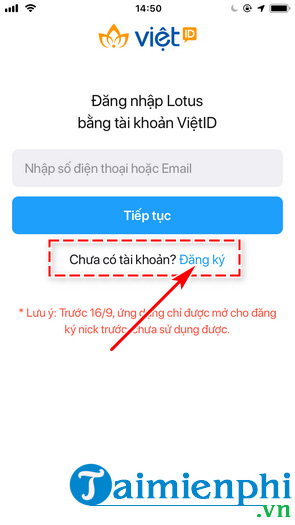
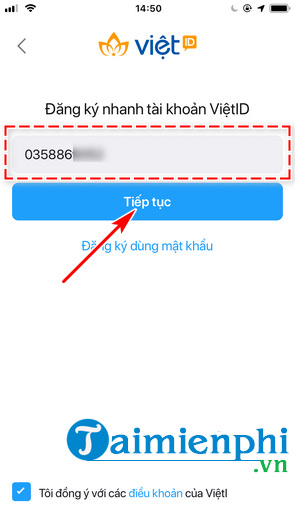
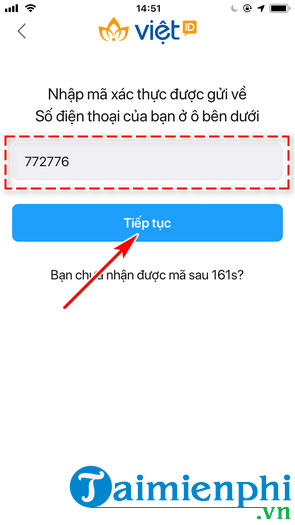
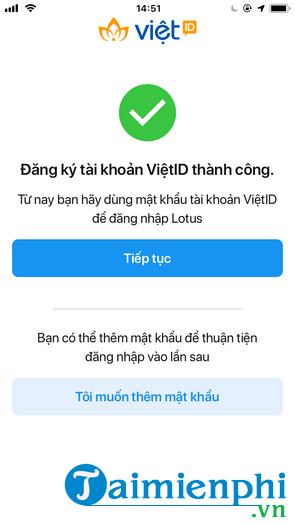
The screenshots above come from an earlier release, so button names and screen layouts may differ. Follow the current prompts in the official app if the interface has changed.
What is VietID?
Some older Lotus registration screens referred to a VietID account. If the current app displays a VietID notice, read it before continuing and follow the account-recovery options shown there. Do not assume that an old screenshot exactly describes the present sign-in system.
If the verification code does not arrive
- Confirm that the phone number, country code, or email address is correct.
- Wait briefly before requesting another code; repeatedly tapping the resend button can delay delivery.
- Check the email spam folder and make sure SMS filtering is not blocking the message.
- Switch between mobile data and Wi-Fi, then reopen the app.
- Update Lotus from the official store if the registration screen is missing or does not respond.
If the app says the contact information is already registered, use the password-recovery option instead of opening a duplicate account. A password manager can help you create and store a unique password, and these secure email services are useful if privacy is a priority.
Using Lotus on the web
The Lotus website can be useful after an account has been created. Depending on the current sign-in options, it may offer QR-code or one-time-code access. Personal registration, however, is directed through the mobile app. For more guides to social platforms, see TipsMake's online social network section.
Archived pre-launch screens
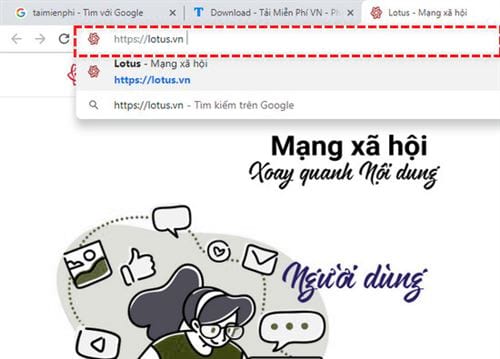
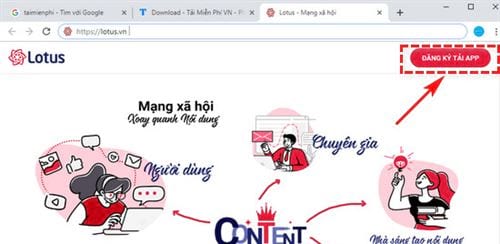
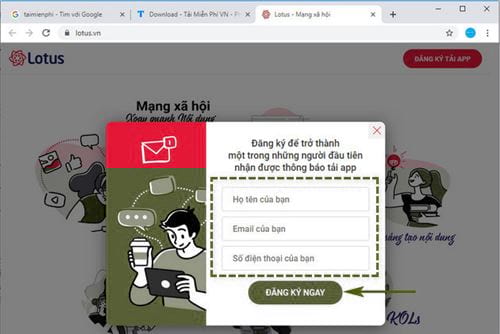
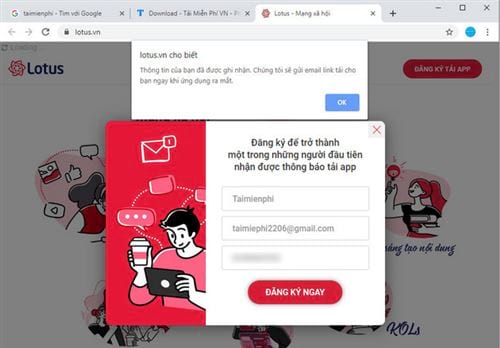
The images below document an older Lotus pre-launch flow that let visitors request a download notification. They are preserved for historical context but do not represent the current registration process.
Related Articles
 Lotus -- the 'Made in Vietnam' Social Network Has Opened an3 minutes read
 Experience Trying Lotus Social Networks4 minutes read
 Revealing How Mxh Lotus Protects Users, Has Genuine 'Green Tick'3 minutes read
 Special Content Tools and Formats on Lotus, Helping Users Create4 minutes read
 Instruction for Registering Lotus Account4 minutes read
 Revealing the Invitation Card to the Launch of the Lotus2 minutes read
Reader Comments 0
Sign in with email or Google to join the discussion.