Table of Contents
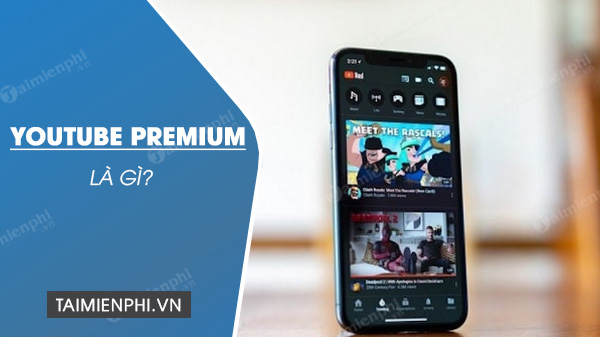
YouTube Premium is a paid membership that removes most YouTube-served ads, includes YouTube Music Premium, enables background playback on supported mobile apps, and lets you save eligible videos and music for offline use. It is most valuable for people who watch YouTube frequently and would otherwise pay for a separate music service.
Prices, trials, plan names, and features vary by country and can change. Check the offer shown at YouTube Premium while signed in rather than relying on an old monthly price.
What YouTube Premium includes
- Most videos without YouTube-served ads: benefits apply when you are signed in across supported phones, browsers, smart TVs, streaming devices, game consoles, YouTube Kids, and YouTube Music.
- Background play: audio can continue in supported mobile apps while you use another app or turn off the screen. Availability can differ for Shorts and specific content.
- Offline viewing: save eligible videos and playlists in YouTube for playback without a connection. These are encrypted app downloads, not ordinary MP4 files in your gallery.
- YouTube Music Premium: ad-free music, background playback, offline music, and supported audio-quality controls are included.
- Additional convenience features: availability can include Smart Downloads, cross-device continuation, picture-in-picture, and listener-oriented controls.
Offline items must periodically reconnect so YouTube can verify availability. A video can disappear from downloads if it is removed or no longer eligible.
What YouTube Premium does not remove
“Ad-free” has limits. You may still see:
- sponsor messages or product placements inserted by the creator inside a video or podcast;
- promotional links, shelves, or merchandise features placed around content;
- ads or promotions in some Primetime Channels, live events, or other separately provided programming;
- podcast advertising in experiences where YouTube states that it may remain.
Premium also does not give you ownership of a downloaded video, permission to redistribute it, or a general-purpose music file. The downloads work inside YouTube and YouTube Music.
YouTube's related services
| Service | Main purpose | Included with full YouTube Premium? |
|---|---|---|
| YouTube Premium | Ad-free video experience, background play, offline downloads, and Music Premium | — |
| YouTube Music | Music streaming with a free, ad-supported tier where available | Yes, Music Premium features are included |
| YouTube Music Premium | Paid music-only benefits | Yes |
| YouTube Premium Lite | Lower-cost plan in selected locations; benefits vary and may cover most videos rather than the full Music Premium package | No; it is a separate plan |
| YouTube TV | Separate live-TV subscription in supported markets | No |
| YouTube Kids | Child-focused app and parental controls | Premium viewing benefits can apply when supported |
YouTube Originals is no longer a good reason by itself to subscribe; the current value is primarily the viewing, listening, offline, and background-play experience.
Is YouTube Premium worth it?
It is likely worth considering if:
- You watch YouTube for many hours each week across several devices.
- You listen to long videos, podcasts, lectures, or music with the phone screen off.
- You regularly need offline video during travel or unreliable connectivity.
- You would use YouTube Music Premium instead of paying for another music subscription.
- A family, student, or annual plan is available and everyone meets its eligibility rules.
It may not be worth it if:
- You use YouTube only occasionally.
- You already pay for and prefer another music service, so the included Music Premium adds little value.
- You mainly watch creator-sponsored videos, live events, or channels where embedded promotions remain.
- You expect downloads to be permanent video or MP3 files outside YouTube.
- The free ad-supported version already meets your needs.
How to evaluate it without guessing
- Check the exact local price and plan benefits in Purchases and memberships.
- Estimate how many hours you use YouTube and YouTube Music in a normal month.
- Compare the total cost with your existing music or video subscriptions.
- If eligible for a trial, note the renewal date and test the features you actually need: TV ad removal, background play, downloads, and Music Premium.
- Cancel before renewal if it does not replace enough advertising or another subscription to justify the cost.
For the music side, compare Spotify, Apple Music, and YouTube Music or read the focused assessment of whether YouTube Music is worth paying for.
How Premium supports creators
YouTube shares part of Premium membership revenue with eligible creators when Premium members watch their content. YouTube states that the more a Premium member watches a creator, the more that viewing contributes. Creators must still meet YouTube Partner Program rules and accept the relevant monetization modules to receive applicable revenue; Premium viewing does not automatically pay every channel.
YouTube's official Premium benefits page is the best source for current device and feature details.
Related Articles
 How to Sign up for a Youtube Premium Trial6 minutes read
 Why Did YouTube Cancel Your YouTube Premium Subscription?4 minutes read
 YouTube Originals Will Be Available for Free Soon3 minutes read
 Why Is YouTube Premium Lite Worth Subscribing to?5 minutes read
 What Is YouTube Premium 1080p Resolution? How to Use It?5 minutes read
 5 Ways to Get YouTube Premium for Cheap7 minutes read
Reader Comments 0
Sign in with email or Google to join the discussion.