Table of Contents
You can create a Truth Social account on the official website or in the iPhone or Android app. The current sign-up flow asks for your date of birth, a mobile number for a six-digit code, a unique username, and a password. Truth Social says users must be at least 18 and that creating an account is free.

The original beta waiting-list process is obsolete. You no longer need to submit a name and email and wait for a beta invitation. Availability can still vary by country, app store, device, and local rules.
Before you sign up
- Use the official Truth Social website or the verified app-store listing.
- You must be at least 18, according to Truth Social's current help page.
- Have a mobile number that can receive the verification text.
- Choose a unique username that is not your email address.
- Create a unique password rather than reusing one from email or another social network.
- Read the Terms of Service, Privacy Policy, and Community Guidelines before accepting them.
Truth Social states that no payment or credit-card number is required. A third party offering to sell or speed up access is not legitimate.
Create an account on a computer
- Go directly to truthsocial.com/signup.
- Select Create an Account if the sign-up page is not already open.
- Enter your date of birth.
- Enter a mobile number and submit it.
- Type the six-digit code sent by text message.
- Choose a unique @username, enter the requested account information, and create a password that meets the on-screen rules.
- Add a profile photo, banner, display name, location, website, or bio if desired. Optional public details can be added later.
- Verify the email address when prompted so you can use it for login and support.
If the page says JavaScript is required, enable JavaScript for the official domain or try a current browser. Do not disable browser security or install a “Truth Social access” extension.
Create an account on iPhone
- Open the App Store and search for Truth Social.
- Verify the app name, icon, publisher information, reviews, and official website link before installing.
- Open the app and tap Create an Account.
- Enter your date of birth, mobile number, and the SMS code.
- Choose the username and password and complete the profile fields you want to make public.
- Verify your email address.
Truth Social's help center says the current app requires iOS 15 or later. If the App Store does not show it, check device compatibility and regional availability instead of changing the App Store country with false billing details.
Create an account on Android
- Open Google Play or the Samsung Galaxy Store.
- Search for Truth Social and verify the official listing.
- Install the app, open it, and select Create an Account.
- Complete the same date-of-birth, phone verification, username, and password steps.
- Verify the email address and finish the profile.
The app is now available on Android; older claims that Android users must wait are outdated. Truth Social's current documentation lists Android 8.0 as the minimum version for the latest app. Use the official store when available rather than sideloading an APK.
Choose a username and public profile details
The username begins with @ and forms a unique profile identity. It cannot be an email address. Choose one you are comfortable sharing publicly and avoid including a phone number, birth date, employer login, or other sensitive data.
A display name can be more readable than the username. Add a profile image and bio only when you have the right to use the image and are comfortable making the information visible. A public profile does not need your home address, full date of birth, personal phone number, or identification documents.
Verify your email address
Truth Social uses the mobile number during sign-up, but its help page says an email address should be verified if you want to use it for login or support. Open the verification message only after checking the sender and destination. If the message does not arrive:
- Check spam and filtered folders.
- Confirm that the address is spelled correctly.
- Request another message from the account settings rather than from an email link.
- Use Truth Social's official support contact if the address cannot be corrected.
For a separate recovery mailbox, compare TipsMake's overview of secure email services.
If the SMS verification code does not arrive
- Check the country code and phone number.
- Make sure the phone can receive ordinary SMS messages and has a signal.
- Disable call or message filtering only when you understand the setting, then try once more.
- Wait before repeatedly requesting codes; only the newest code may work.
- Do not give the code to anyone who contacts you.
Truth Social's official account creation guide contains the current sequence and platform requirements. The help center also publishes its official support address.
Protect the new account
- Use a password unique to Truth Social and store it in a reputable password manager.
- Verify the email address and keep both recovery channels current.
- Do not share verification codes, recovery links, cookies, or screenshots containing credentials.
- Review the Privacy Policy before adding optional location or profile details.
- Download updates only from the official app store.
- Report impersonation and suspicious login messages through the platform's official support tools.
See TipsMake's password manager comparison for credential storage and the online social network section for related account guides.
Archived beta registration screens
The screenshots below show the pre-launch email waiting list, not the current account-creation form. They are retained as historical reference so readers do not mistake an old guide or screenshot for today's workflow.
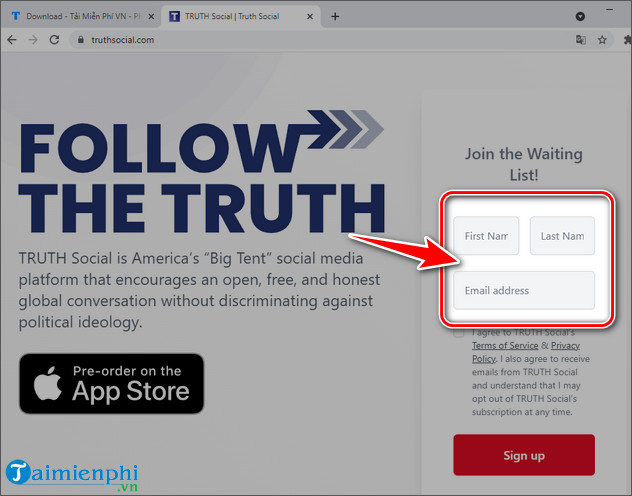
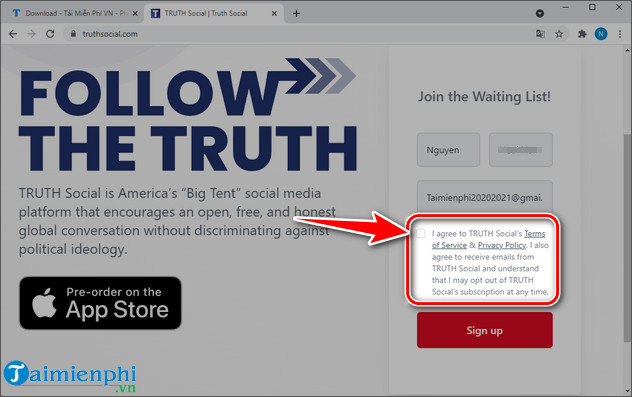
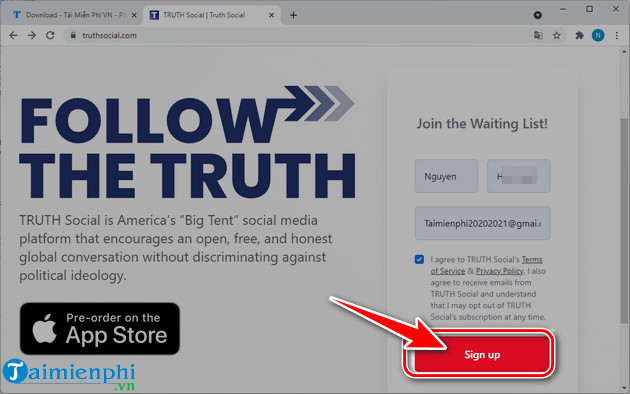
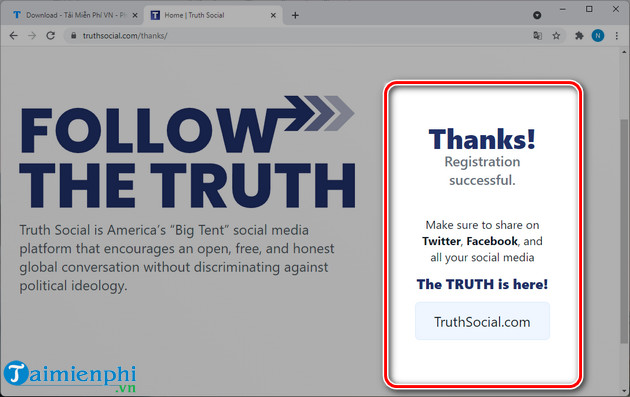
A message saying “registration successful” on that old page meant joining a beta list; it did not create the kind of active account available today.
Related Articles
 Why Should You Think Carefully Before Logging in with a Social12 minutes read
 minutes read
 How to Create a Lotus Account, a Vietnamese Social Network4 minutes read
 5 Tips to Keep Your Social Network Account in a 'Safe' State5 minutes read
 How to Create a Weibo Account with a Vietnamese Phone Number6 minutes read
 How to Create an Instagram Threads Account3 minutes read
Reader Comments 0
Sign in with email or Google to join the discussion.