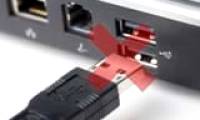
USB - Flash Drive
How to fix the problem of a laptop not recognizing a USB device when plugged in
The problem of a laptop not recognizing a USB device is a common one for computer users. There are many causes and specific solutions for this error.
Browse more Explore computer hardware guides, buying advice, troubleshooting tips and practical information about components, laptops and peripherals.
The problem of a laptop not recognizing a USB device is a common one for computer users. There are many causes and specific solutions for this error.
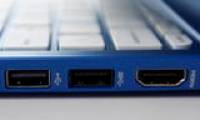
You're planning to buy a laptop or PC and are interested in learning about its ports, especially the USB 3.0 ports, which are of great interest to many users. However, you may have limited information about this port format.
Recently, you've noticed that the time displayed on Windows is often incorrect, requiring you to manually adjust it daily. Furthermore, every time you start your computer, you receive an error message: 'CMOS Checksum error'.
In a computer system, the BIOS is a fundamental input/output system program that stores basic computer information that you can edit and configure.

There are many reasons for the 'BIOS checksum Error', such as: a faulty power supply circuit for the CMOS, an outdated BIOS, or a dead battery, etc.
When your computer is no longer compatible with existing applications in the operating system or experiences BIOS errors, you need to upgrade the BIOS. This article from TipsMake will guide you through the process.

This guide on enabling CPU virtualization in BIOS will help you activate virtualization technology on your computer, a technology that is now quite common and often used to support emulators or virtualization to achieve.
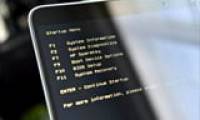
This guide explains how to configure the BIOS on an HP laptop to boot from a USB drive, allowing HP laptop users to install Windows or access the boot menu to fix computer errors.
If you're having trouble with your computer constantly restarting and not displaying the BIOS screen, check out this article from TipsMake to learn how to fix this problem.
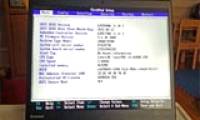
BIOS is the firmware displayed on the screen during system startup. Suppose you want to configure your BIOS to boot from external hard drives or USB drives but don't know how.
The method for accessing the BIOS varies depending on the laptop model. Once in the BIOS, you can easily configure and modify computer settings.
Have you ever tried installing a second operating system on Windows? If so, you've likely encountered some UEFI Secure Boot errors during the process.
If you are experiencing problems or errors related to the BIOS, you can try resetting the BIOS to its default settings. If you don't know how to reset the BIOS settings, please refer to the article below for instructions.
There are many reasons to switch your computer from traditional BIOS to the newer UEFI standard if your hardware supports it, and the following article will guide you through the steps to correctly switch Legacy BIOS to UEFI.
Computer boot speed depends on RAM, hard drive, processor, and BIOS. This guide shows you on how to adjust your BIOS to speed up boot times.
Use the startup beep pattern, BIOS vendor, and motherboard manual to narrow down RAM, graphics, CPU, keyboard, and firmware problems before replacing hardware.
Find a network printer's IPv4 address from Windows Settings, Printer Properties, the printer's control panel, a configuration page, or your router.
Troubleshoot scanners that are not detected, jam paper, scan slowly, or produce streaked, blurry, cropped, or unreadable files.
Fix Canon LBP 2900 paper-feed failures by checking the paper, tray loading, obstructions, pickup roller, separation pad, and print settings.

Use controlled test prints to isolate garbled characters, missing glyphs, substituted fonts, and corrupted PDF output to the file, driver, cable, or printer.